Mini LED vs OLED: the ultimate HDR experiences on your ROG gaming laptop
Display technology has been moving at a rapid pace over the past few years, with two new technologies revolutionizing the space: Mini LED and OLED. With superior contrast and incredible HDR performance, these new panel types have unlocked new levels of gaming visuals across the PC space — even laptops. But which should you pick? Here’s what to consider before you buy your next gaming laptop.
Key points: Mini LED and OLED both deliver HDR that would have made enthusiasts drool five years ago, but each one shines in a different spot. Here’s the short version:
- Mini LED is the king of brightness: The SCAR 18’s Nebula HDR Display packs over 2,000 dimmable zones and up to 1,600 nits of peak brightness (nits measure how bright a screen can get), so HDR stays punchy even in a sunlit room.
- OLED is the king of contrast: Every pixel on the Zephyrus G14’s 3K display lights itself, creating over 5 million “zones” for pixel-perfect blacks and crisp edges, with none of the blooming (light bleeding around bright objects) that Mini LED can show.
- Motion clarity: OLED responds in as little as 0.03ms for razor-sharp motion, faster than most Mini LED displays — but Mini LED laptops with Nebula ELMB (Extreme Low Motion Blur) can look even clearer.
- Which to pick: Go Mini LED for sunlit rooms, OLED for late-night sessions, and either one for esports. Panel type is just one spec in your laptop decision, so treat it as part of the picture.
Mini LED: The king of brightness

Mini LED is a true evolution of the LCD panels we’ve been using for decades. Typical LCD panels, like the IPS displays in most gaming laptops, are edge-lit by just a few LEDs along the edge of the display. When the display is on, those LEDs are on, lighting up the entire panel, including dark or black areas.
Mini LED modules are about 20% the size of a standard LED, however, which allows us to move those diodes directly behind the LCD layer, allowing for a true full-array backlight with individual dimming zones. The ROG Nebula HDR Display on the ROG Strix SCAR 18 features over 2,000 independent zones on an 18-inch panel, allowing some zones to pump up the brightness while others dim down dark for stunning contrast. This granularity of dimming simply wasn’t possible with an edge-lit display, and is one of the key features of Mini LED — bright areas look brighter, and dark areas look darker.
Brightness is a particular strength of Mini LED — both peak and sustained brightness. Standard IPS and TN panels generally have a peak brightness of 300-500 nits. Mini LED, by contrast, can reach a peak brightness of 1,600 nits or more in a small part of the screen, and up to 1,000 nits across the entire display, which is great for both playing games with lots of ambient light or experiencing content in next-gen High Dynamic Range, or HDR.
But we’ll talk more about HDR in a little bit. Just know that when you see a laptop with a Mini LED display, it can achieve exceptionally high peak brightness with deep contrast, allowing for a really punchy image in movies and games.
OLED: The king of contrast

OLED has been a dominant player in the TV world for some time, but has just recently made a huge impact on the gaming laptop scene. This is due in part to ROG bringing G-SYNC's Variable Refresh Rate (VRR) tech to a laptop OLED display for the first time, allowing for smooth motion without screen tearing when refresh rates momentarily dip. With that critical technical hurdle overcome, laptop gamers can finally enjoy all of the benefits of OLED panels.
Unlike Mini LED, which uses a grid of backlights to light up an image, Organic Light Emissive Diodes (OLED) allow every single pixel to be self-emissive, meaning that every pixel can be turned on and off independently. While 2,000 zones on a Mini LED panel is certainly impressive, a 3K OLED display like the one found on the ROG Zephyrus G14 functionally has over 5 million “zones” compared to its Mini LED counterpart. Because each pixel can be lit or turned off independently, contrast is pixel-perfect, allowing one pixel to be truly inky black and the one next to it bright and punchy. This gives a level of “pop” and crispness to the image that no other technology can match, and the first time you see it, it’ll truly leave your jaw on the floor.
HDR: Prepare to be dazzled

High Dynamic Range, or HDR, is a classification for the range of light within an image. Standard Dynamic Range (SDR) content is commonly mastered at 100 nits, while HDR content is often mastered at 1,000 nits or more — which gives an HDR-capable display a much wider range of brightness and color to showcase a more true-to-life image that really "pops". Bright parts of the scene look more vibrant and detailed, while shadows stay dark and moody.
Both Mini LED and OLED excel at HDR content in ways standard LCD displays never could. The SCAR 18's Nebula HDR Display is an exceptional HDR showcase thanks to its 1,600 nits of peak brightness and 2,000 individually dimmable zones. Similarly, the Zephyrus G14's top-tier OLED with its 1,100 nits of peak brightness and pixel-perfect contrast gives HDR the pop its known for.
It's not just about the numbers, though. The G14's 1,100 nits might seem like a downgrade compared to the 1,600 on the SCAR, for example, and it can't get nearly as bright full-field — OLEDs have an automatic brightness limiter that dims brightness the more of the screen is lit. But keep in mind that OLED also has more "zones" thanks to its self-emissive pixels. Where a Mini LED panel might have a small amount of "blooming" around bright areas (where light bleeds around the zone), OLED panels have incredibly crisp edges around bright objects with no blooming. That said, ROG has multiple hardware and software tools to minimize blooming in our Mini LED-equipped laptops, making both options great for games — it's just about whether you prefer the top-tier brightness and highlight detail of Mini LED, or the pixel-perfect contrast of OLED. You'll find plenty of fans on both sides.
How Mini LED and OLED fare in games

So both Mini LED- and OLED-equipped laptops offer brightness, contrast, and HDR specifications that would have made an enthusiast drool five years ago. But does one get the edge for gaming specifically?
First, you’ve probably heard about OLED’s burn-in risk. Every OLED pixel has a finite lifespan, and long periods of having a static image (like the Windows taskbar or a game's UI elements) heightens that risk. However, newer gen OLED panels have mitigated this problem to a large extent, and ROG has multiple levels of protection on top of that, from Pixel Shift and Pixel Cleaning cycles to software features that dim the taskbar or background windows when not in use. Mini LED has zero burn-in risk, since it relies on more traditional non-organic LEDs.
Perhaps more importantly, let’s talk about speed — a crucial feature for gaming. The faster your display can shift from one color to another, the clearer motion will look, with less of a blurry trail behind moving objects. The best Mini LEDs can have pretty quick response times, in the single-digit milliseconds. But OLED's unique panel technology gives it response times as low as 0.03ms, which is nearly instantaneous. That means, especially at high refresh rates, OLED has incredibly clear motion without the blur that is inherent to typical IPS displays.
Mini LED still has some of that blur — however, the ROG Nebula ELMB (Extreme Low Motion Blur) featured on our 2026 ROG Strix SCAR 18 has solved this by utilizing those multiple backlight zones to strobe only the sections near the scanline for the most crystal-clear motion possible. We go into much more technical detail in this dedicated article, but TLDR: Nebula Extreme ELMB offers some of the lowest motion blur available on a laptop, but it’s only available on select Mini LED machines. For hyper-competitive gamers, that may be a feature worth considering.
Mini LED or OLED: Which is right for you?
So which should you choose? You can’t go too wrong with either technology, but here’s a quick rundown of who benefits most from each panel type:
-
For the daytime player: Go Mini LED. Sunlit dorm rooms and 1,600 nits get along, and the blooming won’t be as noticeable in rooms with ambient light.
-
For the night owl: Go OLED. Starfields look truly breathtaking when the black stays black.
-
For the esports competitor: Both panels keep up with fast-paced motion. OLED has an edge over typical Mini LED displays...unless that Mini LED panel features Nebula ELMB, which has some of the clearest motion you’ve ever seen on a laptop display.
Keep in mind, the display panel type is just one feature in a long list of laptop specs to consider — so take this as part of your laptop selection rather than the deciding factor. Check out our full gaming laptop buying guide for the complete rundown of everything you need to consider, and which ROG gaming laptop is best for you.
FAQ
Is Mini LED or OLED better for gaming?
Both panel types are excellent for gaming, and neither wins across the board over the other. Mini LED leads on brightness, capable of up to 1,600 nits (a nit measures how bright a screen can get) and zero burn-in risk. OLED leads on contrast and speed, with pixel-perfect blacks and response times as low as 0.03ms. For esports, OLED has the edge over typical Mini LED, unless the Mini LED panel features Nebula ELMB (Extreme Low Motion Blur).
Will an OLED gaming laptop get burn-in?
Every OLED pixel has a finite lifespan, and long stretches of static images, like the Windows taskbar or a game’s HUD, raise the risk. Newer OLED panels have a much lower risk of burn-in than previous generations, and ROG adds more protection on top, including Pixel Shift and Pixel Cleaning cycles. ROG software can also dim the taskbar and background windows when you aren’t using them. Mini LED uses traditional non-organic LEDs, so it has no burn-in risk at all.
What is blooming, and does it affect ROG’s Mini LED laptops?
Blooming is a halo of light that bleeds around a bright object on a dark background, when the display's dimming zone behind it is larger than the object. Mini LED can show a small amount of it, though better algorithms can reduce its presence, like the Nebula HDR Engine from ROG. OLED panels have no blooming, since each individual pixel is its own light source.
Do more nits automatically equal better HDR?
Peak brightness is only part of the picture in an HDR image. An OLED panel like the one in the ROG Zephyrus G14 reaches 1,100 nits, compared with 1,600 nits on the ROG Strix SCAR 18’s Mini LED panel. But OLED makes up for it with pixel-perfect contrast and crisp edges around bright objects, which means HDR can appear to have just as much "pop" as a brighter display.
Author
Popular Posts
How to adjust your laptop's P-Cores and E-Cores for better performance and battery life
The ROG Strix OLED XG259QWPG Ace is a tournament-ready OLED designed for esports pros
How to Cleanly Uninstall and Reinstall Armoury Crate
New 24.5-inch ROG monitors bring OLED panel tech to the esports arena

The ROG XREAL R1 gaming glasses let you game anywhere on a 171-inch 240Hz virtual screen
LATEST ARTICLES
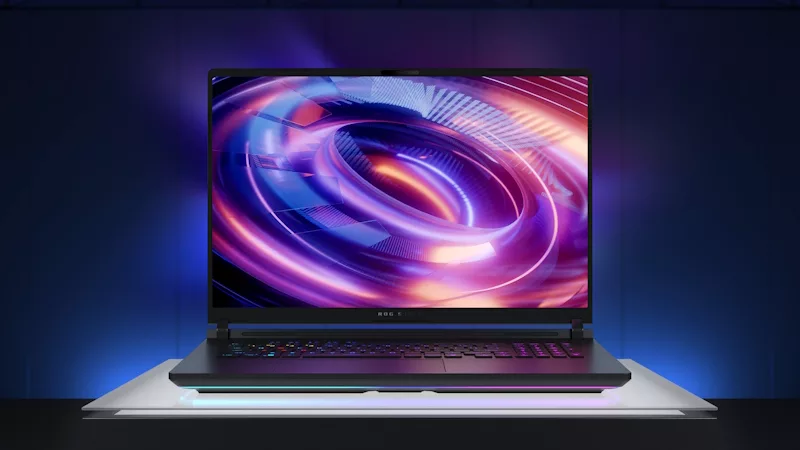
Mini LED vs OLED: the ultimate HDR experiences on your ROG gaming laptop
Sunlit dorm or dark room? Compare Mini LED and OLED on HDR brightness, contrast, and response time to find your ROG gaming laptop.
The best OLED gaming monitors from ROG: Find the perfect OLED for your battlestation
For every gaming rom, there's a perfect ROG OLED gaming monitor. Come find the best one for you.
New 24.5-inch ROG monitors bring OLED panel tech to the esports arena
Esports enthusiasts, your wait is over. ROG is bringing game-changing OLED visuals to the monitor size preferred by many professionals.