The best OLED gaming monitors from ROG: Find the perfect OLED for your battlestation

OLED panels give you inky blacks that make HDR highlights pop, motion clear enough to track a flick shot at ultra-high refresh rates, and color accuracy good enough for competitive gaming and professional design alike. Whether you're outfitting a versatile entertainment setup, chasing every last frame for ranked play, going wide for immersion, or building a battlestation that has to work equally well with a controller or a mouse-keyboard combo, there's an ROG OLED gaming monitor built for the job. That's why we're gamers' number one choice for OLED monitors and dominate market share in the space: we have screens to satisfy every player's needs.
Key Points:
- There's no single "best" ROG OLED monitor, as the right one depends on your setup.
- All-rounder: the ROG Strix OLED XG27AQDMES, with its 27-inch QHD QD-OLED, 240Hz/0.03ms response panel, covers a variety of gaming, entertainment, and everyday use cases.
- Esports: the 27-inch ROG Strix OLED XG27AQDNG’s 360Hz refresh rate is great for competitive play, while the ROG Swift OLED PG27AQWP-W dual-mode 540Hz (QHD) / 720Hz (HD) display ups the ante. Or go tighter with our fleet of new 24-inch esports OLEDs, including the 720Hz ROG Swift OLED PG259QWS ACE.
- 32-inch 4K: the ROG Strix OLED XG32UQDMS offers impressive value, while the ROG Swift OLED PG32UCDM Gen 3 offers brighter HDR and extra durability.
- Ultrawide: the ROG Strix OLED XG34WCDMS (34-inch, 280Hz) will fit on most desks while delivering an extra immersive experience.
- Cross-platform gaming (PS5/XBOX/PC): the ROG Strix OLED XG32UQDMS packs an HDMI 2.1 port that unlocks a console's full 4K/HDR potential.
- On-the-go: the ROG XREAL R1 AR gaming glasses deliver a big-screen virtual monitor when you’re gaming away from a desk.
Why ROG OLED monitors lead the pack
ROG has spent the last several generations pushing OLED gaming panels to their limits. So when a new OLED spec becomes possible, it tends to show up on an ROG panel first — see our cutting-edge 720Hz dual-mode OLEDs and 24-inch esports OLEDs for proof. These kinds of innovations help ensure our continued dominance of the gaming OLED scene. You’ll mainly find our most advanced monitor perks among our ROG Swift OLEDs, the monitors that start with “PG” in their name, as these represent our top-end models. But you’ll routinely see high-end perks trickle down to our more accessible, mainstream ROG Strix OLEDs as well (the monitors with “XG” at the start of their names). Whether you’re looking to go all-out or simply spend on a capable monitor with some nice bells and whistles attached, you’ll get a screen that feels custom-tailored to your play space.

To that end, we also offer OLED finishes for every gaming environment, including glossy, semi-glossy, and matte. Glossy panel finishes (QD-OLED and TrueBlack Glossy WOLED) deliver the deepest blacks and richest color in a controlled, dim room. Matte and semi-glossy options cut ambient glare for daylight-facing desks. Whichever lighting situation you're gaming in, there's an ROG OLED finish tuned for it, so you don’t need to choose between image quality and your preferred gaming space. We'll circle back to this topic shortly.
All our OLED monitors go hard on panel protection, too. Every monitor in this guide ships with ASUS OLED Care Pro, a suite of protective tech that includes our Neo Proximity Sensor that blacks out the panel automatically when you step away — so you get peace of mind against burn-in without having to think about it. We want your investment to last.
Add up all this excellence and you’re guaranteed a winner no matter which ROG OLED you go for. Now, let's take a closer look at OLED finishes, which will pave the way for you to discover which monitor is the absolute best fit for your setup.
Different rooms call for different OLED finishes
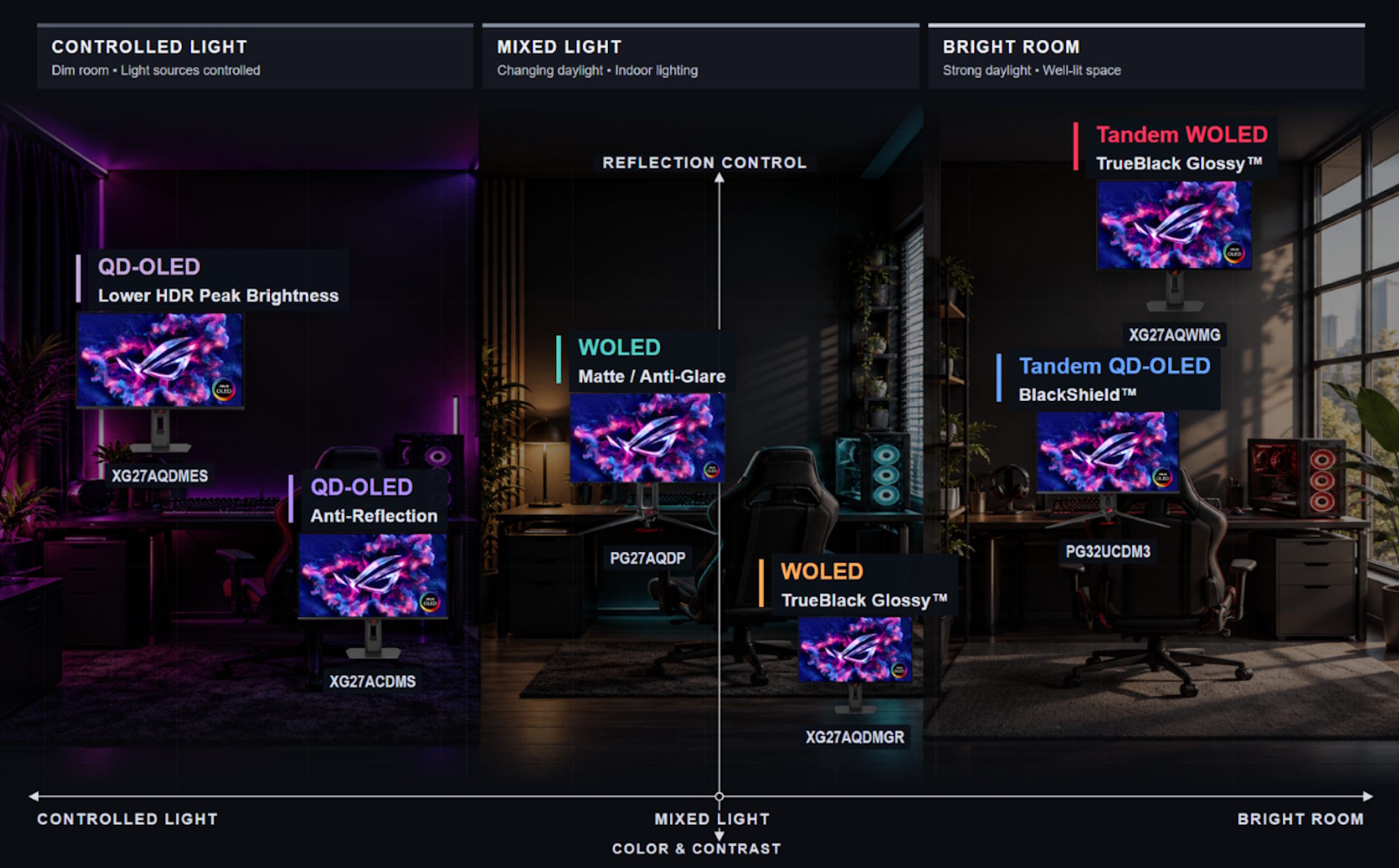
Before you get into picking the best OLED for your specific use case, there's a factor worth addressing first: the environment your screen will sit in. Panel finish interacts directly with your room's lighting, so the "right" monitor can change based on where your desk is relative to a window, regardless of what you plan on using your screen for. Think about how much outside light reaches your screen and let panel finish inform your overall monitor choice.

Bright room: This is a setup where the monitor sits near a window, with direct sunlight falling across a large part of the screen for at least part of the day. Here, a Tandem OLED with TrueBlack Glossy, a QD-OLED with BlackShield film, or a matte panel is the best call, as their anti-reflective designs are built specifically to fight back against direct glare.

Mixed light: This describes a desk that's farther from a window, getting some ambient daylight but relying mostly on indoor lighting. A Tandem QD-OLED at 1,300 nits or below, or a non-tandem WOLED, hits the sweet spot here, providing enough glare resistance for occasional daylight without giving up the deep contrast a fully glossy panel delivers in a dimmer room.

Controlled light: This is a space where you can manage the lighting yourself. Think curtains drawn, blinds closed, or a naturally windowless room like a basement. With outside light taken out of the equation, a QD-OLED is the pick, since you get to enjoy its full color punch and ultra-inky blacks without reflections working against you.
Matching a monitor's panel finish to your room means you're never fighting your own screen for visibility. We make a variety of glossy, semi-glossy, and matte OLEDs, so you're bound to find one with a finish that pairs perfectly with your room and your specific use case — a few of which we'll go over right now to help your decision-making process.
The best all-around ROG OLED monitors
If you just want a damn fine OLED monitor without overthinking panel tech, these two 27-inch (26.5" viewable) QHD screens are affordable ways into the ROG OLED lineup, and each covers a different taste in panel character. What unites them is their size and accessibility, keeping costs down while providing a healthy amount of screen real estate without sucking up much desk space. Plus, as QHD screens, you won’t need a monster rig to satisfy your games’ resolution requirements.
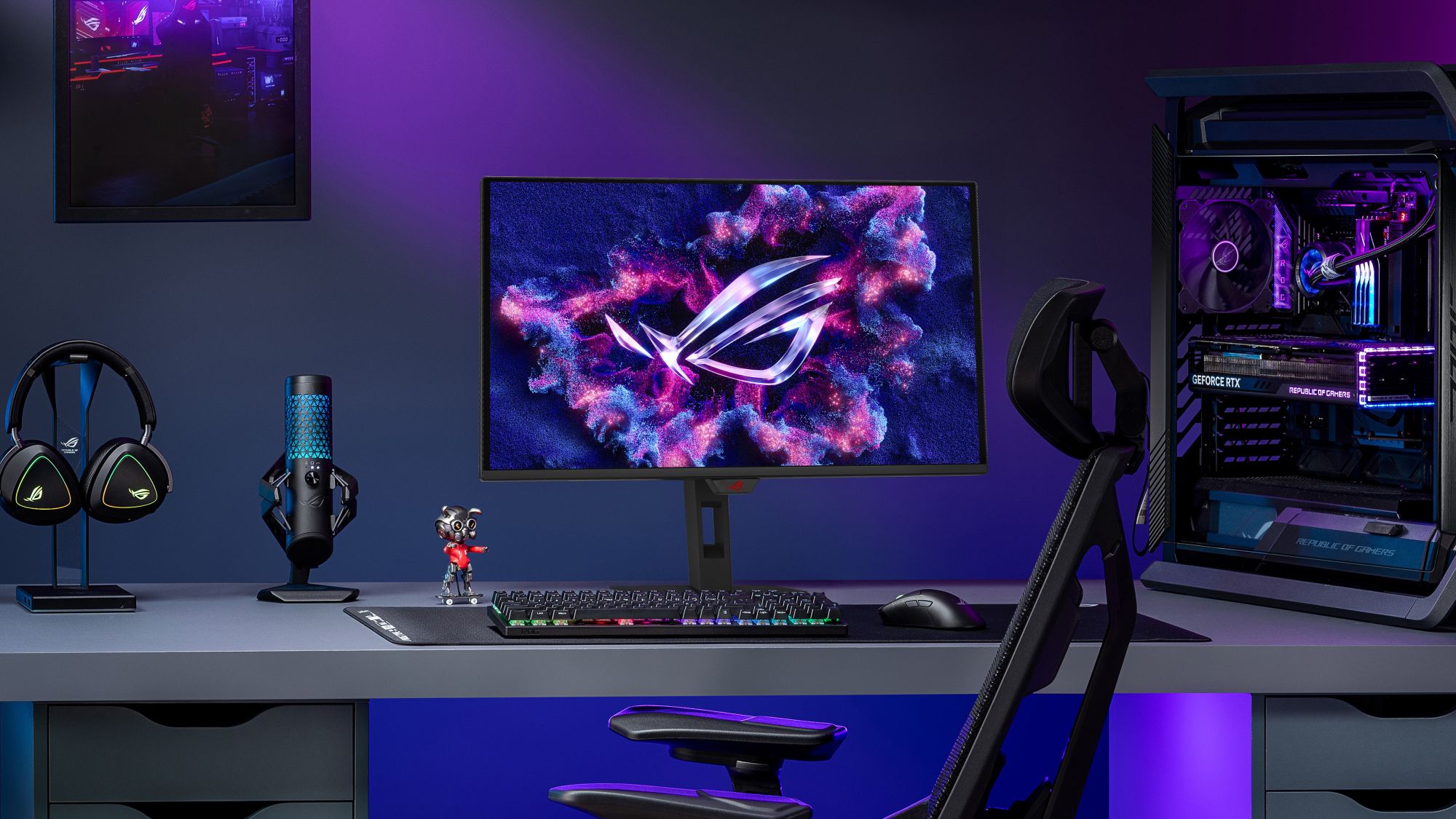
The ROG Strix OLED XG27AQDMES runs a 3rd-generation QD-OLED panel — 240Hz, 0.03ms gray-to-gray response time, 99% DCI-P3 color space coverage, and 400‑nit HDR peak brightness — with the punchy, saturated color QD-OLED is known for. In practice, that 240Hz refresh rate and near-instant response time mean fast motion stays sharp instead of smeary, so you can accurately track a flick shot instead of guessing where it went. The wide color coverage and True Black HDR mean movies, YouTube, and games all look rich and true-to-life on the same panel, sparing you the hassle of finding a second screen for top-tier media consumption.
The ROG Strix OLED XG27AQDMGR (Gen 2) is the WOLED alternative: same 240Hz, 0.03ms, DCI-P3 99% core performance, but with 1,300‑nit HDR peak brightness on a specially coated TrueBlack Glossy panel that cuts ambient reflections by roughly 38% versus the prior glossy WOLED generation. This means you can sit near a window or lamp without your own reflection staring back at you. It also adds a Clear Pixel Edge Algorithm that sharpens text fringing, so emails, browser tabs, and UI text stay crisp instead of looking fuzzy or color-smeared — handy if this monitor is also pulling productivity and browser surfing duty.
Both monitors mentioned here get the full OLED Care Pro suite with the Neo Proximity Sensor, plus ROG's AI-assisted gaming tools. These tools include Dynamic Crosshair, which keeps your reticle visible no matter what's behind it, and Shadow Boost, which brightens dark corners of a scene so enemies can't hide in shadow. Pick QD-OLED for color punch or WOLED for reflection control, all while basking in the knowledge that either way, you're getting a stunning OLED display.
The best 32-inch ROG OLED monitors for 4K gaming
If you want the extra immersion that a bigger screen can provide, that’s when 32-inch monitors enter the equation. You’ll want to consider a 4K panel when going this big — so long as your machine can handle producing games’ 4K visuals — as the heightened pixel density will help keep in-game details sharp.
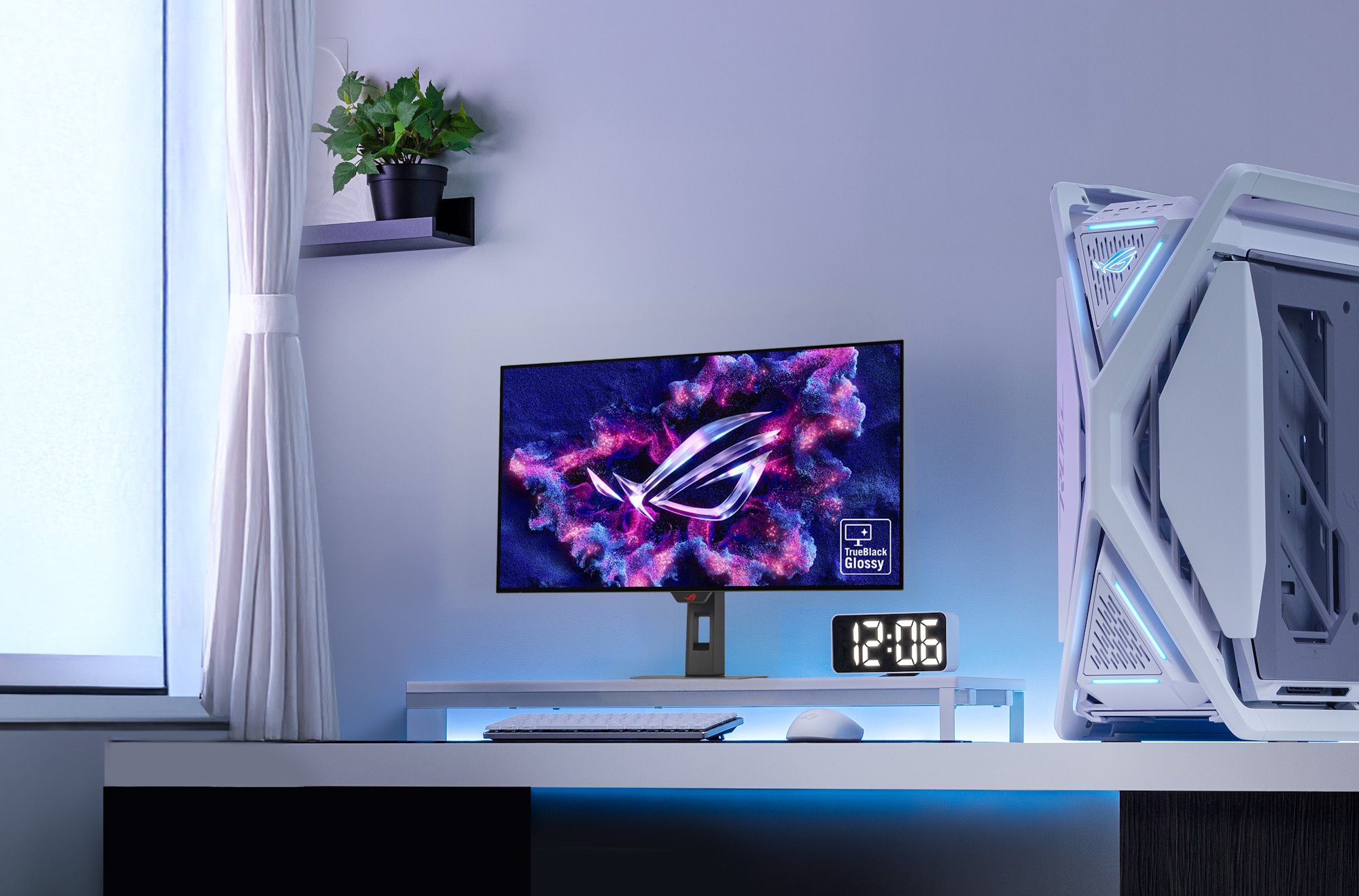
For these reasons, the ROG Strix OLED XG32UQDMS is an easy pick. It’s a 3rd-gen QD-OLED panel running at 3840×2160, 240Hz, with a 0.03ms response time and 99% DCI-P3 coverage. VESA DisplayHDR 400 True Black compliance and 1,000‑nit HDR peak brightness deliver the contrast and highlights visuals deserve across the XG32UQDMS, where you’ll have a lot of screen real estate and pixel density to work with. That big-screen 4K detail means distant enemies, fine textures, and small on-screen text all stay readable instead of turning to mush, while the large canvas pulls your peripheral vision into the game for a more immersive, "in it" feeling during blockbuster titles. It carries the same OLED Care Pro protections and AI gaming features as its peers, so you're not trading any of the safety net or smart tools just because you sized up.

Want to go even bigger on features? Opt for the ROG Swift OLED PG32UCDM Gen 3, our flagship 32-inch 4K QD-OLED. It bumps HDR to DisplayHDR 500 True Black, so bright HDR highlights, like muzzle flashes and sunlit skies, shine with unparalleled brilliance. The PG32UCDM Gen 3 adds BlackShield film for roughly 40% better perceived black levels in lit rooms so shadows stay deep even if you can't kill your room’s lights. BlackShield film also offers notably improved scratch resistance, meaning the screen holds up better to years of everyday use. The monitor features DisplayPort 2.1a (UHBR20, 80Gbps) plus USB-C at 90W power delivery, giving you the flexibility to charge other gadgets while gaming at your battlestation. For 32-inch 4K glory, the PG32UCDM Gen 3 provides a hard-to-beat experience.
The best ROG OLED monitors for esports
Many esports pros opt for smaller 24-inch or 27-inch panels so they can see all the action at a glance. For these hardcore competitive gamers, we deliver a range of compact OLED options.

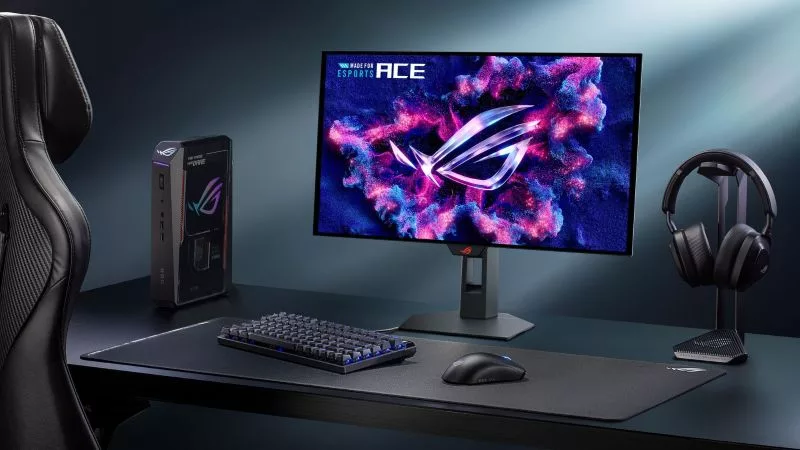
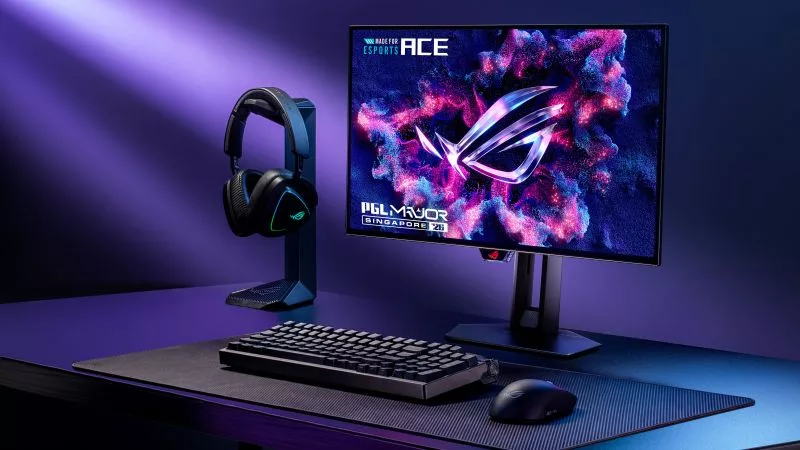
Our latest 24.5-inch ROG monitors bring OLED panel tech to the esports arena, giving you peak ROG OLED excellence in a truly tight frame. These monitors pack features like dedicated esports color modes and integrated measurement scales on their stands so you can recreate your tournament setup to a T. The ROG Swift OLED PG259QWS Ace and ROG Strix OLED XG259QWPG Ace both pack Tandem WOLED panels to combat bright tournament light settings, while the ROG Strix OLED XG259QDPG Ace and ROG Strix OLED XG259QDNS Ace opt for RGB Stripe QD-OLEDs put an emphasis on color performance. What unites all these OLEDs is their esports-ready refresh rates and tight 24.5-inch builds.
If you want a few extra inches so your esports monitor can double as an everyday screen, consider our 27-inch offerings such as the ROG Strix OLED XG27AQDNG. Ranked grinders live and die by frames, so the XG27AQDNG is built around that: a 27-inch QHD 3rd-gen QD-OLED panel running at 360Hz with 0.03ms response, DisplayHDR 400 True Black compliance, 1,000‑nit HDR peak brightness, and 99% DCI-P3 for good measure. Its 360Hz refresh rate and 0.03ms response time mean you see an opponent's movement the instant it happens rather than a frame or two late — the difference between winning and losing a peek.
If 360Hz still isn't enough, check out the ROG Swift OLED PG27AQWP-W. It’s a dual-mode 4th-gen Tandem WOLED panel that runs 540Hz at QHD or 720Hz at HD, with a 0.02ms response time, meaning there's barely any perceptible gap between your mouse flick and what shows up on screen. With this panel, you get 1,500‑nit HDR peak brightness and VESA DisplayHDR 500 True Black compliance for incredible highlights and contrast. Tandem OLED construction also means roughly 25% larger color volume, so colors stay rich even at these extreme refresh rates instead of washing out. The Tandem panel also sports a notably longer panel lifespan than earlier WOLED generations. If you want the specs to compete and the longevity to stay in the game for years, the PG27AQWP-W delivers.
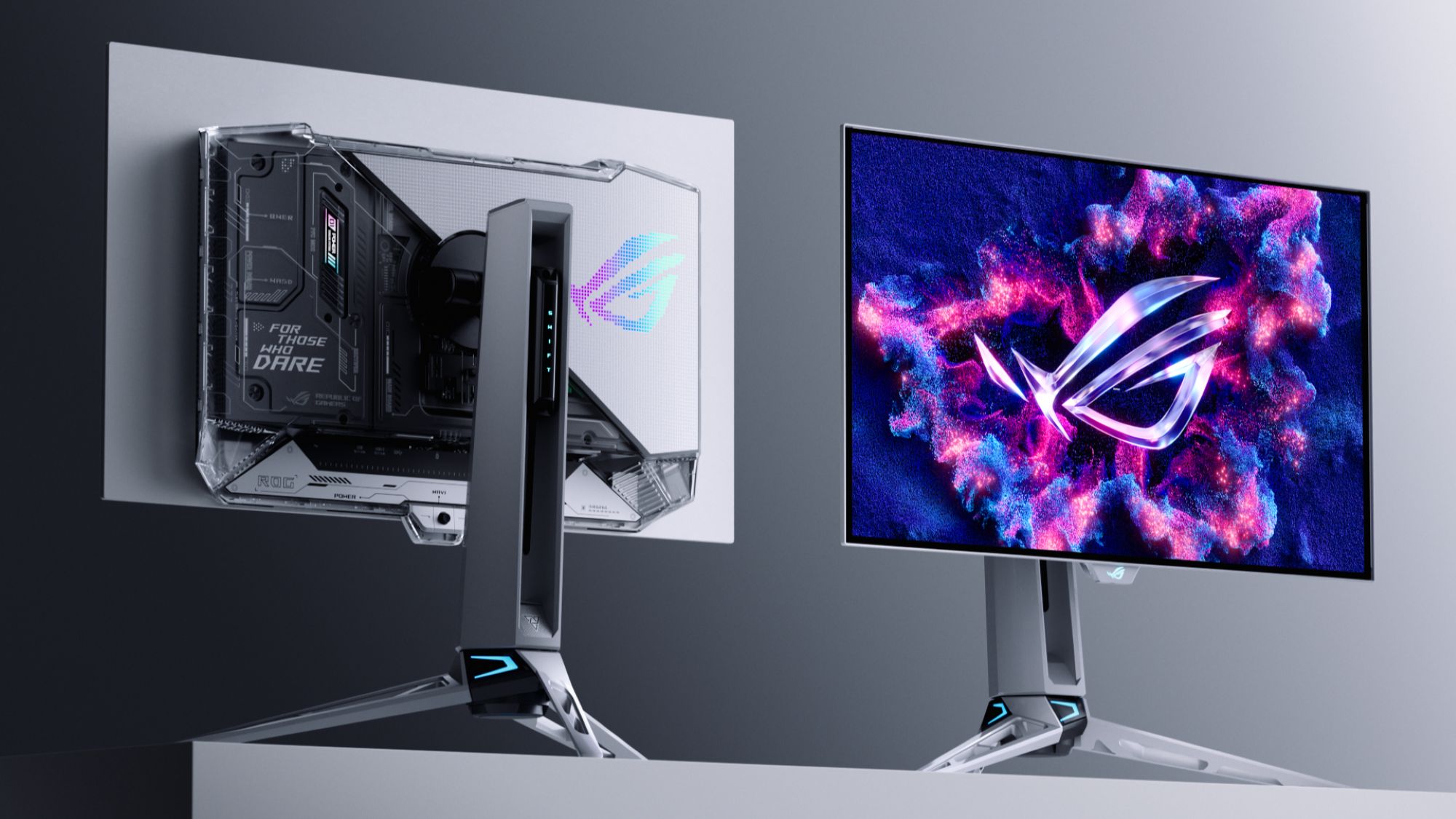
Both 27-inch monitors offer aspect ratio control, so you can shrink the viewable display size to 24 inches as wanted, then switch back to 27-inch mode for all your non-esports endeavors.
The best ultrawide ROG OLED monitors for immersive gaming
For wraparound immersion without a full desk overhaul, the ROG Strix OLED XG34WCDMS hits the ultrawide sweet spot: 34 inches, 3440×1440, 21:9, an 1800R curve, and a 280Hz RGB Stripe Pixel Tandem QD-OLED panel that's built specifically to keep text sharp. The 1800R curve wraps the edges of the screen toward you, so the whole display feels equally close from corner to corner, making for a truly enveloping gaming experience. The 280Hz refresh rate keeps fast-paced games fluid, giving you an ultrawide that’s ready for every type of game, be it competitive shooter or AAA blockbuster. DisplayHDR 500 True Black, 1,300‑nit HDR peak brightness, and 99% DCI-P3 add HDR punch and rich color, BlackShield film adds scratch resistance for long-term durability, and Auto KVM functionality lets you flip your one keyboard and mouse between two connected devices — say, a work laptop and a gaming PC — without unplugging a single cable.
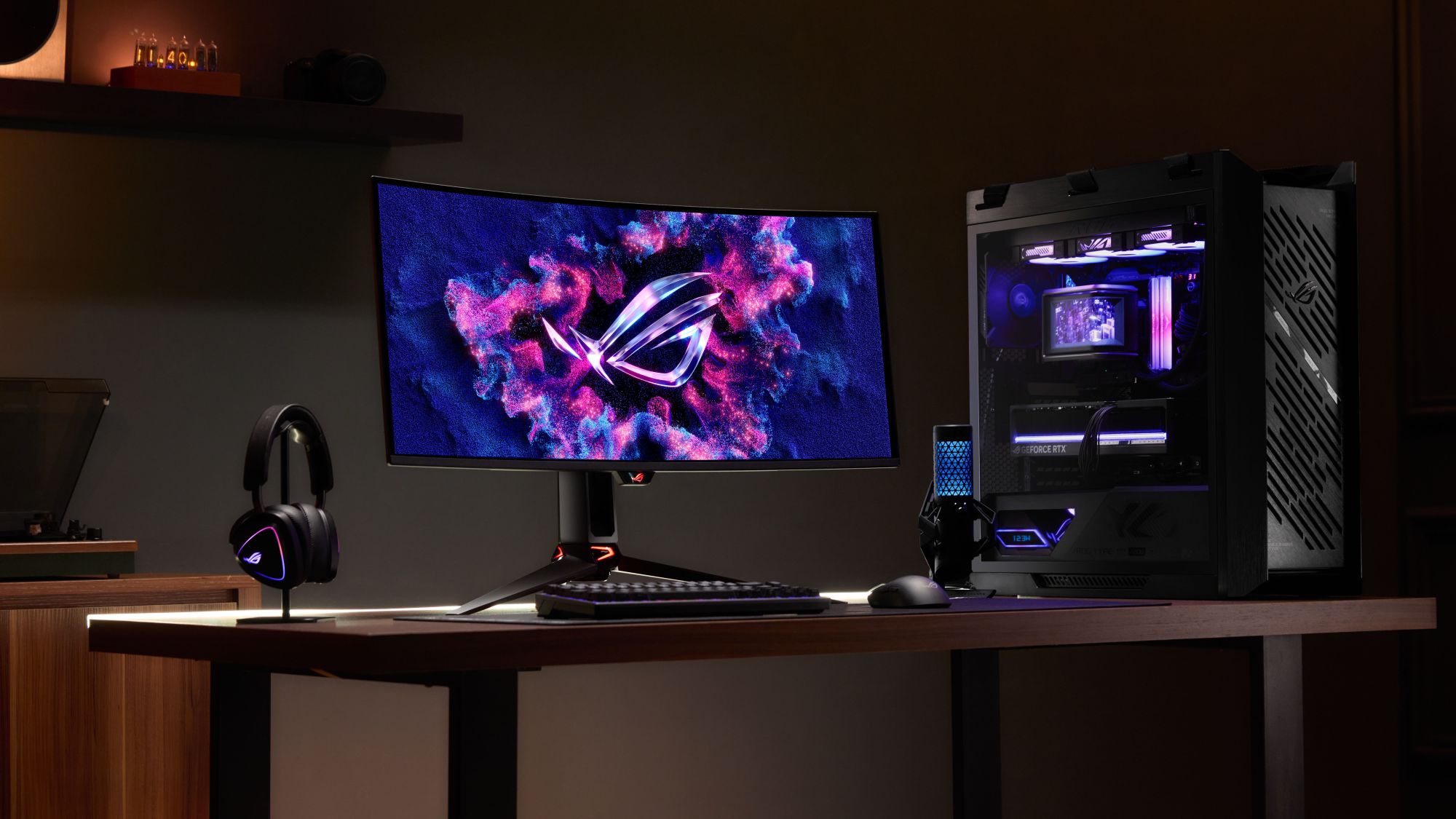
For a more esports-attuned ultrawide panel, consider the ROG Swift OLED PG34WCDN, the world's first 360Hz RGB OLED gaming monitor. Its 34-inch 1800R curve and WQHD ultrawide canvas are married to a 360Hz refresh rate, giving competitive shooters the headroom to stay silky-smooth even if you’re pushing 360 frames per second. DisplayHDR 500 True Black, 1,300‑nit HDR peak brightness, and 99% DCI-P3 give this monitor the HDR performance your media deserves.
But let’s say 34-inch ultrawides won’t cut it for your needs. That’s when you go with the ROG Swift OLED PG49WCD, which is effectively two 27-inch QHD monitors fused into a single super-ultrawide 49-inch, 32:9, 5120×1440 QD-OLED canvas on an 1800R curve. It's tuned for immersion and multitasking, so you get smooth, colorful visuals whether you're gaming, working across a dozen open windows, or doing both side by side.
The best ROG OLED monitors for cross-platform console and PC gaming
If you game across platforms, you need a high-res screen that delivers incredible visuals whether you're plugged into a PS5, an XBOX, or your gaming PC.

The ROG Strix OLED XG32UQDMS earns a second mention here for exactly that reason. It’s a 32-inch 4K QD-OLED with HDMI 2.1, which is the specific connection modern consoles need to push their highest 4K HDR modes. This monitor comfortably covers console fidelity modes and PC gaming without missing a beat on either. But we have more options for those who love quality console gaming setups.
The ROG Strix OLED XG32UCWG is our most accessible 32-inch 4K OLED. It sports a TrueBlack Glossy WOLED panel with dual-mode switching (4K at 165Hz, or drop to FHD for 330Hz), so you can run crisp 4K detail for slower single-player games on your console, then flip to a faster refresh rate the moment you queue into something competitive on your PC. With VESA DisplayHDR 400 True Black and 1,300‑nit HDR peak brightness, your content will pop whether you’re using your console or PC.
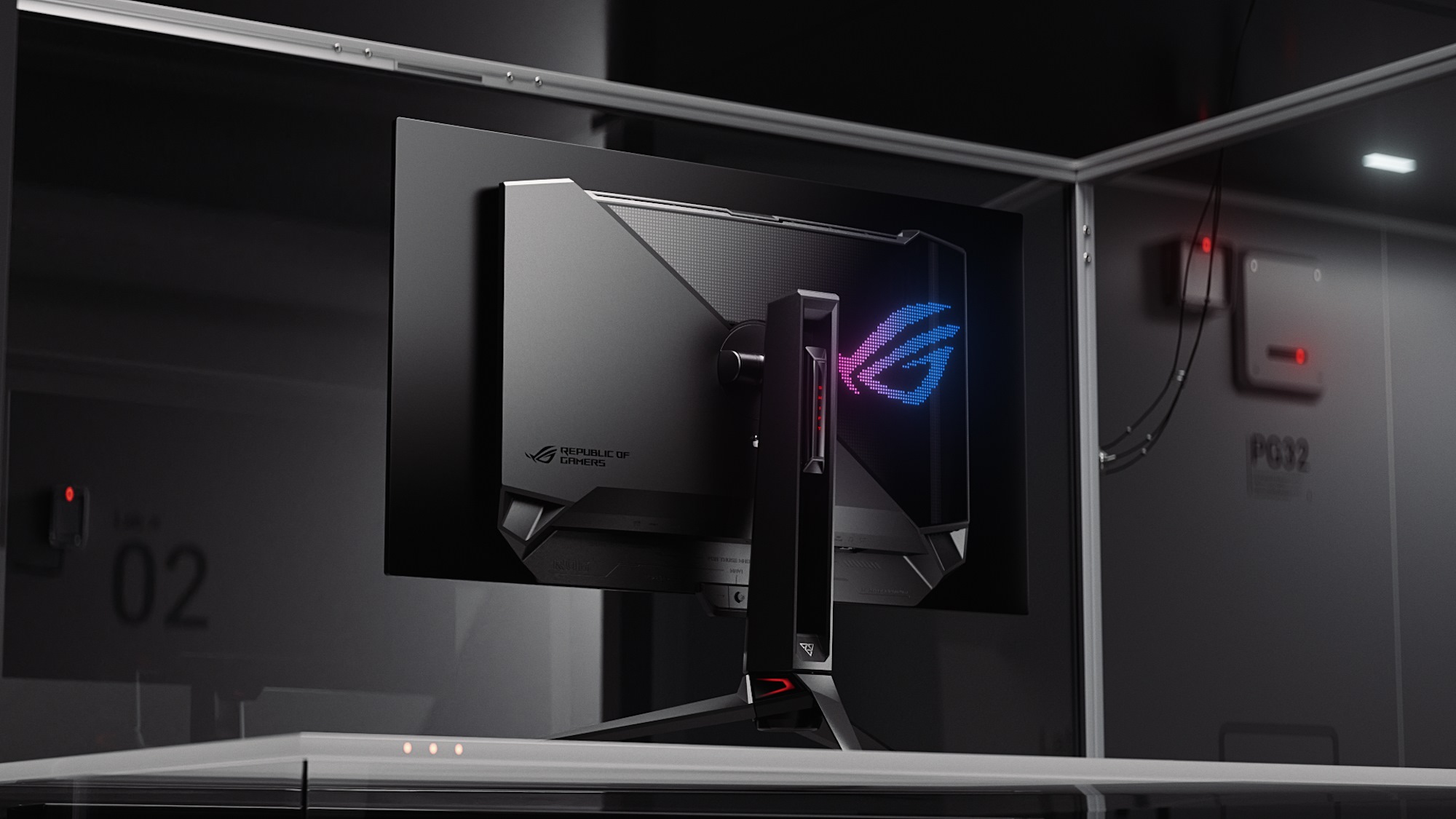
We also offer the ROG Swift OLED PG32UCWM for Tandem RGB OLED enthusiasts who game on consoles. True RGB Stripe OLED delivers roughly 27% larger color volume, meaning richer, more accurate color especially in dark, saturated scenes where lesser panels lose detail. With VESA DisplayHDR 400 True Black compliance and 1,000‑nit HDR peak brightness, expect your content to feature rich contrast and highlights that pop. The monitor’s dual-mode 4K/240Hz or FHD/480Hz gives you incredible flexibility when it comes to panel fidelity and speed. DisplayPort 2.1a UHBR20 gives you the bandwidth you need for high resolutions and refresh rates. Dolby Vision support automatically fine-tunes HDR scene by scene, so movies look the way their creators intended without you ever touching a setting. If you want all the bells and whistles, the PG32UCWM is an easy choice.
It’s worth noting that our 1440p ROG OLED monitors support 4K input from PS5 and Xbox consoles as well. Depending on the model, the monitor can accept a 4K signal at 60Hz or 120Hz and downscale it to its native QHD resolution. On top of that, every ROG monitor's console HDR mode is tuned to follow the HGIG tone-mapping curve, the standard PS5 and XBOX consoles themselves expect, so highlights and shadow detail map correctly straight out of the box instead of looking blown out or crushed. These are a few of the key reasons why ROG OLED monitors are the best for console gaming.
The best portable OLED display for gaming on the go
Not every monitor needs a stand. Enter: the ROG XREAL R1, our first gaming-focused AR glasses. They feature a 240Hz micro-OLED display built into a 91-gram wearable that simulates a 171-inch screen from about 4 meters away. That combination means you get a home-theater-sized picture without an actual TV or monitor taking up space, and at just 91 grams, the glasses stay comfortable for a full session instead of feeling like a helmet. Pristine Bose-tuned audio comes built in, meaning you're not stacking headphones on top of the glasses. Truly, it’s a premium all-in-one portable monitor experience. Plug it into your ROG XBOX Ally, and you've got a private big-screen gaming setup that fits in a small backpack.

It's not a replacement for the monitors above. Rather, it’s an epic wearable that unlocks gaming sessions those physical monitors can't deliver. When you want big-screen gaming on a plane or bus, in a cramped dorm, or anywhere else space is at a premium, the ROG XREAL R1 gaming glasses come in clutch.
FAQ
Can ROG OLED monitors burn in?
Newer-generation OLED panels are much more resistant to burn-in than the OLEDs of the past, and every monitor in ROG's lineup adds ASUS OLED Care Pro on top of that, including a Neo Proximity Sensor that blacks out the panel automatically when you step away. For normal gaming and desktop use, burn-in isn't something you need to actively manage. Plus, our 3-year warranty covers burn-in, so you can game with peace of mind.
What's the difference between QD-OLED and WOLED on ROG monitors?
QD-OLED panels use quantum dot technology for punchier, more saturated color, while WOLED (TrueBlack Glossy) panels are tuned for sharper text and better reflection control — useful if the monitor also handles desktop or browser work. Check our guide to learn more about the differences between QD-OLED and WOLED panels.
Do I actually need 360Hz, or is 240Hz enough?
240Hz is plenty smooth for mainstream gamers and covers everything from casual play to many competitive situations. But 360Hz matters more on OLED than on IPS, since OLED's near-instant response time makes the jump between refresh rates more visible. So if you can consistently push 300+ FPS and have the budget, a 360Hz OLED will look noticeably smoother and clearer than a 240Hz one, especially in fast-paced shooters and similar esports titles.
Will an ROG OLED monitor work well with a PS5 or XBOX, not just a PC?
Yes, as long as it has an HDMI 2.1 port. That's the specific connection consoles need to output their full 4K and HDR modes. Without HDMI 2.1, a monitor will bottleneck a console's picture quality even if the panel itself is capable of more.
What does the curve rating (like 1800R) mean on ROG's ultrawide monitors?
It's the radius of the curve in millimeters, so a smaller number means a tighter curve. An 1800R curve wraps the edges of the screen toward you more aggressively than a gentler curve like 2300R, which is what makes our wide screens feel immersive and all-surrounding from corner to corner.
Should I get a glossy or matte ROG OLED panel?
It depends on your room. Glossy panels (QD-OLED and TrueBlack Glossy WOLED) deliver the deepest blacks and richest color, but reflect more light, so they look their best in controlled-lighting situations. Matte and semi-glossy panels trade a small amount of that color punch for better glare control, which is optimal for a daylight-facing desk.
What is Auto KVM or ROG Smart KVM, and do I need it?
A KVM lets one keyboard and mouse control two separate devices plugged into the same monitor — for example, a work laptop and a gaming PC — without physically swapping cables. You need it specifically if you regularly switch between two computers at the same desk; if you only ever use one machine, it's not a feature you'll miss.
Why do some ROG monitors have USB-C with 90W power delivery?
That's enough wattage to charge a laptop through the same cable that's carrying video, so a single USB-C cable can connect and power a laptop at once. It matters most for anyone docking a work laptop or a handheld like an ROG XBOX Ally to a monitor, should they want to skip a separate charger.
What's the actual difference between refresh rate and response time?
Refresh rate (measured in Hz) is how many times per second a screen can draw a new image, with a higher number meaning smoother-looking motion. Response time (measured in ms) is how fast an individual pixel can change color, with lower numbers meaning less motion blur or ghosting trailing behind fast-moving objects. You don’t want either spec lacking; a high refresh rate on a slow-responding panel won't look as clean as the Hz number alone suggests.
Author
Popular Posts
How to adjust your laptop's P-Cores and E-Cores for better performance and battery life
The ROG Strix OLED XG259QWPG Ace is a tournament-ready OLED designed for esports pros

How to Cleanly Uninstall and Reinstall Armoury Crate

The ROG XREAL R1 gaming glasses let you game anywhere on a 171-inch 240Hz virtual screen
New 24.5-inch ROG monitors bring OLED panel tech to the esports arena
LATEST ARTICLES
Mini LED vs OLED: the ultimate HDR experiences on your ROG gaming laptop
Sunlit dorm or dark room? Compare Mini LED and OLED on HDR brightness, contrast, and response time to find your ROG gaming laptop.
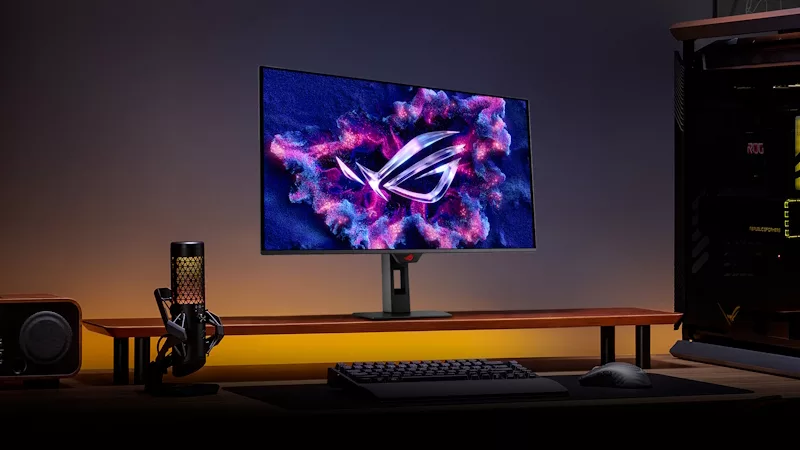
The best OLED gaming monitors from ROG: Find the perfect OLED for your battlestation
For every gaming rom, there's a perfect ROG OLED gaming monitor. Come find the best one for you.
New 24.5-inch ROG monitors bring OLED panel tech to the esports arena
Esports enthusiasts, your wait is over. ROG is bringing game-changing OLED visuals to the monitor size preferred by many professionals.