[LCD Monitor] Why are the OSD (On-Screen Display) Menu options on ASUS ROG monitors grayed out?
ASUS ROG monitor in power saving mode, many OSD (On-Screen Display) items are unavailable (grayed out), mainly because:
The main purpose of power saving mode is to reduce the power consumption of the monitor. To achieve this, the monitor will turn off or restrict certain functions, such as color adjustment, HDR, GameVisual, ELMB, and some advanced gaming modes. These features require extra power to operate, so they are disabled in power saving mode, causing some OSD items to be unavailable (grayed out).
In power saving mode, users typically do not need to make many adjustments. Therefore, disabling certain OSD items can prevent users from making unnecessary changes in power saving mode, ensuring that the monitor stays in its optimal power-saving state.
When Gaming monitor OSD (On-Screen Display) functions are unavailable (grayed out), how should you configure the settings?
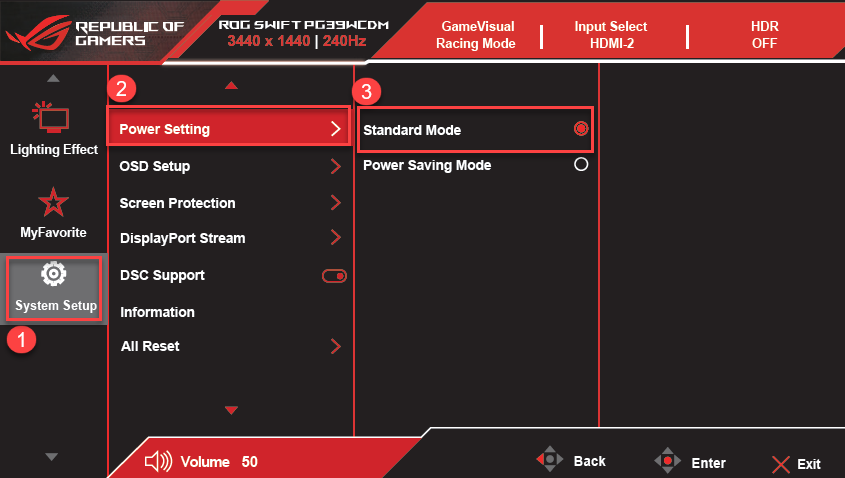
1.1 Please change the power settings to Standard Mode or High Performance Mode.
① System Setup->② Power Setting->③ Standard Mode or High Performance Mode
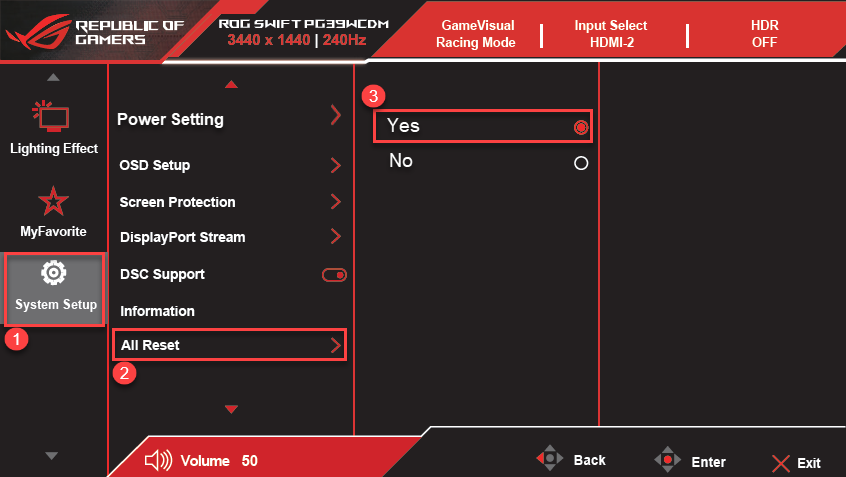
1.2 If switching to Standard Mode or High Performance Mode still causes the OSD (On-Screen Display) to be grayed out and unavailable, please perform All Reset.
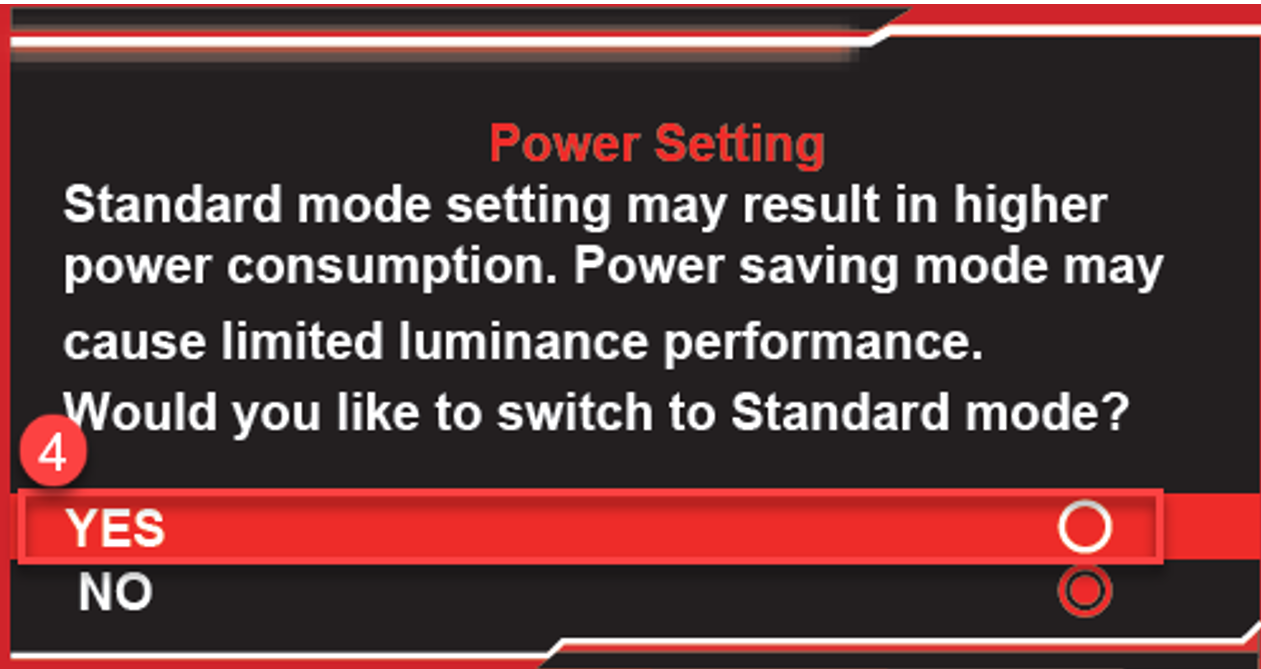
① System Setup->② All Reset->③ Yes->④ Switch(Yes) Standard Mode or High Performance Mode