ASUS Best power supplies for your PC builds

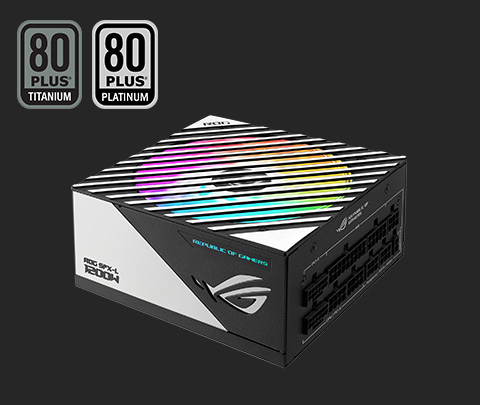
We leverage many years of experience in power delivery and cooling from our venerable motherboard and GPU product lines to produce industry-leading power supply units designed to elevate a wide variety of builds. The ROG Thor III and ROG Strix Platinum Series feature a patented "GPU-First" intelligent voltage stabilizer (IVS) and GaN MOSFET for ultra-stable power delivery to high-end builds. Learn about how to choose power supplies and how to estimate your system’s energy consumption with our PSU calculator. Explore the best power supply for your build below.

PSU Wattage Calculator

Choose the right PSU wattage for your build with the calculator below. CPU and GPU power consumption will be greatly affected by overclocking, so we’ve provided PSU wattage recommendations for both overclocked and non-overclocked configurations. If you plan to upgrade your build in the future, we suggest selecting a PSU based on overclocked wattage.

CPU

+

GPU

»

Recommended Wattage

0 Watts
Overclocking
  • Recommended wattage is an estimation of system power demand. Actual power demands may vary based on specific components, usage, and many other factors.
  • Testing was conducted by ASUS using pre-production PSUs.
  • Overclocked power consumption is an estimated figure derived from the maximum CPU TDP and GPU TGP.
  • Stock power consumption data is derived from default GPU TGP and CPU TDP (the default CPU TDP is listed below): Intel Core i3 and Core i5: Intel Core i5-14600K, TDP = 65W ~ 112W; Intel Core i7: Intel Core i7-14700K, TDP = 105W ~ 165W; Intel Core i9: Intel Core i9-14900K, TDP = 165W; Intel HEDT Series: Intel® Xeon® Platinum 8380HL, TDP = 280W; AMD Ryzen 3 and Ryzen 5: AMD Ryzen™ 5 9600X, TDP = 65W ~ 112W; AMD Ryzen 7: AMD Ryzen™ 7 9700X, TDP = 105W ~ 165W; AMD Ryzen 9: AMD Ryzen™ 9 9900X, TDP = 165W; AMD Ryzen Threadripper: AMD Ryzen™ Threadripper™ 3990X, TDP = 280W.

ARTICLES & VIDEOS

ASUS power supply in a blurred background, with text in foreground that communicates ROG power supply quality, performance, and safety

ROG Power Supplies: Industry-Leading Quality, Performance, and Safety

ASUS ROG PSUs uphold industry-leading standards for quality, performance, and safety with AI-automated production lines.

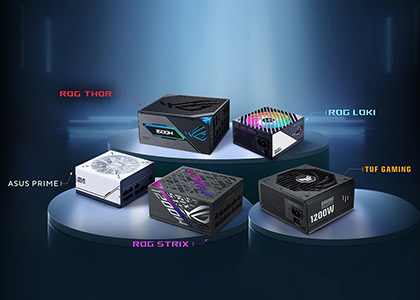
ROG THOR III, ROG LOKI, ROG STRIX Platinum, TUF GAMING, PRIMES SERIES PSU group photo displayed on podiums

Best PSUs for RTX 50 Series

The best power supplies for your GeForce RTX 50 series graphics card from ROG and TUF Gaming

How to read PSU noise and efficiency ratings when shopping for an ROG power supply unit

ROG THOR III PSU

ROG Thor III Series PSUs: efficient power that stays cool under pressure
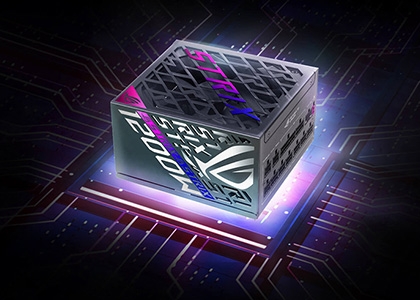
ROG Strix Platinum PSU

The ROG Strix Platinum PSU series provides unwavering stability for your demanding rig

ROG LOKI Series PSU showing the RGB fan

Power your high-octane, small form factor PC with ROG’s Loki PSUs

TUF GAMING Series PSU showing the fan with a concrete setting in the background

ASUS TUF Gaming Gold PSUs amp up affordable efficiency for next-gen gaming PCs

White and black ASUS PRIME power supplies displayed side-by-side, with a space-themed background

Power, reliability and style: introducing the ASUS Prime 750W and 850W Gold
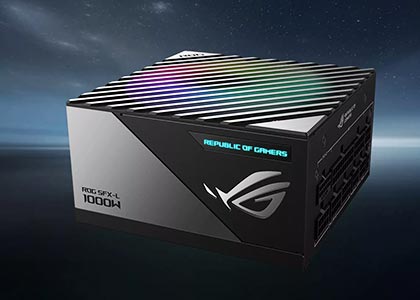
How to choose a PSU​

Consider how many watts you need for your system, and the PSU’s efficiency rating, quietness and aesthetic that matches your build.
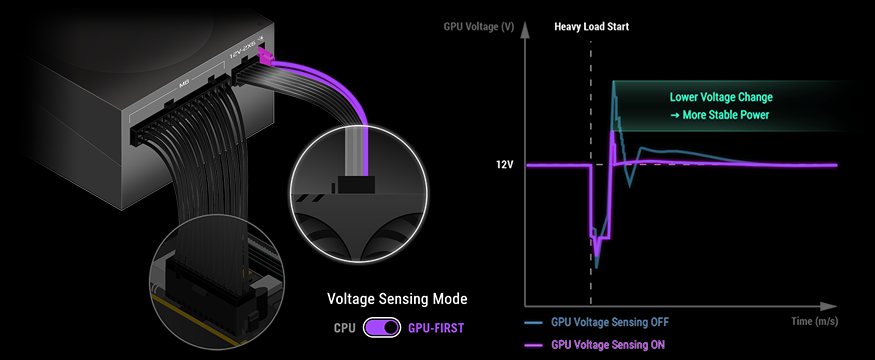
Graphic depicting voltage regulation curve, showing the lower voltage delta from the patented intelligent voltage stabilizer

"GPU-FIRST" Voltage Sensing

with patented intelligent voltage stabilizer (IVS)

"GPU-First" intelligent voltage stabilizer enhances voltage delivery by up to 45% to your graphics card for smoother gameplay and unwavering performance.

GaN MOSFET

GaN MOSFET deliver superior power efficiency by up to 30% and a more organized internal layout for cooler operation.

Graphic depicting a GaN MOSFET operating on a PCB

Noise Level

ASUS recommends a PSU with a high LAMBDA Noise Level Certification from Cybenetics Labs.

icons of A++, A+ and A LAMBDA Noise Level Certification from Cybenetics Labs

Power Efficiency

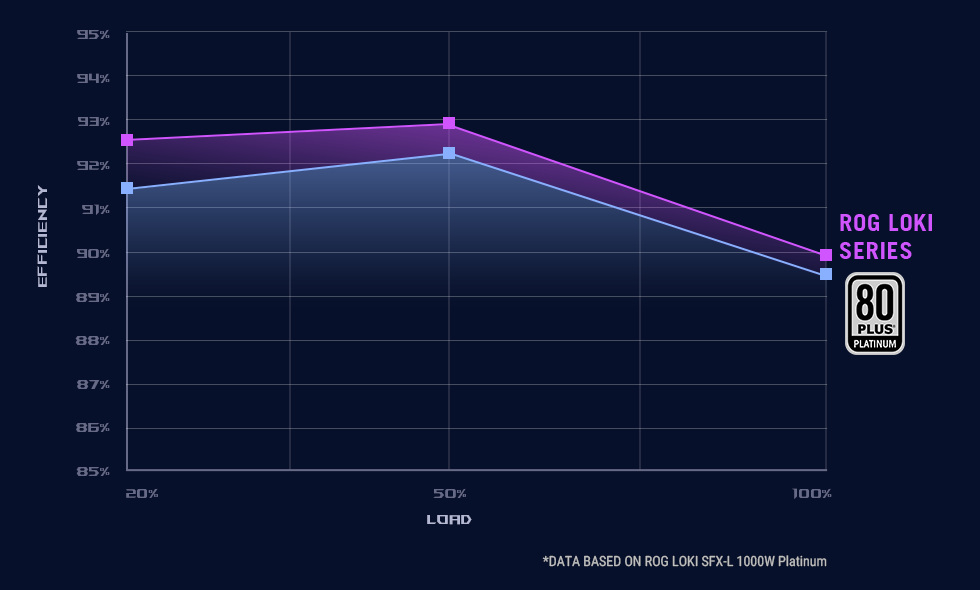
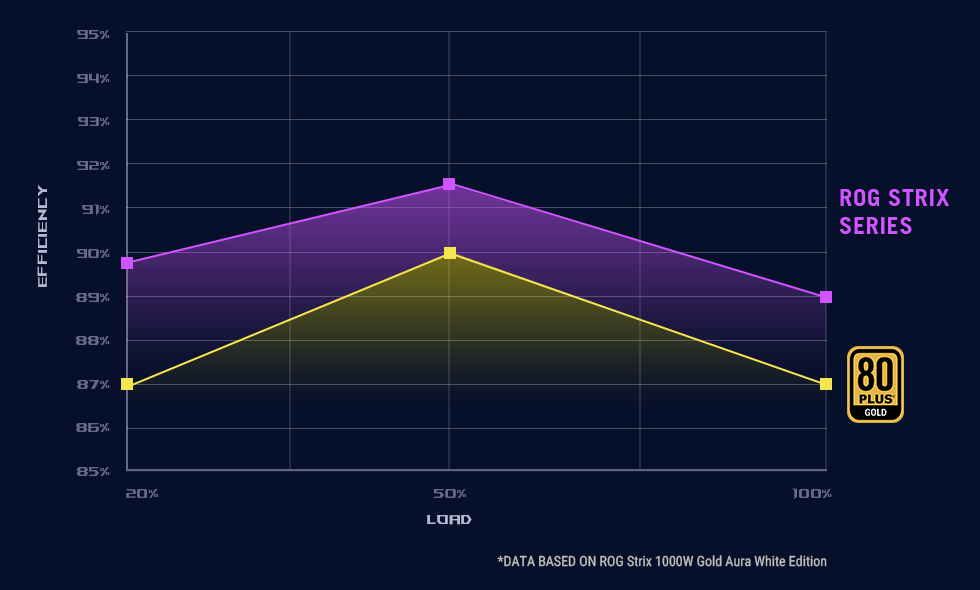
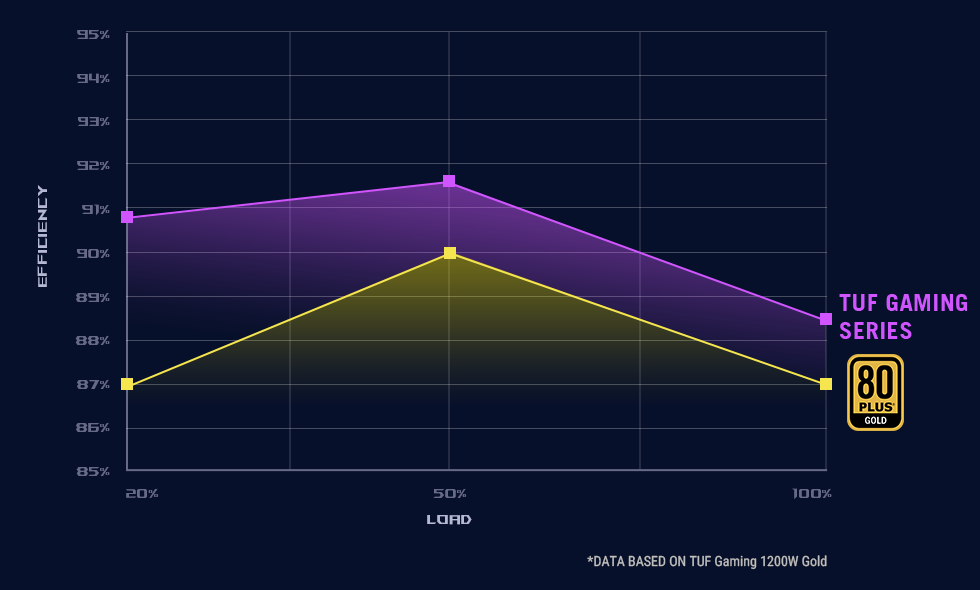
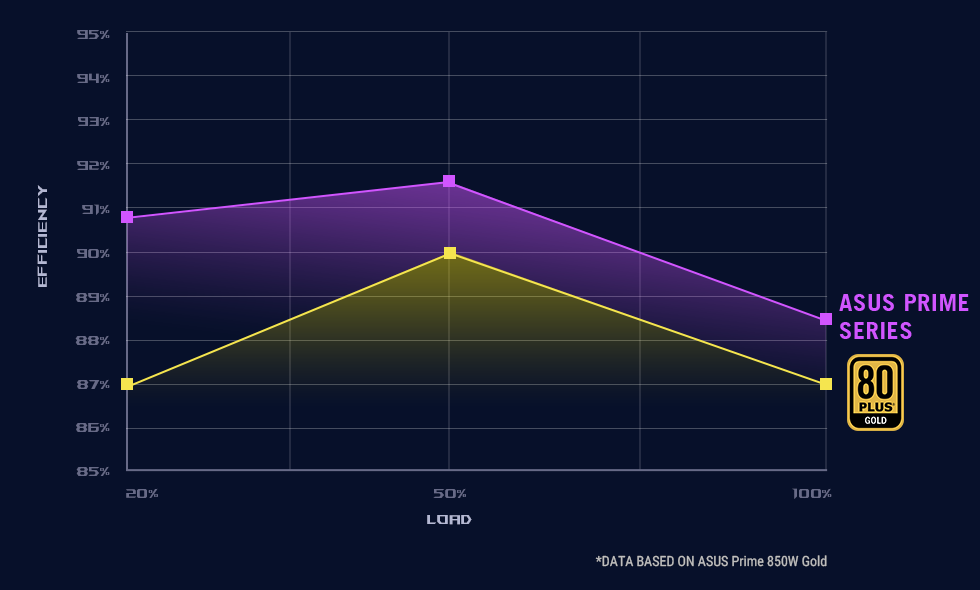
Select a PSU based on the 80 Plus and Cybenetics efficiency rating systems for low heat and noise to ensure you have the ideal model you need.
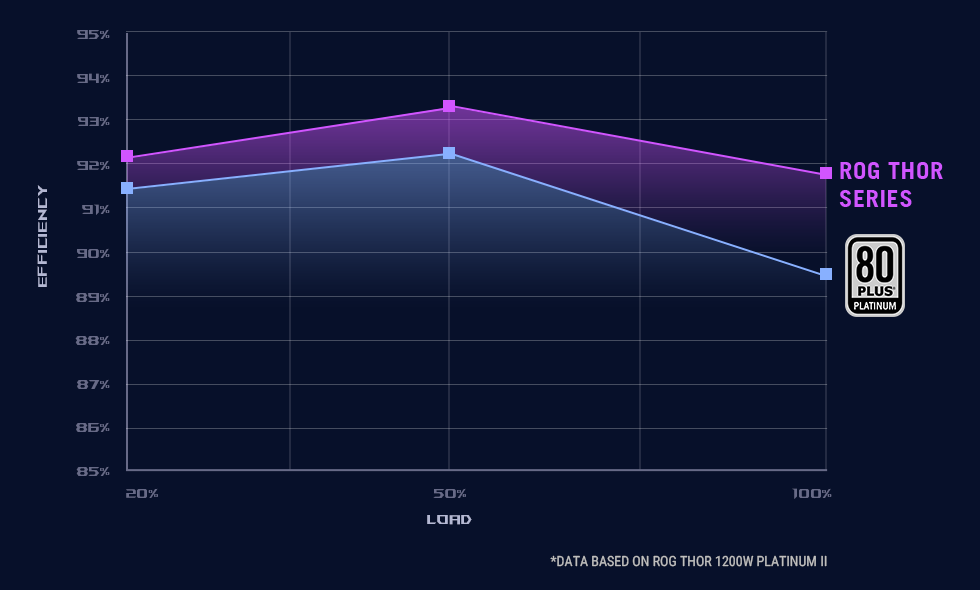
80 Plus efficiency rating chart for ROG Thor III series

ROG Thor

80 Plus efficiency rating chart for ROG Strix series

ROG Strix

80 Plus efficiency rating chart for TUF Gaming series

TUF Gaming

Total Wattage

Choose the amount of power that can handle your build – and possible additions and upgrades down the road.

Side view of ROG THOR PSU with power icon

ATX 3.1

ATX 3.1 ushers in tighter voltage and current regulation standard for next-gen hardware.
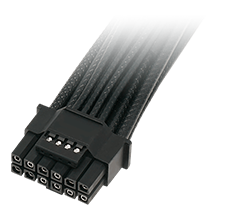
Closeup of 12V-2x6 16-pin cable

Etched Cables

Etched cables with a pliable premium material ensure effortless cable management and exceptional safety.
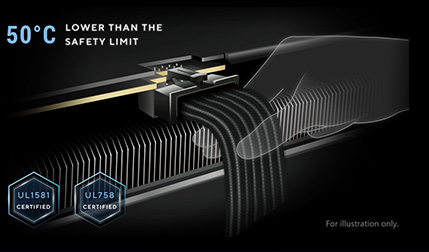
Graphic depicting a hand installing a PCIe power cable

ASUS PSU SERIES​

GET READY FOR THE NEXT GENERATION OF GPUs
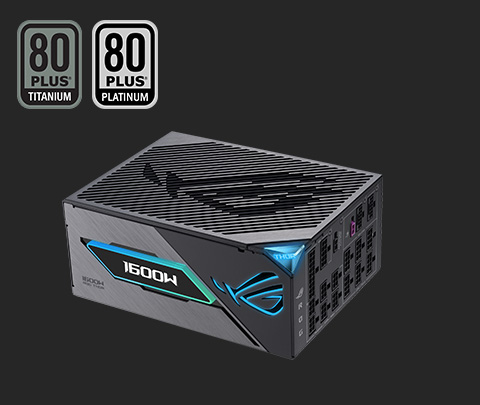
Angled view of ROG THOR III PSU

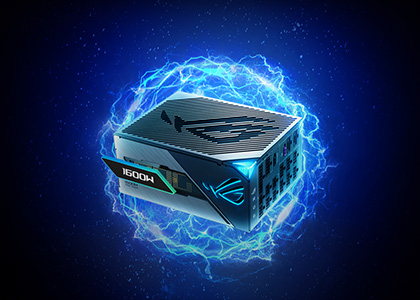
ROG Thor III Series

  • 1600W / 1200W / 1000W
  • GaN MOSFET
  • "GPU-First" Patented Intelligent Voltage Stabilizer (IVS)
  • Magnetic OLED Display
Angled view of ROG LOKI Series PSU

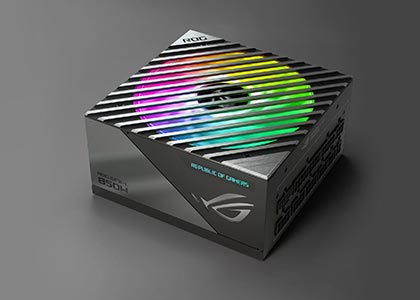
ROG Loki Series

  • 1200W / 1000W / 850W / 750W
  • Compact Form Factor or SFX-L PSU
  • 0dB Technology
  • ARGB-illuminated Fan & Aura Sync
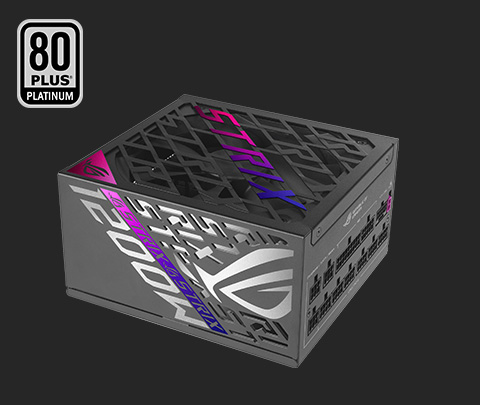
Angled view of ROG STRIX Platinum series PSU

ROG Strix Platinum Series

  • 1200W / 1000W / 850W
  • GaN MOSFET
  • "GPU-First" Patented Intelligent Voltage Stabilizer (IVS)
  • ATX 3.1 Compatible
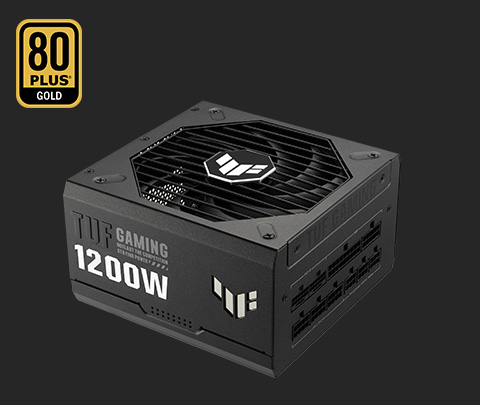
Angled view of TUF GAMING Gold Series PSU

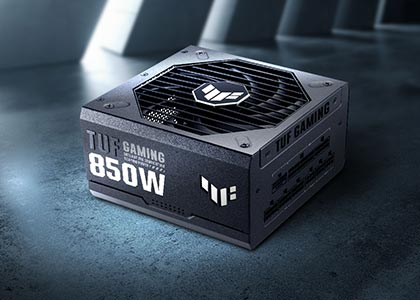
TUF Gaming Gold Series

  • 1200W / 1000W / 850W / 750W
  • Military-Grade Certification
  • Dual Ball Fan Bearings
  • Protective PCB Coating
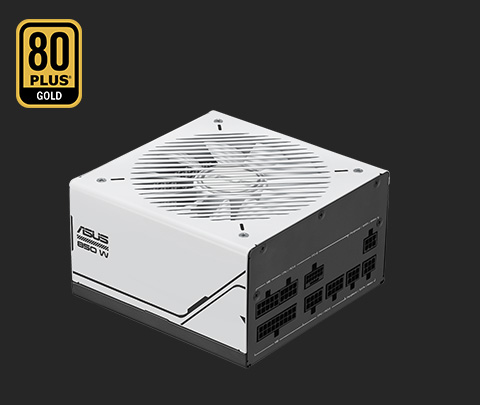
Angled view of ASUS PRIME Series PSU

ASUS Prime Gold Series

  • 850W / 750W
  • Dual Ball Fan Bearings
  • Low-ESR Capacitors

FAQ

The wattage you need depends mainly on the combined power draw of your CPU and GPU, which are the most power-hungry components in a gaming PC. A good rule is 20-30% more than your estimated peak load, for stability and future upgrades.

Use the ASUS PSU Calculator for a quick estimate: Simply enter your CPU and GPU details to receive a recommended PSU wattage. For additional components like storage and cooling, consider adding extra headroom beyond the suggested value.

ASUS offers different product lines based on your build priorities:

  • ROG Thor Series: The flagship choice for those needing OLED power monitoring and ultimate efficiency.
  • ROG Strix Series: A balance of premium aesthetics and high performance.
  • TUF Gaming Series: Optimized for durability and long-term stability, making it the practical power supply for gaming PC setups in demanding environments.
  • Prime Series: Ideal for users who value stable, efficient, and no‑frills performance. Prime PSUs focus on core electrical reliability and clean power delivery, making them a solid choice for productivity systems or mainstream gaming builds that require dependable power without premium extras.

80 PLUS certifications indicate PSU efficiency levels:

Titanium Platinum Gold Silver Bronze
10% load 90% N/A N/A N/A N/A
20% load 92% 90% 87% 85% 82%
50% load 94% 92% 90% 88% 85%
100% load 90% 89% 87% 85% 82%

Higher efficiency indicates less heat, lower power consumption, and better long-term reliability.

Both 80 PLUS and Cybenetics certifications provide valuable insights into PSU performance, but they focus on different aspects:

  • 80 PLUS measures efficiency at specific load levels (20%, 50%, and 100%).
  • Cybenetics offers a broader evaluation, including efficiency across multiple loads and noise levels (LAMBDA rating).

Each serves as a useful reference for efficiency and overall quality. When selecting a PSU, look for models with high ratings in either or both standards for a good balance of performance and reliability.

The wattage you need depends mainly on the combined power draw of your CPU and graphics card, which are the most power-hungry components in a gaming PC. A good rule of thumb is to select a PSU that provides 20–30% more wattage than your estimated peak load to ensure stability and allow for future upgrades.

To get a quick estimate, use the ASUS PSU Calculator: Simply select your CPU and graphics card from the drop-down menu to receive a recommended PSU wattage. For additional components like storage and cooling, consider adding extra headroom beyond the suggested value.

To estimate the power requirements for your build, use the ASUS PSU Calculator tool. Enter your CPU and graphics card to get recommendations.

For the latest GeForce RTX 50 series GPUs:

  • GeForce RTX 5090: Recommended PSU wattage is 1200W or higher, ideally with PCIe 5.1 and a 12V-2x6 port.
  • GeForce RTX 5080: Recommended PSU wattage is 1000W or higher, ideally with PCIe 5.1 and a 12V-2x6 port.
  • GeForce RTX 5070 / 5060 / 5050: Recommended PSU wattage is 750W–850W, depending on your system configuration.

Always check official NVIDIA guidelines and consider extra headroom for overclocking or future upgrades.

Yes, if you plan to use the NVIDIA GeForce RTX 50 series or other cards that require this cable type. PCIe 5.1 12V-2x6 cables provide higher power delivery than standard cables, plus better safety standards than 12VHPWR to keep cable temperatures under control.

“GPU-First” Intelligent Voltage Stabilizer (IVS) is a patented technology available on ROG Thor III and ROG Strix Platinum Series PSUs. The technology enhances voltage stability at the graphics card power input by up to 45% — even during demanding gaming sessions and overclocking scenarios.

It works by measuring GPU voltage instead of CPU voltage. This requires attaching the “GPU-First” IVS purple connector to the PSU, which also allows the unit to respond significantly faster to changes in GPU power draw. By detecting real-time voltage changes, drops, and spikes caused by the GPU's fluctuating power consumption, the PSU instantly adjusts its output to compensate. This active feedback loop helps ensure that the GPU receives a steady flow of power, minimizing the fluctuations inherent in a PSU and its cables.

GPU-First IVS is available for 16-pin 12VHPWR or 12V-2x6 interfaces, such as those used by high-end NVIDIA® GeForce RTX™ 40 and 50 series graphics cards and selected AMD graphics cards. The “GPU-First” IVS is purpose-built to stabilize voltage under the high-current transients and heavy load conditions typical of these next-gen high-power graphics cards. The GPU-First IVS is not available for traditional 8-pin PCIe power cables.

By maintaining a tighter voltage regulation window, “GPU-First” IVS prevents V-droop (voltage sags) that can cause system instability or black screens during high-load transients. Consistent voltage delivery also reduces electrical stress on a graphic card’s voltage regulator modules, potentially extending the lifespan of your high-performance hardware.

Yes. While most 80 PLUS Gold units focus primarily on energy efficiency, the TUF Gaming Gold EVO is specifically engineered for extreme longevity. On a component level, it uses military-grade capacitors to ensure stable power delivery under higher temperatures. Beyond efficiency, the entire series undergoes rigorous environmental stress testing—including 75cm drops, vibrations, and extreme temperature cycles—to maximize its MTBF (Mean Time Between Failures). Combined with a protective PCB coating and dual-ball fan bearings, it offers a level of resilience against dust and moisture that typical gold PSUs do not provide.