SCI vs. SCE: What anti-reflection display metrics mean for you
We've all been there, using a laptop or a phone near a window or with a bright light behind us. Instead of focusing on the onscreen text or video, your attention is immediately drawn to the large and distracting reflection. Sometimes you can draw a shade, move, or dim the lights, but that isn't always possible, especially in public places. That's why ROG has been working diligently to improve our anti-reflection and anti-glare display solutions, letting you stay focused on your games and not how annoying that overhead light is.

Different displays can reflect and scatter light differently, and you've probably experienced various types of reflections before. Some glossy displays will produce a bright, clear reflection of the window behind you, while more matte "anti-glare" displays will scatter that light instead — creating a larger "haze" over the display that makes it easier to see, but may make the colors and black levels look worse.
Neither of these is ideal, but whenever possible, we prioritize anti-reflection solutions for this reason. Anti-glare solutions do the job, but they often reduce image quality — and we don't believe that's good enough for a premium display. To get a better picture of what's going on behind the scenes (pun very much intended), let's dive into our new metrics for measuring reflection on our ROG gaming laptop displays.
What Are SCI and SCE? (Specular Component Included vs. Excluded)
To measure the amount of reflections on a display, we use two metrics: SCI and SCE.
SCI is short for Specular Component Included, and it’s a measurement of specular reflections as well as diffused and scattered light. Because it includes the reflected light, you can use SCI as a measurement that approximates the total reflectivity of a display. A low value indicates less marring of the image by external reflections like windows, lights, and faces. ROG targets an SCI value of less than 3% across all of our gaming laptops, ensuring that you’ll have minimal reflections across your screen.
SCE stands for Specular Component Excluded, and it measures just the diffuse and scattered light aspect of SCI. Basically, SCE is a measurement of the ambient light that is scattered across a display, without measuring the direct reflections. A high SCE value would indicate that a display has that gray, hazy layer on the surface. Blacks will look less deep, colors less vivid, and fine text and UI elements can appear grainy and harder to distinguish. ROG gaming laptop displays target an SCE value of less than 2% across the entire lineup.

Anti-Reflection (AR) vs. Anti-Glare (AG)
These SCI and SCE targets aren't arbitrary — they trace back to two different coating technologies. Anti-glare (AG) roughens the display surface to scatter incoming light in every direction rather than bounce it straight back, which is why it shows up in SCE. Anti-reflection (AR) instead uses ultra-thin coatings that manipulate light waves to cancel reflections at the source, letting up to 95% of light pass through the panel instead of bouncing back — which is why it shows up in SCI.
Some ROG laptops, like the Strix series, use a hybrid dual-layer Anti-Glare, Low Reflection (ALGR) film to capture benefits of both.
The ROG difference
|
SCI |
SCE |
What you’ll see |
|
High
|
High
|
Both noticeable reflections and haze may be present. Dark scenes, colors, and fine details are most likely to be affected. |
|
High |
Low |
The display may appear more mirror-like, making clear reflections of windows, lights, or faces easier to see. |
|
Low |
High |
Clear reflections may be less visible, but the image can look softer or grayish. Blacks may appear less deep, while text and dark in-game details can lose clarity. |
|
Low |
Low |
Ambient-light interference is minimized, helping deliver deeper blacks, more vivid colors, and clearer text, UI elements, and dark-scene details. |
** SCE measures just the diffuse and scattered light aspect of SCI.
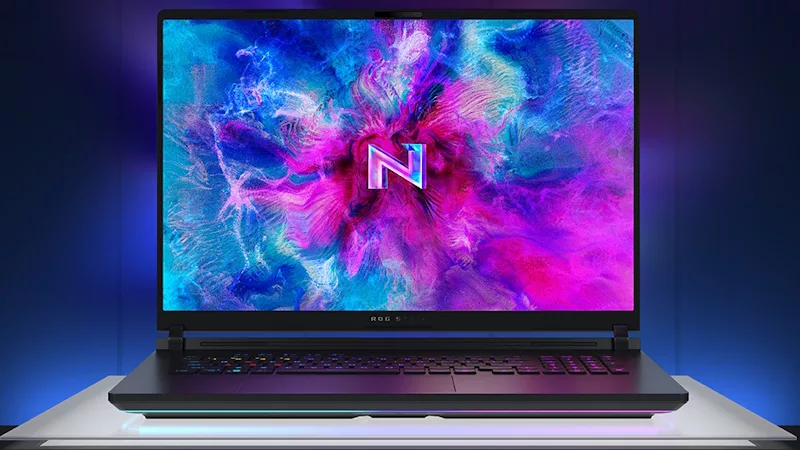
By keeping SCI below 3% and SCE below 2%, ROG gaming laptop displays offer clear images with minimal haziness and vivid colors across a whole range of use cases. This is just as important for gaming as it is for reading small text, and increases immersion just as much as UI legibility. For the ultimate gaming displays that are built to travel with you wherever you go, choose an ROG Nebula Display.

FAQ
Is a lower SCI or SCE always better?
Yes — for both metrics, lower is better. A low SCI means less total light bouncing back off the screen (fewer visible reflections), and a low SCE means less of that light is being scattered into a hazy layer. ROG targets SCI below 3% and SCE below 2% across its gaming laptop lineup.
What's the difference between SCI and SCE?
SCI (Specular Component Included) measures all the light reflected off a display — both sharp reflections and scattered light. SCE (Specular Component Excluded) measures only the scattered portion, leaving out direct reflections. Together, they show whether a display is reflective, hazy, both, or neither.
Does anti-glare coating lower SCI or SCE?
Neither, necessarily — anti-glare (AG) coatings work by scattering specular reflections rather than reducing the total amount of light reflected. In other words, the light still reflects off the display, but in a different way — so it mainly raises SCE, while keeping SCI roughly similar. That's why a display can hide clear reflections (look "less mirror-like") while still scoring high on SCE and looking hazy or washed out.
Why does ROG measure both SCI and SCE instead of just one?
Because a display can score well on one and poorly on the other. A screen with low SCE but high SCI may stay clear but still throw distracting reflections. Measuring both is what confirms a display is actually low-glare and low-haze.
What do ROG's SCI and SCE targets mean for gaming specifically?
Below the SCI < 3% and SCE < 2% thresholds, dark scenes keep their depth, colors stay saturated, and fine details — enemy silhouettes in a dark corner, small UI text, HUD elements — stay legible instead of getting washed out by ambient light or haze.
Author
Popular Post

Best Laptop for SolidWorks, CAD & 3D Modeling in 2026: Top ASUS Recommendations
Six cool things to try after unboxing your ROG XREAL R1 Gaming AR Glasses
What is Refresh Rate - Why 120Hz/144Hz/240Hz Matters for Gaming

Maximize Performance on Your ROG or TUF with Armoury Crate
How to adjust your laptop's P-Cores and E-Cores for better performance and battery life
LATEST ARTICLES

Call of Duty: Modern Warfare 4 is a thrill ride like no other on the ROG XBOX Ally X20
Few AAA titles push cinematic handheld gaming to its limits like Call of Duty: Modern Warfare 4 on the ROG XBOX Ally X20.
Best 13-Inch Gaming Laptops in India (2026) - ASUS Performance Picks

The best HDR games to try on your ROG XBOX Ally X20’s OLED screen
Want to see what the new OLED display on your ROG XBOX Ally X20 can really do? Try these incredible HDR games.