Product
ROG Phone 3 (ZS661KS), ZenFone 7 (ZS670KS), ZenFone 7 Pro (ZS671KS)
[Phone] What is HyperFusion?
Sometimes when you are in a crowded Wi-Fi environment, the connection speed and latency may be unstable. When the Wi-Fi is not stable, HyperFusion uses the enabled mobile network to stabilize the Wi-Fi connection.
To provide you more detailed instruction, you can also click ASUS Youtube video link below to know more about How to Enable HyperFusion
https://www.youtube.com/watch?v=GOuuaQXWEK4
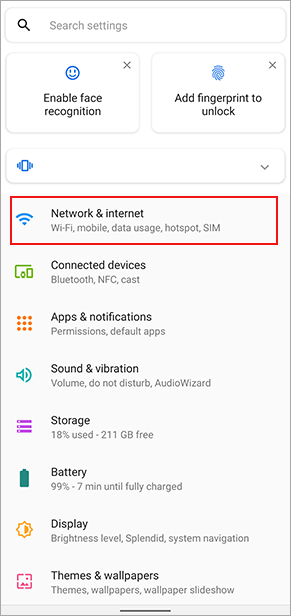
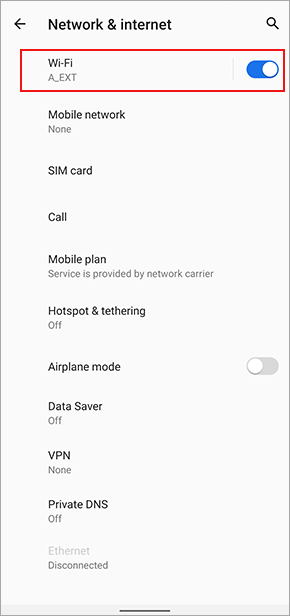
Swipe down from the top of the screen to access Quick Settings > Tap the Settings icon > Network & internet > Wi-Fi > Mobile assistant.

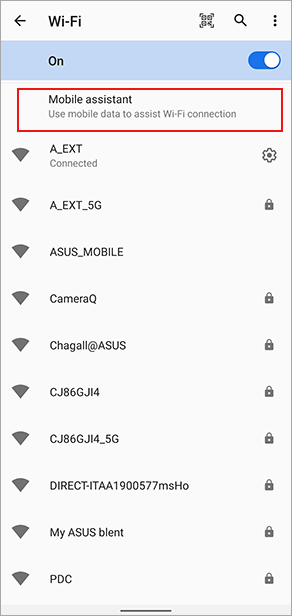
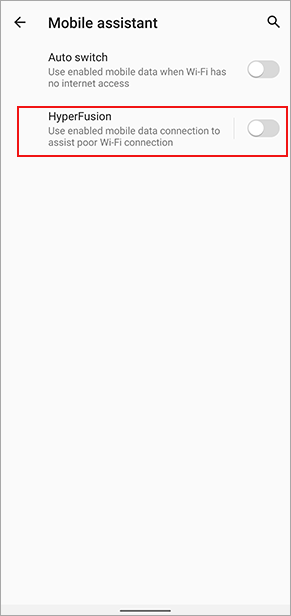
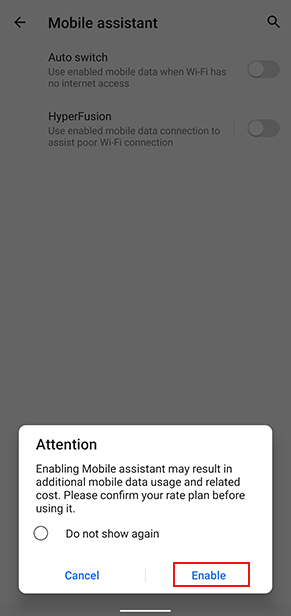
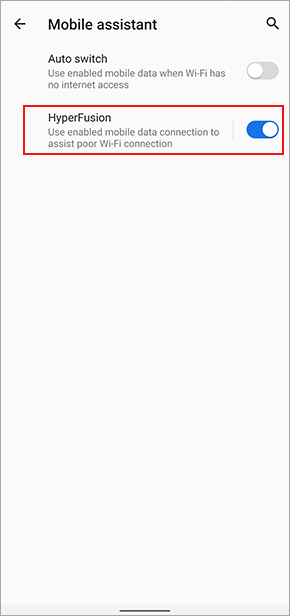
Set the Hyperfusion toggle to the "On" position. Tap Enable in the pop-up window. HyperFusion will be activated.