How to find Product Serial Number and Check Number
To find your product serial number, you can find it
1.Label on the Packaging Box
2.Label on the Warranty Card
3. Check the Serial Number in the system or BIOS
4. Label on the product itself, please select your product:
Check the Serial Number in the system or BIOS, please select your product:
Press F2 at startup.
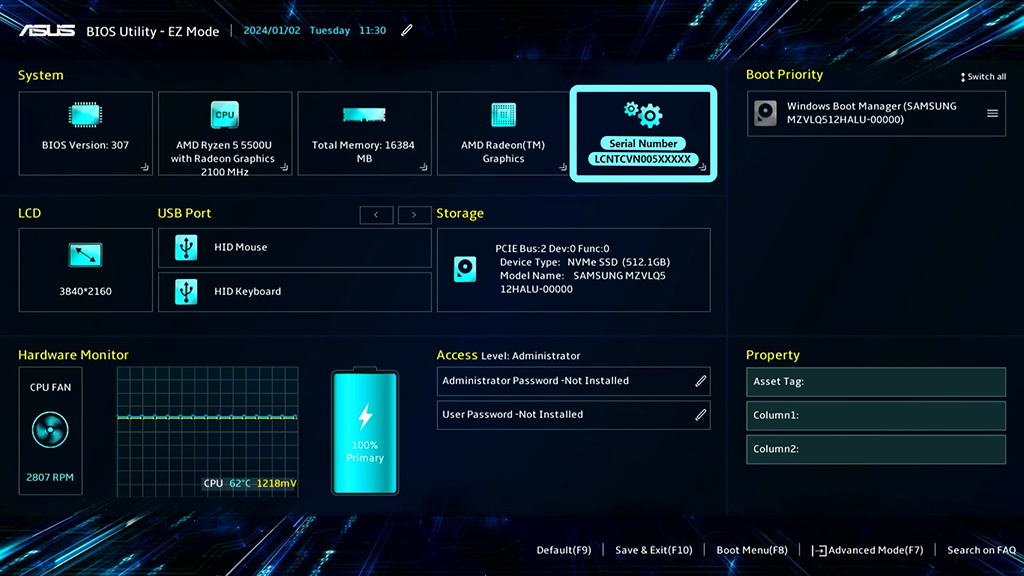
Open MyASUS.
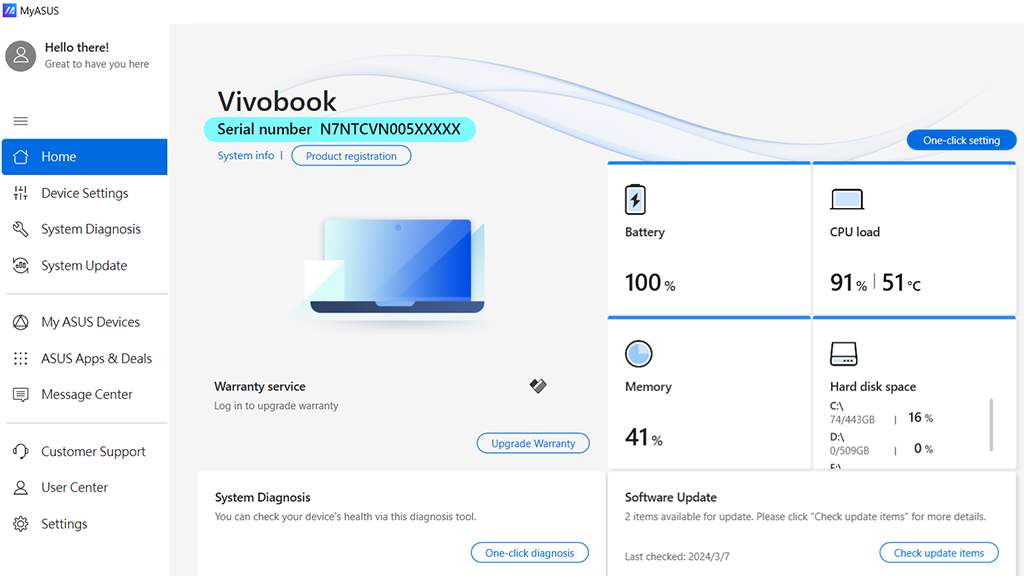
On the login screen, press ALT + V on the keyboard.
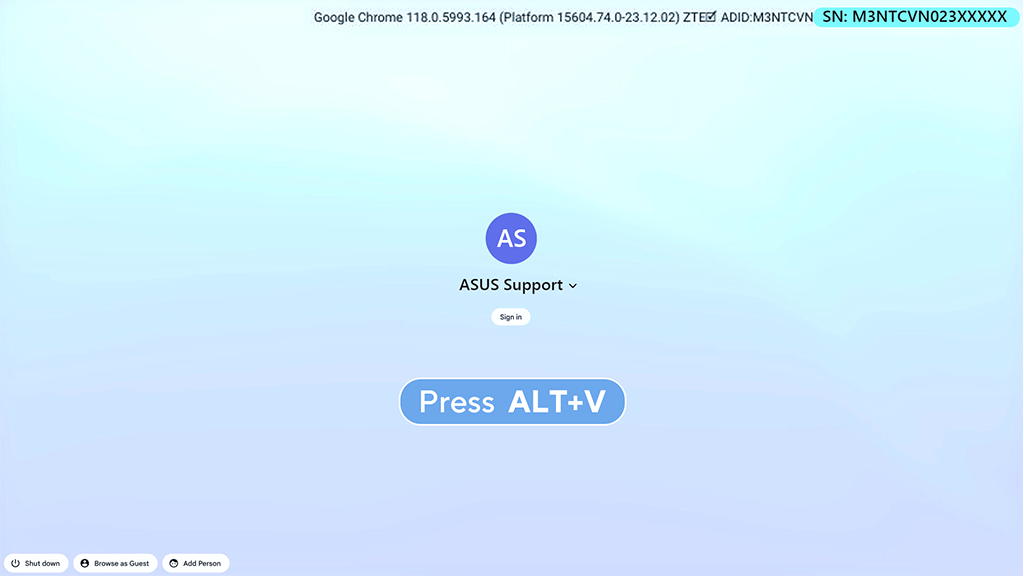
Open MyASUS.
Press F2 or Del at startup.
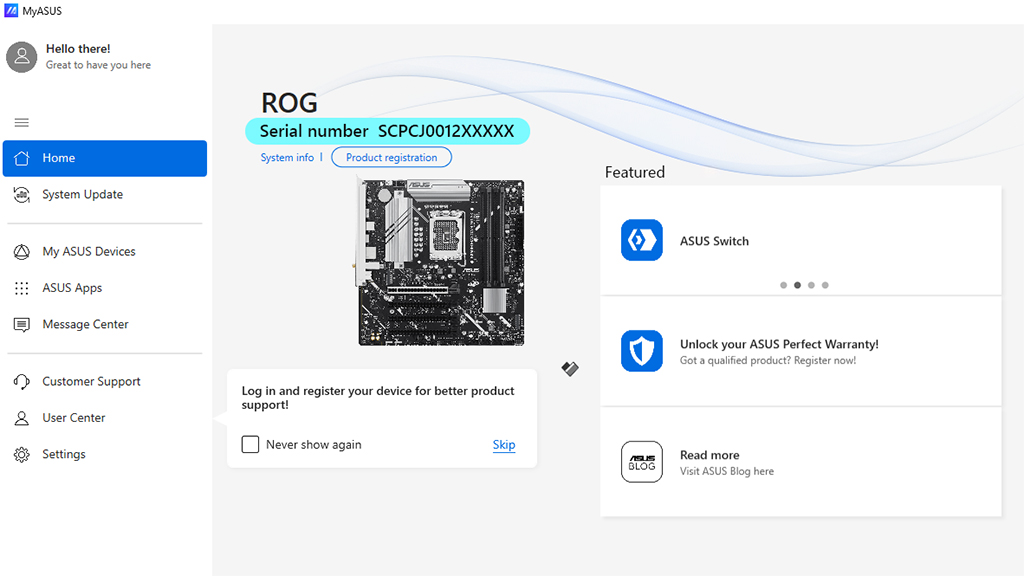
Open MyASUS.
After connecting the device to your phone, open the Purego app and tap "Settings".
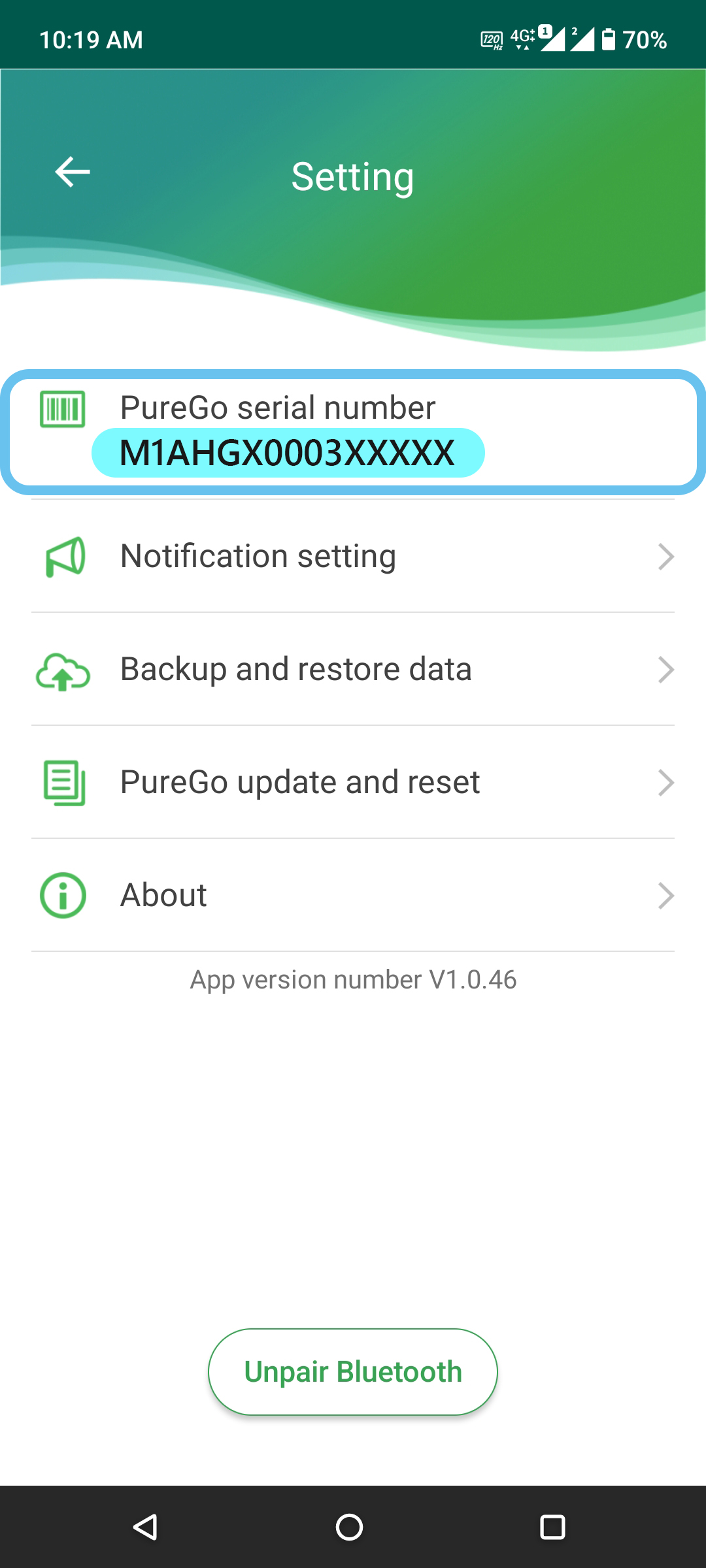
Press the Volume Down button during startup.
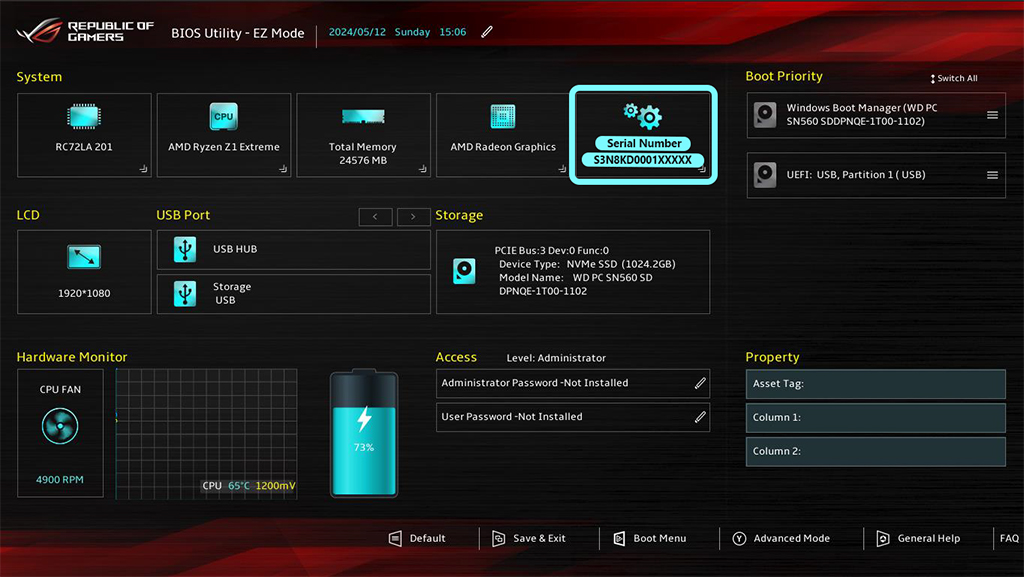
Open MyASUS.
Press F2 at startup.
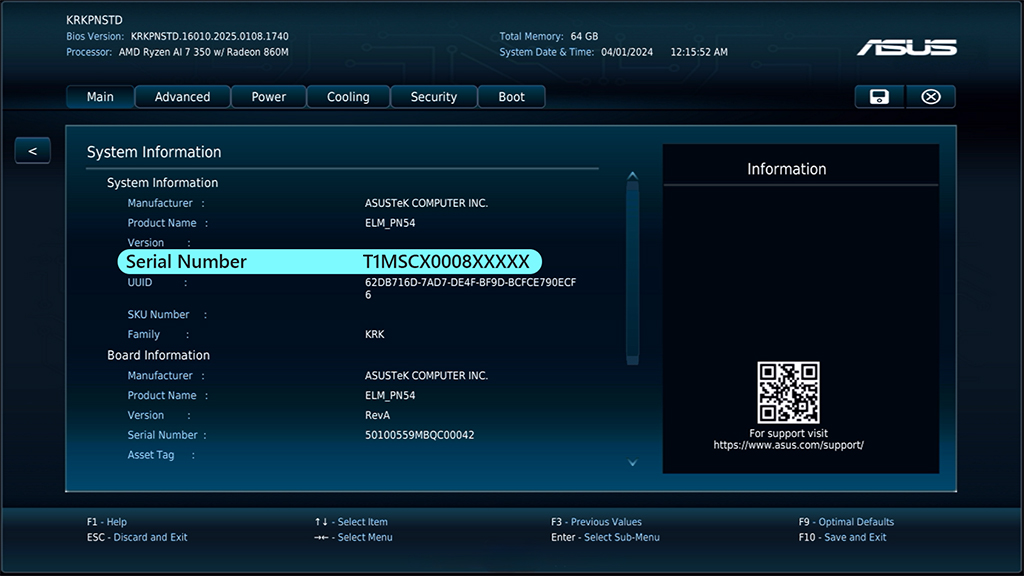
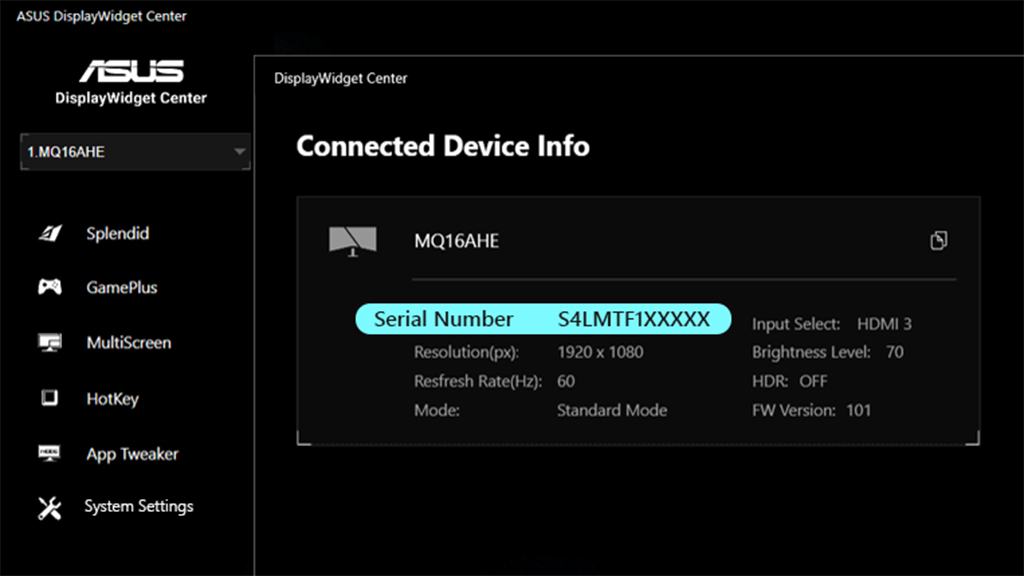
Models that support the Display Widget Center feature can read the machine's serial number.
Press F2 at startup.
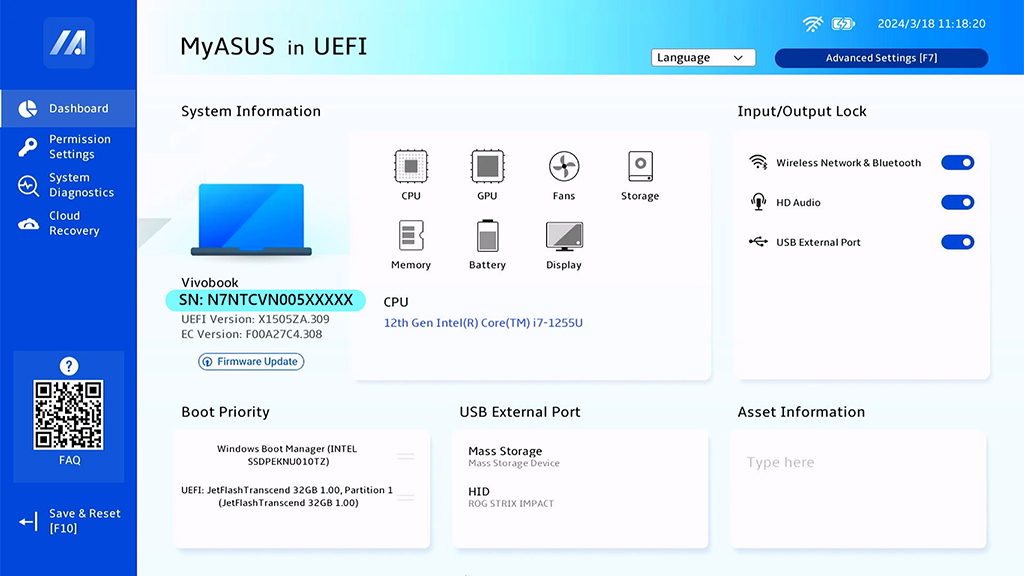
Open MyASUS.
Press F2 at startup.

Tap "Settings" > "System" > "About phone" > "Status".
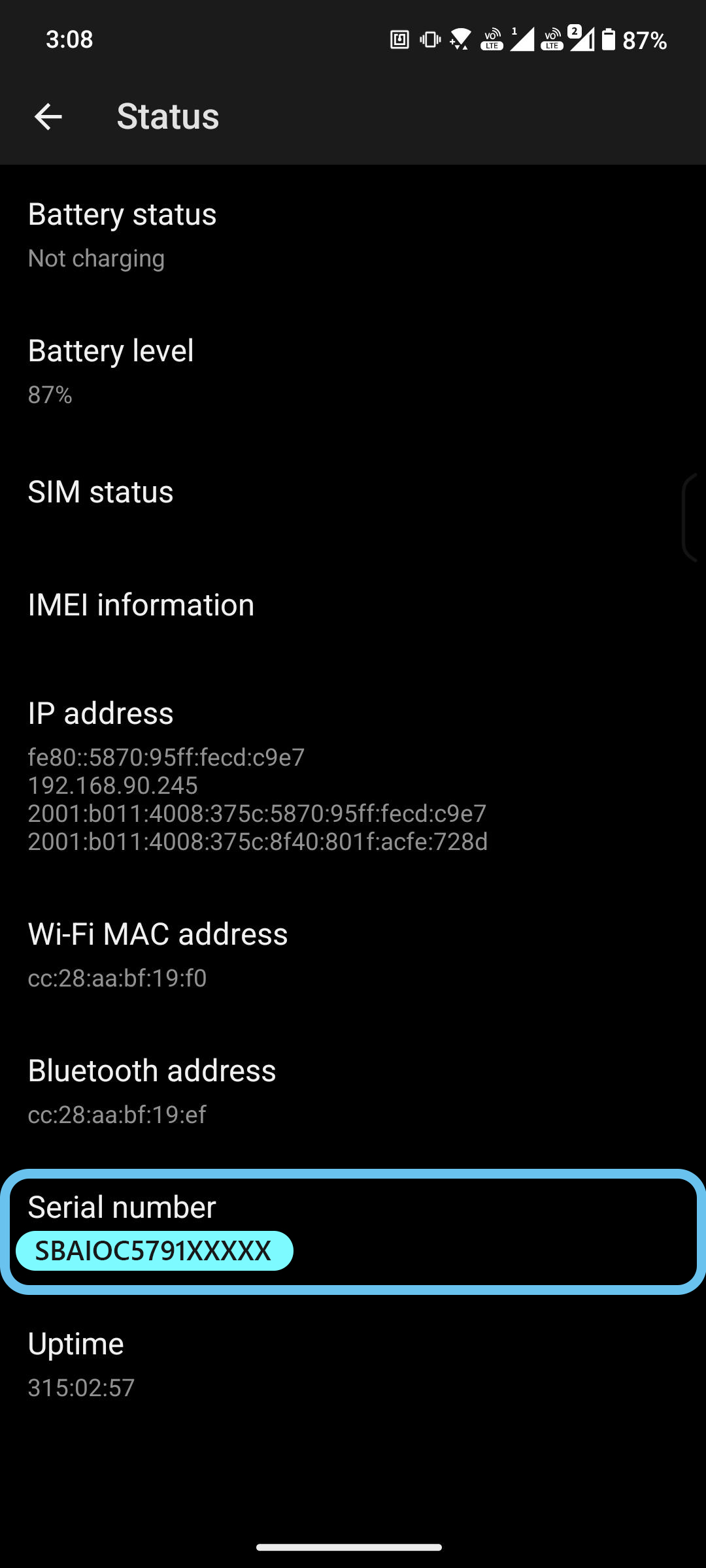
-----------aaaaa------aaaaaa---------------
ASUS RMA Packaging Instructions
|
Proper packaging
|
Mispackaging
|
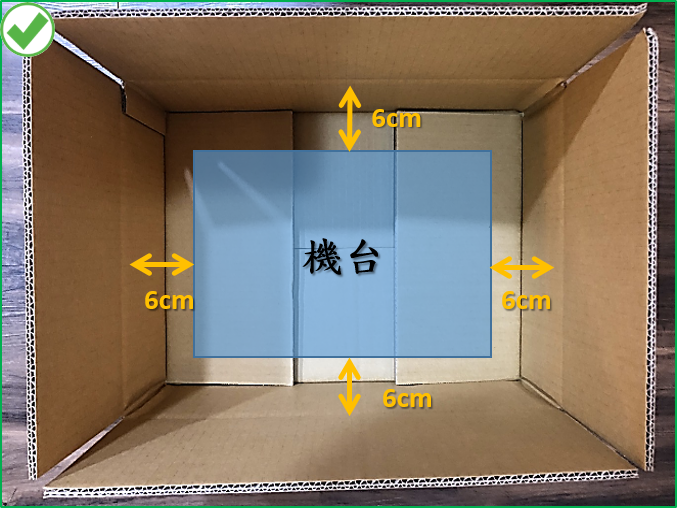
- Prepare suitable, sturdy, and undamaged corrugated boxes.
- The Notebook must be approximately 6 cm away from the inner walls or corners of the box.
- Ensure that after the machine is placed in the box, it can be stuffed with filler or cushioning material.
|
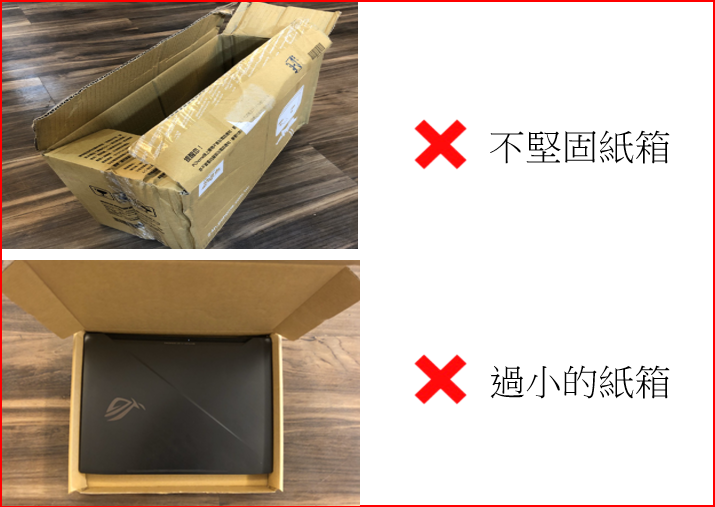
- Packing without a cardboard box will make it susceptible to damage during transport.
- A cardboard box that is too small will leave no space around the notebook for cushioning, potentially causing it to be crushed
|
|
|
|
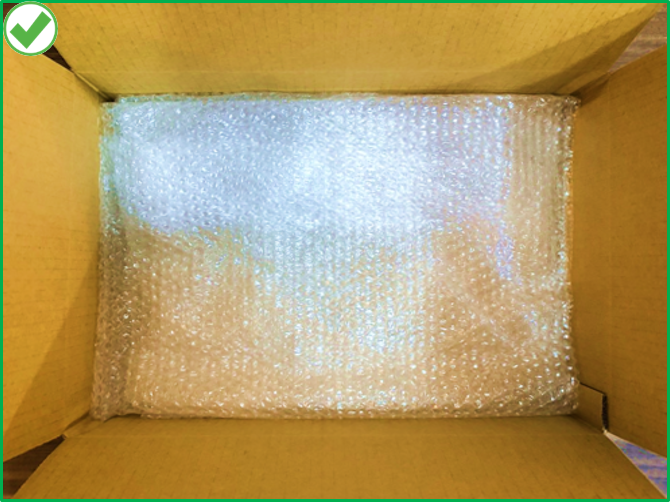
- Lay padding(e.g.,foam, bubble wrap, air bags)at the bottom,and ensure that the padding is thick enough to support the weight of the notebook.
|
- The bottom of the box is either empty or insufficiently padded, making it prone to damage during transportation.
|
|
|

|
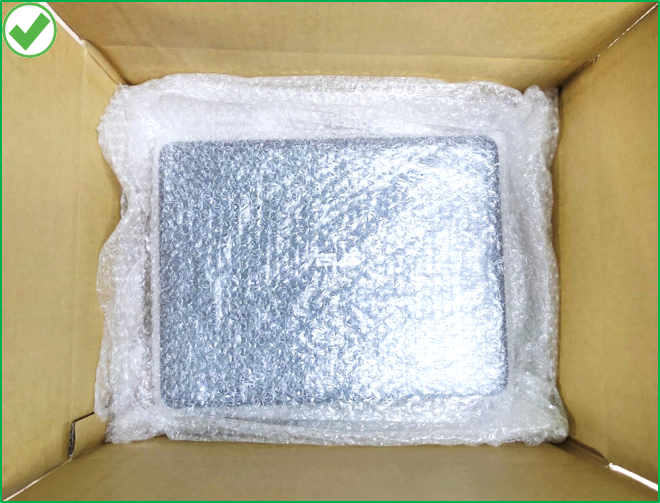
- Please properly wrap the notebook with bubble wrap or air bags to prevent the scratch and place notebook in the center of the box.
|
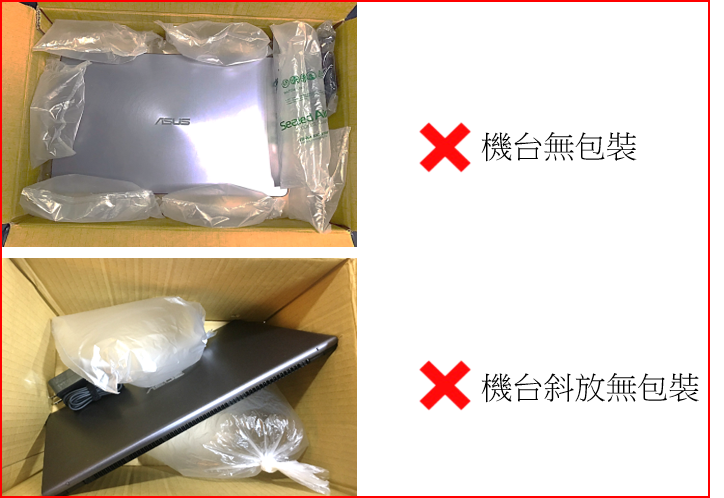
- Notebook itself is not wrapped with bubble wrap or air bags, and easily cause the scratches.
- The notebook is not placed in the center of the box, and easily caused the damage at edge or corners of product.
|
|
|
|
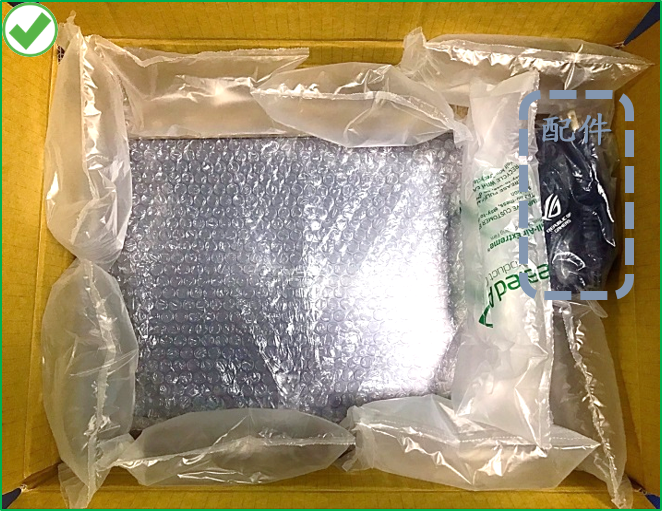
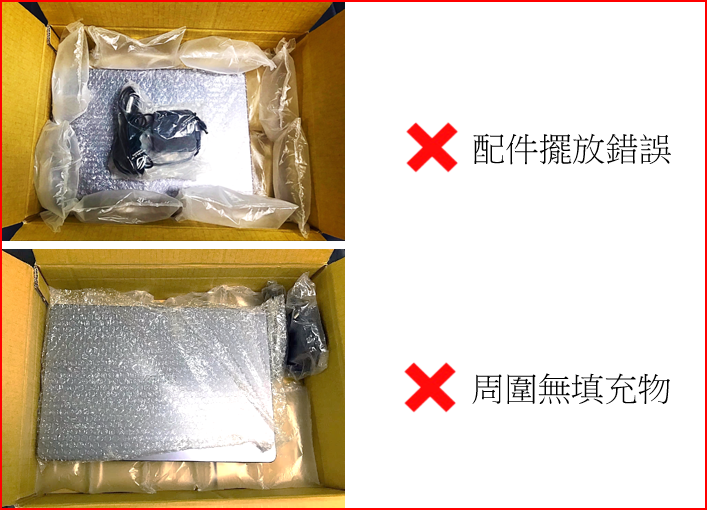
- If any accessories attached, please properly wrap and pack and place at the corner of box.
- Ensure to fill the extra space with the filler material (e.g.foam,bubble wrap, newspaper,soft clothes,etc. to fix the notebook and prevent movement.
|
- Do not directly place the accessories on Notebook, it might cause impact damage and broken panel.
- The bottom of the box is either empty or insufficiently padded, making it prone to damage of notebook and packaging box during transportation.
|
|
|
|
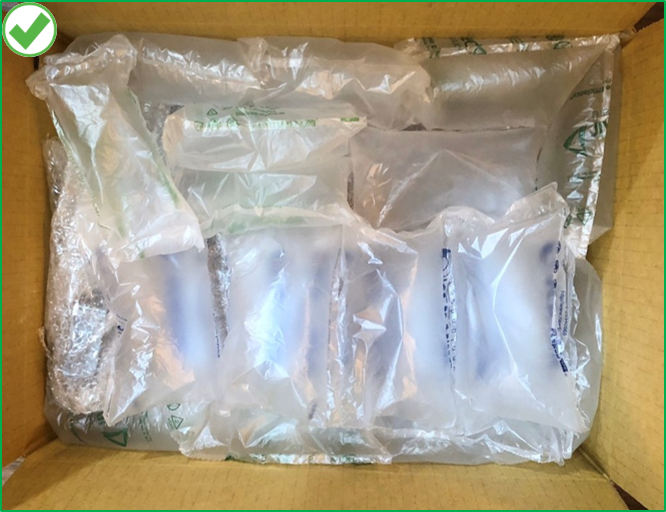
- Fill the gap above the machine with filler material, please do not leave extra space.
|
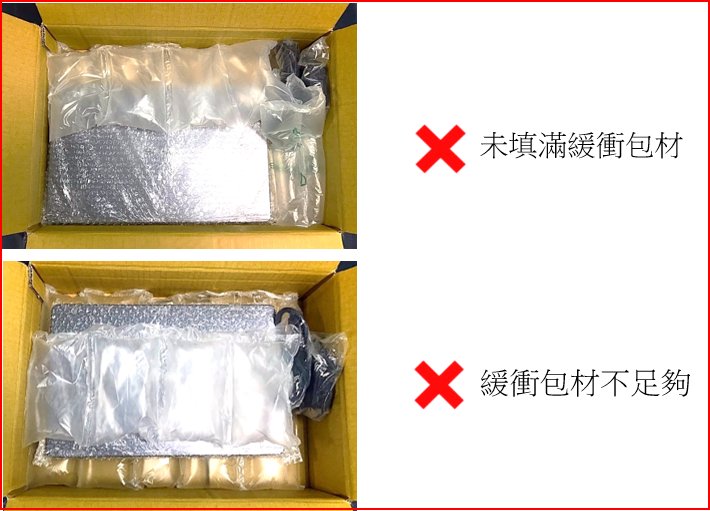
- Lack of reinforced packaging on top and around of notebook, making it easily causes damage to product.
|
|
|
|
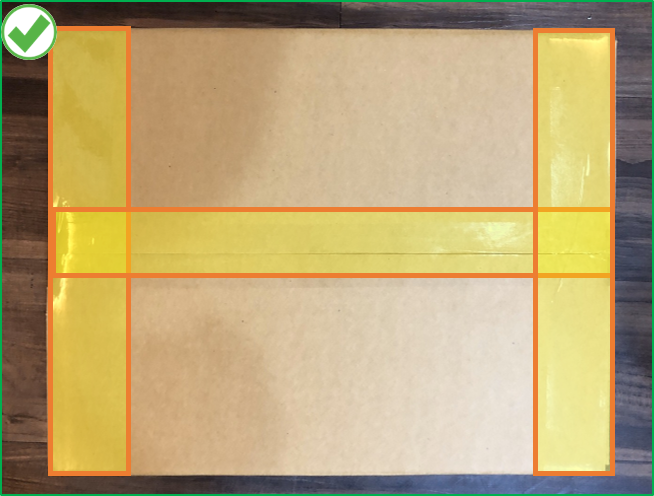
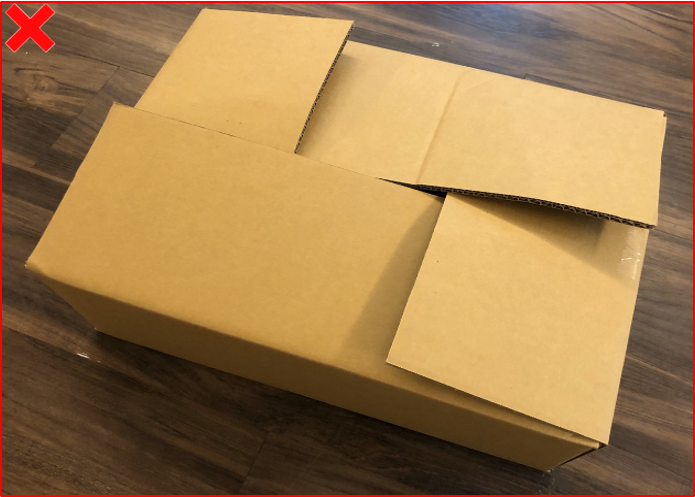
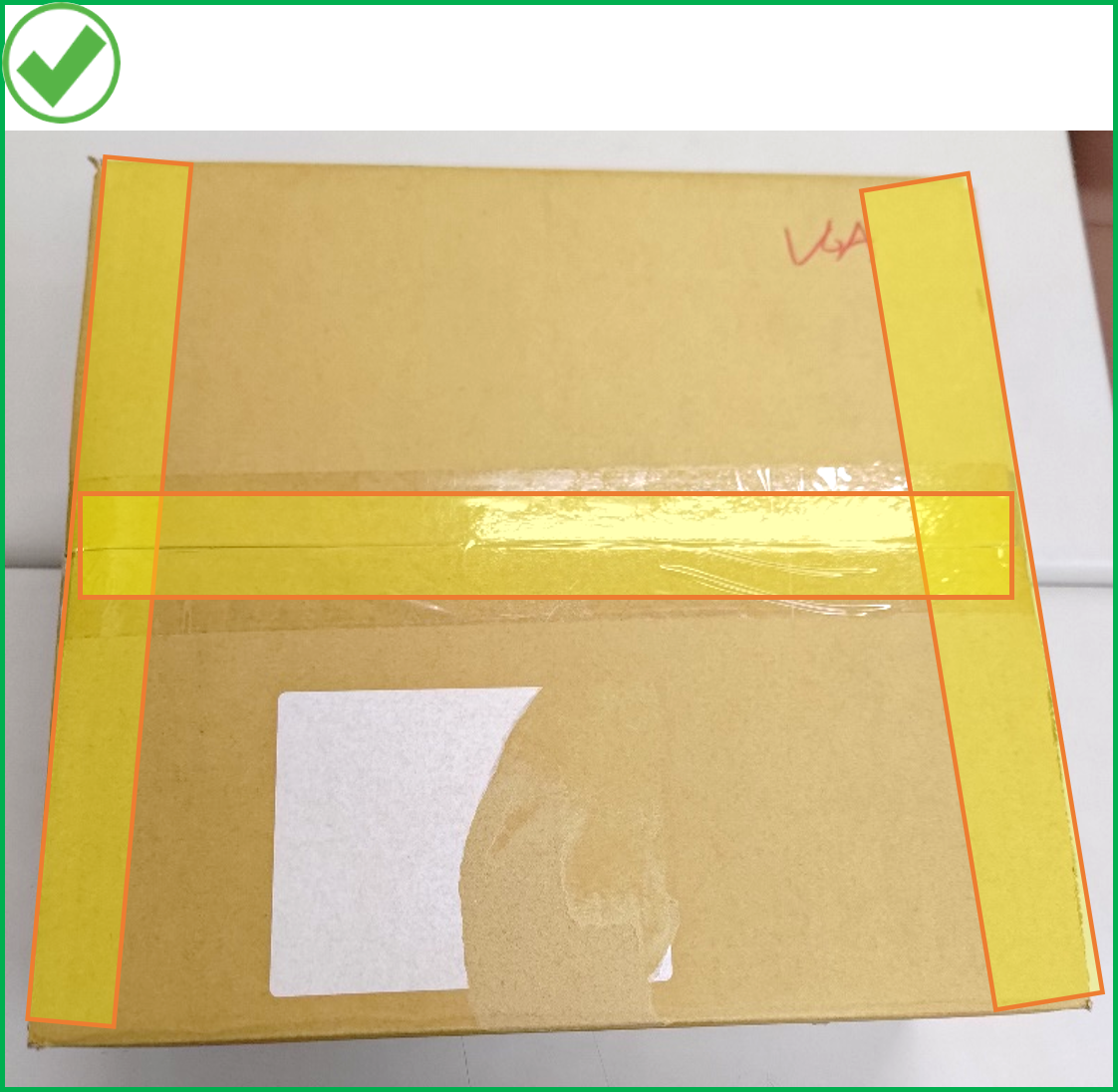
- Please use wide tape to seal the boxes,ensuring the top and bottom seams are properly sealed.
|
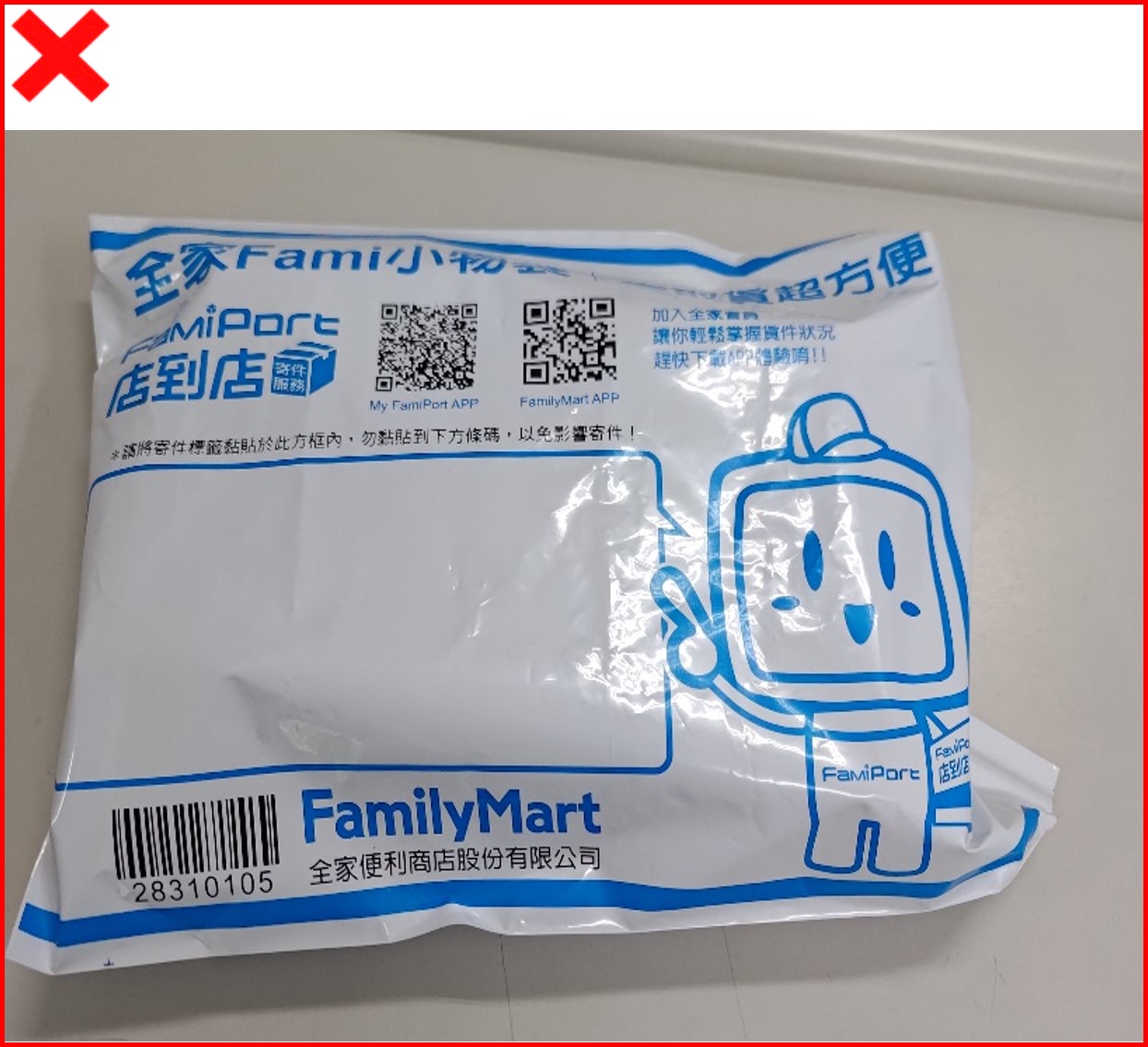
- Delivery bags offer no protection and are strictly prohibited from use
|
|
|
|
- If you don't have proper packing material when applying for sending 32-inch(or bigger) monitor to repair by home delivery, please contactonline customer serviceto apply for delivery。The packaging materials sent are only for packaging purposes. Customer is responsible for product packaging and protection. Damage caused during shipping due to improper packaging will not be covered under warranty.
|
Proper packaging
|
Mispackaging
|
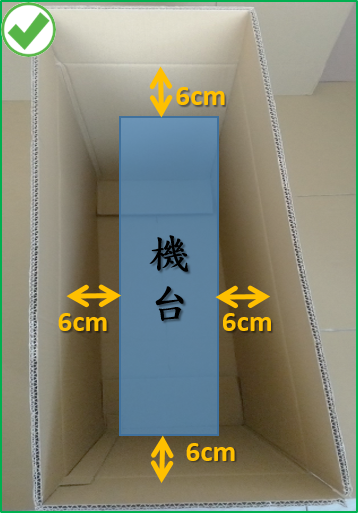
- Prepare the proper and firm cardboard box.
- The notebook must be approximately 6 cm away from the inner walls or corners of the box.
- After the machine is placed in the box, it can be stuffed with filler or cushioning material.。
|
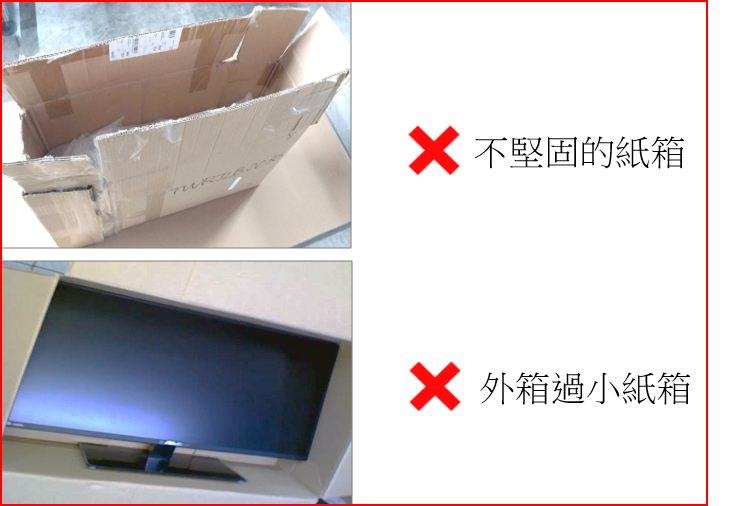
- 外箱不堅固與拼接的紙箱,運送過程中易造成擠壓損壞機台。
- 外箱過小的紙箱,機台周圍無空間塞入緩衝包材,易損壞機台。
|
|
|
|
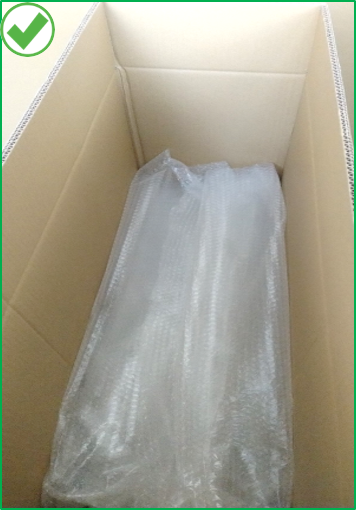
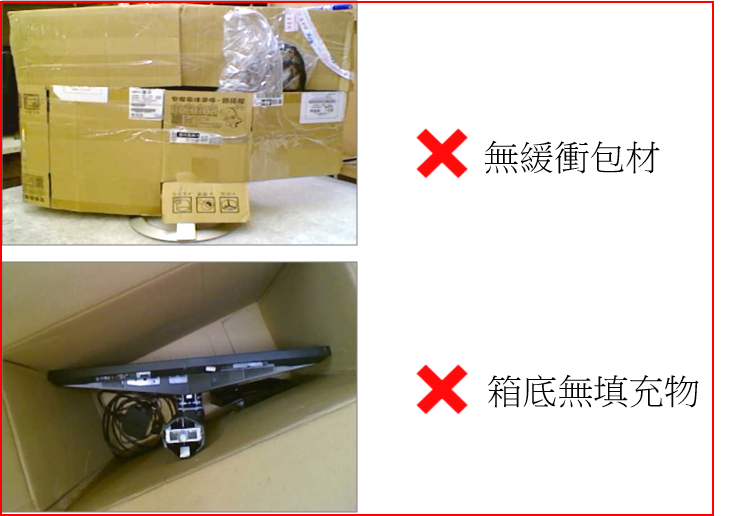
- 將填充物(例如:泡棉、氣泡袋、厚紙板)鋪至底部,且填充物可充分支撐機台的重量。
|
|
|
|
|
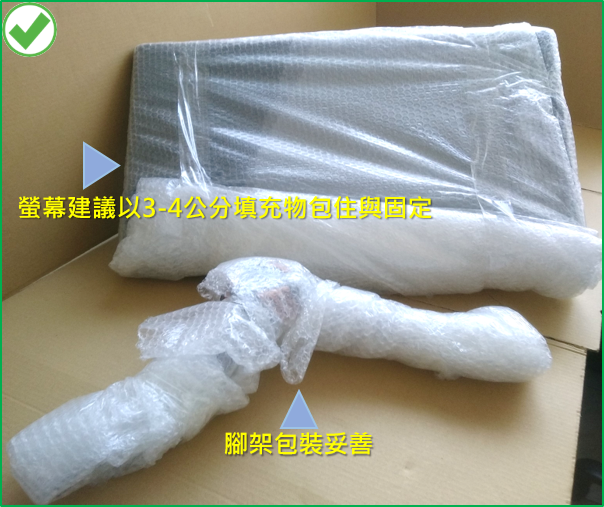
- 螢幕本體建議使用氣泡袋或柔軟物(以3-4公分厚的填充物)包裝且用膠帶固定,使之有足夠防護力,避免撞傷。
- 螢幕機型若可以拆卸腳架,請把腳架拆下來分開包裝。
- 螢幕腳架請妥善包裝,避免放置箱內時刮傷螢幕或刺破紙箱。
|
|
|
|
|
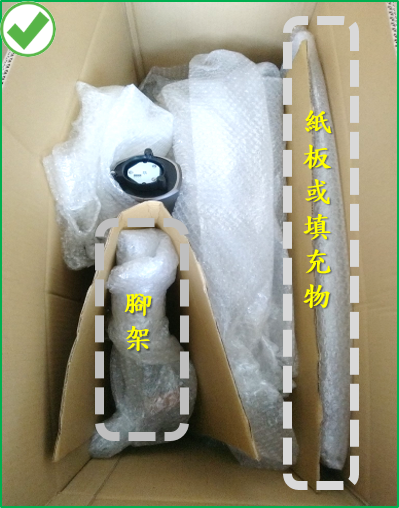
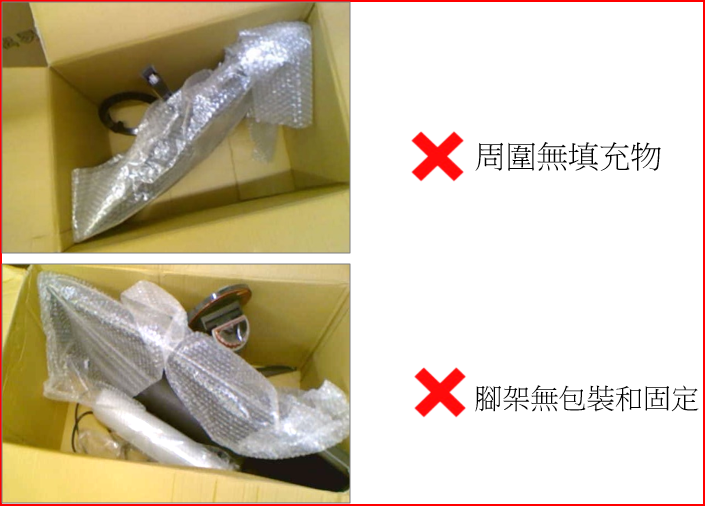
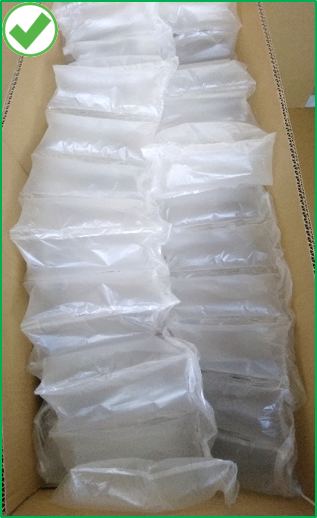
- 螢幕本體擺放請置中且用緩衝物固定。
- 螢幕面板前方請放紙板或填充物妥善保護。
- 腳架放置在螢幕面板後方並固定。
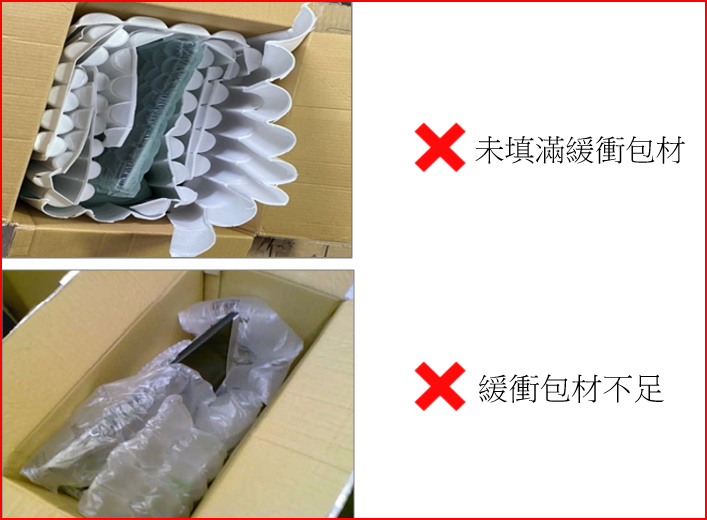
- 務必使用填充物 (如:柔軟包材、氣泡袋、報紙、軟布..等),使機台固定不會晃動。
|
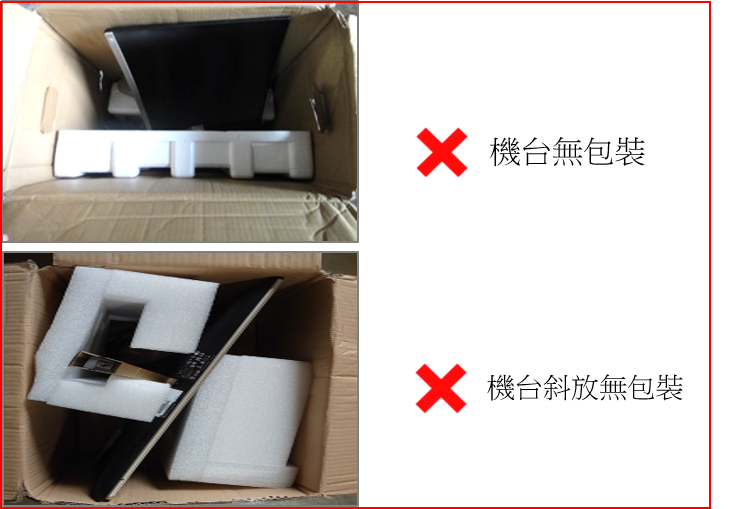
- 請勿將腳架放置於機台前方,容易造成碰撞導致面板破裂。
- 未使用填充物將箱內多餘的空間填滿,易造成搖晃碰撞,導致機台與紙箱損壞。
|
|
|
|
|
|
|
|
|
|
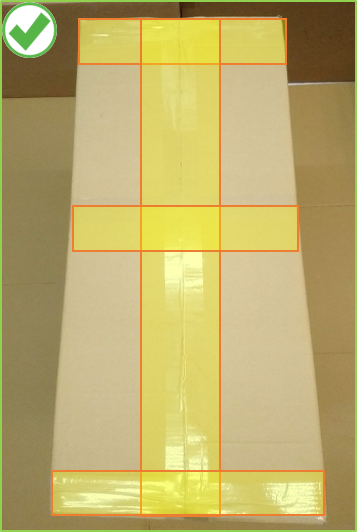
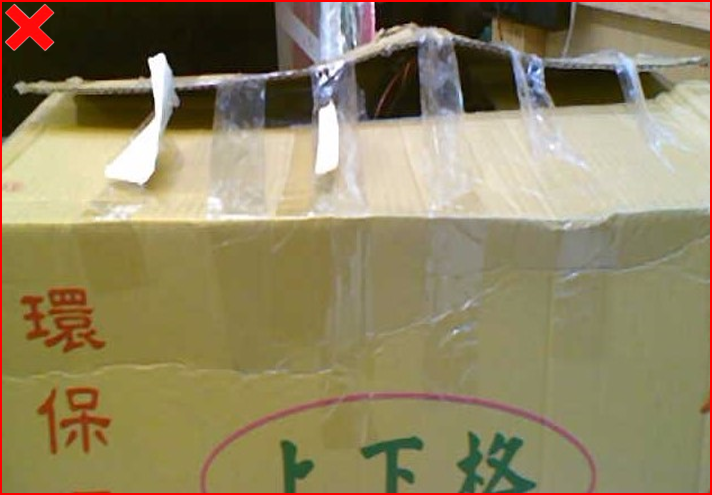
- 請使用寬版膠帶將外箱封箱,妥善密封紙箱頂部與底部的接縫。
|
|
|
|
|
|
Proper packaging
|
Mispackaging
|
- 準備一體成形且合適堅固的瓦楞裝箱。
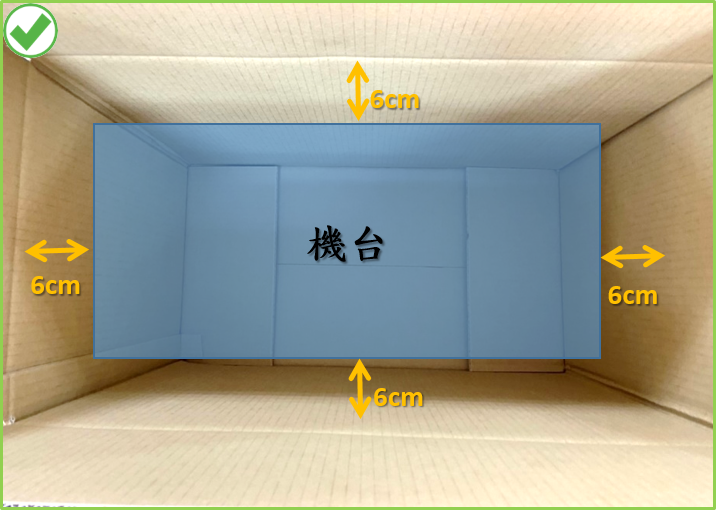
- 機台與箱子的內壁或角落必須相隔約6公分。
- 確保機台裝入箱內後,可塞入填充物或緩衝材質。
|
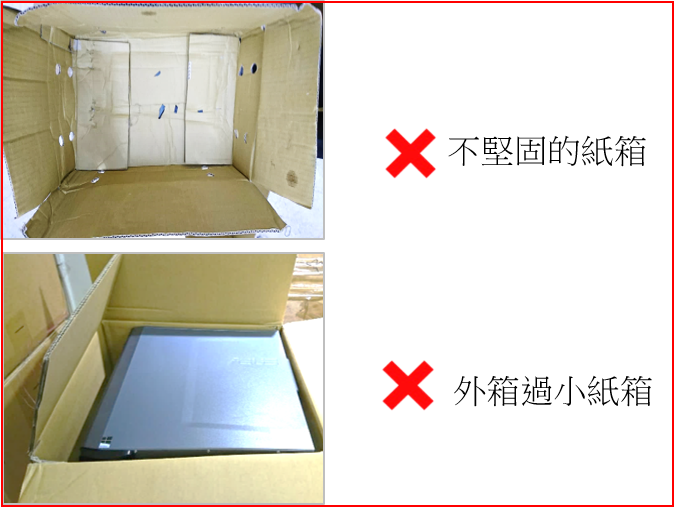
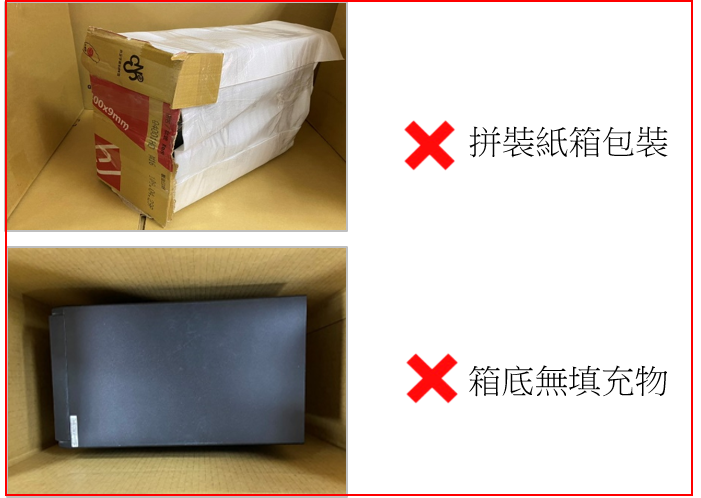
- 外箱軟爛與拼接的紙箱,在運送過程中會造成擠壓變形,易損壞機台。
- 過小紙箱,機台周圍無剩餘空間可塞入緩衝包材,易損壞機台。
|
|
|
|
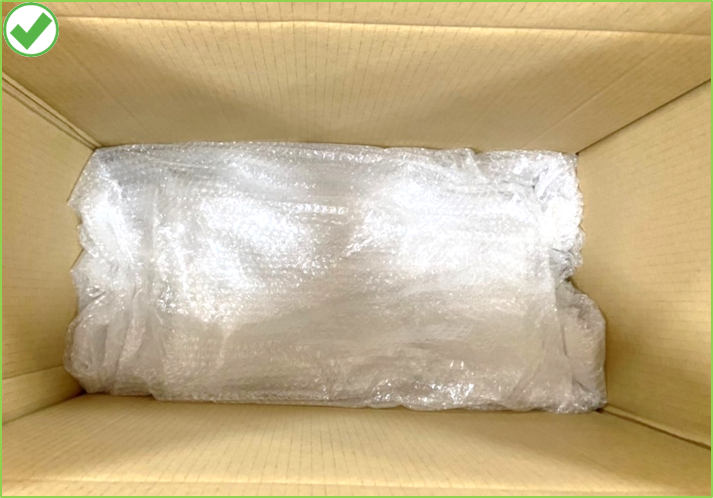
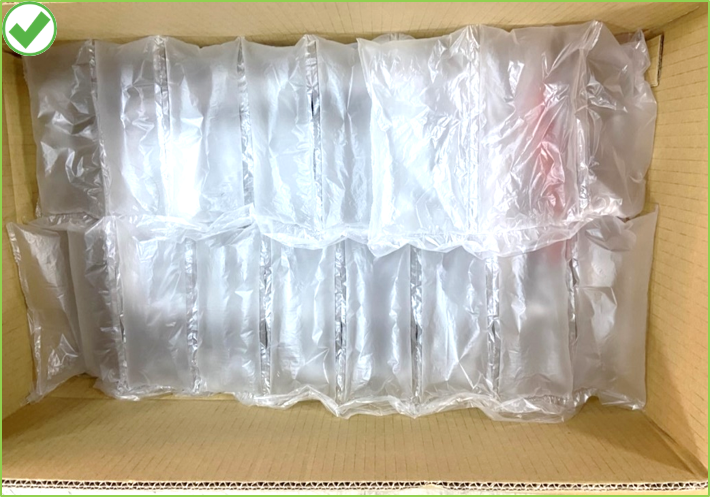
- 將填充物(例如:泡棉、氣泡袋、厚紙板)鋪至底部,且填充物可充分支撐機台的重量。
|
|
|
|
|
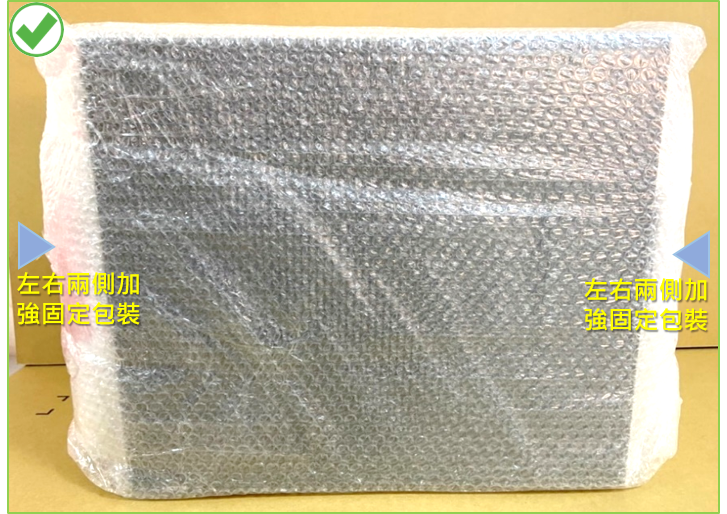
- 機器本體請使用足夠氣泡袋或柔軟物包妥,並且加強機器左右兩側包裝,並使用膠帶固定,以避免撞傷。
|
- 機器本體未使用氣泡袋或柔軟物包妥,且機器兩側也未加強防護包裝,易造成機台撞傷。
|
|
|
|
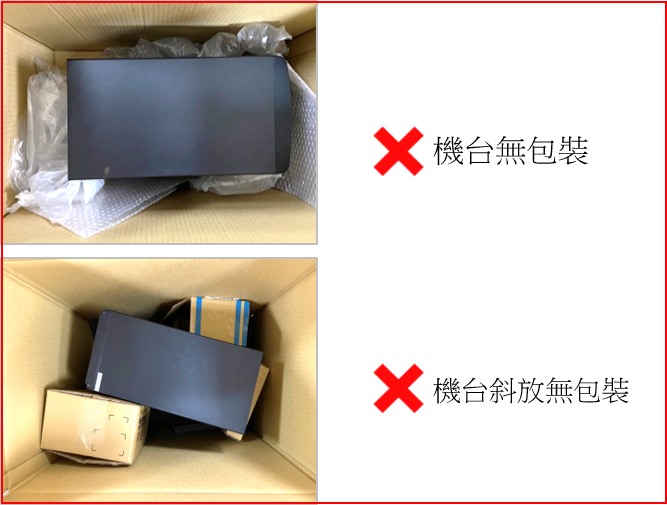
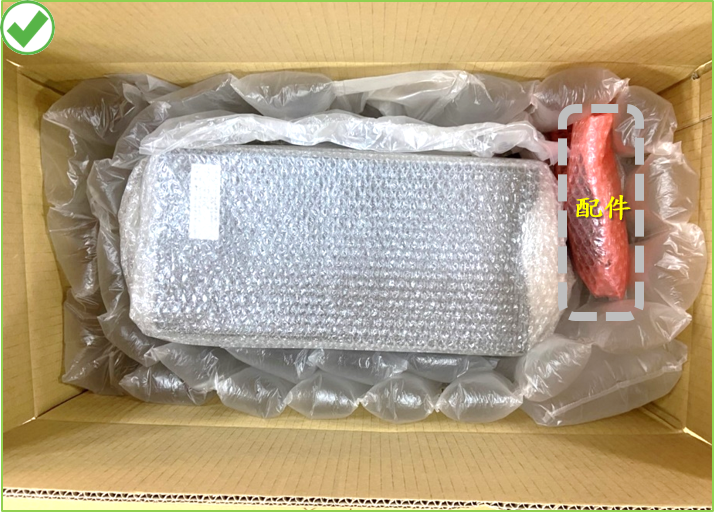
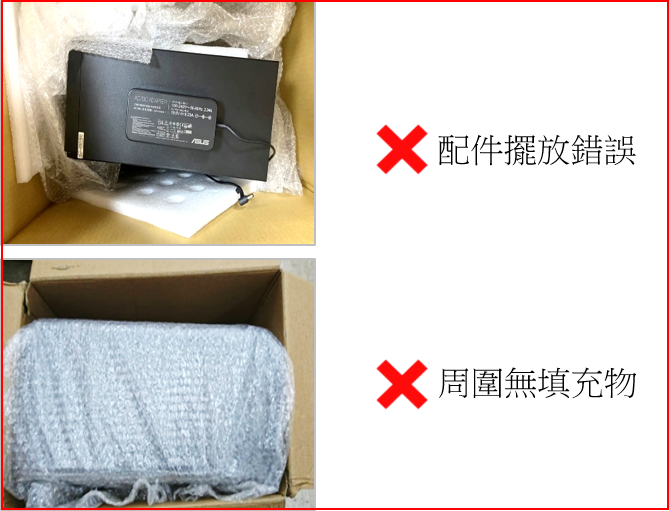
- 機器本體擺放請置中且用緩衝物固定。
- 有配件請妥善包裝且放置箱內角落處。
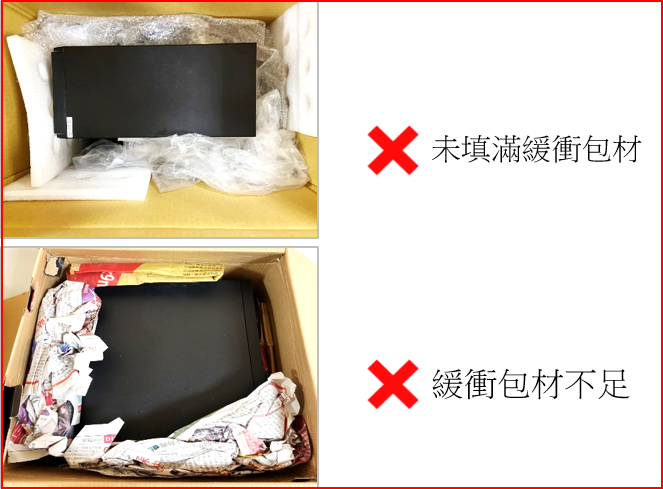
- 務必使用填充物 (如:柔軟包材、氣泡袋、報紙、軟布..等),將箱內周圍多餘的空間填滿,使機台固定不會晃動。
|
- 請勿將配件放置於機台上方,容易造成碰撞導致機殼凹陷。
- 未使用填充物將箱內多餘的空間填滿,易造成搖晃碰撞,導致機台與紙箱損壞。
|
|
|
|
|
|
|
|
|
|
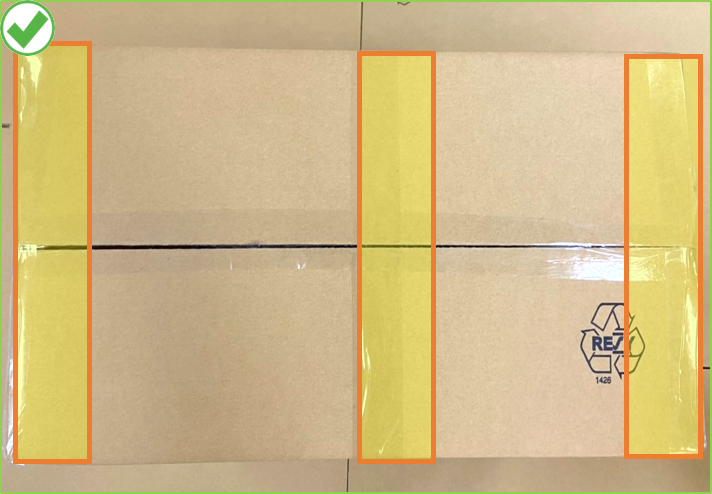
- 請使用寬版膠帶將外箱封箱,妥善密封紙箱頂部與底部的接縫。
|
|
|
|
|
|
正確包裝
|
錯誤包裝
|
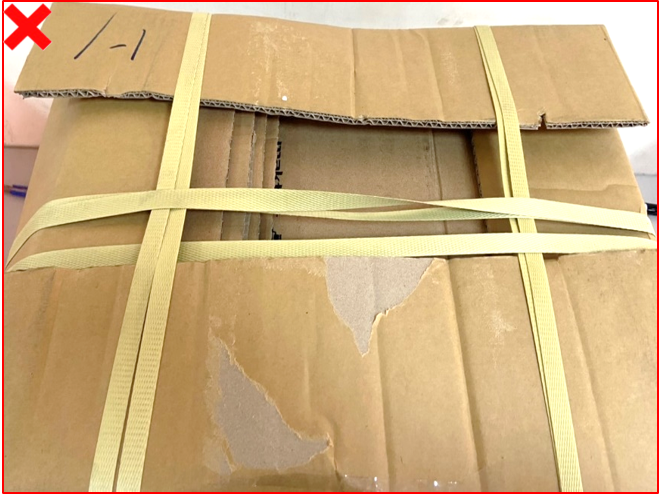
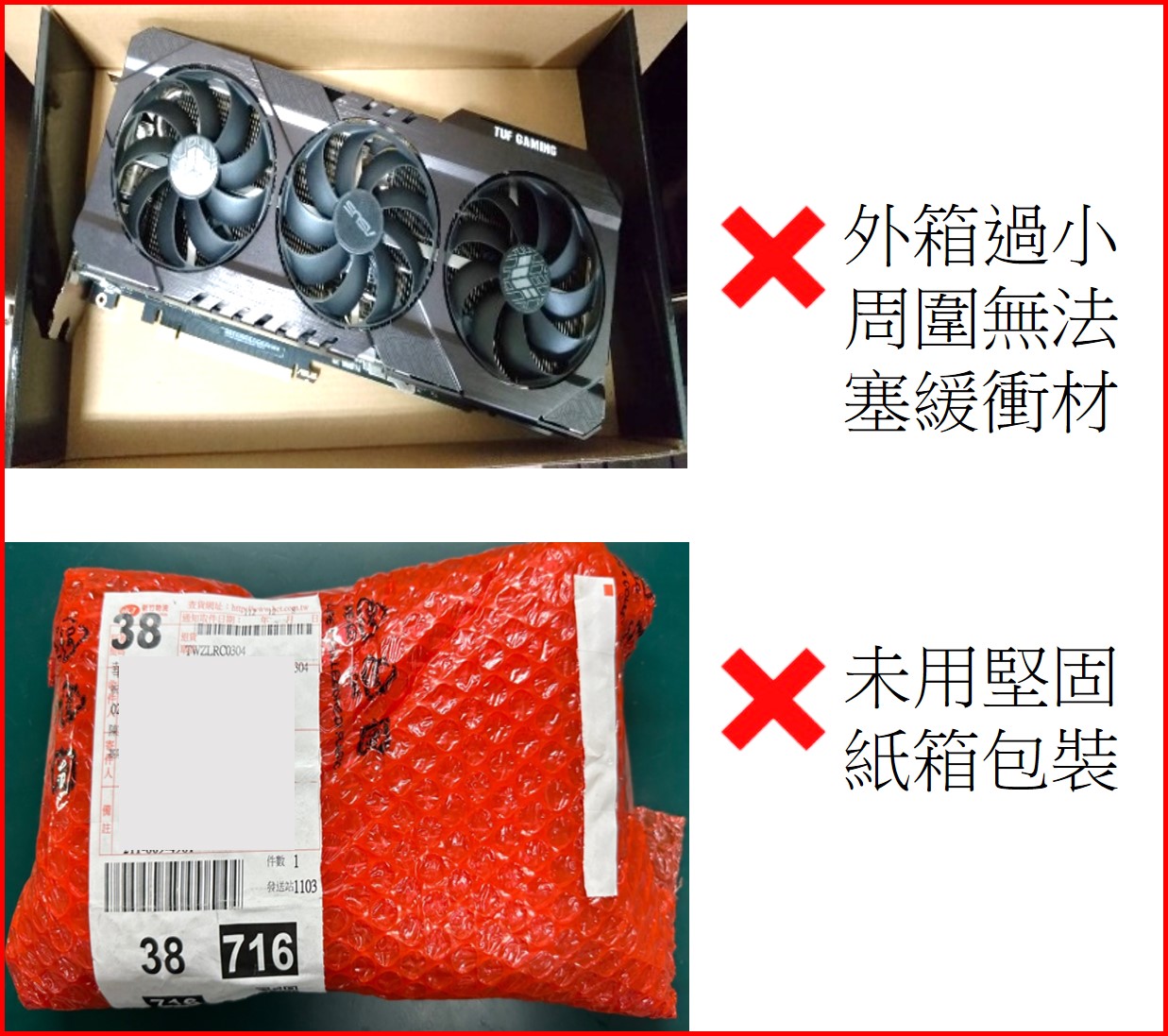
- 準備合適堅固無破損的瓦楞裝箱。運送高階且沉重顯卡,建議使用雙層或三層的瓦楞紙箱。
- 顯卡與箱子的內壁或角落必須相隔約6公分。
- 確保機台裝入箱內後,可塞入填充物或緩衝材質。
|
- 外箱過小的紙箱,顯卡周圍無空間塞入緩衝包材,可能會被壓扁風險。
- 未使用紙箱裝箱,運送易損壞。
|
|

|
|
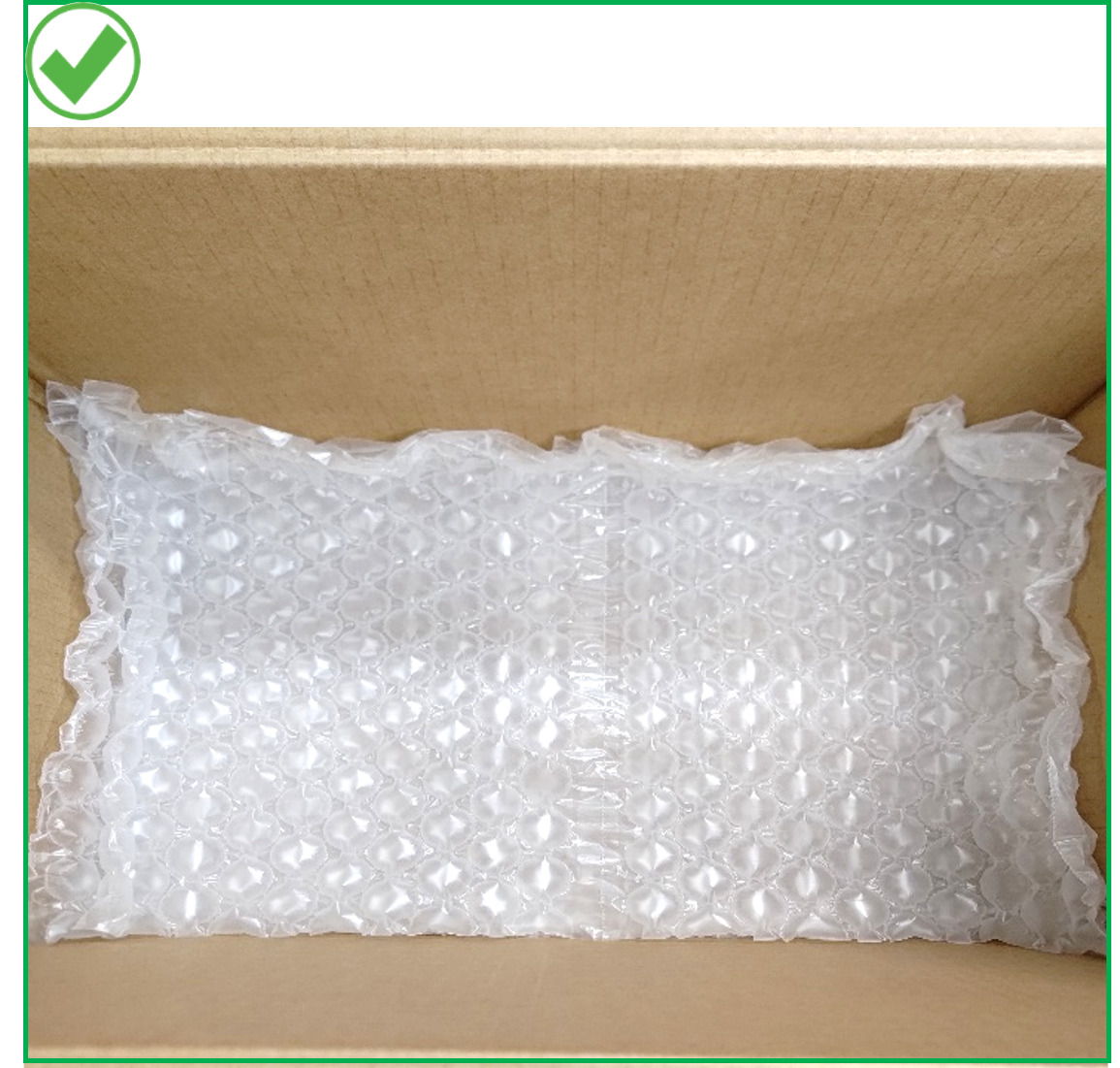
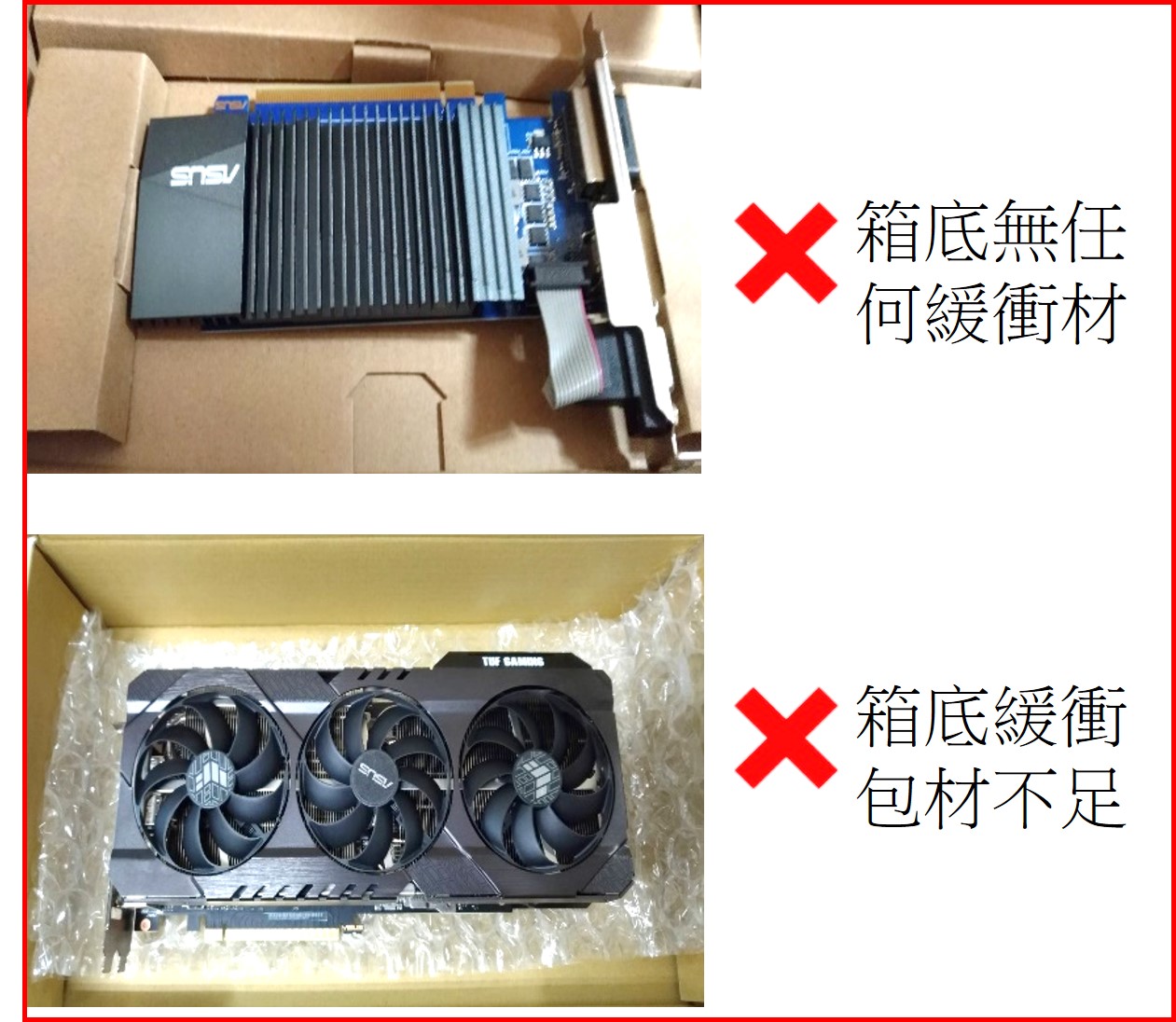
- 將填充物(例如:泡棉、氣泡袋、充氣袋)鋪至底部,且填充物的厚度可充分支撐顯卡的重量。
|
- 箱底無任何填充物或填充物不足夠,易在運送過程損傷。
|
|
|
|
- 顯卡本體使用氣泡袋捆3~4圈包裝且用膠帶黏貼固定,使之有足夠防護力。
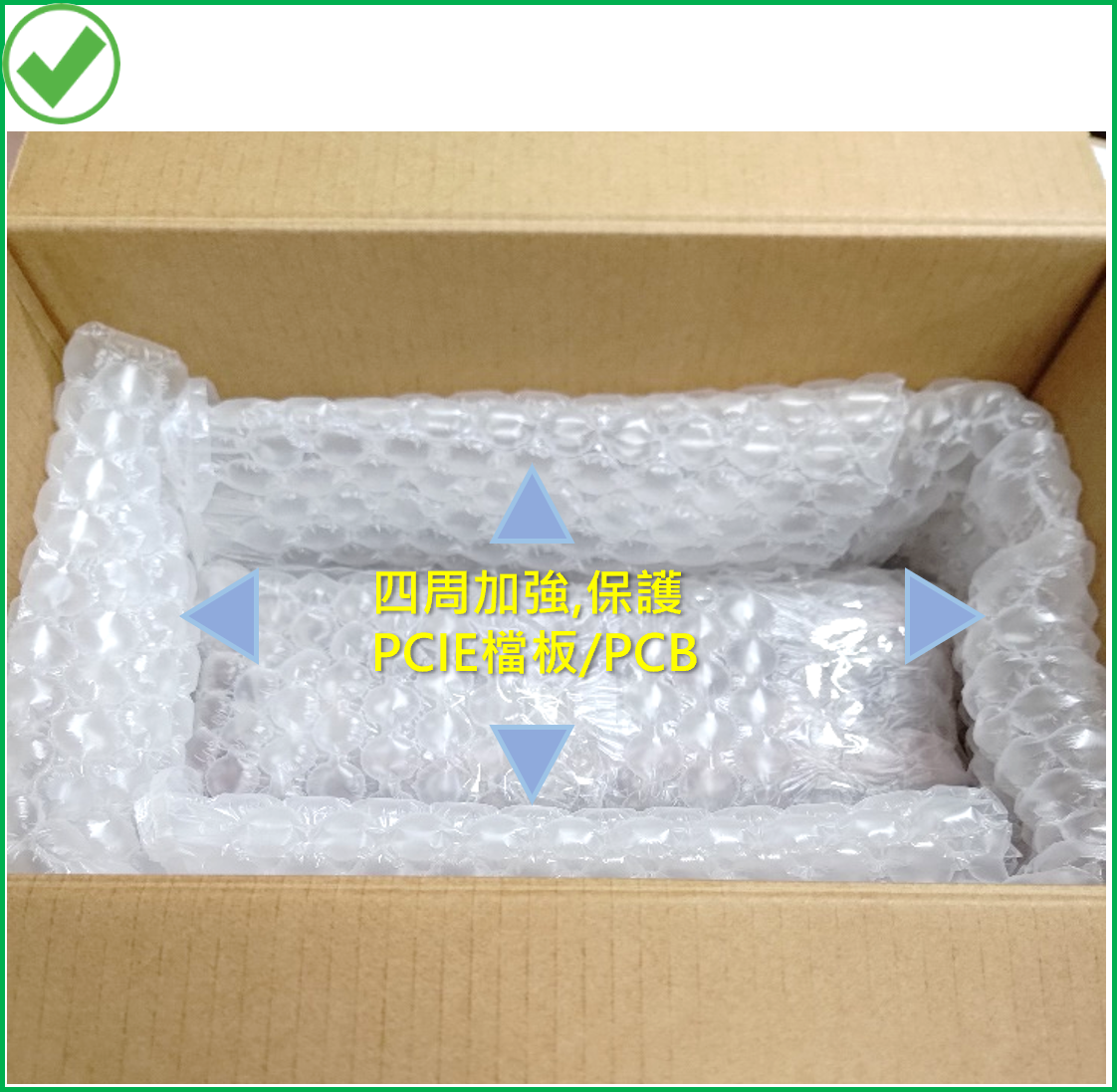
- 顯卡放置箱內中央,四周加強包裝,保護PCIE檔板與PCB。
- 周圍塞滿填充物,使之不晃動。
|
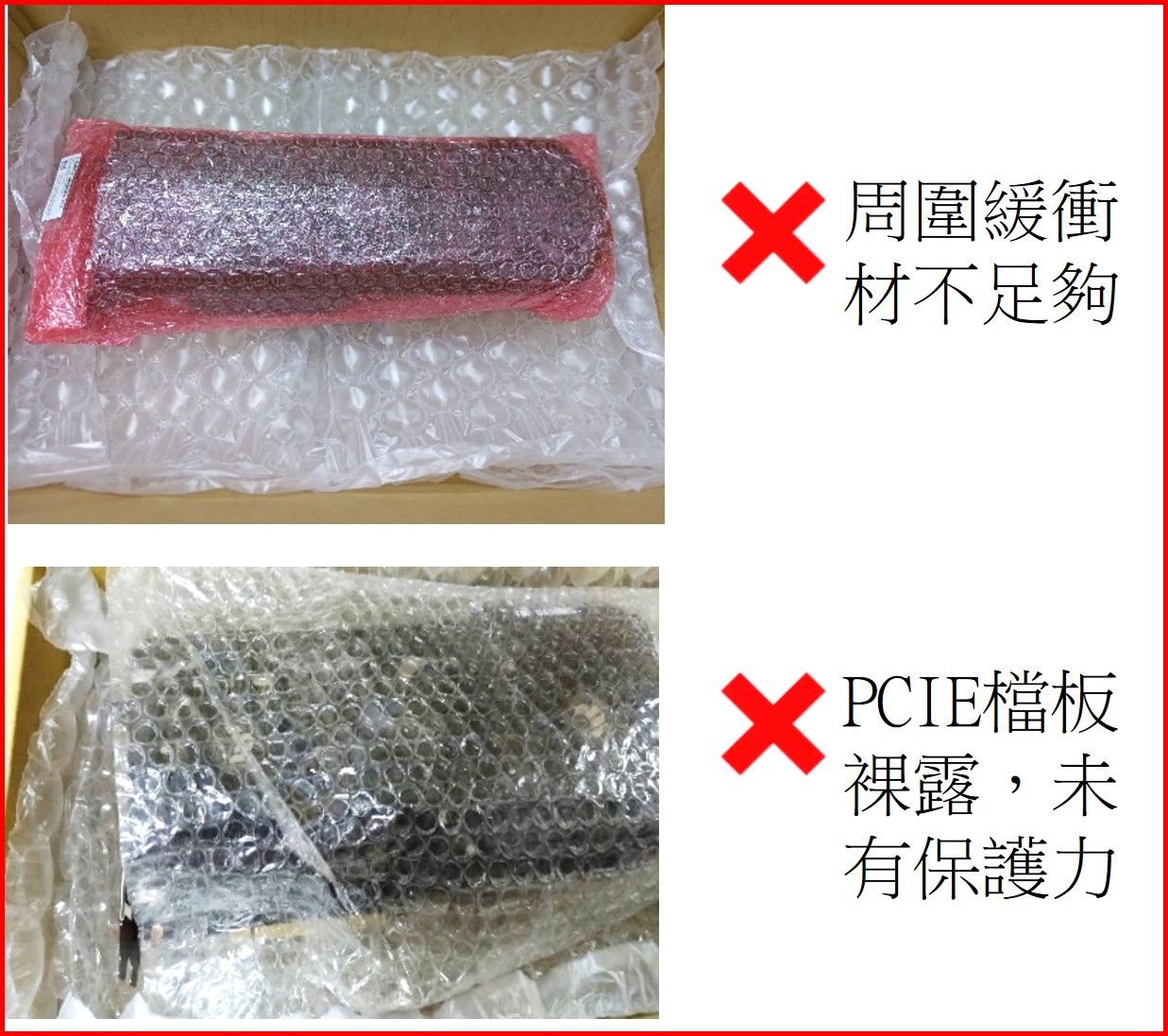
- 顯卡本體包裝不足,運送過程防護力不足。
- PCIE檔板與PCB四周未加強包裝,運送過程晃動易造成穿破紙箱與撞角撞傷。
|
|
|
|
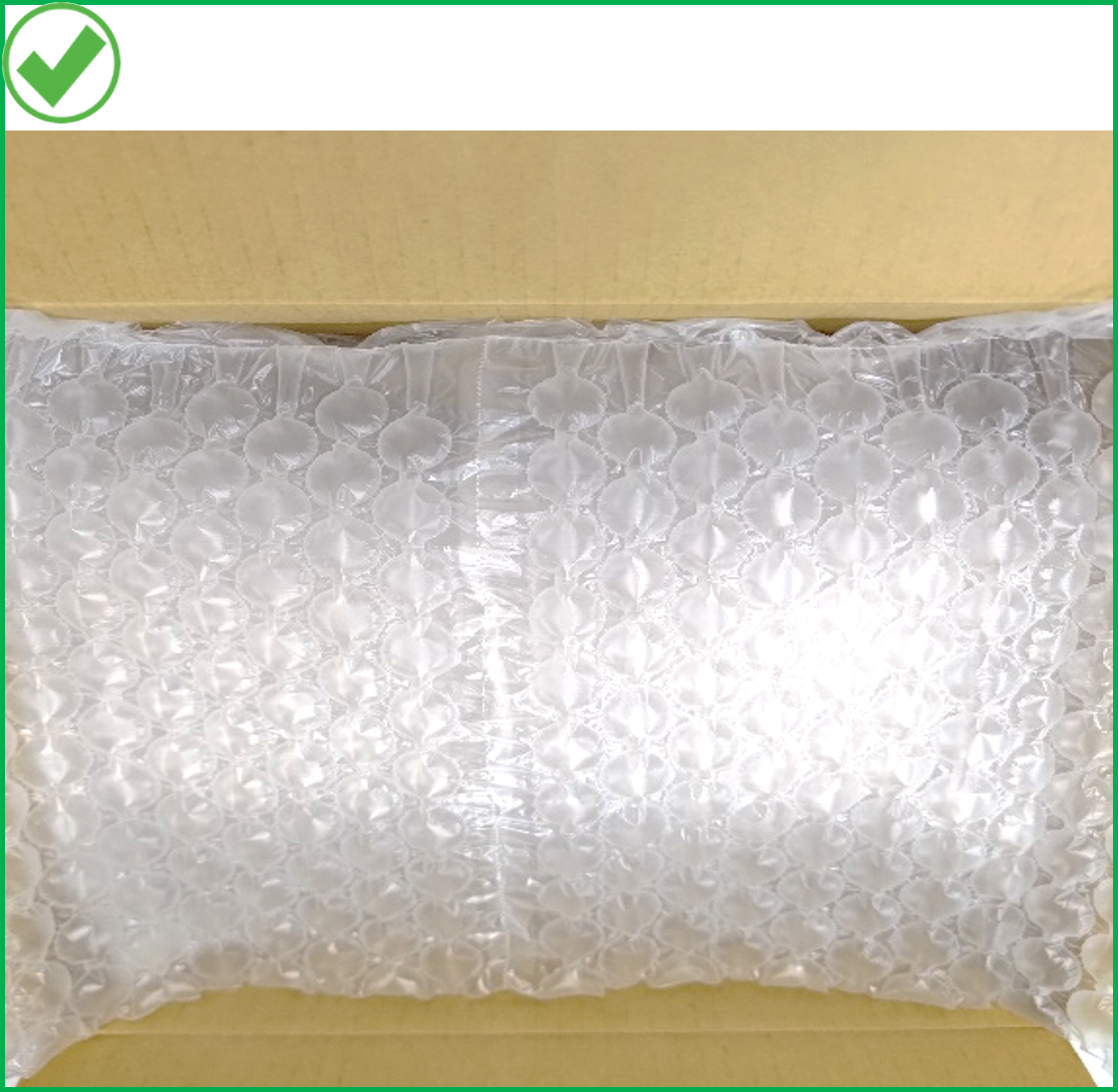
- 將顯卡上方的空隙填滿填充物,請勿留下多餘空間,造成晃動。
|
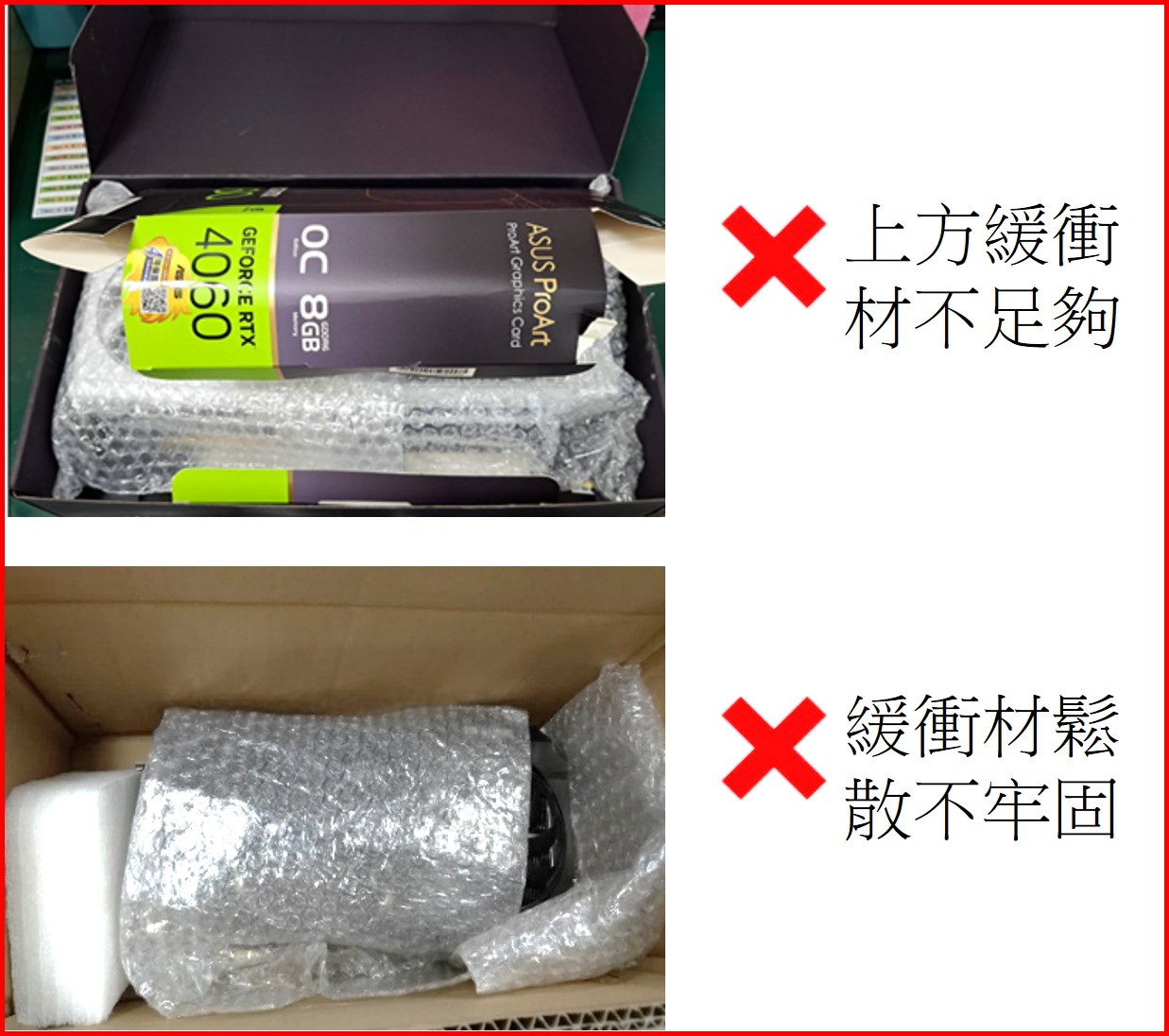
- 顯卡上方與四周空隙未填滿緩衝包材,易造成碰撞毀損。
|
|
|
|
- 請使用寬版膠帶進行封箱,妥善密封紙箱頂部與底部的接縫。
|
|
|
|
|