













Find Your Photo Here!


Why Do Gamers Choose OLED?

Vibrant Colors
OLED gaming monitors deliver vivid, saturated colors that bring your favorite games and media to life like none other.

Inky shadows
Since each pixel in an OLED panel can completely turn off, you get impressively dark shadows and crisp blacks that heighten immersion and improve readability of on-screen content.

Ready for fast-paced action
Images on an OLED gaming monitor stay crisp and clear even when viewing fast-paced content—thanks to the ultra-low response times of OLED panels, giving you a commanding view of the action in any scenario.
A man fights an enemy in a game; the scene is clear and sharp.
With 0.03 ms response time
A man fights an enemy in a game; the scene has motion blur.
Without 0.03 ms response time
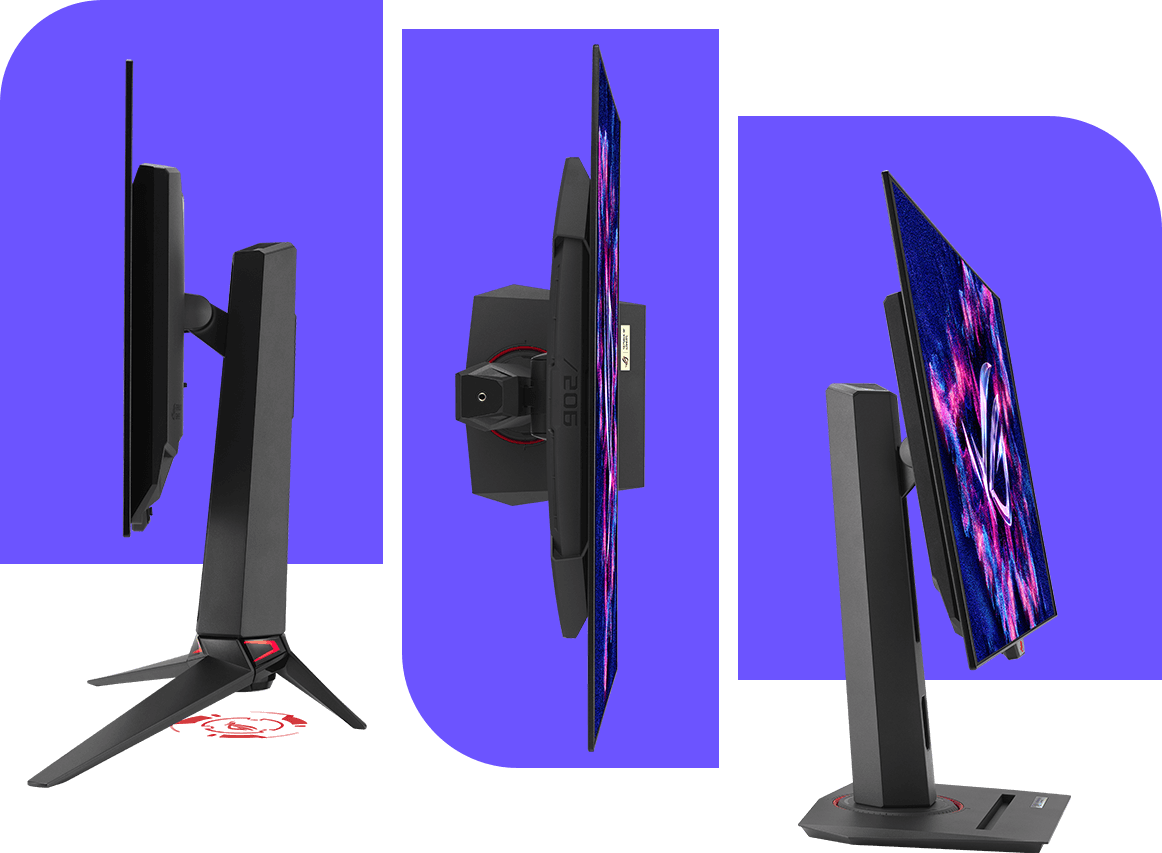
Superslim design
Unlike traditional monitors, OLED displays don’t require a backlight, allowing for slim, sophisticated designs that fit easily onto any gamer’s desk.
Minimize burn-in risk
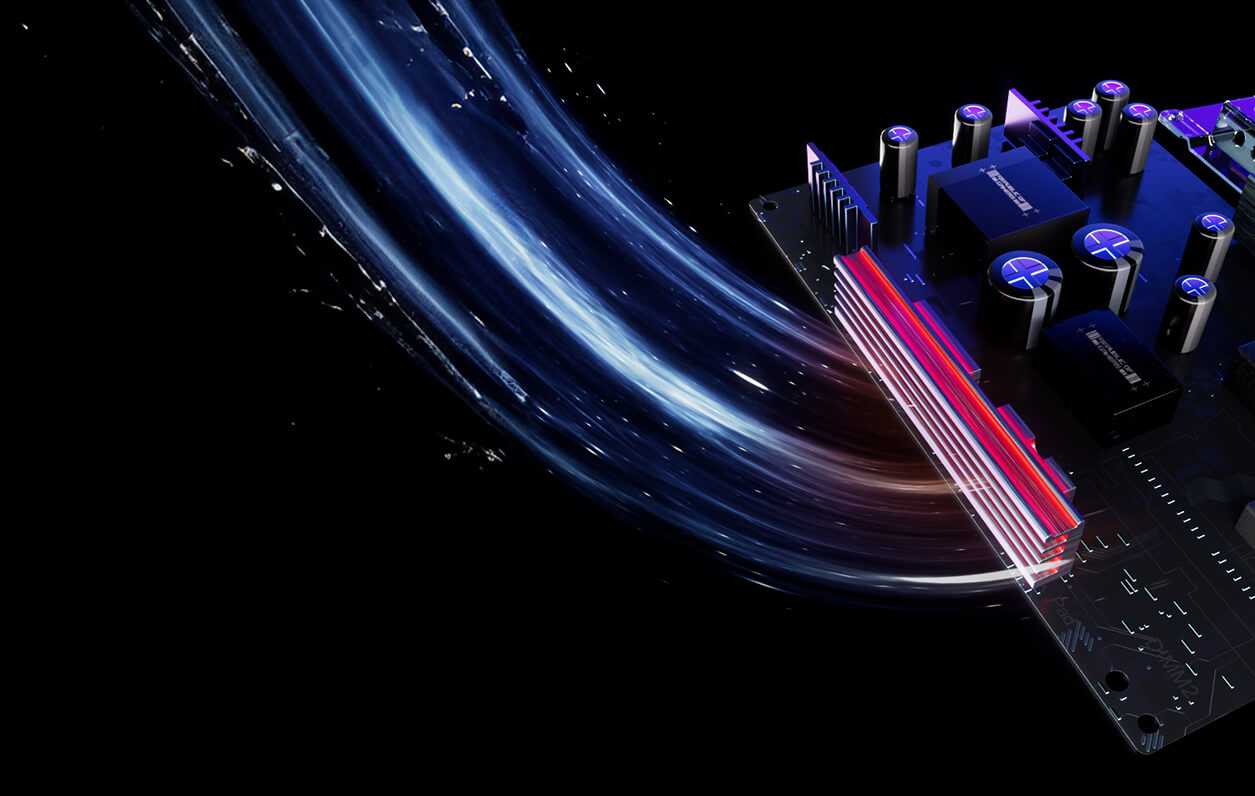
Custom heatsinks
ROG OLED monitors are built to deliver stunning visuals for years on end. Innovative custom heatsinks and enhanced internal airflow provide smarter cooling, actively protecting against burn-in and ensuring long-term reliability. The fanless design used in ROG monitors provides a significant advantage over competing displays that rely on active fan cooling, which can introduce unwanted noise and potential reliability concerns.
Protect your screen intelligently
OLED Care Pro technology
Exclusive OLED Care Pro technology provides a full suite of customizable settings to effectively mitigate OLED degradation and ensure extended operational lifespan, delivering consistent performance over time. Settings can easily be managed using the intuitive ASUS DisplayWidget Center software.
-
Neo Proximity Sensor
The built-in Neo Proximity Sensor precisely detects your distance from the monitor. When you step away, the monitor transitions to a black image to protect against panel burn-in; when you return, on-screen content is instantly restored. Detection distance can be customized to suit personal preference, ensuring maximum convenience and protection.
A man types on a keyboard. A monitor, headphones, mouse, and a small lamp sit on the desk.
Automatically Transition to Black Image
A man types on a keyboard. A monitor, headphones, mouse, and a small lamp sit on the desk.
Customize Detection Distance
-

Pixel cleaning
Recalibrates the screen when the monitor has been active for several hours―a process that takes just a few minutes and activates automatically when the monitor is turned off*
*Do not unplug the power cord during this time as it will interrupt the pixel-cleaning process.
-
Screen move
Pixel locations are slightly shifted periodically to help prevent burn-in, and users can choose between several movement levels
-
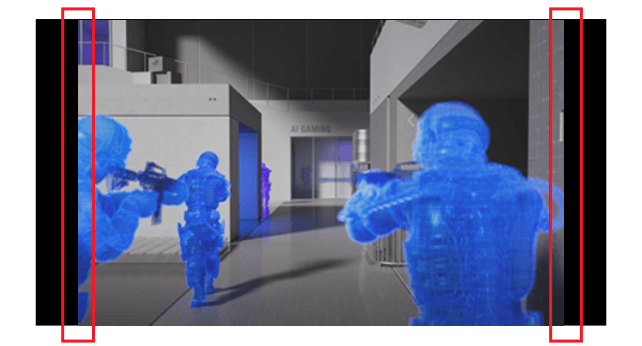
Boundary detection
Dynamically detects the boundary of the black bars and reduces the brightness, and also slightly shifts the pixels of the near borders
-
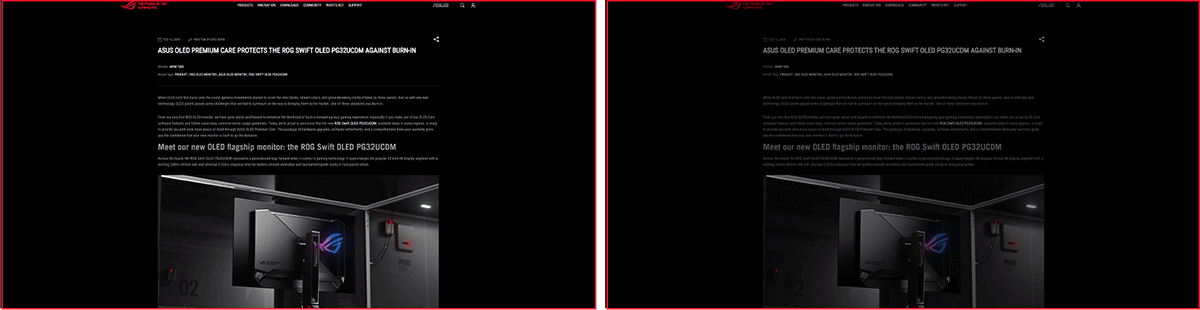
SCREEN SAVER OFF
SCREEN SAVER ON
Screen saver
Automatically dims the screen after two minutes of inactivity
-

Adjust Logo Brightness OFF
Adjust Logo Brightness ON
Logo brightness adjustment
Automatically detects static on-screen logos and reduces their brightness to correct for potential picture-quality issues
-
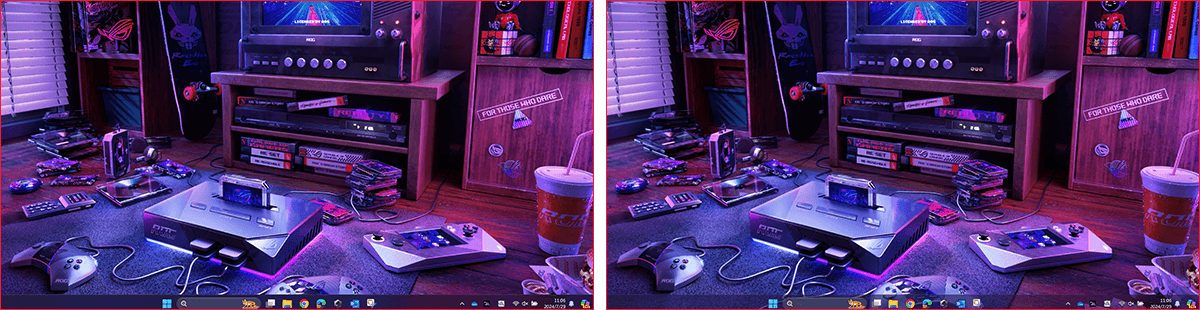
Taskbar detection OFF
Taskbar detection ON
Taskbar detection
Dynamically detects the taskbar and reduces brightness around it to avoid burn-in
-

Outer dimming control OFF
Outer dimming control ON
Outer dimming control
Automatically identifies and adjusts the brightest areas of the screen to reduce the risk of burn-in
-

Global dimming control OFF
Global dimming control ON
Global dimming control
Dynamically adjusts the overall brightness of the display to reduce the risk of burn-in
-
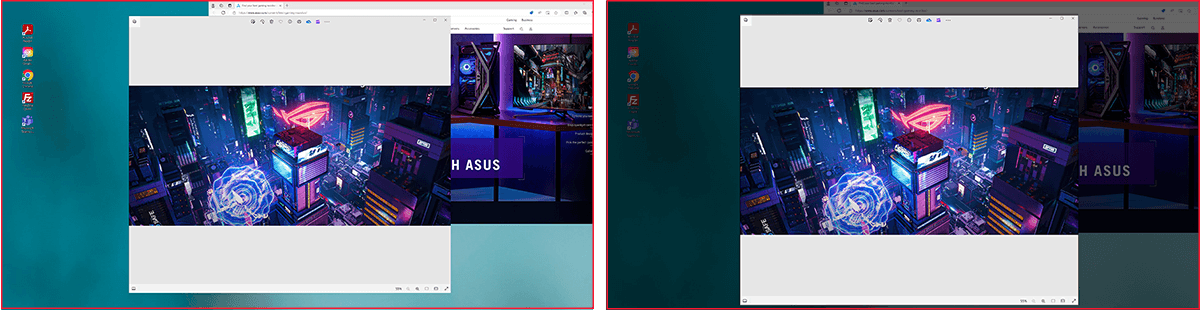
Target Mode OFF
Target Mode ON
Target mode
Dims the entire screen, except for a selected pinned window, which maintains its current brightness setting
Secure Peace of Mind
3-year warranty
ROG stands behind the quality of its OLED monitors. A comprehensive 3-year warranty also covers OLED burn-in. This all-encompassing approach offers unparalleled peace of mind and allows you to focus on what matters most: dominating the game.
> Become an ROG member now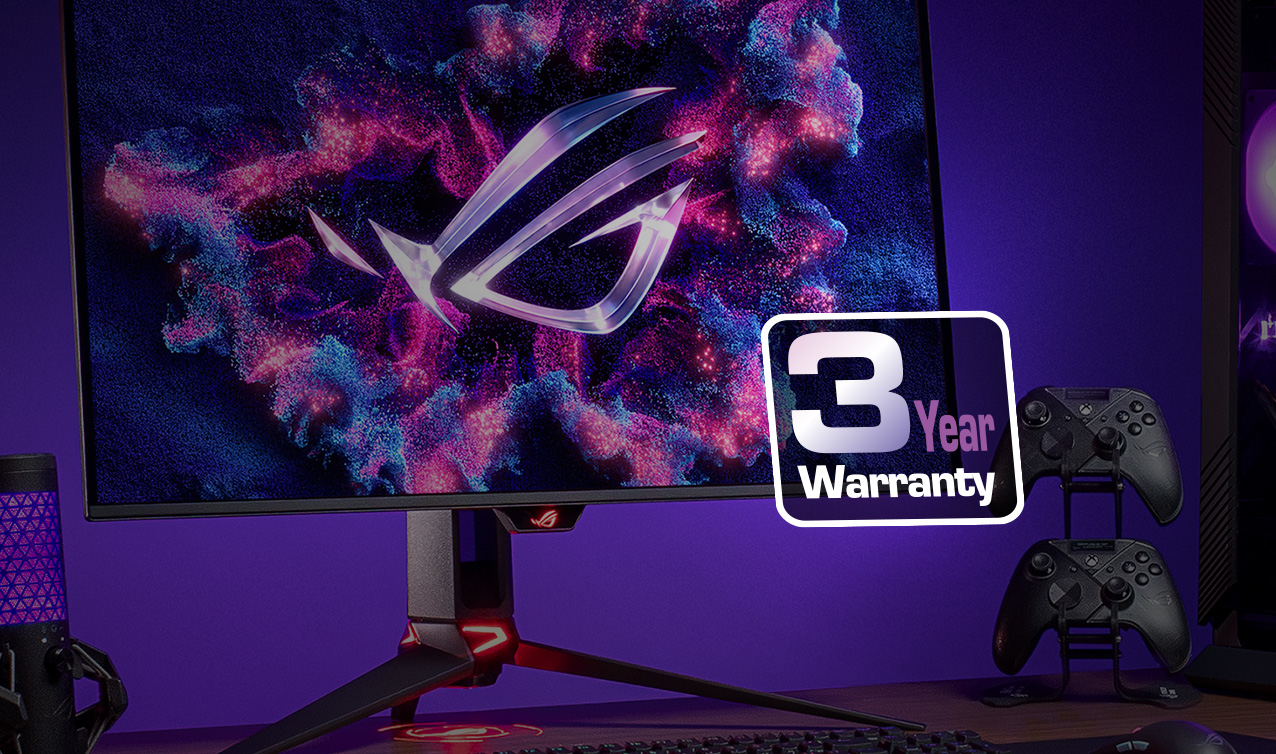
Choose your perfect panel
Unrivaled OLED choices
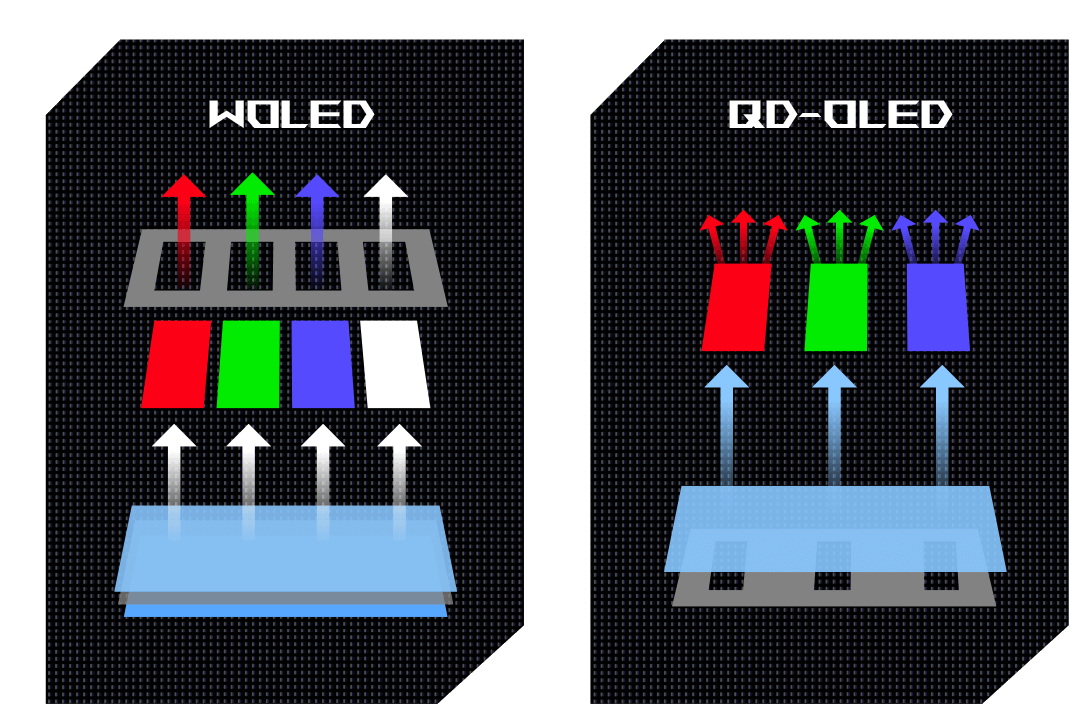
ROG offers both QD-OLED and WOLED panels, giving you the freedom to choose the perfect OLED technology for your gaming needs. Whether you prioritize a matte or glossy screen, ROG offers models that suit your preference.
See every detail in stunning color
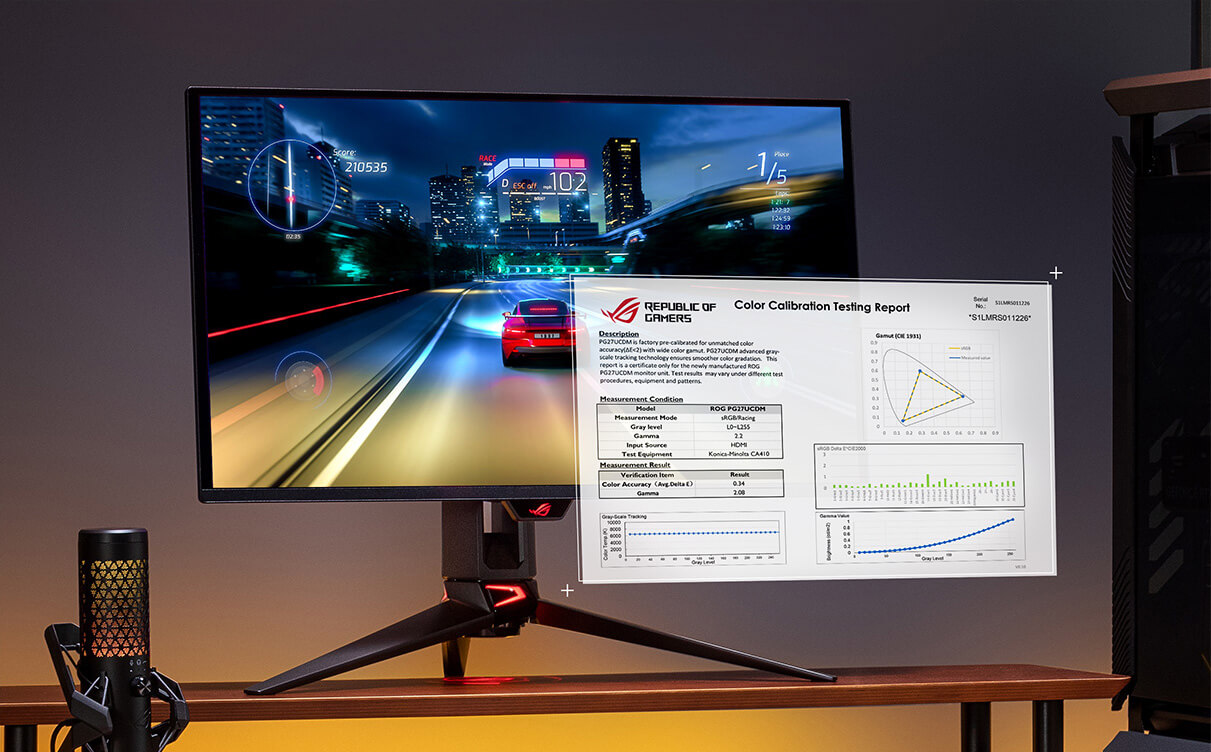
Pro-level color accuracy
Every ROG OLED monitor undergoes rigorous factory pre-calibration, guaranteeing exceptional color performance straight out of the box. Experience gaming worlds as the developers intended, with vivid, true-to-life visuals.
Experience vivid visuals, even in bright environments
Pushing the limits of brightness
Brightness is a crucial element of OLED performance, and ROG is dedicated to continuous improvement by constantly pushing the boundaries of peak brightness in its OLED monitors, ensuring stunning visuals in a variety of lighting conditions.

Reduced flicker. Enhanced immersion.
OLED Anti-Flicker 2.0 technology
Say goodbye to distracting screen flicker. ROG's exclusive Anti-Flicker 2.0 technology, powered by a smart luminance compensation algorithm and refresh-rate cap, minimizes flicker for immersive, distraction-free gameplay.
-
Luminance Compensation Algorithm
The advanced luminance compensation algorithm dynamically boosts pixel brightness during refresh rate fluctuations to ensure more consistent visuals without increasing input lag or compromising refresh rates.
Still frame of a video of a futuristic city with neon lights. VRR flicker waveform of a 4th-gen QD-OLED panel showing stable fluctuations.
With algorithm
Still frame from a video of a futuristic city with neon lights, showing considerable flicker. VRR flicker waveforms of a previous-gen QD-OLED panel showing drastic fluctuations
Without algorithm
-
Refresh Rate Cap
This feature caps the monitor refresh rate to reduce onscreen flicker. The three presets (High / Mid / Off) have been upgraded, enabling each to cover a wider refresh rate range to suit individual preferences.
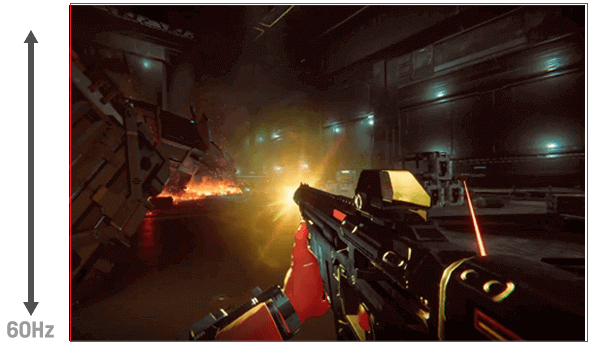


OLED Anti-flicker ON


OLED Anti-flicker OFF
*Videos may be simulated and dramatized for illustrative purposes.
Learn more
Your all-in-one monitor assistant
ASUS DisplayWidget Center
-
Customize settings with ease
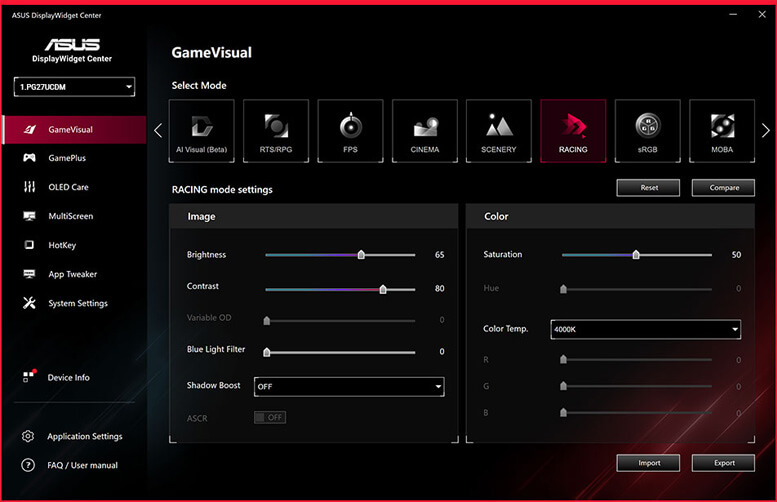
ASUS DisplayWidget Center software takes your monitor to the next level. With this powerful monitor management tool, you can easily adjust monitor settings effortlessly using your mouse, eliminating the hassle of navigating physical OSD buttons.
-
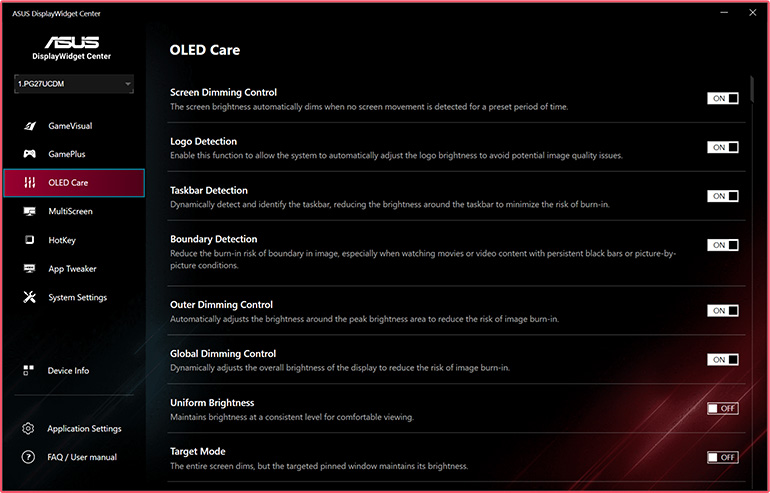
Maximize OLED protection
DisplayWidget Center allows you to customize OLED protection features to suit your personal preferences, giving you the best experience and ensuring the longevity of your OLED panel.
-
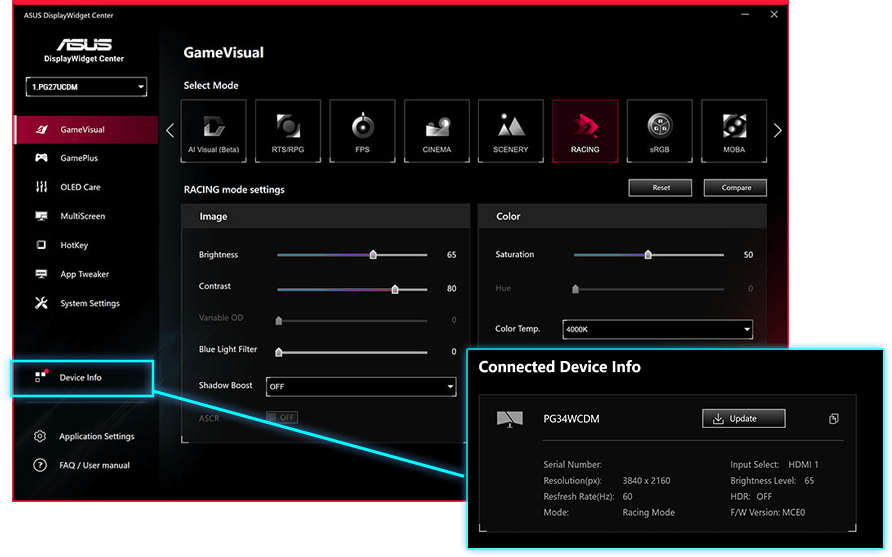
Stay up to date
Receive automatic firmware update notifications, so you always have the latest performance enhancements and features.
-
Streamline your setup
Manage multi-screen configurations, customize hotkeys, and access a range of other helpful tools, all from one central location.
Download ASUS DisplayWidget Center
ASUS DisplayWidget Center software interface showing keyboard hotkey and App Tweaker settings
Seamless integration for all your devices
Extensive connectivity
ROG OLED monitors offer a wide array of connectivity options*, including the latest DisplayPort™ 2.1, HDMI® 2.1, USB Type-C® (with Power Delivery), and a USB hub, ensuring exceptional visual quality and seamless compatibility with a wide range of devices.
*Connectivity options vary by model.

Consistent visuals, enhanced comfort
Uniform brightness
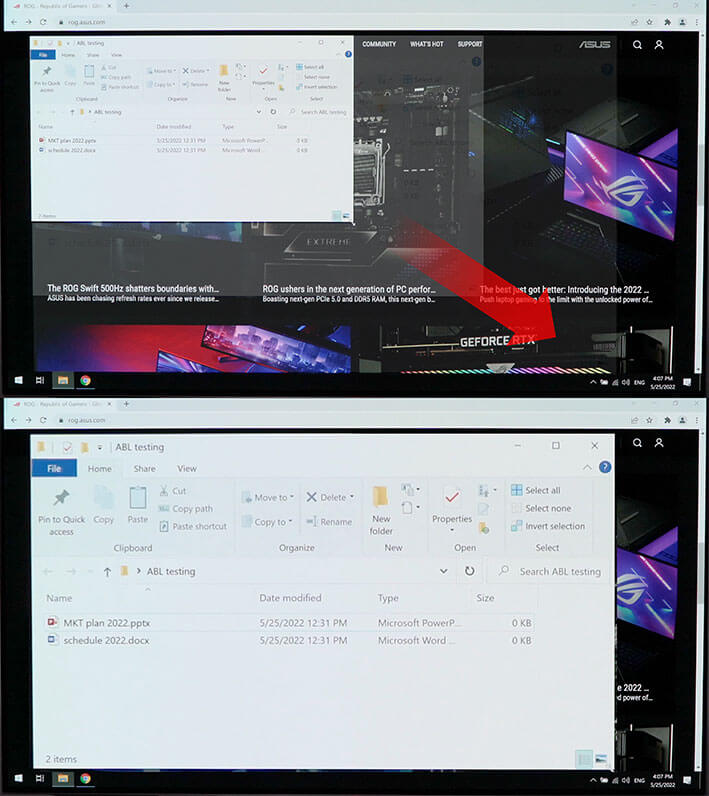
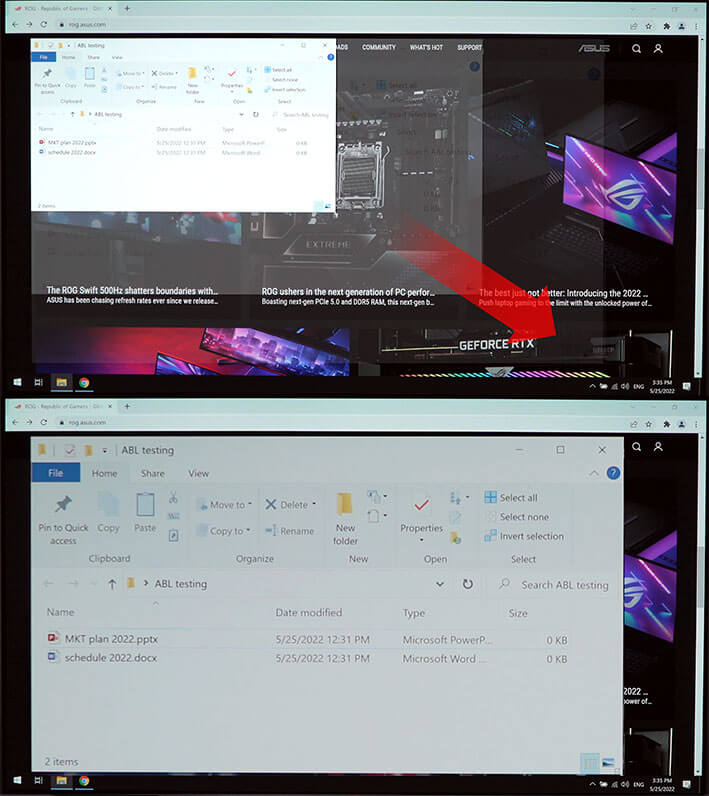
ROG OLED monitors address the inherent brightness challenges of OLED panels by implementing uniform brightness technology. This reduces peak brightness fluctuations, ensuring consistent image quality even when changing the size of bright windows. The result is a more comfortable viewing experience, especially during long gaming sessions.
WITH uniform brightness setting
WITHOUT uniform brightness setting
*When the monitor is in sRGB mode
Find your perfect view
Flexible aspect ratios
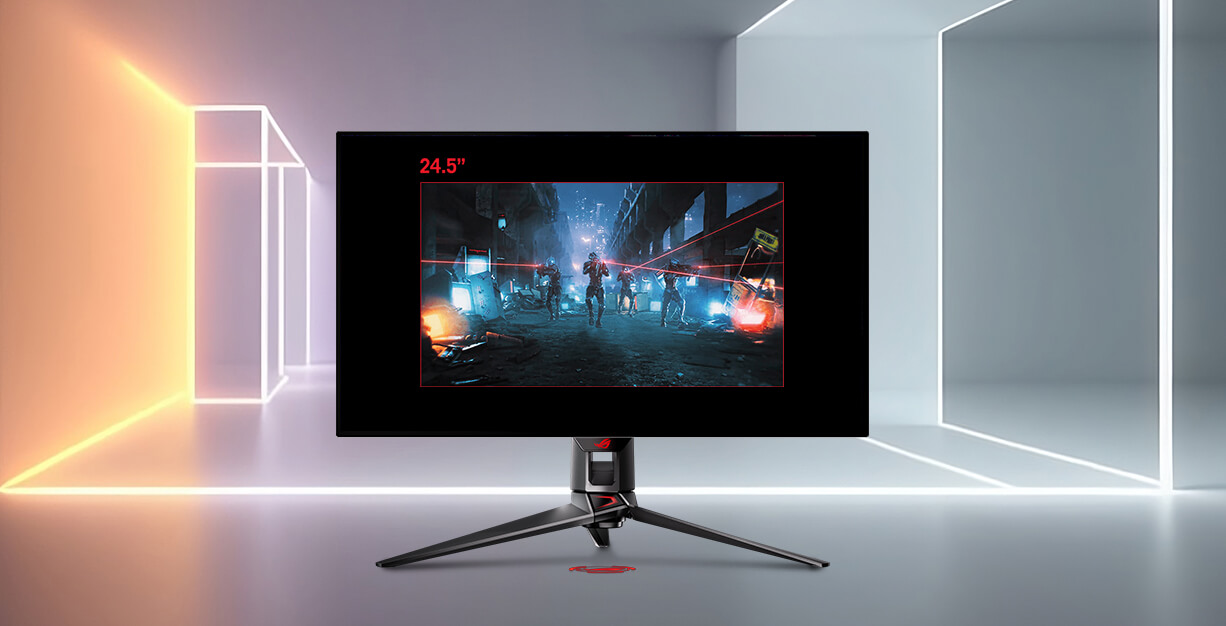
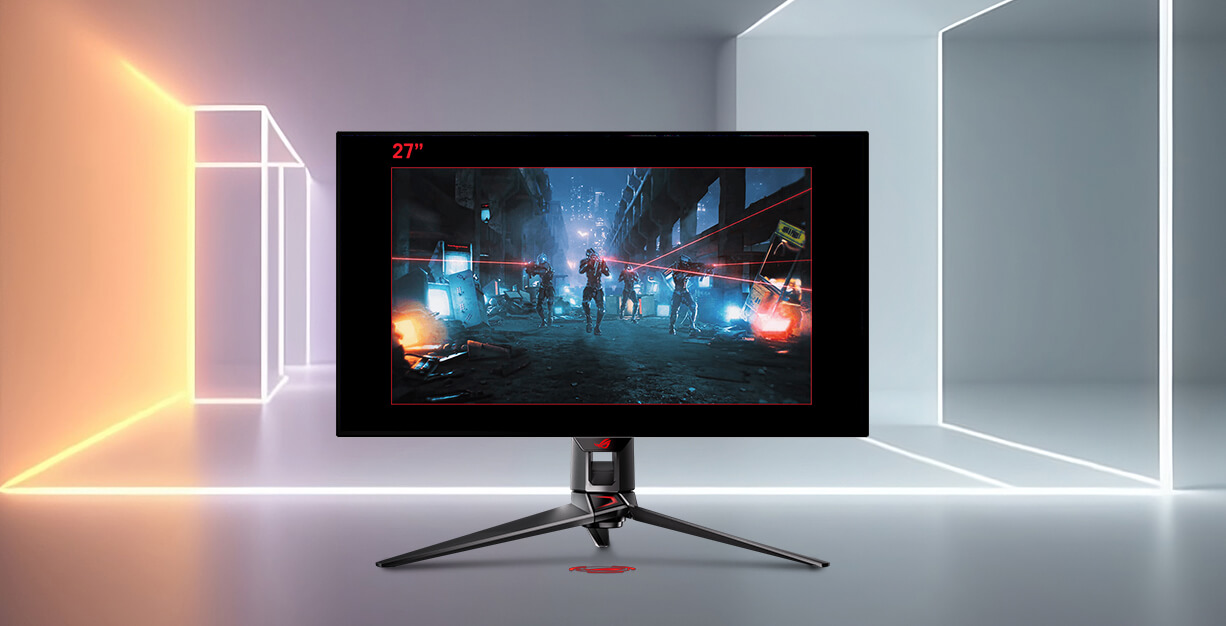
For competitive gamers, select ROG OLED monitors offer a choice of aspect ratios*, allowing you to pick between immersive full screen mode and an esports mode that simulates the visual control of gaming on a 24.5-inch or 27-inch display.
*Varies according to models.
Effortless multi-device control
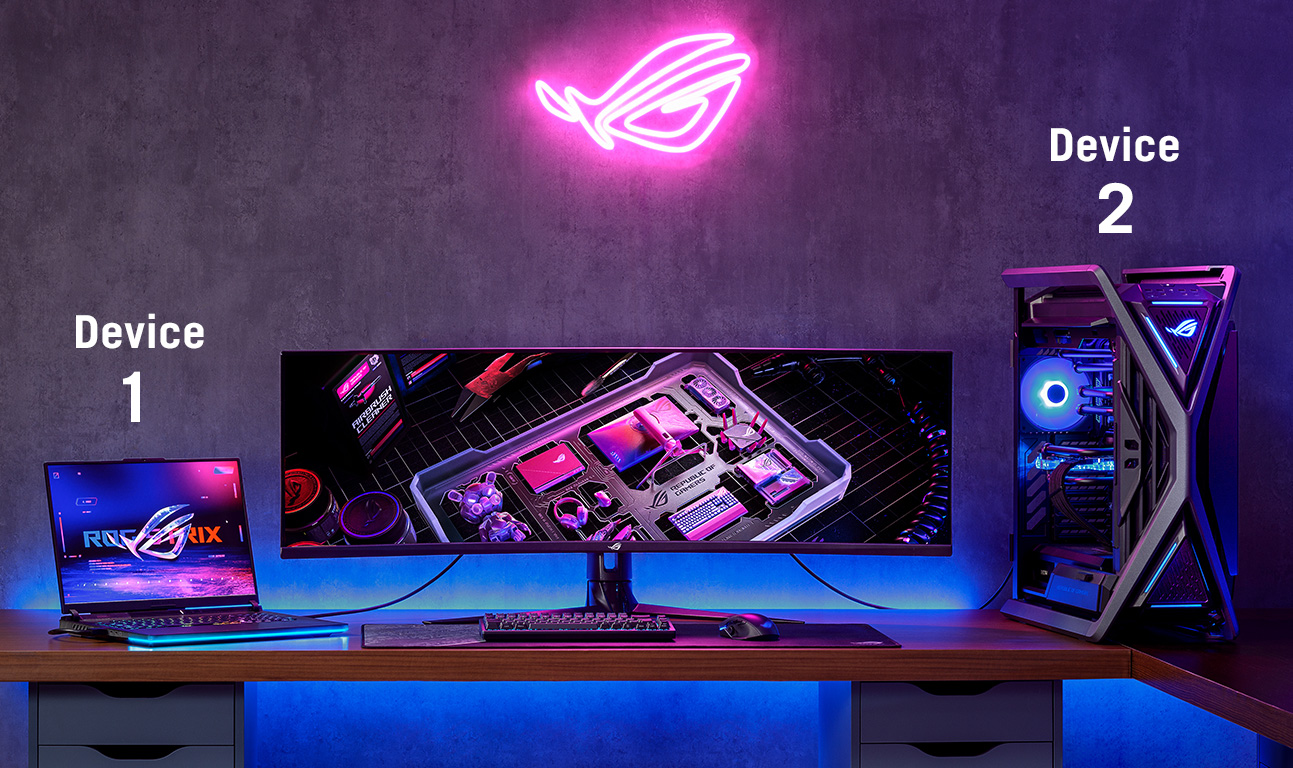
Auto KVM
This feature allows users to control multiple devices seamlessly with a single keyboard and mouse.
Smarter training, enhanced performance
AI Assistant
ROG OLED monitors leverage AI technology* to help gamers practice more effectively and elevate their gaming performance.
*Varies according to model.
-
Dynamic Crosshair
Automatically changes the crosshair to a color that contrasts with the background, so it stands out for more accurate aim




-
Dynamic Shadow Boost
Automatically enhances dark areas of the scene to make it easier to spot enemies hiding in dim areas of the map



-
AI Visual
Automatically detects the on-screen content type and adjusts to provide the best default or user-preset monitor settings (available via DisplayWidget Center)
Video showing different scenarios, including racing, MOBA and FPS games, as well as productivity tasks.
-
Dynamic Sniper
Automatically zooms in on the center of the in-game target for better aim during practice sessions
Screenshot of an FPS game, with the center of the in-game target automatically zoomed in
-
MOBA Map Helper
Reminds you to keep a lookout whenever a group battle is detected in a MOBA game
Screenshot of an MOBA game, with the in-game mini-map flashing with a red outline.

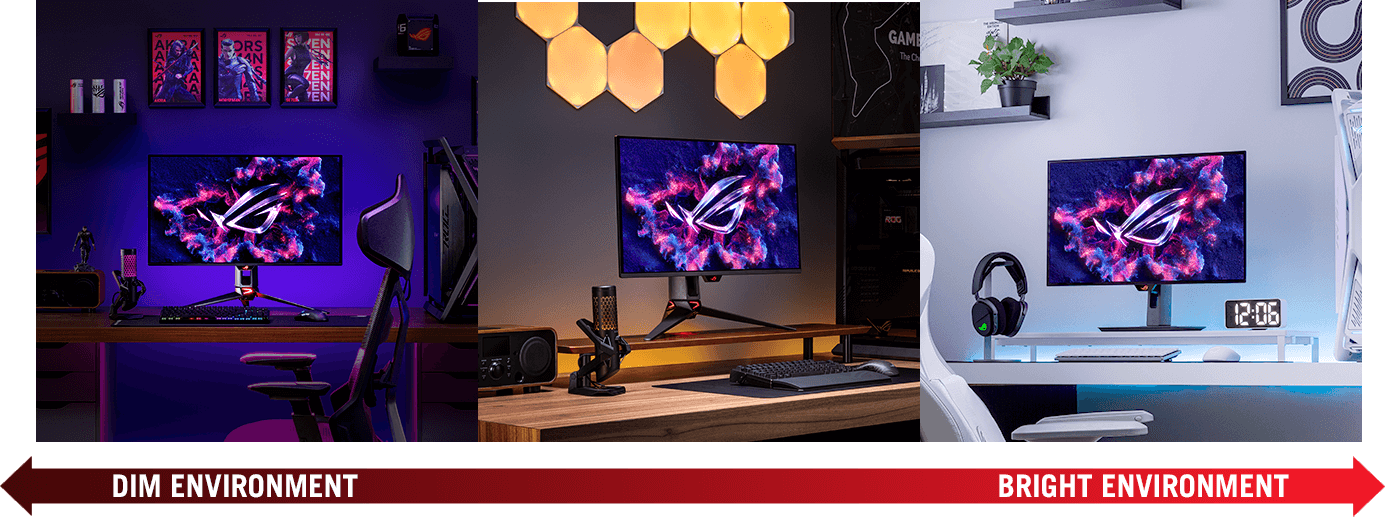
Are you Team Matte or Team Glossy?
Does your gaming room have bright lights?
Do you prefer a reflection-free view?
Crave the deepest blacks and punchiest colors?
Glossy is your game.
ROG OLED gaming monitors come in both matte and glossy panels—so you can tailor your visual experience to your exact preferences, regardless of ambient light. Your game, your way.
ROG Exclusive
-
Anti-glare WOLED
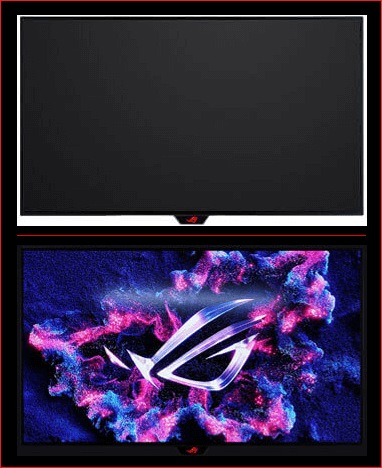 In bright environmentsIn dim environments
 -
Glossy WOLED
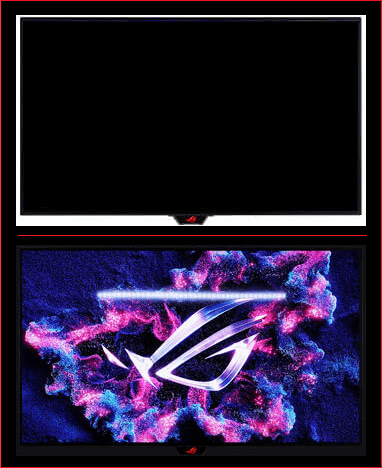 In bright environmentsIn dim environments
 -
Semi-glossy QD-OLED
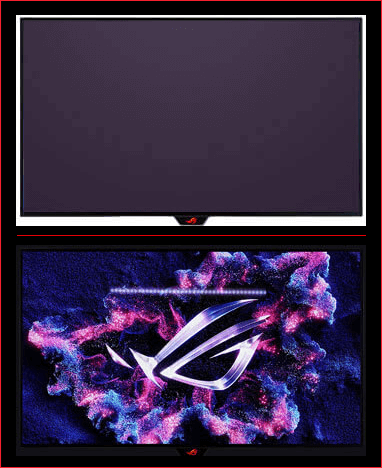 In bright environmentsIn dim environments

Find the OLED monitor that best suits you
Comparison Table
Awards







































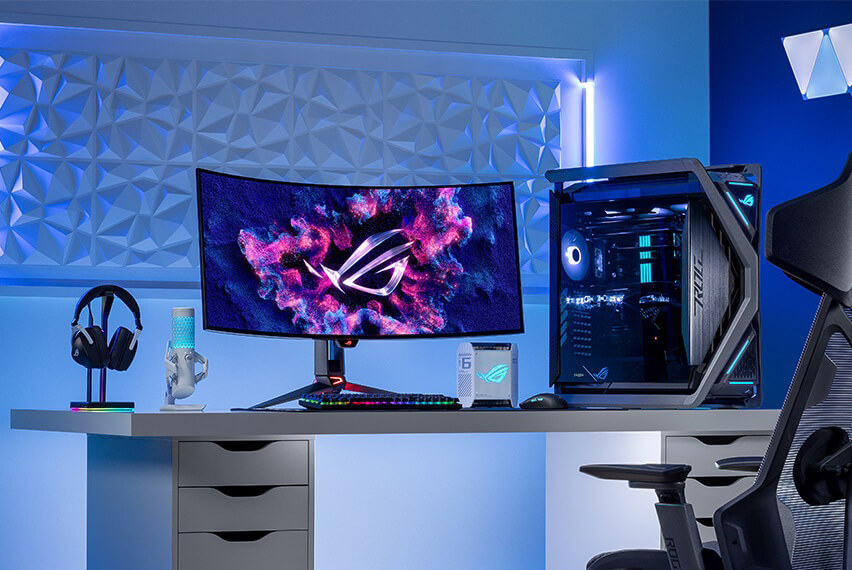
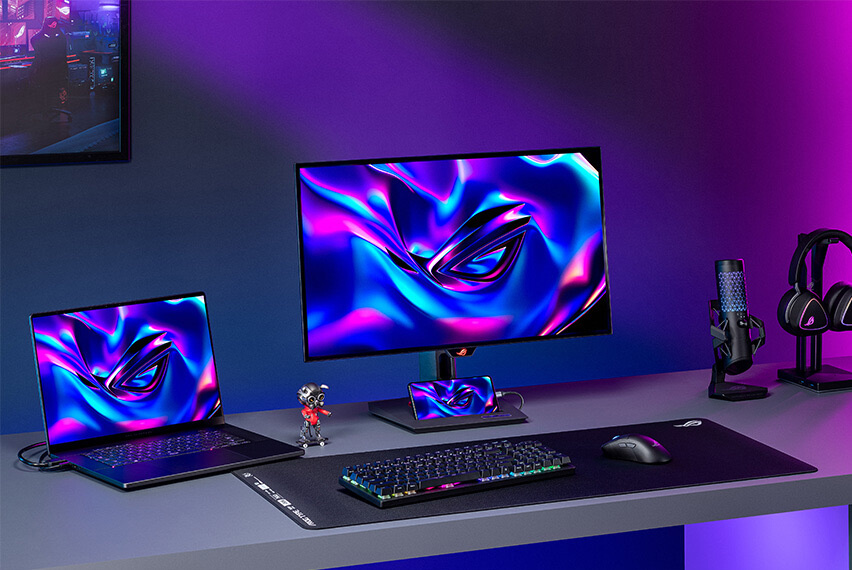




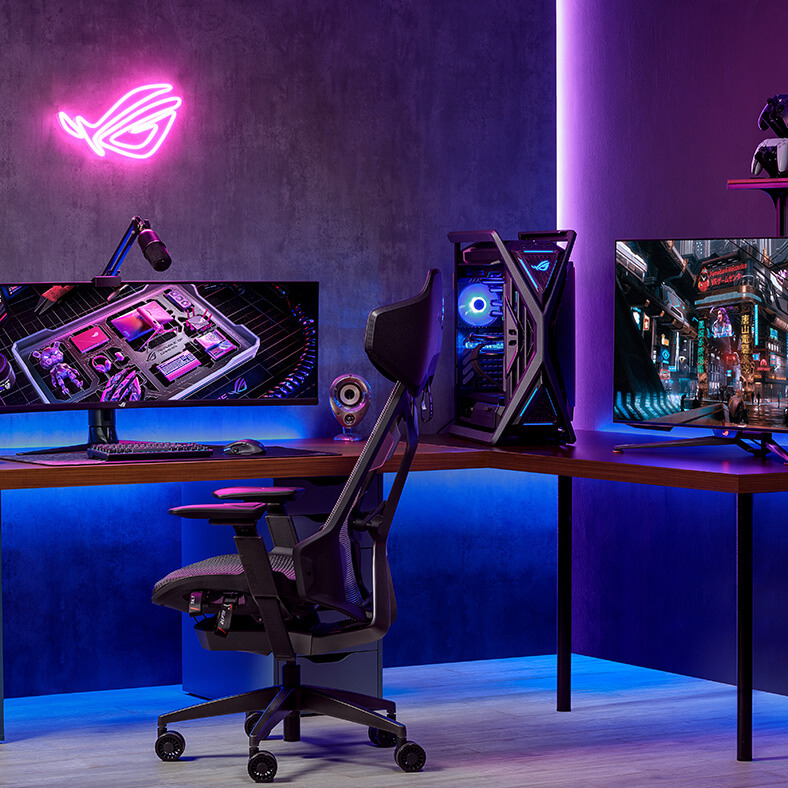

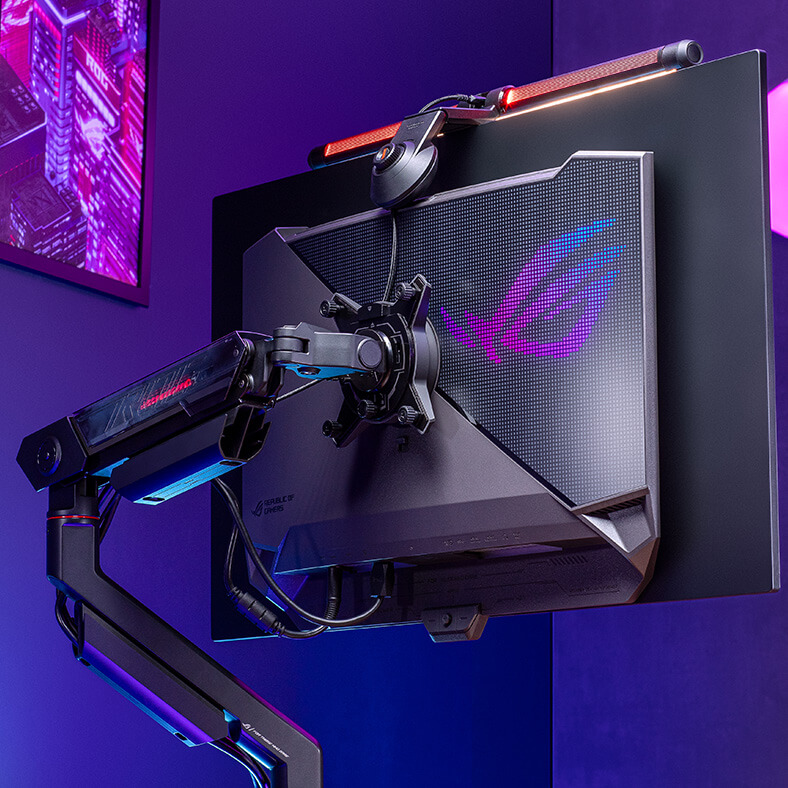
FAQ
-
An OLED (organic light-emitting diode) monitor uses a revolutionary display technology in which each pixel generates its own light. Unlike traditional LCD panels with backlighting, OLED monitors deliver exceptional contrast, with true blacks and vibrant colors. This results in stunningly realistic visuals and a more immersive gaming experience, giving you a competitive edge.
-
The main difference between OLED and LED monitors lies in their underlying technology. OLED monitors use organic light-emitting diodes to directly emit light and produce imagery, enabling individual pixel control for superior contrast and color accuracy. On the other hand, LED monitors use traditional light-emitting diodes for backlighting, relying on liquid crystals to modulate the light. This fundamental distinction results in OLED monitors offering better image quality compared to LED monitors.
-
Yes, OLED monitors are ideal for gaming: lightning-fast response times, exceptional contrast, and vibrant colors provide a competitive advantage by delivering incredibly smooth, clear, and immersive visuals.
-
OLED monitors offer features that make them a preferred choice for discerning gamers:
- Unrivaled Contrast: Infinite contrast ratios with perfect blacks ensure incredible depth and detail in every scene.
- Blazing-Fast Response Times: Near-instantaneous response times virtually eliminate ghosting and blurring, offering ultrasmooth gameplay.
- Vivid Colors: Wider color gamut and exceptional color accuracy brings games to life with stunning realism.
- Wide Viewing Angles: Consistent image quality from any viewing angle makes OLED monitors perfect for screen sharing or multi-monitor setups.
- Glossy OLED: Sharper imagery with more saturated color reproduction.
- Sleek Design: Absence of a backlight allows for incredibly thin and lightweight design.
-
Focus on these key features:
- Speed (Refresh Rate & Response Time): For smooth gaming, aim for high refresh rates (e.g., 144Hz+) and near-instant response time for zero blur.
- Sharpness (Resolution): 4K offers amazing detail, while 1440p is a great balance for visuals and gaming performance, especially if your PC isn't top-tier.
- Picture Quality (Panel Type): Most current QD-OLED and WOLED panels deliver incredible colors, true blacks, and brightness for stunning visuals.
- Burn-in Protection: While burn-in is rare with normal use, check for features like pixel shifting or screen refresh cycles that help prevent burn-in.
- Connections (Ports): For the best performance, ensure it has the latest ports, such as DisplayPort 2.1 (for PC) and HDMI 2.1 (for consoles).
- HDR Quality: For vibrant, lifelike imagery, look for high peak brightness and official HDR certifications (e.g., DisplayHDR True Black).
- Warranty: A strong warranty―especially one that covers burn-in―will protect your investment.
-
Both QD-OLED and WOLED are cutting-edge OLED technologies that deliver stunning visuals, but a primary difference lies in how they create color. Both are self-emissive OLED technologies that deliver perfect blacks and infinite contrast.
- QD-OLED (Quantum Dot OLED) uses a blue light source and a layer of Quantum Dots to produce highly saturated, pure red and green light. This generally results in superior color volume and vibrancy at high brightness.
- WOLED (White OLED) uses a white light source with traditional color filters (RGBW subpixels). This technology is highly refined and often excels, providing peak white brightness and better deep black uniformity in bright, well-lit rooms.
-
The primary difference lies in the arrangement of the sub-pixels and the resulting text clarity and color accuracy.
- RGB Stripe Pixel OLED (RGB OLED): Each independent pixel contains Red (R), Green (G), and Blue (B) sub-pixels arranged in a vertical stripe pattern. This standard arrangement is highly compatible with operating system text rendering technologies (like Windows ClearType), resulting in sharper, more accurate text display.
- Non-RGB Stripe Pixel OLED: Sub-pixels are arranged in nonstandard patterns (i.e., diamond shapes or irregular layouts). While excelling in color and brightness, this nonstandard arrangement can sometimes introduce a slight color fringing or fuzziness around sharp or small text, as it doesn't align perfectly with standard RGB rendering algorithms.
-
Both are ROG advanced surface treatments designed to maximize the contrast and black depth of OLED panels, but they are applied to different panel types and offer distinct benefits.
- TrueBlack Glossy™ employs a zero-haze optical layer combined with an anti-reflective stack. This results in a superior glossy finish that makes the image and colors appear sharper and more saturated, dramatically boosting contrast to achieve deeper blacks. Crucially, this advanced optical layer helps to significantly reduce ambient reflections, allowing users to experience inky blacks and sharp visuals regardless of whether they are in a brightly lit or dark room.
- BlackShield™ is a new, specialized film engineered specifically for QD-OLED panels. Its primary function is to correct the purple tint/black-level elevation that previous QD-OLED generations displayed in bright ambient lighting environments. By doing so, it provides a 40% improvement in perceived black level, allowing users to experience much higher contrast and deeper blacks, even when light is present. An additional benefit of this film is its enhanced durability, offering 2.5-times the scratch resistance compared to previous-gen QD-OLED panels, which provides greater confidence when cleaning the screen.
-
While OLED technology can be susceptible to burn-in with prolonged static images, ROG OLED monitors incorporate advanced OLED Care Pro technology including Neo Proximity Sensor, Pixel Cleaning, Pixel Shift, Screen Saver, and more to mitigate this risk. (Learn more about ROG OLED Care Pro.) Additionally, each package includes a micro fiber cloth to assist users in safely cleaning their OLED screen. These features and a three-year warranty provide peace of mind when purchasing any ROG OLED gaming monitor.
-
The ROG Neo Proximity Sensor is a key feature within the ROG OLED Care Pro suite, designed to provide active protection against burn-in. It is an intelligent hardware solution used to precisely detect the user's presence in front of the monitor. The feature is fully customizable via the OSD menu, allowing users to easily adjust the detection distance to perfectly suit their personal workspace and preferences.
Key Features- When the user steps away from the monitor, the screen automatically transitions to a pure black image, effectively turning off the OLED pixels. This provides the highest level of burn-in protection.
- When the user returns and is detected by the sensor, the screen instantly restores the previous content.
-
Yes, ROG OLED monitors are excellent for professional color grading due to their exceptional color accuracy and wide color gamut. ROG OLED monitors are factory calibrated to meet industry standards, making them ideal for content creators, video editors, and graphic designers who demand precise color reproduction.
-
ROG OLED monitors are available in a range of sizes to suit different gaming setups and preferences. Common sizes include 27 inches, 32 inches, or 34 inches (ultrawide). Refer to the ROG website for the latest models and available sizes.
-
Yes, 4K OLED gaming monitors are available and they offer incredible visual fidelity and detail. Refer to the ROG website to see the full range of 4K ROG OLED options.
-
Keeping your OLED monitor clean will ensure optimal image quality and longevity. Here's how to clean it safely:
- Power down: Turn off your OLED monitor. This prevents electrical shock and potential damage to the screen.
- Clean the screen using a damp cloth: Dampen a cloth with water and gently wipe the screen in a circular motion.
- Avoid chemicals: Never use harsh chemicals, abrasive cleaners, solvents, alcohol, ammonia, or window cleaners on your OLED screen. These can damage the delicate OLED panel and its coating.
- Avoid pressure: Do not apply excessive pressure to the screen while cleaning, as this could damage the OLED panel.