post
ROG Strix G16 vs G18 vs SCAR 18: What's the difference between ROG's esports laptops?
post
What is a vapor chamber, and how does it improve my PC’s cooling?
post
Ready to rumble out of the box: Hands-on with the ROG Strix SCAR 15
The lowest price from 30 days before the promotion:
$3,499.99
The lowest price from 30 days before the promotion:
Enjoy effortless Windows 11 Pro gaming performance with the Strix SCAR 17
Up to an AMD Ryzen™ 9 7945HX 16-core processor with up to a 65W TDP
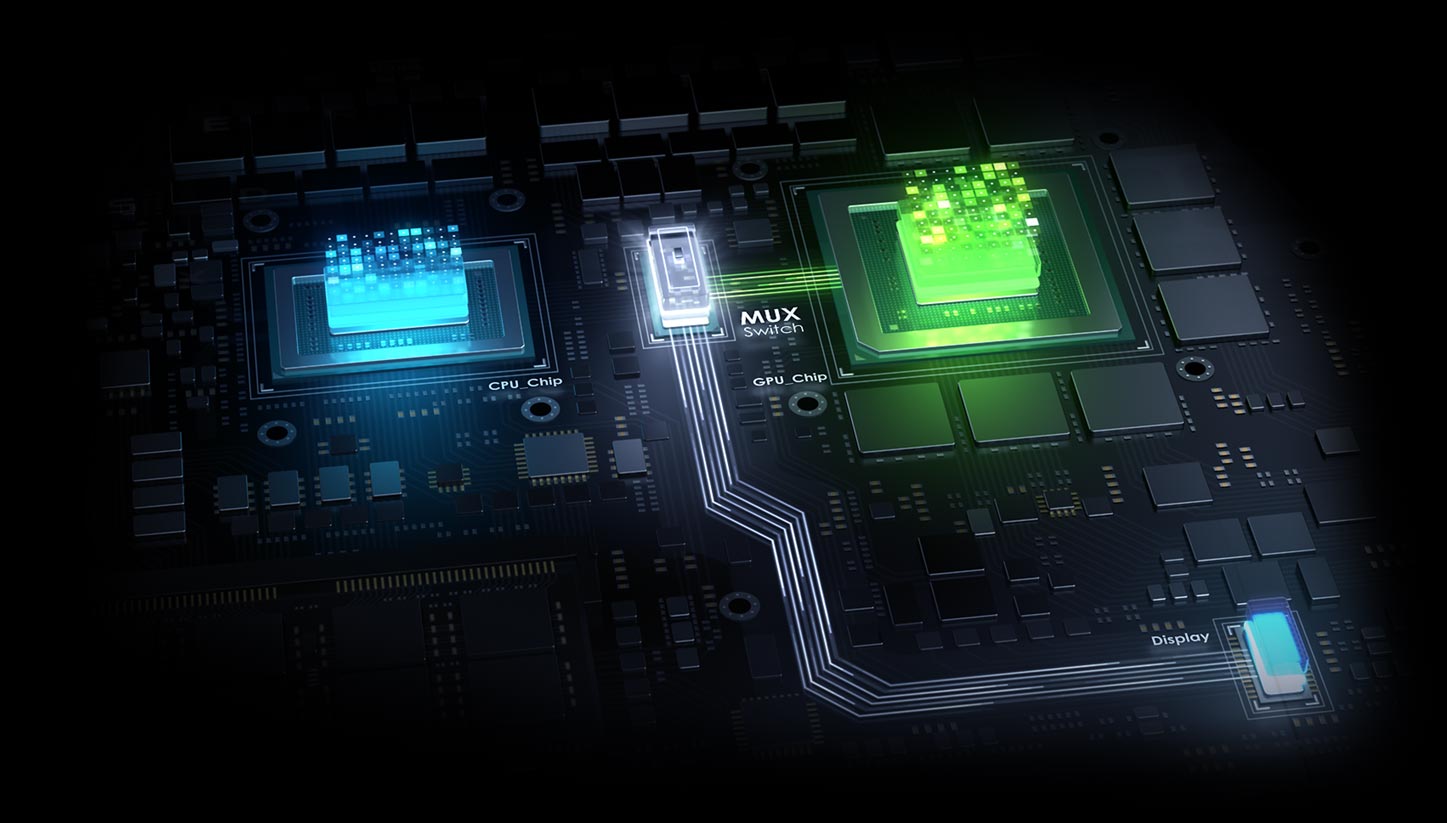
Up to an NVIDIA® GeForce RTX™ 4090 Laptop GPU with 175W max TGP, DLSS 3 and NVIDIA Advanced Optimus
Conductonaut Extreme liquid metal and a custom vapor chamber keep the machine cool
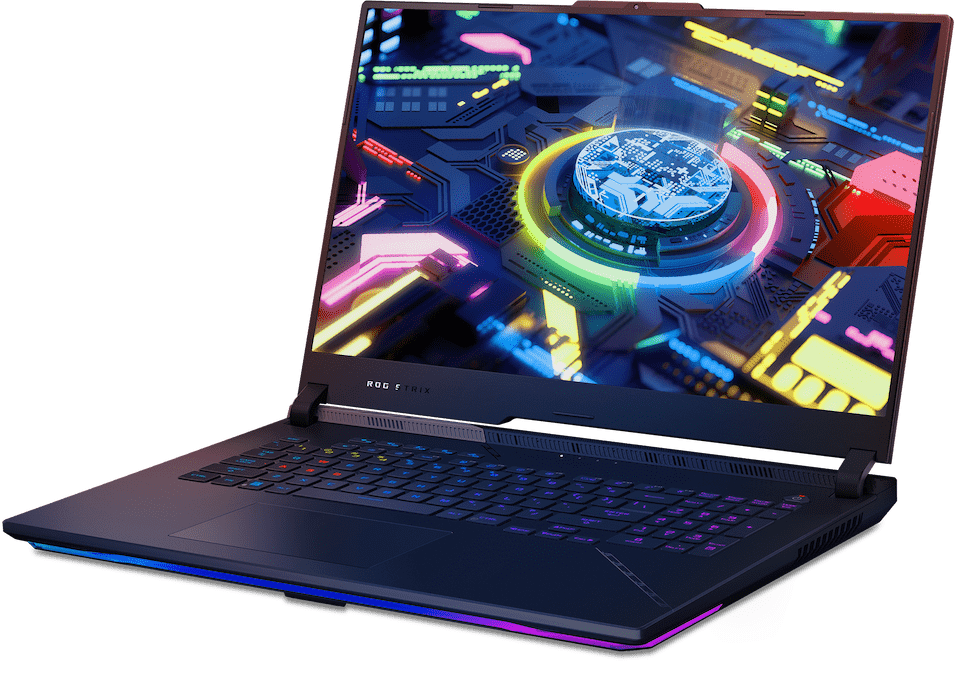
See a clear path to victory with QHD 240Hz display
Dolby Vision HDR support and Spatial sound via Dolby Atmos bring your content to life
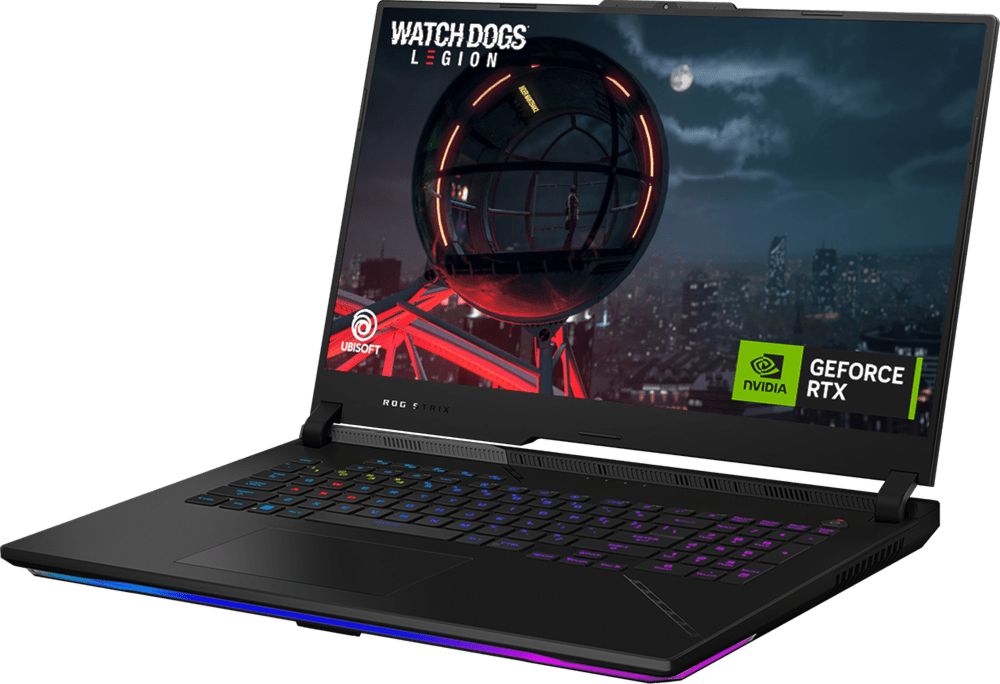
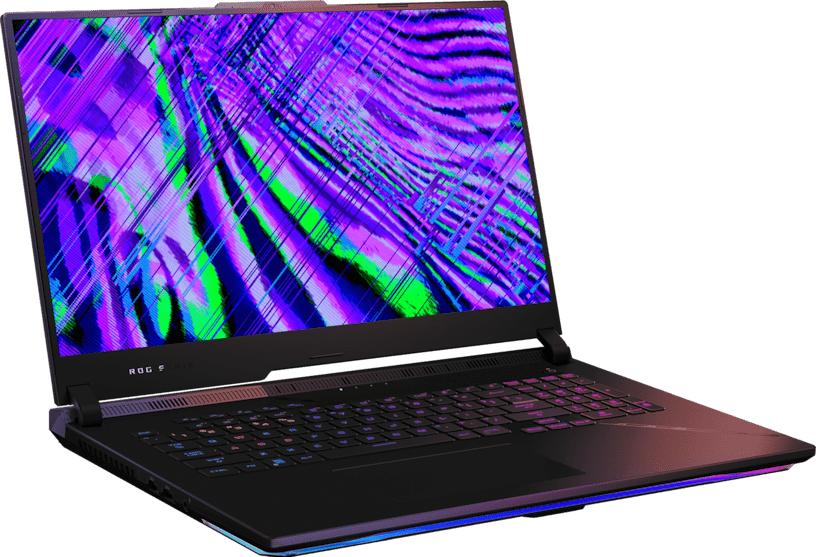
Draw more frames and win more games with the gaming horsepower of the 2023 ROG Strix SCAR 17 with Windows 11 Pro. Tackle any enemy with an AMD Ryzen™ 9 7945HX processor, paired with an NVIDIA® GeForce RTX™ 4090 Laptop GPU powered by an incredible 175W max TGP. A dedicated MUX Switch with NVIDIA Optimus support lets the SCAR 17 intelligently prioritize gaming performance or battery life automatically. Leave loading screens behind thanks to PCIe Gen4x4 solid state storage. With DDR5 memory bringing more bandwidth to the table than ever before, the SCAR 17 is ready to leave the competition in the dust.
Power through any game or project with an AMD Ryzen™ 9 7945HX processor, featuring up to a 65W TDP. Bringing 16 cores and 32 threads to a laptop form factor, this processor is here to help you dominate all of your games, no matter what you have running in the background.
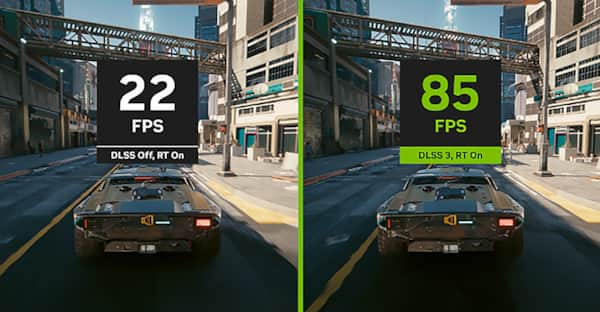
Powered by NVIDIA DLSS 3, ultra-efficient Ada Lovelace arch, Max-Q Technologies, the NVIDIA® GeForce RTX™ 4090 Laptop GPU is fully unleashed with a max TGP of 175W on Strix SCAR 17. Higher power limits unlock even more performance from this cutting-edge silicon, ensuring you have the absolute best gaming experience.
With NVIDIA® Advanced Optimus, the laptop can automatically route frames from the discrete GPU directly to the display using a MUX switch, bypassing the integrated graphics. This pathing improves performance 5-10% compared to machines without a MUX Switch, making sure you get the absolute best gaming experience—all without needing touch a single button. This automatic switching also preserves your machine's battery life, as it can dynamically transition between the high- power discrete GPU and the lower power integrated GPU. No matter what you’re doing, your machine will switch to the most optimized mode without you having to lift a finger.
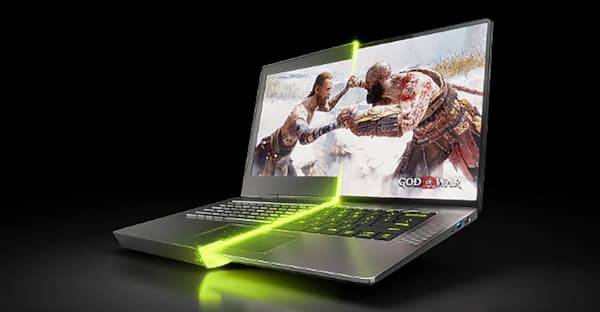
Get a quantum leap in performance in games and creative apps with Al-powered DLSS 3 and enable lifelike virtual worlds with full ray tracing.
NVIDIA Studio takes your creative projects to the next level. Unlock RTX and Al acceleration in top creative apps, NVIDIA Studio drivers for max stability, and a suite of exclusive tools to fast-track your creativity.
NVIDIA Max-Q is an advanced suite of Al-powered technologies that optimize your system for peak efficiency. This enables blazing-fast laptops that are thin, quiet, and have amazing battery life.
*Cyberpunk 2077 image captured on a desktop with new Ray Tracing: Overdrive Mode ON, shown for illustrative purposes only. Actual performance varies by system.
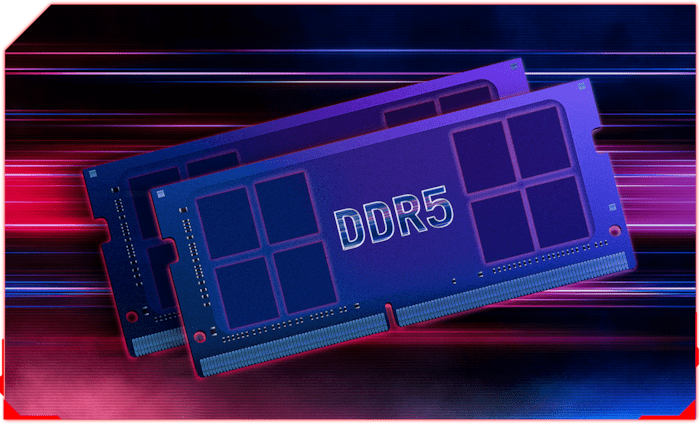
Leveraging the brand new DDR5 standard, enjoy a huge generational performance jump to 4800Mhz, with write times 50% faster than DDR4 equipped machines. This ultra-fast memory makes all aspects of the laptop feel snappy, from intense gaming to light web browsing.
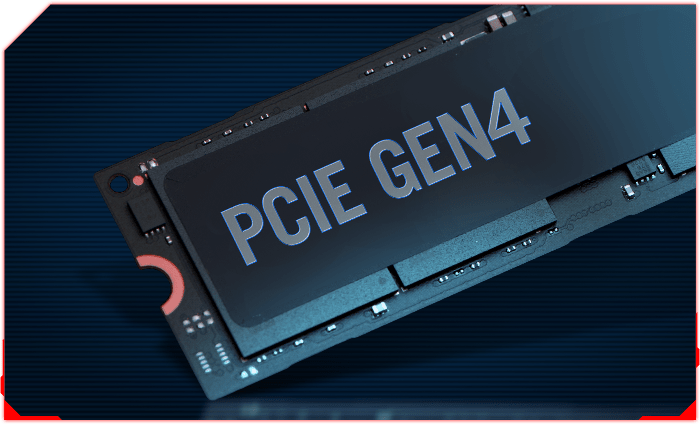
Take on even the largest projects with confidence thanks to a PCIE Gen4 performance SSD. With raw throughput up to 7000MB/s, massive files and detailed game worlds will load in the blink of an eye.
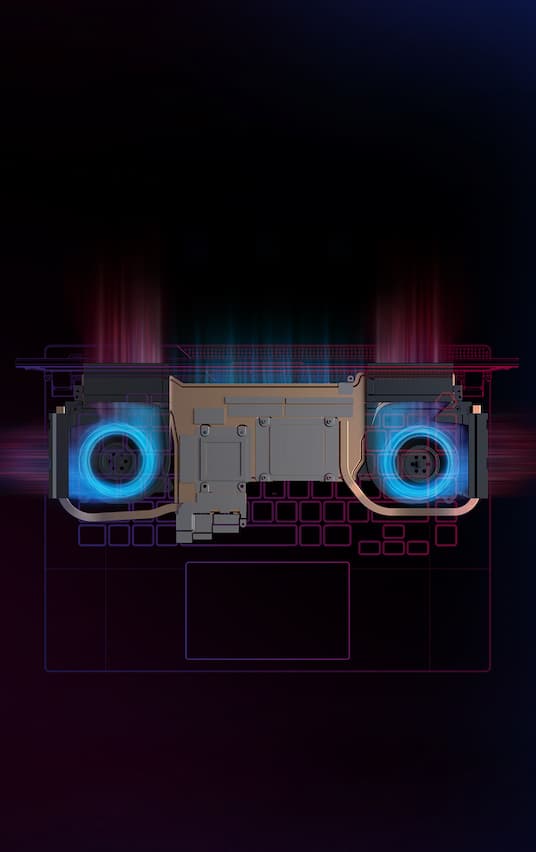
Powerful components require a robust cooling solution. The 2023 ROG SCAR 17 utilizes Thermal Grizzly’s Conductonaut Extreme liquid metal on both CPU and GPU. An ultra-high performance thermal interface material, Conductonaut Extreme can keep these components up to 15°C cooler than traditional thermal pastes. When paired with a custom vapor chamber and four dedicated exhaust vents, this thermal solution transfers heat out of the system incredibly efficiently. ROG’s Intelligent Cooling™ technology allows critical components like the CPU and GPU to maintain higher boost frequencies for longer periods of time, keeping your framerates smooth and steady even during extended gaming sessions. The SCAR 17 keeps noise in check, too: when in Performance mode, the machine does not exceed 40 dB.
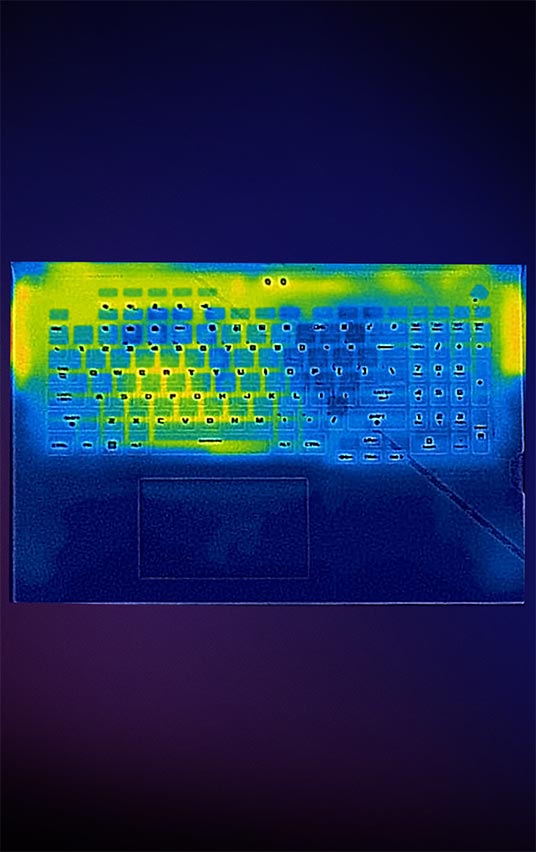
Heat dissipation is faster and more efficient with our vapor chamber design, which vastly increases surface area compared to traditional heatpipe systems. Unlike conventional heat pipes that only transfer heat along their axis, vapor chamber designs spread heat across their entire surface, rapidly absorbing and dissipating waste heat without adding extra bulk to the machine. This efficient transfer also keeps the surface of the laptop cooler, keeping your hands comfortable for the entire game.
The 2023 Strix SCAR 17 features Thermal Grizzly’s cutting-edge Conductonaut Extreme liquid metal on both the CPU and GPU. Compared to traditional thermal pastes, this indium- and gallium-based compound offers 17X higher conductivity, in addition to CPU and GPU temperature reductions of up to 15 degrees. Used exclusively by ROG, this material offers the highest thermal transfer available on a laptop.
*Temperature improvements compared to the previous gen thermal compound, as tested internally by ASUS. Thermal conductivity compared to industry standard.
The 2023 Strix SCAR 17 features Thermal Grizzly’s cutting-edge Conductonaut Extreme liquid metal on both the CPU and GPU. Compared to traditional thermal pastes, this indium- and gallium-based compound offers 17X higher conductivity, in addition to CPU and GPU temperature reductions of up to 15 degrees. Used exclusively by ROG, this material offers the highest thermal transfer available on a laptop.
*Temperature improvements compared to the previous gen thermal compound, as tested internally by ASUS. Thermal conductivity compared to industry standard.
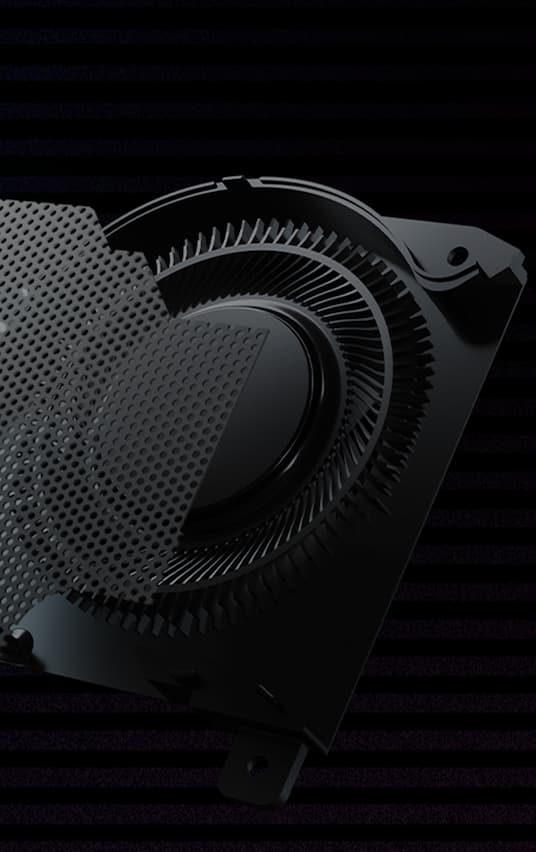
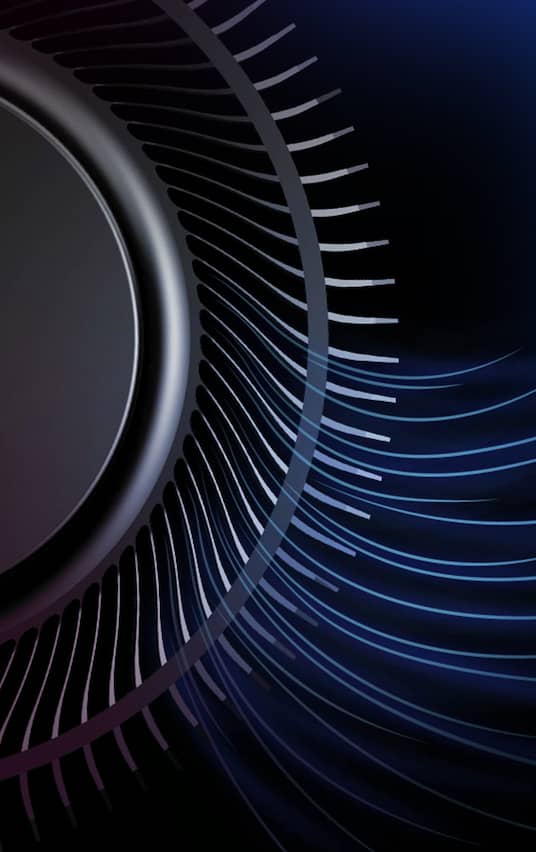
Updated Arc Flow Fans™ feature curved blades specially shaped to maximize airflow with minimal noise. Laptop fan blades are typically the same thickness throughout, but our new design can get as thin as 0.2mm at the base before expanding toward the tip. Varying the thickness reduces turbulence as the fan blades accelerate air with centrifugal force, giving you a quieter overall experience.
Enjoy truly silent cooling under light workloads with 0dB Ambient Cooling. In the Silent operating mode, the cooling system switches off all fans during everyday tasks to dissipate heat passively. This lets you concentrate on your work and immerse yourself in movies with less distraction. If CPU or GPU temperatures increase, the fans automatically switch on again.
Thermal energy is dissipated by four heatsinks, each lined with ultra-thin copper fins as slim as 0.1mm. These fins are half the size of typical solutions, allowing for higher density and increased heat dissipation, as well as lower air resistance to allow for smoother flow. With up to 218 heatsink fins totaling 107,131mm² of surface area, heat flows out of the system incredibly efficiently, letting your components boost higher, for longer.
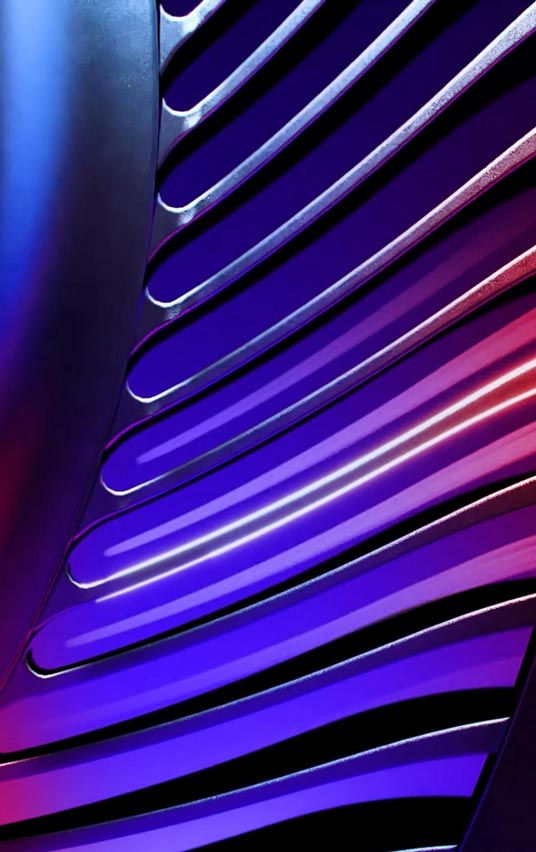
First introduced on the Zephyrus G14, the ROG Strix SCAR 17 features a dust filter on its intake vents. Dust and fibers can collect inside the machine, trapping heat and causing degraded performance over time. A filter helps keep dust out, allowing the CPU and GPU to breathe easier for years of smooth and stable operation.
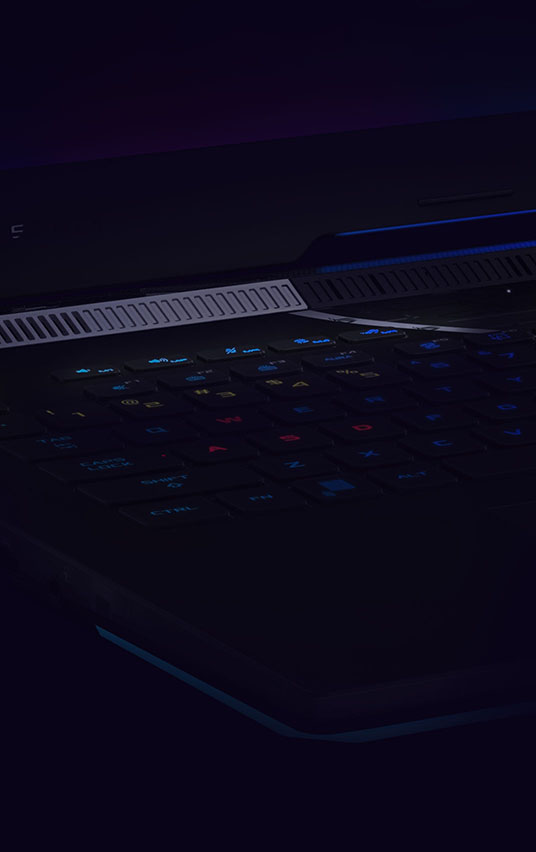
Ample airflow is a fundamental aspect of effective cooling. To amp up cool air intake for the Strix Scar 17, its hinges are shifted forward in front of a heavily ventilated 3D Flow Zone. A trapezoidal cut carves out the bottom of the screen to ensure that the venting below is unobstructed, while giving the laptop its signature asymmetrical style.
Extended gaming sessions can heat up internal components and make the keyboard warm to the touch. To keep your fingers cool, small vents around the WASD keys let the fans draw cool air into the chassis from above.
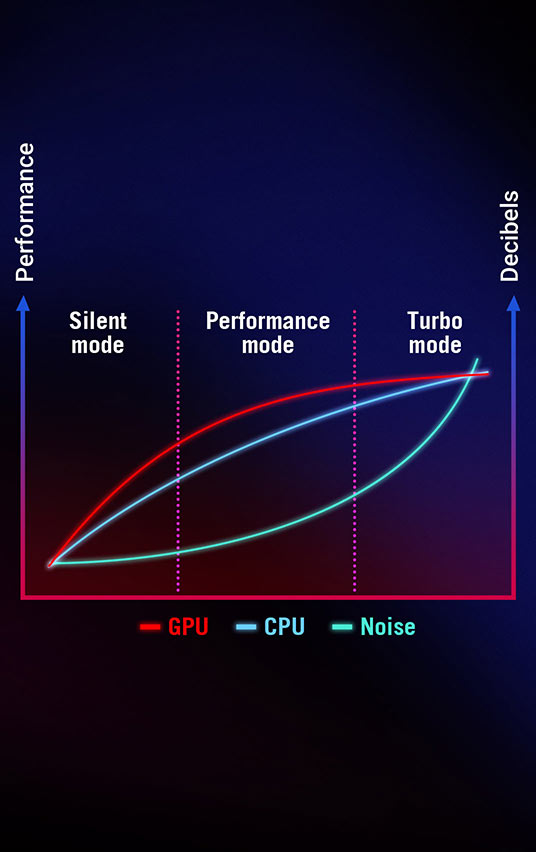
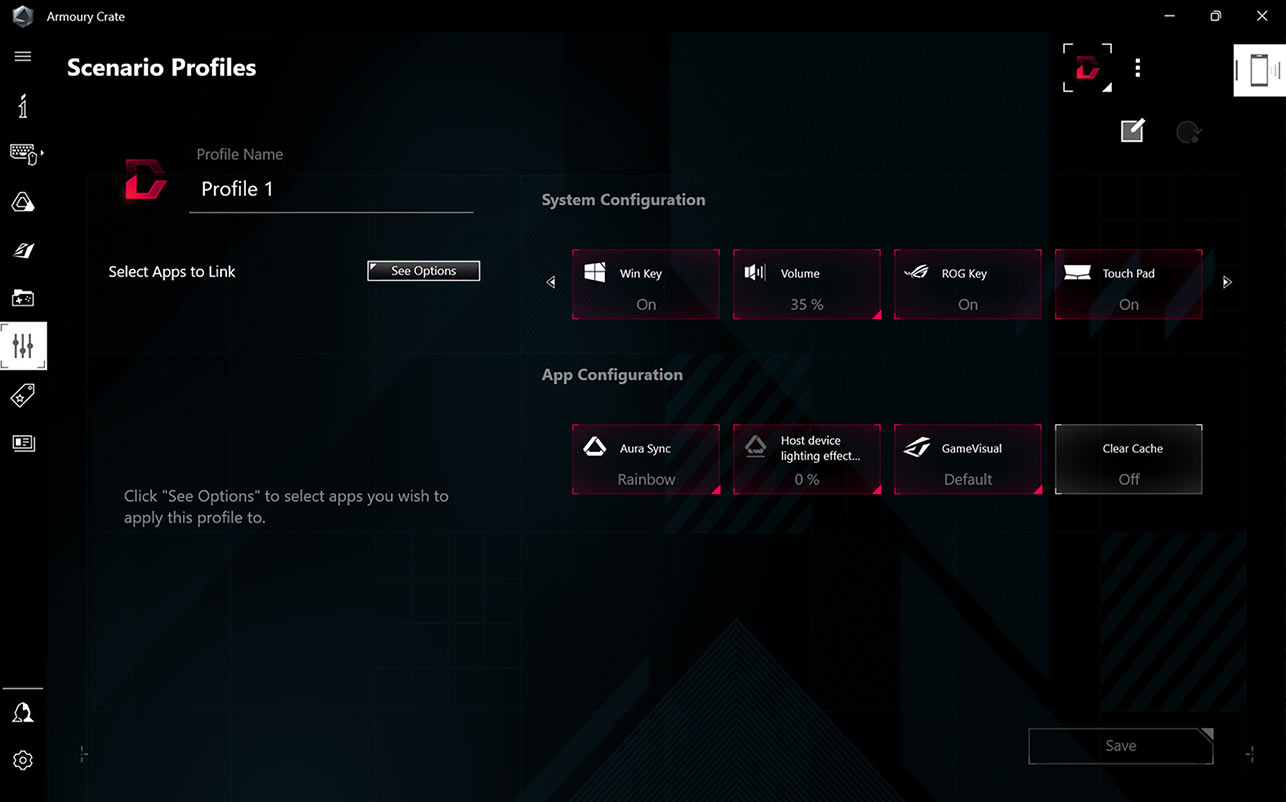
Our Silent, Performance, and Turbo modes are just the beginning. Scenario Profiles allow your system to automatically switch between these modes based on the application you're running, alongside other vital system settings. Switch between lighting configurations automatically, disable the Windows key and touchpad during games, and automate to your heart's content. Armoury Crate makes adjustments in an instant to best fit the task at hand.
Updated Arc Flow Fans™ feature curved blades specially shaped to maximize airflow with minimal noise. Laptop fan blades are typically the same thickness throughout, but our new design can get as thin as 0.2mm at the base before expanding toward the tip. Varying the thickness reduces turbulence as the fan blades accelerate air with centrifugal force, giving you a quieter overall experience.
Enjoy truly silent cooling under light workloads with 0dB Ambient Cooling. In the Silent operating mode, the cooling system switches off all fans during everyday tasks to dissipate heat passively. This lets you concentrate on your work and immerse yourself in movies with less distraction. If CPU or GPU temperatures increase, the fans automatically switch on again.
Thermal energy is dissipated by four heatsinks, each lined with ultra-thin copper fins as slim as 0.1mm. These fins are half the size of typical solutions, allowing for higher density and increased heat dissipation, as well as lower air resistance to allow for smoother flow. With up to 218 heatsink fins totaling 107,131mm² of surface area, heat flows out of the system incredibly efficiently, letting your components boost higher, for longer.
First introduced on the Zephyrus G14, the ROG Strix SCAR 17 features a dust filter on its intake vents. Dust and fibers can collect inside the machine, trapping heat and causing degraded performance over time. A filter helps keep dust out, allowing the CPU and GPU to breathe easier for years of smooth and stable operation.
Ample airflow is a fundamental aspect of effective cooling. To amp up cool air intake for the Strix Scar 17, its hinges are shifted forward in front of a heavily ventilated 3D Flow Zone. A trapezoidal cut carves out the bottom of the screen to ensure that the venting below is unobstructed, while giving the laptop its signature asymmetrical style.
Extended gaming sessions can heat up internal components and make the keyboard warm to the touch. To keep your fingers cool, small vents around the WASD keys let the fans draw cool air into the chassis from above.
Our Silent, Performance, and Turbo modes are just the beginning. Scenario Profiles allow your system to automatically switch between these modes based on the application you're running, alongside other vital system settings. Switch between lighting configurations automatically, disable the Windows key and touchpad during games, and automate to your heart's content. Armoury Crate makes adjustments in an instant to best fit the task at hand.
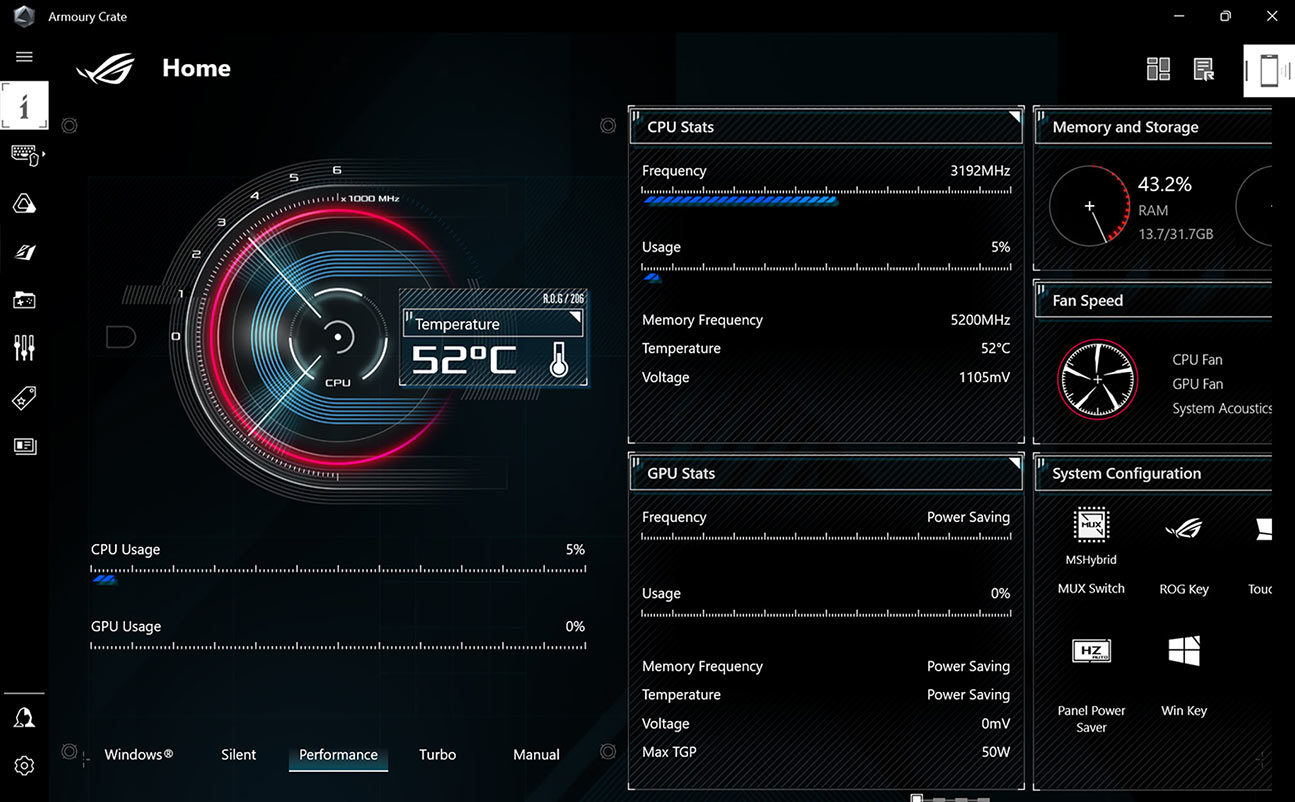
When you want to tweak settings, monitor temperatures, or tinker with your laptop, Armoury Crate is your command center. Real-time monitoring allows you to see what your GPU, CPU and memory are doing. RGB can be adjusted on a game-by-game basis with Aura Sync. Fan and power profiles allow you to change the acoustics, power delivery, and thermal characteristics of the laptop on the fly. And exclusive game deals keep your library topped off at all times.
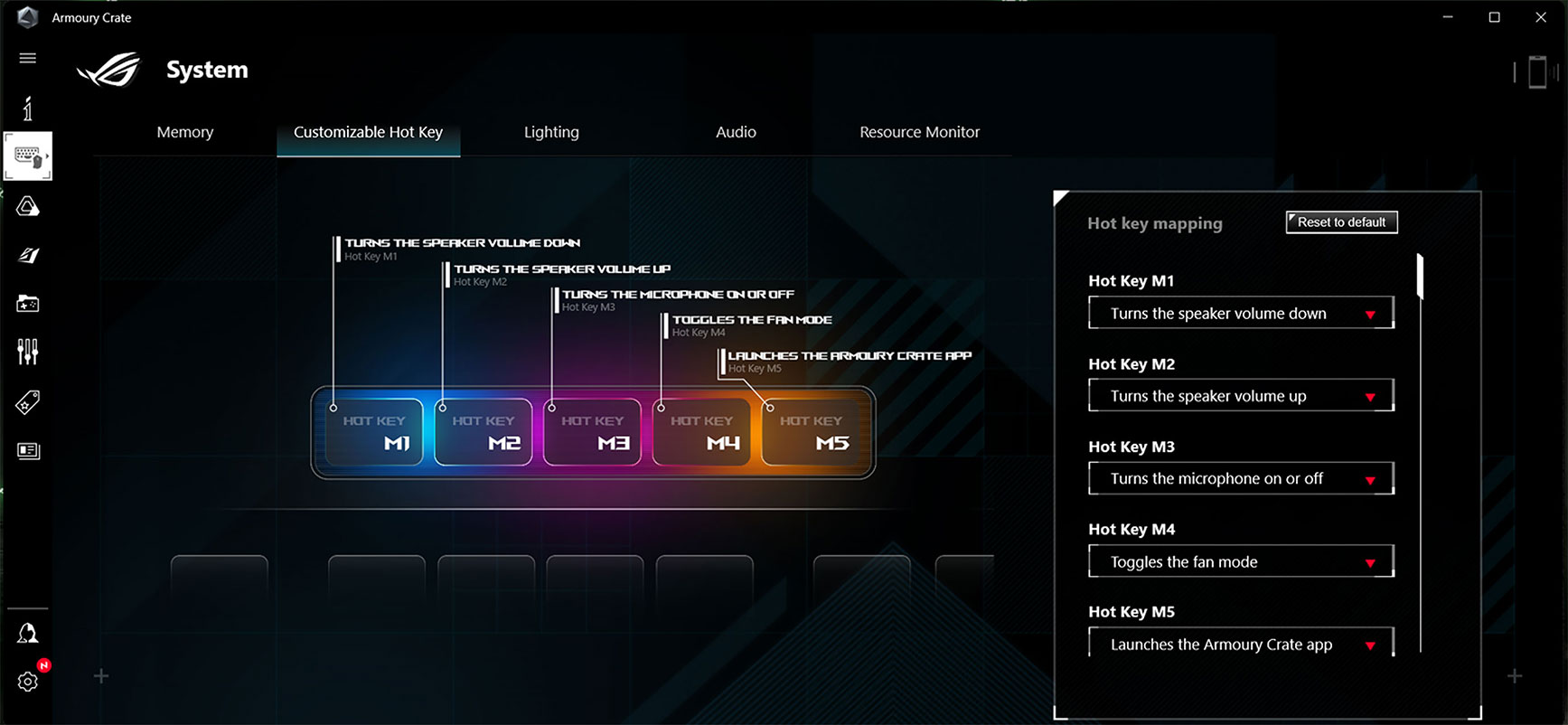
Armoury Crate also supports full customization of the dedicated hotkeys. By default they act as volume control, microphone mute and a quick launch for Armoury Crate, but with a few adjustments you can make them work for you. Create a function key for quick toggle when needed, a macro for complicated button combinations, or even a quick launch button for the application of your choice. Make your machine uniquely yours.
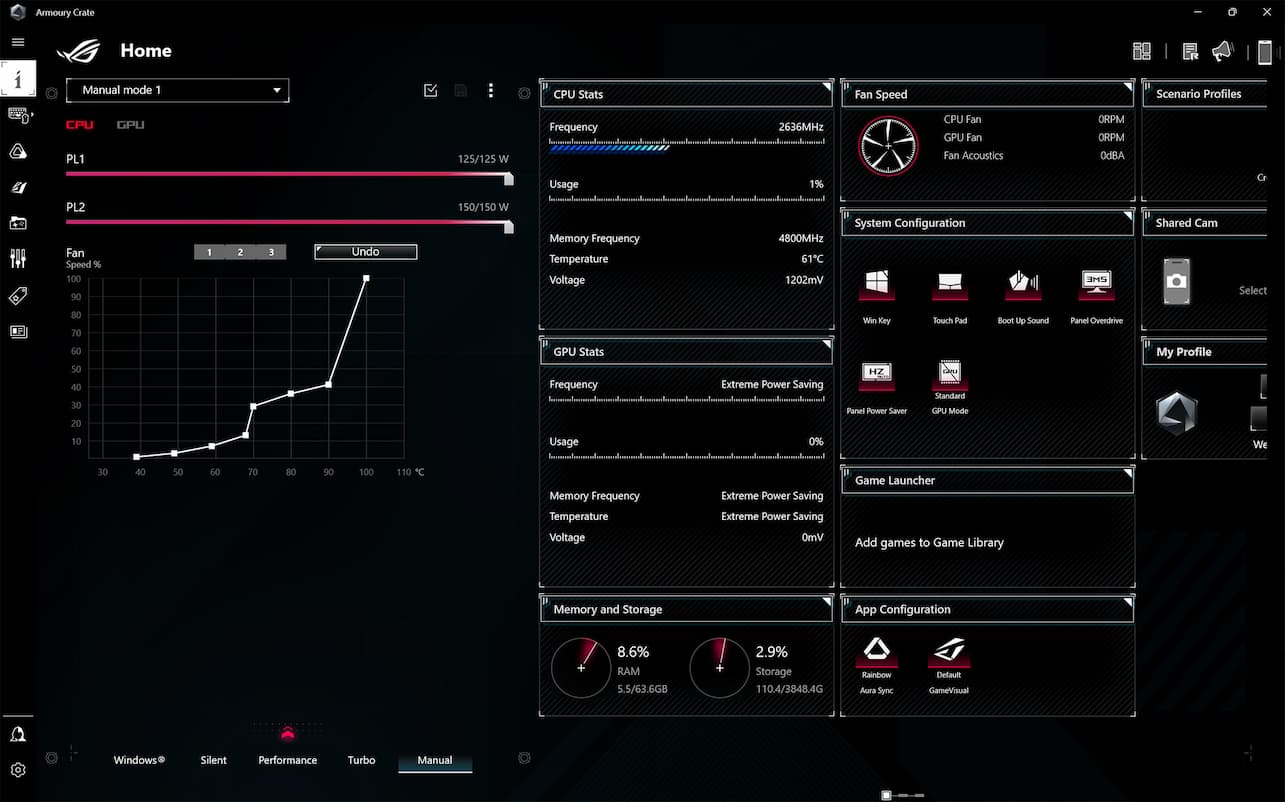
More than just simple fan curves, Armoury Crate’s performance modes serve to transform your machine from a silent, power sipping web browser to a full gaming battlestation with maximum horsepower. And for those that require even more granular control, Manual mode removes all limiters and lets you make a custom profile that suits your exact needs. For more information on Performance Modes, check out our full guide here.
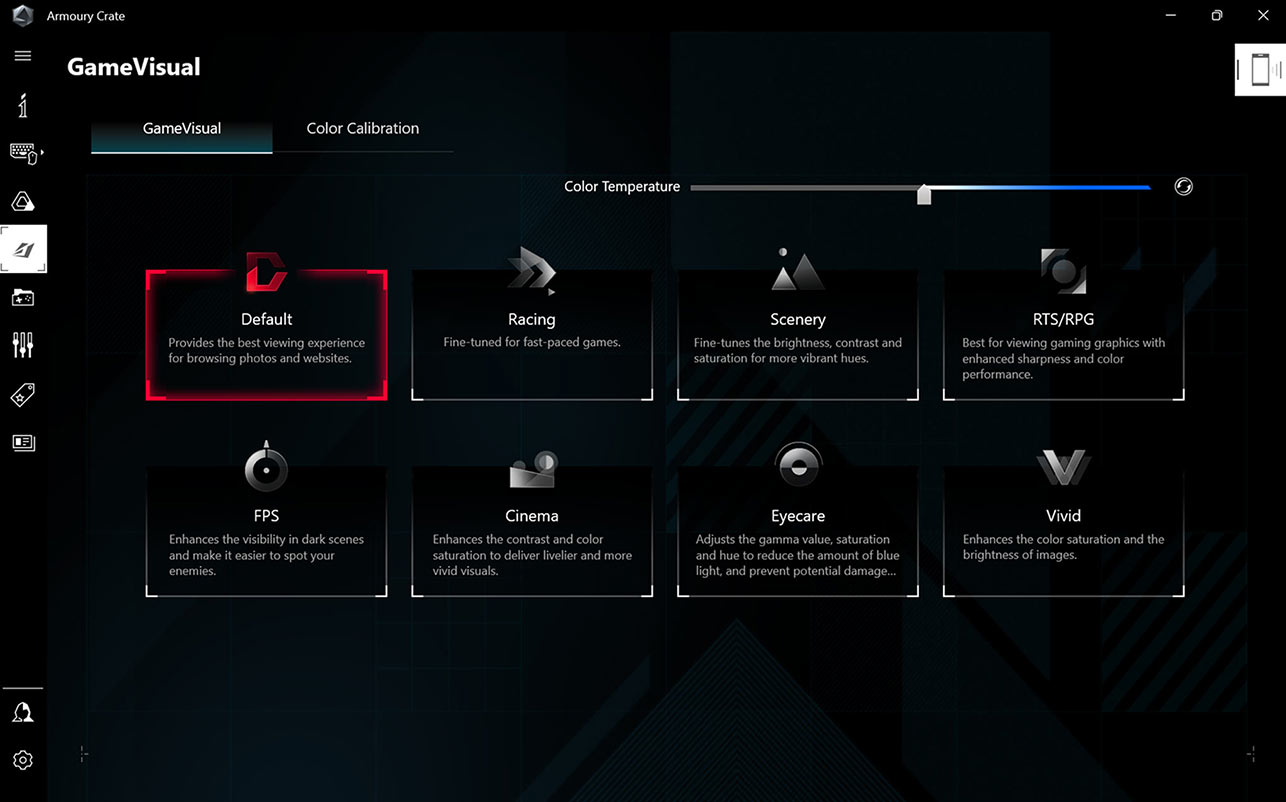
ROG GameVisual software offers six expertly tuned graphic modes designed to optimize your visual experience for specific game genres. First Person Shooter (FPS) mode, for example, enhances visibility in dark environments, allowing you to get the drop on any enemies lurking in the shadows. Use GameVisual to get the best experience for every game in your library.
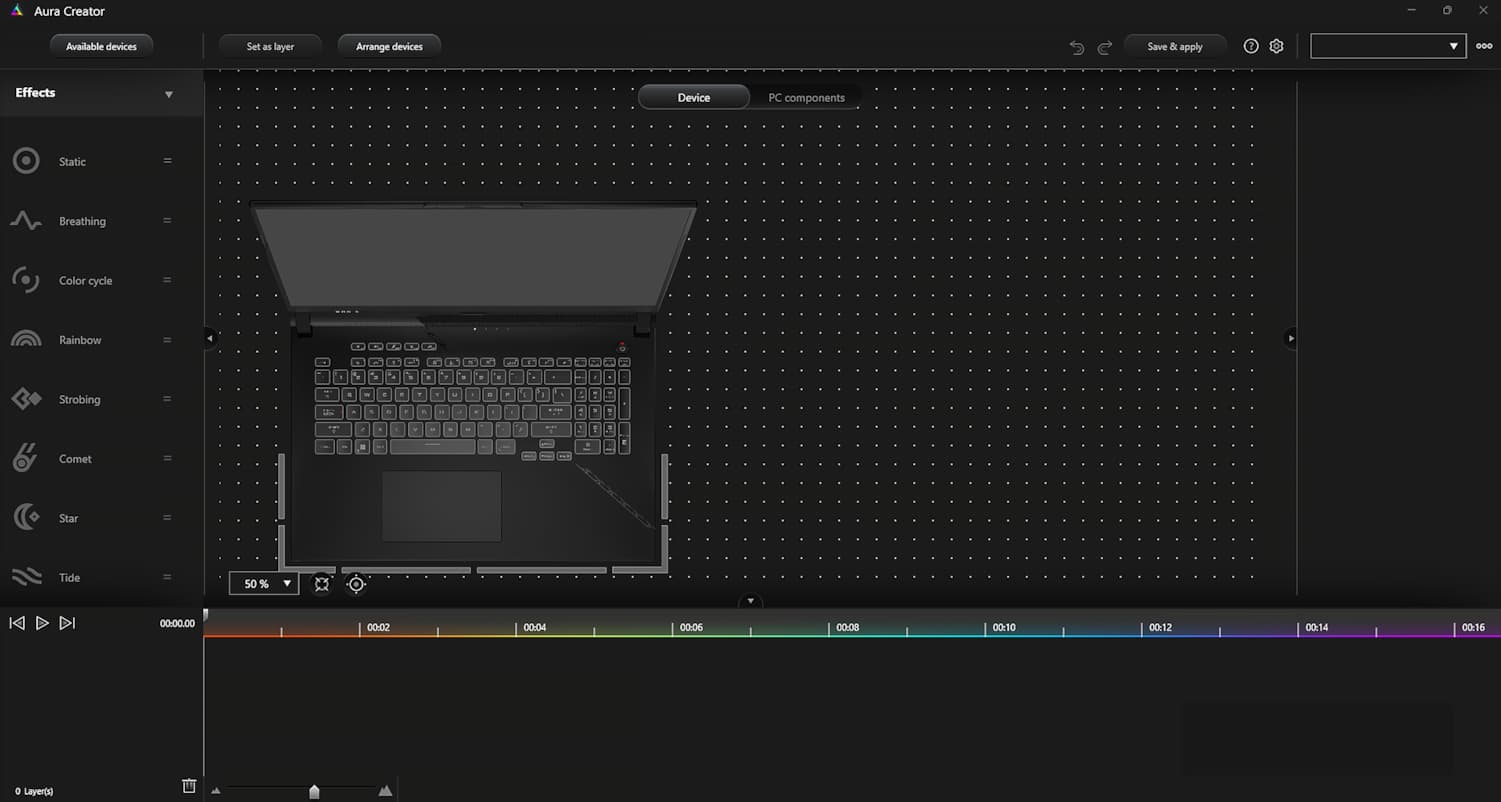
Customize the RGB lighting on Aura-compatible peripherals to suit your gaming style. Aura Creator’s easy-to-use control panel allows you to alter a brilliant spectrum of lighting effects and colors, in addition to swapping preset lighting modes, you can also activate Aura Sync to match colors and effects across multiple devices.
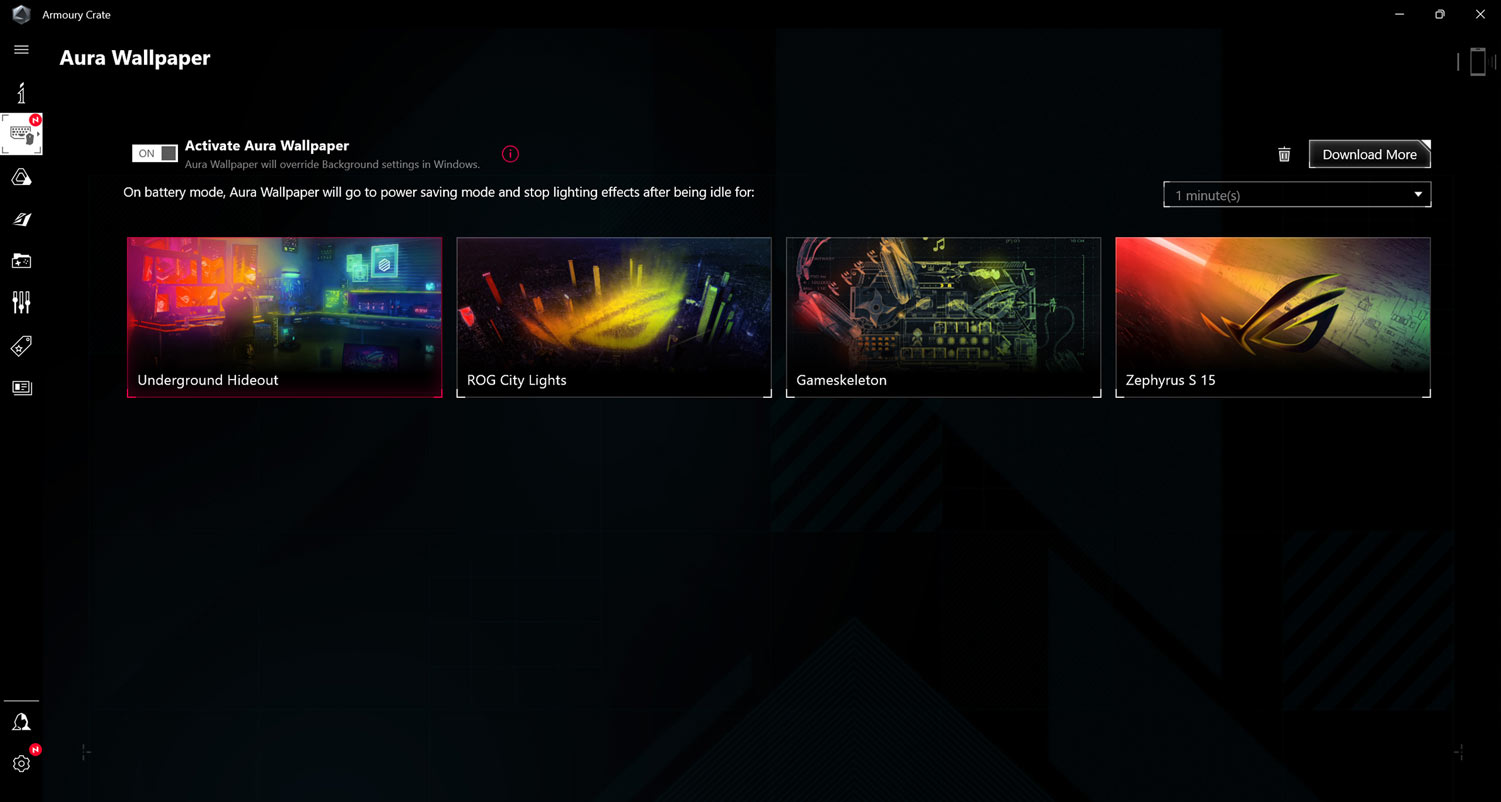
This brand new feature in Armoury Crate 5.0 allows you to synchronize an animated desktop wallpaper with your laptop's RGB lighting. Choose between multiple ROG-themed wallpapers and RGB effects to give your rig a completely unified look. Additional wallpapers can be downloaded directly from Armoury Crate, and the application can easily be controlled from the Windows system tray.
Automatic switching between Silent, Performance, and Turbo modes is just the beginning for Scenario Profiles. You can also define application-specific preferences for other vital system settings, like the lighting configuration and whether the Windows key or touchpad are enabled. Armoury Crate makes adjustments in an instant to best fit the task at hand, and you can configure each profile exactly how you want.
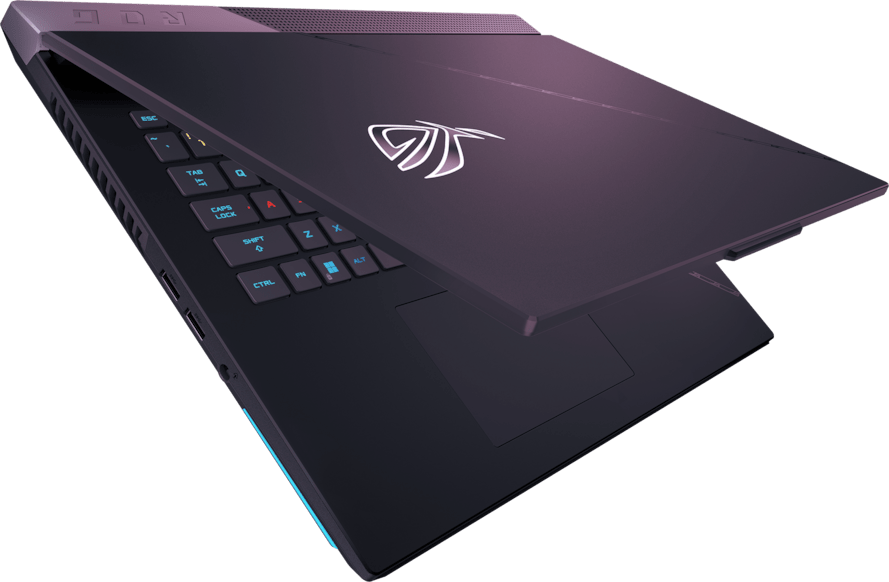
The Strix SCAR 17’s sporty Armor Cap adds even more personality to the machine. Subtle cut-outs and icons adorn the exterior and add even more intrigue to the bottom of the laptop, setting the system apart at any angle.
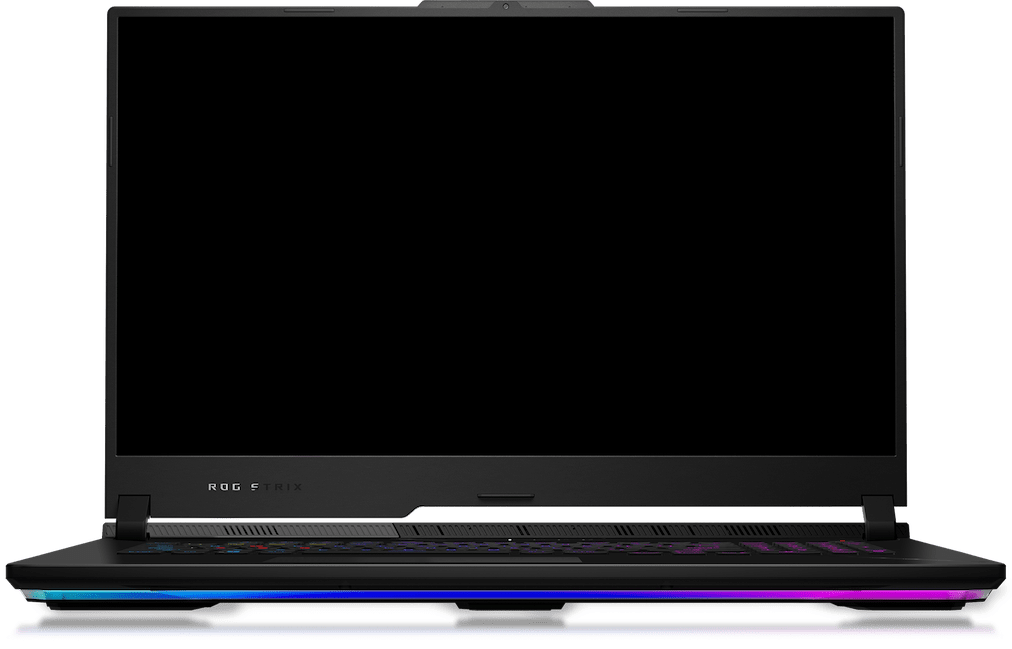
A lightbar adds a bit of glow and is configurable with Aura Sync. Paired with the RGB keyboard, you can easily illuminate your domain.
Wrapped into a robust milled aluminum chassis, the Strix SCAR 17 is ready to go with you anywhere.
You can’t beat the enemy if you don’t see them coming. The Strix SCAR 17 has ultra-fast panel options for every scenario, making sure you’ll never miss a moment. This 17-inch machine offers either a QHD 240Hz panel. With refresh rates that fast and response times as low as 3ms, you can make pixel-perfect decisions even in the most frenetic firefights. Each IPS panel offers fantastic color, Dolby Vision HDR, and Adaptive-Sync for a stellar gaming and viewing experience.
Dolby Atmos-powered speakers create an authentic sound stage for your games. Hi-Res audio ensures you hear your music in the same quality it was recorded. Two-Way AI Noise Cancelation processes both incoming and outgoing audio to filter any errant background noises, making sure that your calls, chats and streams come through without distraction.
Our advanced Two-Way AI Noise Cancelation technology runs on the CPU, which frees up the GPU to hit higher FPS. It works with any input device and also with downstream connections, letting you remove noise from both your own mic input and from incoming feeds. Noise-canceling settings can even be customized per program, filtering specific apps like voice chat without affecting game audio you want to remain untouched.
Two speakers powered by Smart Amp offer richer sound with 2.8x more volume, 3x more powerful bass, and up to 3x the dynamic range of alternatives. This dual-speaker setup delivers immersive surround sound optimized by Dolby Atmos technology to deliver balanced, multidimensional audio across the full spectrum without losing clarity or detail.
Hi-Res Audio provides lossless audio, letting you hear recordings exactly as the artist intended.
Built to last, the Strix SCAR's keyboard switches are rated to last over 20 million presses. The WASD keys can rest easy, durable enough to stand the test of time. Per-key RGB lighting allows for unlimited flexibility via Aura Sync, including game specific lighting layouts.
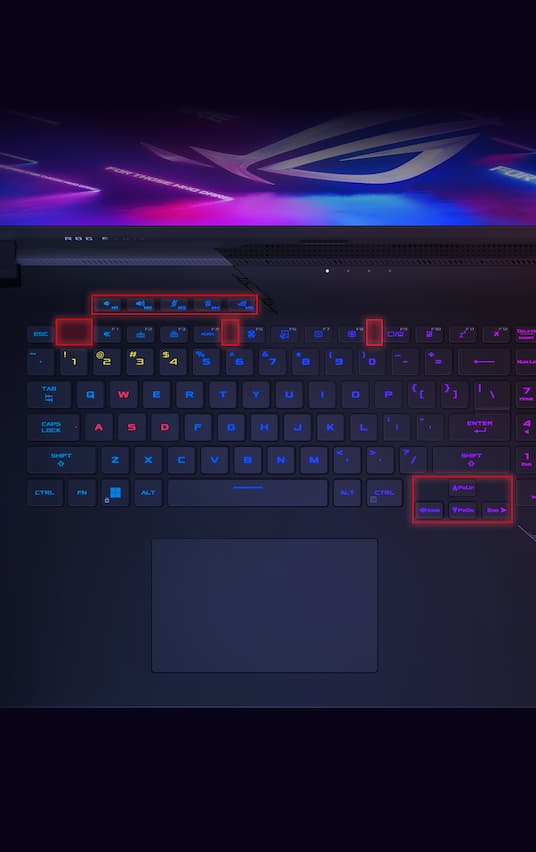
Taking inspiration from the best desktop keyboards, the function keys are spaced for fewer misses, and enlarged directional arrows are isolated for precise finger control. Five dedicated gaming hotkeys give quick access to features like volume, mic mute, and Armoury Crate.
Dedicated gaming hotkeys sit just above the left side of the keyboard for quick access to the volume and mic mute controls, operating modes, and Armoury Crate. They are also fully customizable, and can be programmed to launch apps, set as a function key, or used as a macro. The Strix SCAR 17 has all of the tools you need for victory.
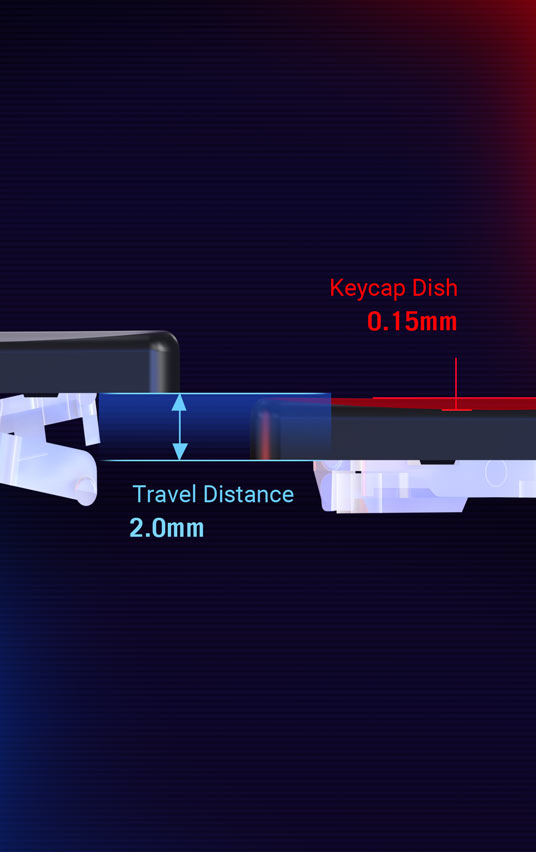
Exclusive ROG Overstroke technology registers keypresses earlier in the stroke, enabling a more responsive experience for serious gaming and work. Triggering earlier means faster, effortless inputs with greater accuracy.
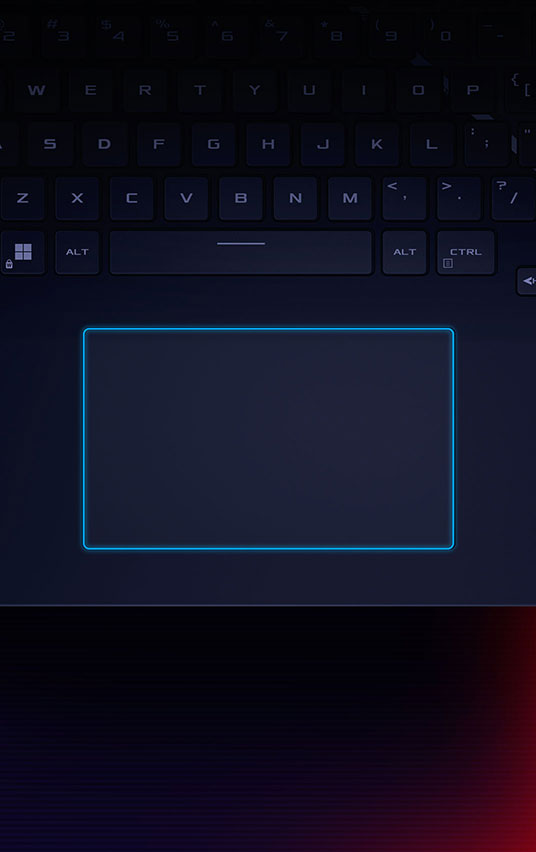
Improve everyday comfort and usability with a large active touchpad. More space means greater precision along with more comfortable hand movements and gestures while you’re navigating.
Taking inspiration from the best desktop keyboards, the function keys are spaced for fewer misses, and enlarged directional arrows are isolated for precise finger control. Five dedicated gaming hotkeys give quick access to features like volume, mic mute, and Armoury Crate.
Dedicated gaming hotkeys sit just above the left side of the keyboard for quick access to the volume and mic mute controls, operating modes, and Armoury Crate. They are also fully customizable, and can be programmed to launch apps, set as a function key, or used as a macro. The Strix SCAR 17 has all of the tools you need for victory.
Exclusive ROG Overstroke technology registers keypresses earlier in the stroke, enabling a more responsive experience for serious gaming and work. Triggering earlier means faster, effortless inputs with greater accuracy.
Improve everyday comfort and usability with a large active touchpad. More space means greater precision along with more comfortable hand movements and gestures while you’re navigating.
The Strix SCAR 17 is ready to go the distance featuring a 90Wh battery. For flexibility on the go, USB Type-C charging is supported up to 100W. When charging using the supplied 330W power adapter, the SCAR can recharge from zero to 50% in just 30 minutes.
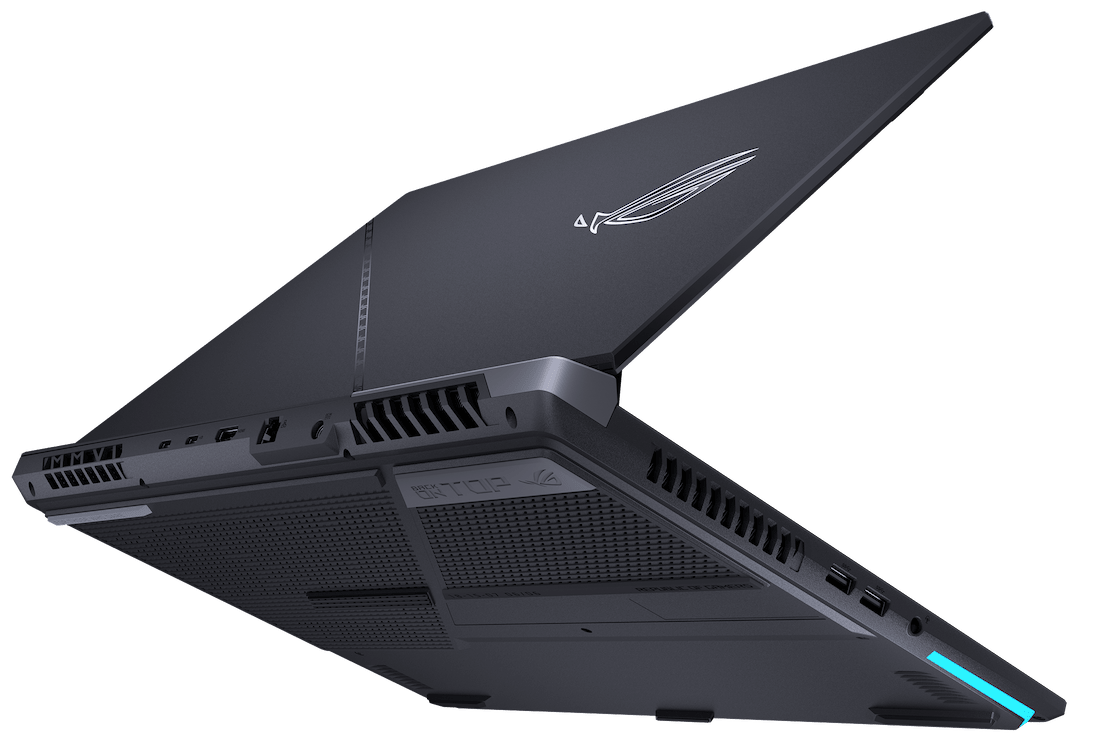
In modern multiplayer games, a stable internet connection is imperative. The SCAR 17 is ready to join the fight with a dedicated RJ45 port supporting 2.5G LAN, as well as the latest Wi-Fi 6E wireless standard. For local connections, the SCAR 17 supports Bluetooth 5.2, enabling seamless pairing with all of your peripherals. Never lag out again.

The RJ45 is not the only port in this storm. The dedicated GPU hosts an HDMI 2.1 port for the latest TVs and monitors, increasing total bandwidth from 18 to 48Gbps, and supporting up to 4K 120Hz and 8K 60Hz content. Two USB Type-C ports allow for plenty of connectivity with DisplayPort and power delivery.
Play over 100 high-quality games with friends on your PC, console, phone or tablet for one low monthly price.* With games added all the time, there’s always something new to play.
*Terms and exclusions apply. Game catalog varies over time, by region, and by device. See xbox.com/gamepass and https://www.ea.com/eaplay/terms, for details. Xbox Cloud Gaming: Streaming limits apply. Requires compatible controller (sold separately), supported device and Xbox Game Pass app; see system requirements. System requirements vary by game; performance scales with higher-end systems.
**The EA logo and Battlefield are trademarks of Electronic Arts Inc. © FIFA is a copyright and/or trademark of FIFA. All rights reserved. Manufactured under license by Electronic Arts Inc. STAR WARS © & TM 2019 Lucasfilm Ltd. All rights reserved.
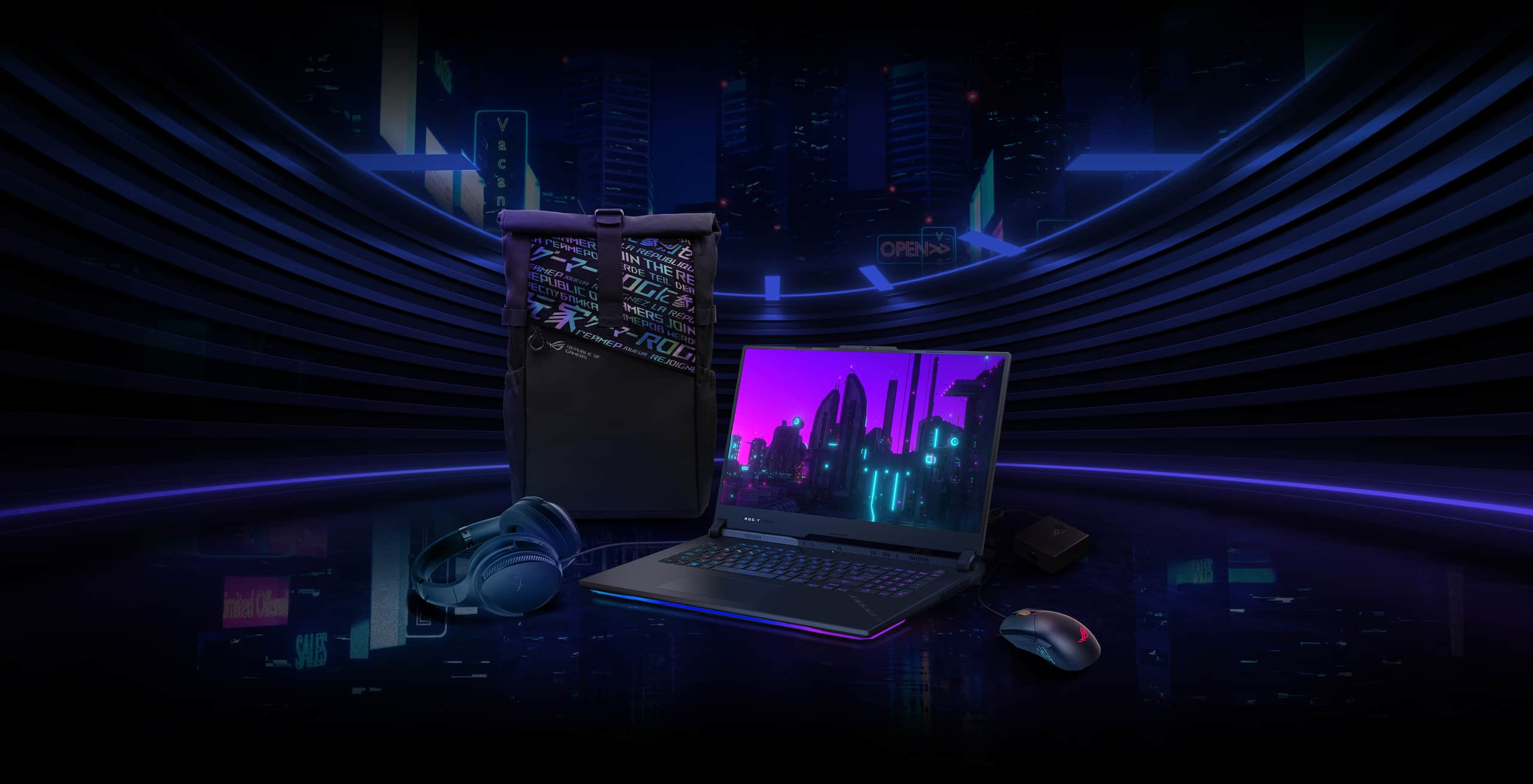
Don’t leave home without some ROG gaming accessories. Keep superior precision and control close at hand with the Aura Sync-compatible ROG Gladius III mouse. Enhance your audio experience with the cushy and comfortable ROG Fusion II 300 headset, perfect for immersing yourself in rich, high-fidelity sound. Keep your battery topped up on the go with the slim and light ROG 100W USB-C adapter. To get all this gear to your destination, make sure to use an ROG backpack.
*Bundled peripherals may vary according to regions. Please check with local vendors for exact offers.
The ASUS Scar 17 is the most powerful gaming laptop I’ve tested so far in 2023, thanks to AMD’s Ryzen 9 7945HX 16 core processor!
2023 ROG Strix Scar 17 승리를 위한 인피니트 게이밍
Top 5 BEST Gaming Laptops in 2023 (So Far)
The Most Powerful Gaming Laptop! ASUS Scar 17 (2023) Review
2023 Asus ROG Strix Scar 17 Review - AMD Ryzen HX & RTX 4090
ASUS ROG Strix Scar 17: The FASTEST Gaming Laptop and it's by AMD!
2023 ROG Strix SCAR 17 - Official unboxing video | ROG
GeForce RTX 4090 Laptop test in ASUS ROG Strix Scar 17 (2023) (G733PY-LL020X)
The design of the Strix Scar 17 is appropriate being a bit heavy which is expected from a gaming laptop . This is one of the most value for money for gaming laptops that you can buy in this performance segment
This laptop doesn't just focus on gamers, but on people who do high-level grading and heavy video editing on the go. For them this high spec laptop is a good device.
Strix Scar 17 is an excellent choice for gamers and power users. The display and speaker qualities are quite impressive
Trải nghiệm AMD Ryzen 9 7945HX MẠNH KHỦNG KHIẾP trên laptop gaming ASUS ROG Strix Scar 17 2023
ROG Strix SCAR 17 và CPU laptop mạnh nhất thế giới hiện tại | AMD Ryzen 9 7945HX soán ngôi 13980HX
ROG Strix Scar 17 là chiếc laptop hiếm hoi về Việt Nam sớm sở hữu nền tảng AMD Ryzen 7000 Mobile Dragon Range với con APU chủ lực Ryzen 9 7945HX cực mạnh.
Trải nghiệm R9 7945HX trên ROG Strix Scar 17, một AMD rất khác !!!
ROG Strix SCAR 17 được trang bị cấu hình lên tới AMD Ryzen™ 9 7945HX và GPU NVIDIA® GeForce RTX™ 4080. Thiết kế của chiếc máy này vẫn rất hầm hố và có những đường cắt xẻ đậm chất SCAR.
Một chiếc laptop đến từ một thương hiệu không còn xa lạ gì với anh em, ASUS ROG Strix SCAR 17 năm nay sẽ đem lại cho anh em những gì?
Who wants a Notebook with a big screen and powerful specs? This one is the answer. It is the ROG Strix SCAR 17 that comes with a 17.3" screen, a body weight of 3Kg, but the internal specs are full. CPU Ryzen 9 7945HX that comes with 16-Core / 32-Thread and a GeForce RTX4080 175W graphics card. That means it's about speed. That force Don't worry.

Strong specs, complete functions for real gamers.
work or play casual games good cooling system
Strong specifications, straight color screen, good heat dissipation The speaker sounds good but is light, only 2 USB Type ports are provided, the battery can be used for charging, can only be used for 2 hours.
Is another strong model with CPU Ryzen 9 7945HX with RTX 4080 card, thermal grizzly Comductonaut extreme
It is a gaming notebook with the best value for money. Large size with a relatively heavy weight The machine is easily fingerprinted. but can be cleaned easily

The speaker sound is low but the sound quality is good.
ROG Strix G16 vs G18 vs SCAR 18: What's the difference between ROG's esports laptops?
What is a vapor chamber, and how does it improve my PC’s cooling?
Ready to rumble out of the box: Hands-on with the ROG Strix SCAR 15

Disclaimer