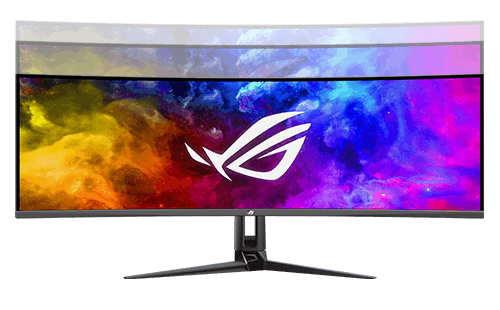
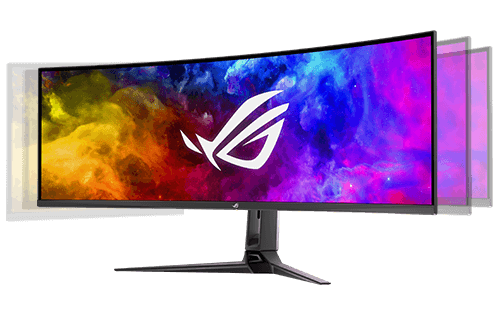
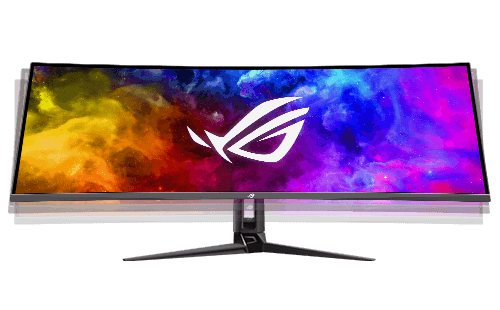
ROG Swift OLED PG49WCD

Adobe 3 month free bundle
Red badge with bold white text “ROG No.1 OLED for Gaming” and a faint grid pattern in the background

ROG Swift OLED PG49WCD

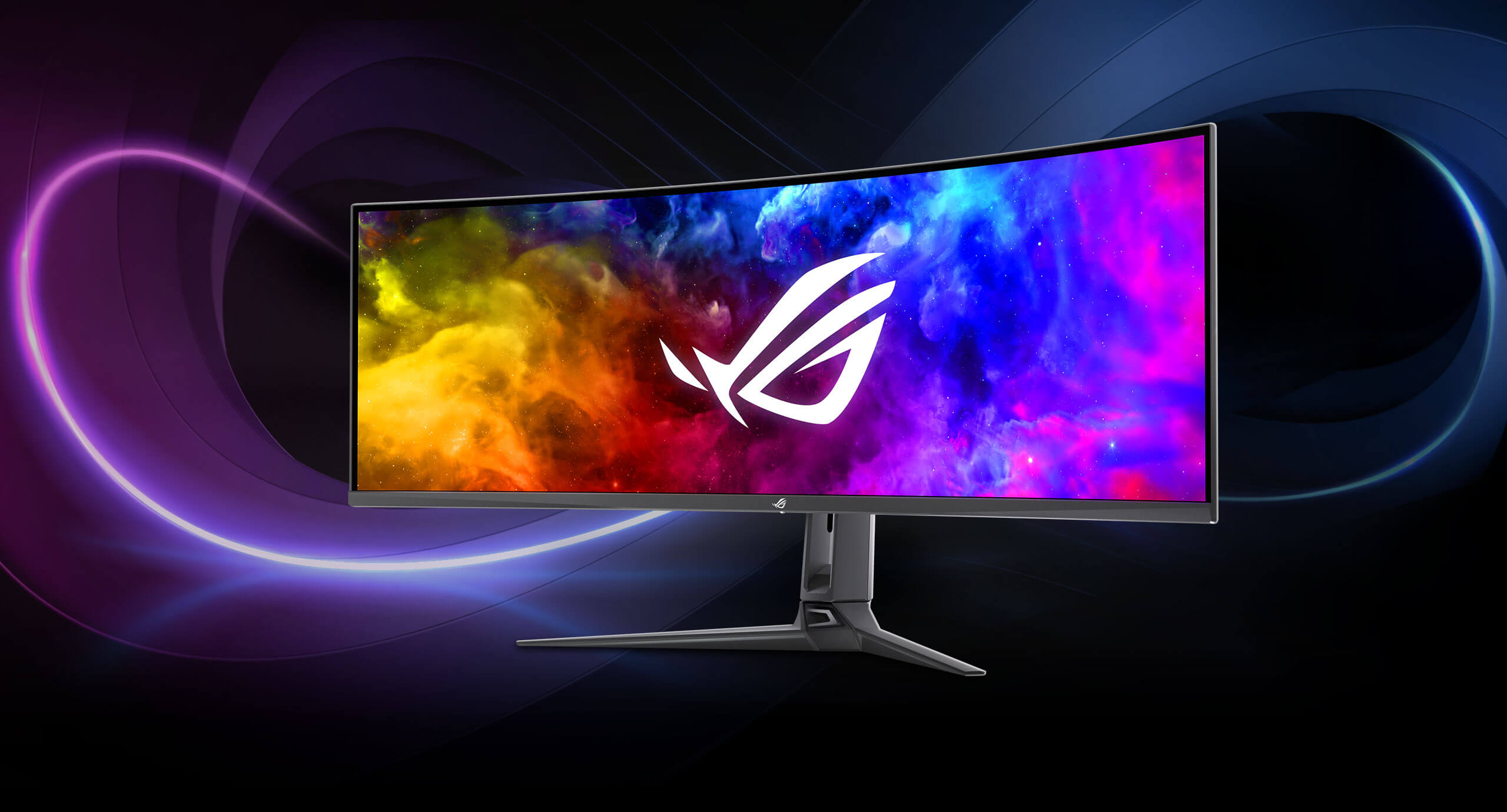
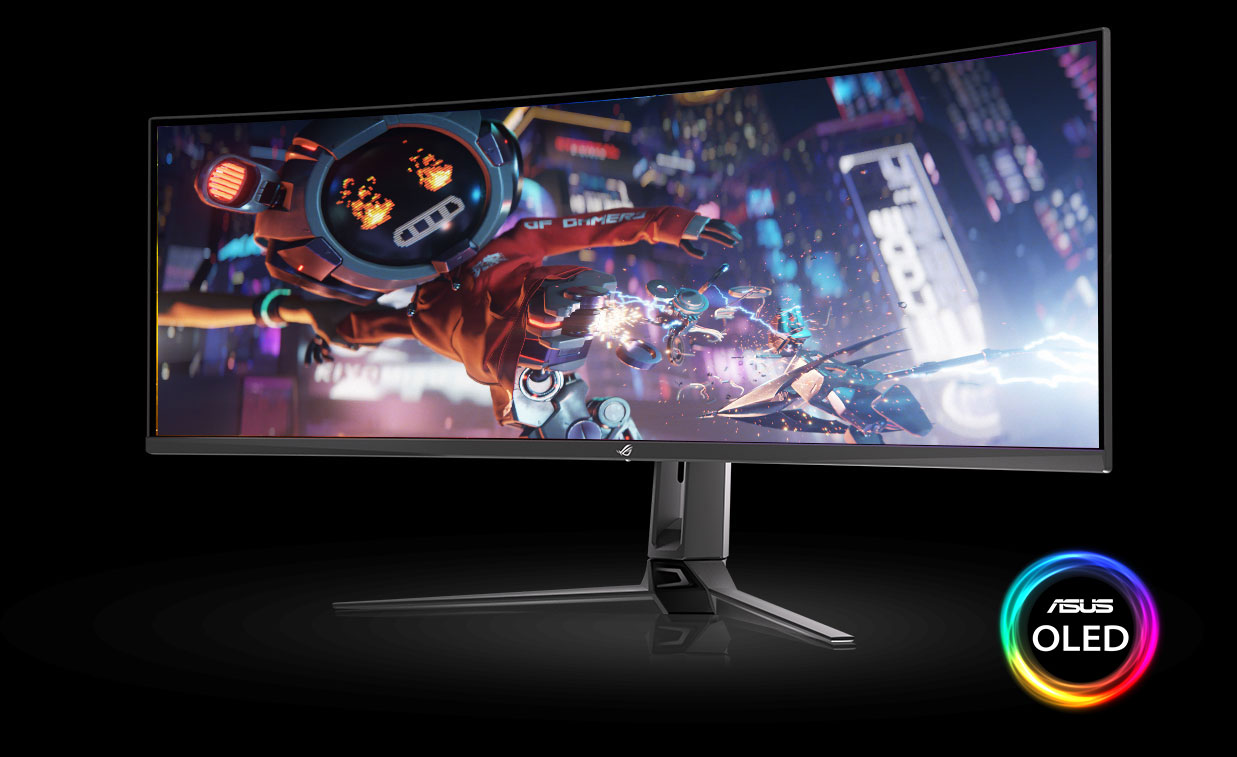
ROG Swift OLED PG49WCD gaming monitor ― 49-inch (5120x1440) curved QD-OLED panel, 144 Hz, 0.03 ms, G-SYNC® compatible, custom heatsink, uniform brightness, ROG Smart KVM, 90 W Type-C, ASUS DisplayWidget Center

  • 49-inch curved super-ultrawide (5120 x 1440) QD-OLED gaming monitor with 144 Hz refresh rate and 0.03 ms response time for immersive gaming
  • Highly efficient custom heatsink, improved airflow design and graphene rear for better heat management to reduce the risk of burn-in
  • High perceptual 1000 nits peak brightness (3% of the screen with HDR on), 99% DCI-P3 gamut, and Delta E < 2 color difference for astonishing HDR performance
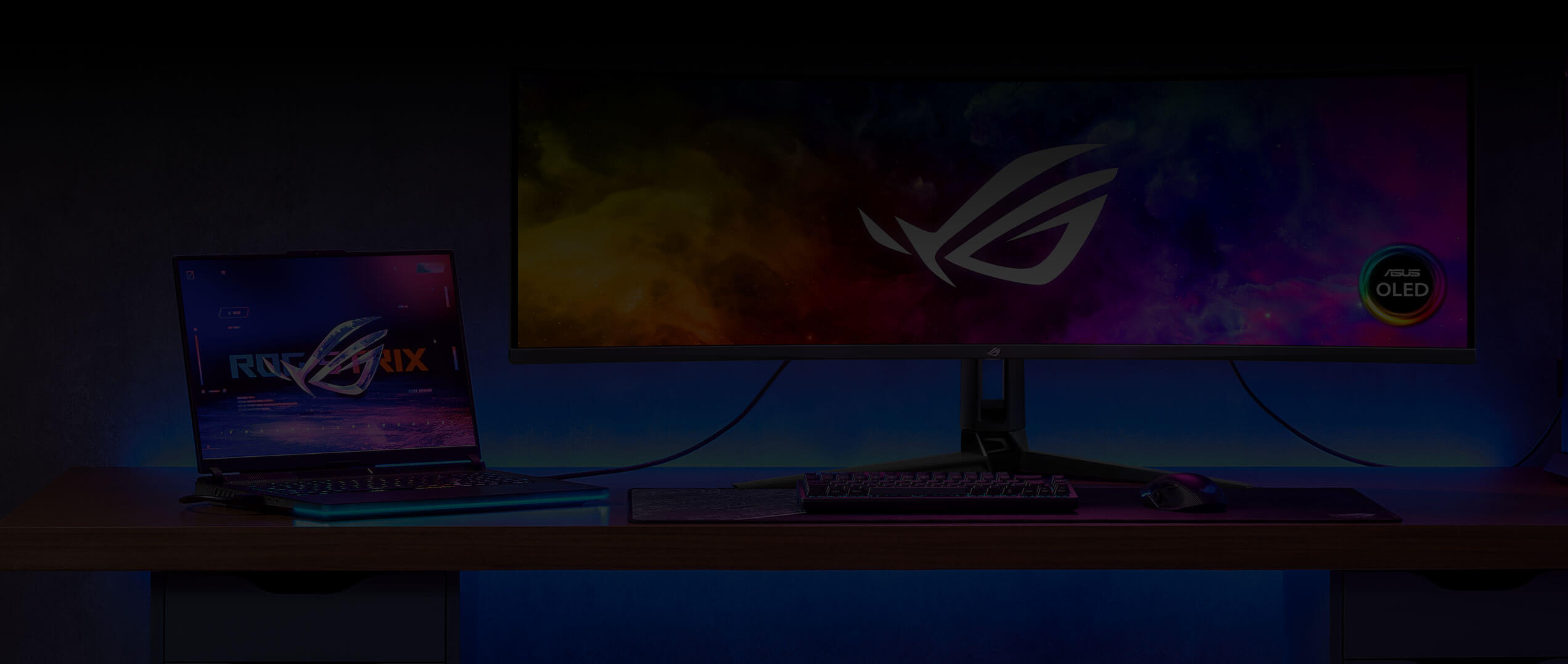
  • Built-in ROG Smart KVM automatically switches a single keyboard and mouse between two devices, without any extra hardware or software — and even copy files between devices via USB 3.2 connectivity
  • Optional uniform brightness setting ensures consistent luminance levels
  • ASUS DisplayWidget Center enables easy OLED and monitor-settings adjustments with a mouse
  • Extensive connectivity options including DisplayPort™ 1.4 (DSC), HDMI (v2.1), USB-C with 90 W Power Delivery

Awards

Video Reviews

This ROG Swift OLED PG49WCD is literally the first product that has truly impressed me since I've been in this business.

My Biggest Setup Upgrade In 5 Years - 2025 SETUP TOUR

The ROG Swift OLED PG49WCD is just as suitable as a gaming monitor as it is as a monitor for the home office, and thanks to Smart KVM, it can even be used simultaneously! At 49 inches, the PG49WCD is as big as two 27-inch monitors side by side.

... a screen featuring a 49-inch OLED panel, curved at 1800R. It can achieve a refresh rate of 144 Hz with DQHD resolution (5120 x 1440), and supports AMD FreeSync and G-Sync Compatible. It has a response time of 0.03 ms and a contrast ratio of 1,500,000:1.

...the ROG has set a standard here and it will be a challenge to match this performance.

Ultra-long OLED screen - ROG Swift OLED PG49WCD Ultrawide 144Hz

A gaming-only monitor? No, absolutely not! Gaming with this ROG Swift OLED PG49WCD will definitely be a wonderful experience but I found it really suitable for productivity as well. Its 32:9 aspect ratio, that is, as if it were two classic 16:9 side-by-side, and the quality of the OLED panel mean that your multitasking will never be the same again.

This monitor is a war machine, you can use it for everything. I tried it for film, for video production, for photo editing, for everything, and it was really excellent in everything.

The OLED monitor offers superior image quality with clear and vibrant colors, surpassing LCD panels.

The ROG Swift OLED PG49WCD gaming monitor

EXPERIENCE ENDLESS IMMERSION

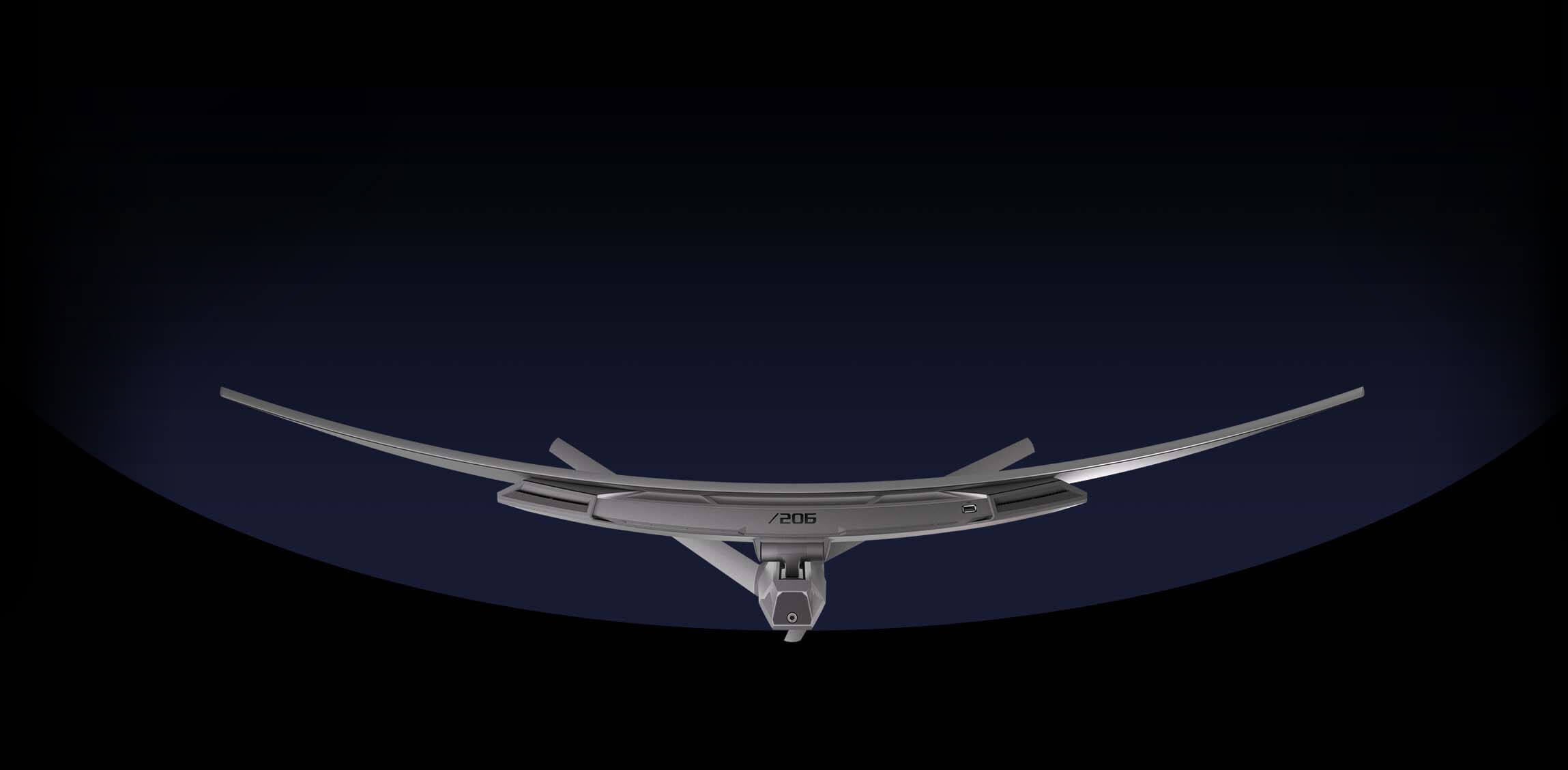
The 49-inch curved ROG Swift OLED PG49WCD gaming monitor features a super-ultrawide (5120 x 1440) QD-OLED panel with 144 Hz refresh rate and 0.03 ms (GTG) response time for immersive gaming experiences. To ensure QD-OLED longevity and better performance, the Swift OLED PG49WCD includes an improved custom heatsink and graphene film behind the panel to keep operating temperatures down and reduce the risk of burn-in.

  • Expand the immersion 49-inch
    1800R
    144Hz
    QD-OLED
    1000 nits peak brightness
    (3% with HDR on)

  • The OLED advantage 0.03 ms response time 99% DCI-P3 Delta E < 2

  • ASUS OLED Care Custom
    heatsink
    Improved
    airflow design
    Graphene film

  • User-friendly features Uniform brightness ROG Smart KVM Type-C PD (90 W) ASUS DisplayWidget Center

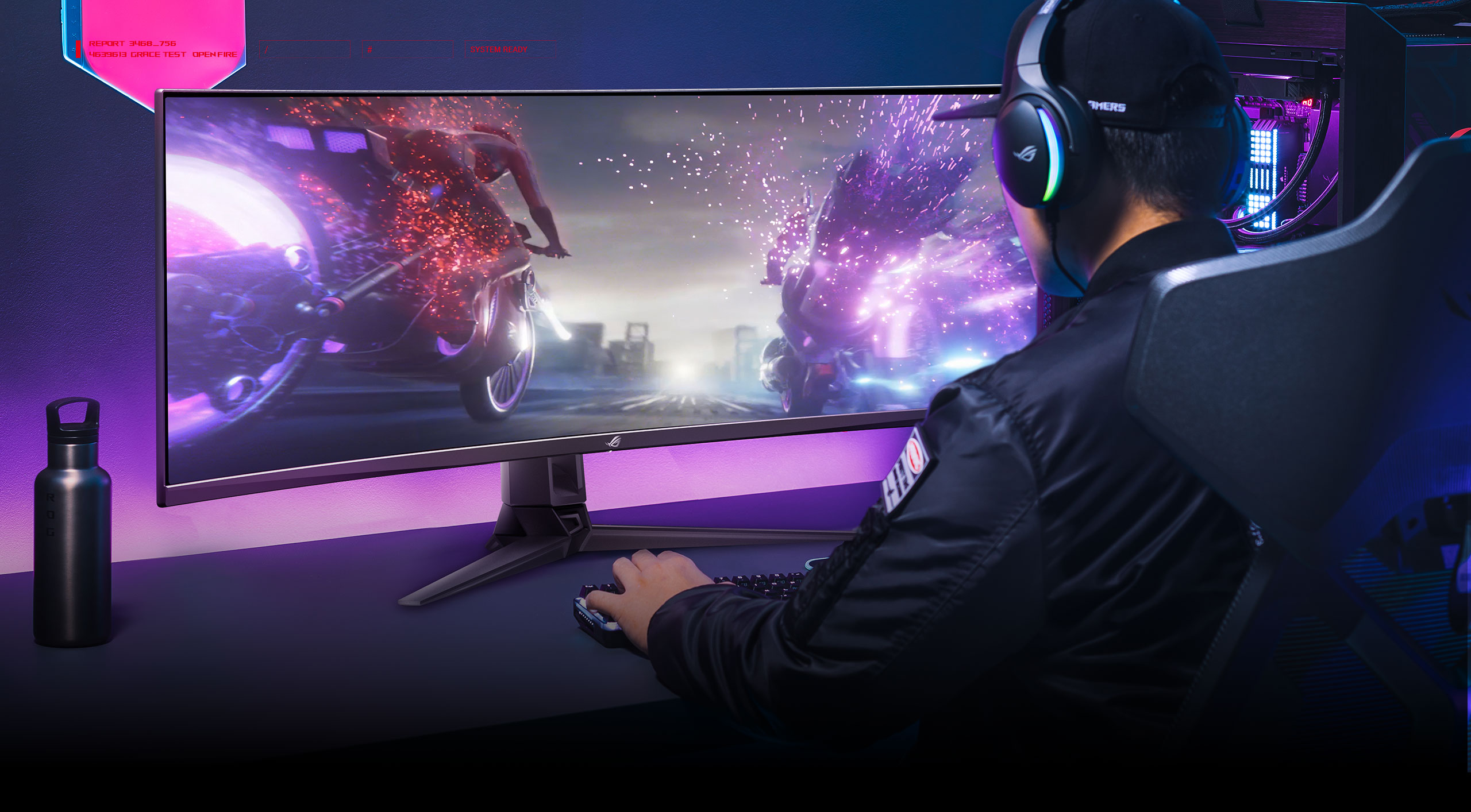
A man set in front of the PG49WCD monitor with his hands on keyboard.
ROG

Experience the super-ultrawide

Experience crisp, fast-moving visuals and gain the upper hand with QD-OLED technology. The 49-inch 1800R curved QD-OLED panel in the Swift OLED PG49WCD is DQHD (5120 x 1440) and offers a fast 144 Hz refresh rate to deliver the buttery smooth gameplay.

Next-gen QD-OLED technology

Detailed visuals and clearly-defined text

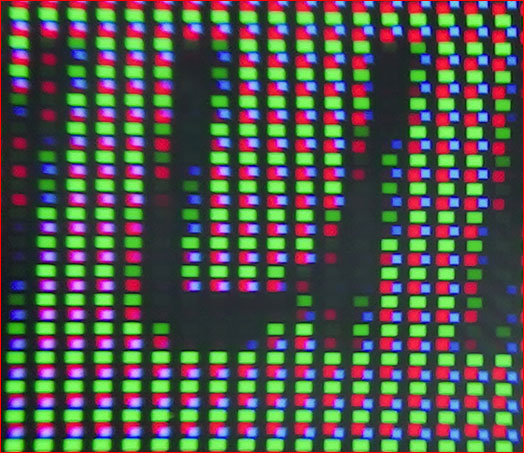
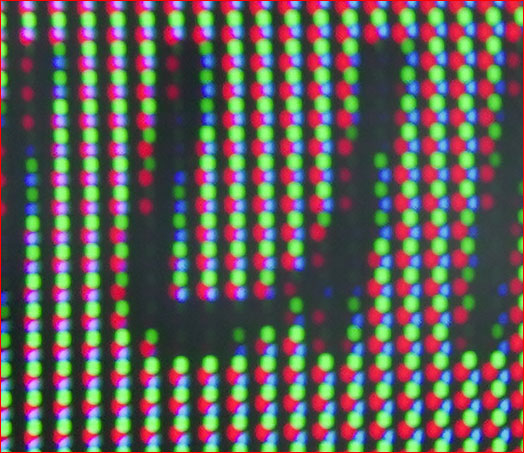
ROG Swift OLED PG49WCD features the latest generation QD-OLED panels. The sub-pixel layout provides clearer, more detailed visuals and crisper text to upgrade your viewing experience.

The ROG PG49WCD displays clear text

Next-gen QD-OLED

Other panel displays the text with color fringing

Traditional QD-OLED

_The QD-OLED advantage

  • EXCEPTIONAL CONTRAST

  • LIFELIKE COLORS

  • 0.03 MS RESPONSE TIME

Deepest black hues and high perceptual brightness

The QD-OLED technology in the Swift OLED PG49WCD produces the deepest blacks and provides vivid colors at any brightness level. Extraordinary contrast makes every detail stand out in even the darkest scenes.

  • 1000-nits
    peak brightness

    (3% of the screen with HDR on)
  • 1,500,000:1 contrast ratio

  • DisplayHDR logo
Many people are watching the battle streaming together

Ultra-realistic Colors

True 10-bit color depth and a cinema-grade 99% DCI-P3 gamut deliver gaming worlds with unparalleled realism. Each Swift OLED PG49WCD gaming monitor is pre-calibrated to Delta E < 2 to ensure the very best color reproduction thanks to the quantum dot technology.

The monitor shows Omni’s leg is broken

Blazingly fast response time for supersmooth visuals

An ultrafast 0.03 ms GTG response time enables the Swift OLED PG49WCD to smoothly display fast-paced action scenes and ensure low-latency gameplay. Subtle benefits, such as blur-free text scrolling, also up your everyday experiences.

With 0.03 ms response time

Without 0.03 ms response time

ASUS OLED Care

Improved custom heatsink and
additional thermal pad

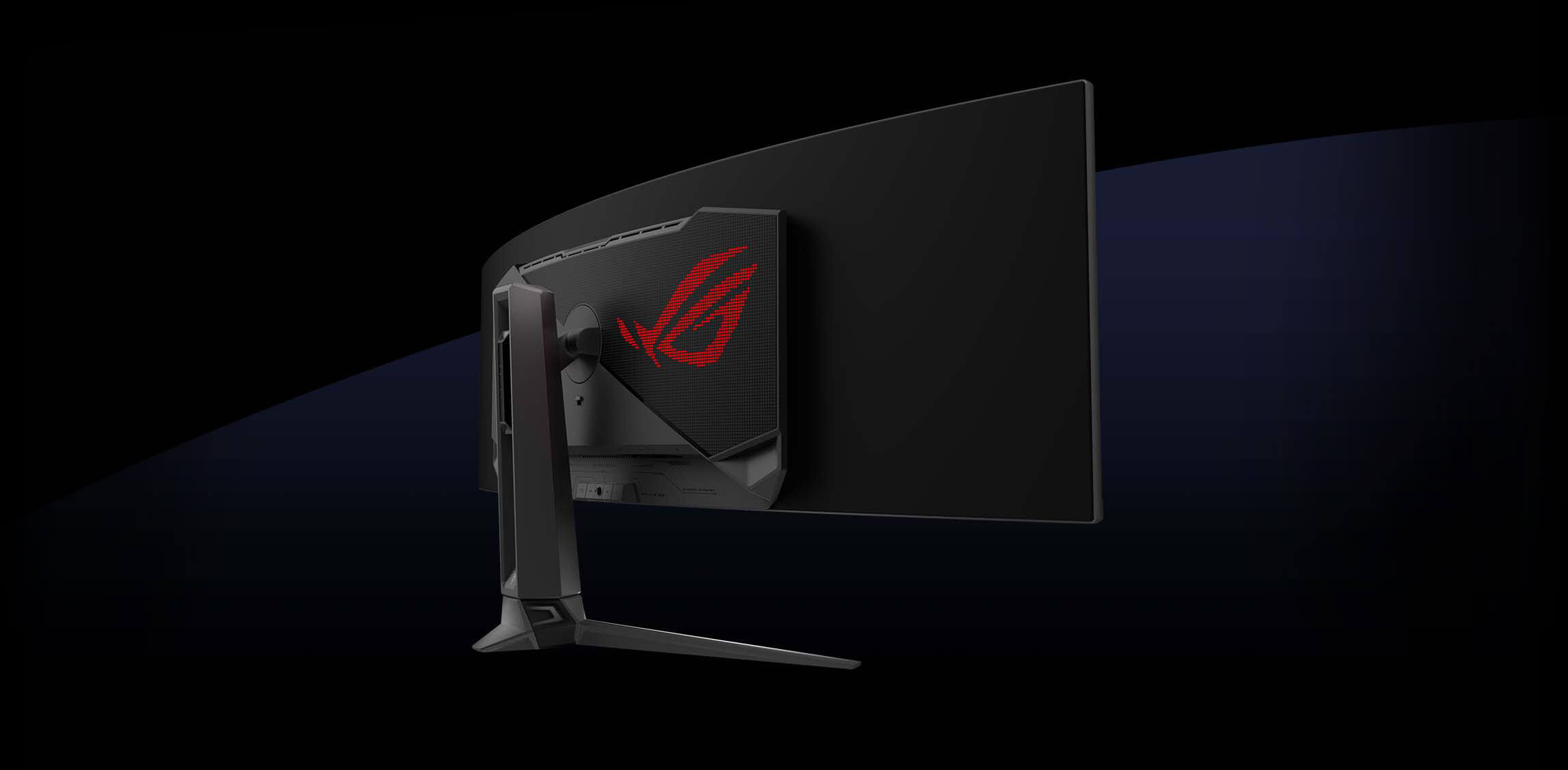
The Swift OLED PG49WCD features a unique custom heatsink design that maximizes heat dissipation by utilizing a highly compact layout, allowing for a larger space dedicated to cooling. Additionally, a thermal pad is placed on the panel to effectively cool down the monitor. The monitor's innovative back-cover design also incorporates vent holes on the top, enhancing the efficiency of heat dissipation and effectively removing heat from the system to reduce the risk of burn-in.


Graphene film panel

The Swift OLED PG49WCD comes with graphene film behind the QD-OLED panel to keep operating temperatures down. Graphene is the thinnest and strongest nanomaterial in the world, and has high thermal conductivity to help effectively dissipate heat.

SCREEN PROTECTION

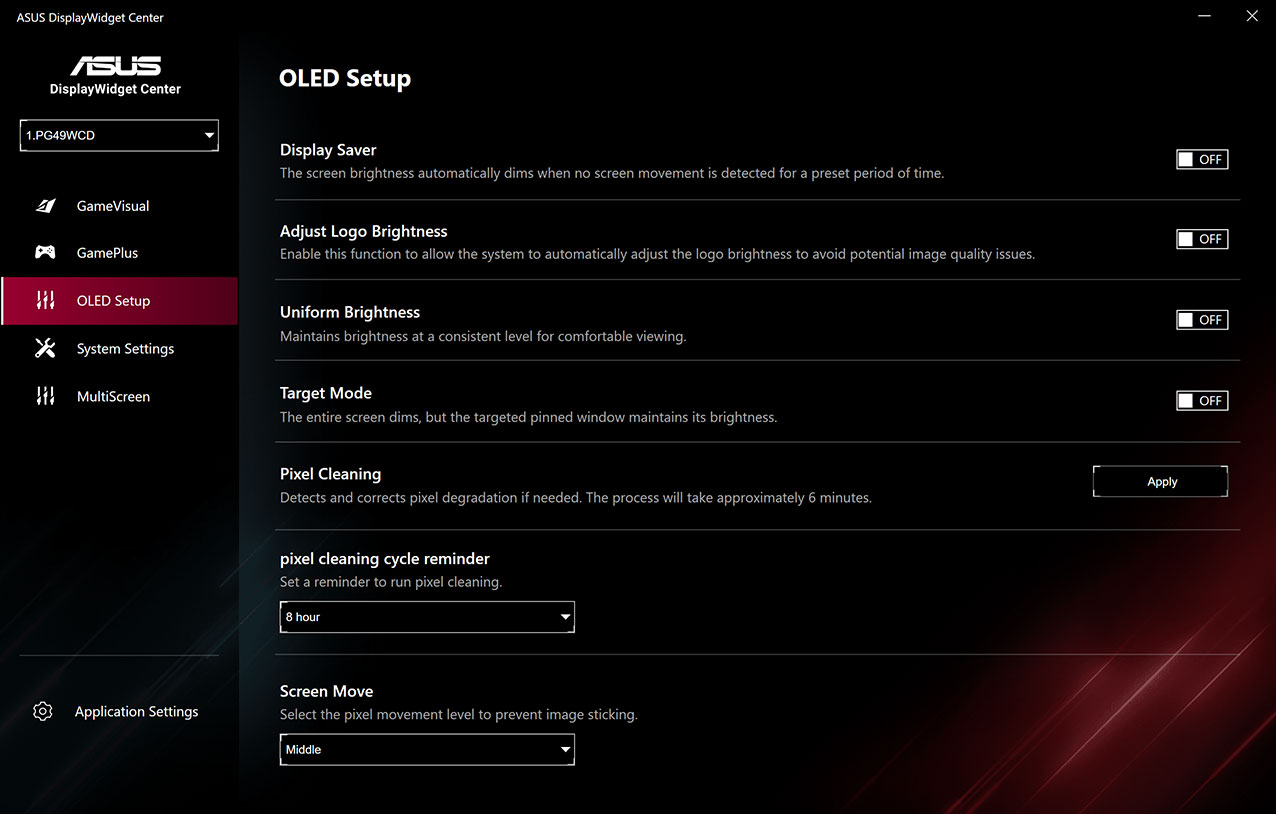
The screen-protection functions including screen saver, pixel cleaning, screen move and more ASUS DisplayWidget Center software interface
  • Screen Saver

    This function automatically dims the screen after a period of inactivity.

  • Pixel Cleaning

    This function recalibrates the screen when the monitor has been active for a period of several hours. The process takes just a few minutes, and activates automatically when the monitor is turned off.*

  • Screen Move

    This function slightly shifts pixel locations periodically to help prevent burn-in. There are several movement levels to choose from.

  • Adjust Logo Brightness

    This function allows the monitor to automatically detect static logos onscreen and reduce their brightness to correct for potential picture quality issues.

*Do not unplug the power cord during this time, or else pixel cleaning will be interrupted.

USER-FRIENDLY

Uniform brightness

When activated, the ROG-exclusive Uniform Brightness setting within the OSD menu decreases peak brightness to keep levels consistent for better viewing, even when changing the size of bright white windows. It also makes marathon gaming sessions much more comfortable on the eyes.

WITH uniform brightness setting

WITHOUT uniform brightness setting

*Monitor in sRGB mode.

Double as a versatile work station

The Swift OLED PG49WCD 49-inch super-ultrawide gaming monitor doubles as a versatile workstation display, making it the perfect choice for professionals in need of a productive environment for work, creation and entertainment.

  • Smart KVM

  • Type-C Port

ROG Smart KVM: Seamless switching between two devices

Enjoy the best of both worlds with ROG Smart KVM. This innovative feature allows you to control two devices connected to the monitor with one keyboard and mouse. No need for extra hardware or software. Just plug in and switch effortlessly between gaming and work on one screen. You can even copy and paste or drag the file across two devices with Smart KVM via USB 3.2 connectivity, empowering ultrarapid file transfers that are up to 10X faster USB 2.0.

USB-C Connection Type-C port: The ultimate all-in-one solution
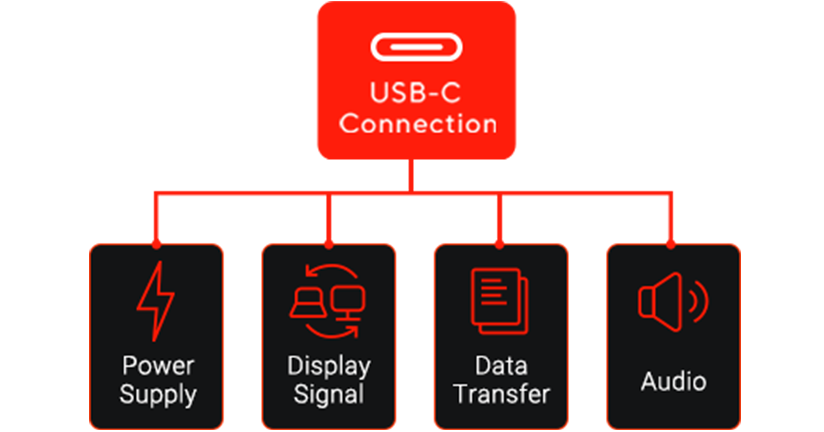
Simplify your setup with Type-C port. This powerful port can handle everything: display stunning visuals, provide up to 90 W of power, deliver crisp audio and transfer data at blazing speeds. Whether you want to connect your laptop, smartphone or tablet, Type-C offers unmatched versatility.

ASUS DisplayWidget Center

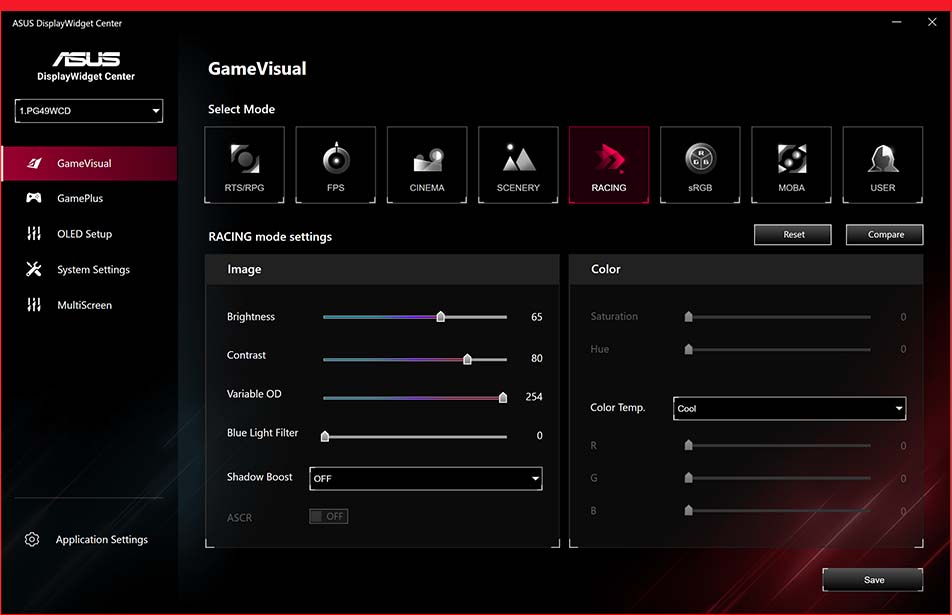
The all-new ASUS DisplayWidget Center software lets your easily change monitor settings and OLED-related functions via an intuitive interface, using a mouse ― so there’s no need to access the OSD menu.

The new ASUS DisplayWidget Center UI showing system settings, OLED functions, and more.

VRR

Experience superb smoothness and responsiveness

The Swift OLED PG49WCD features AMD FreeSync™ Premium Pro technology, ensuring super-smooth, tear-free visuals with low latency.

Omni and Acht ride a levitating skateboard, and Acht’s body is shown tearing due without VRR technology.

G-SYNC ON

G-SYNC OFF

_In-game enhancements

  • GAMEPLUS

  • GAMEVISUAL

  • FLICKER-FREE TECHNOLOGY

  • LOW BLUE LIGHT TECHNOLOGY

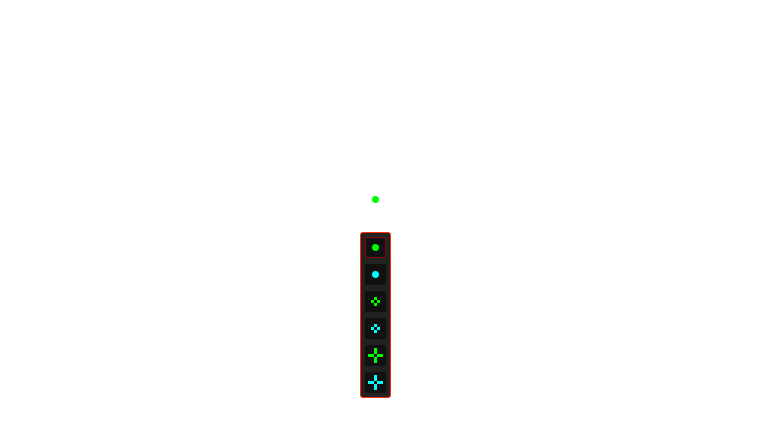
The ASUS-exclusive, integrated GamePlus hotkey offers in-game enhancements to help you get more out of every game. Co-developed with input from pro gamers, GamePlus functionality enables gamers to practice and improve their gaming skills.

The various functions of GamePlus
  • Image with STOPWATCH feature
  • Image with CROSSHAIR feature
  • Image with TIMER feature
  • Image with FPS COUNTER feature
  • Image with DISPLAY ALIGNMENT feature
  • Stopwatch

  • Crosshair

  • Timer

  • FPS Counter

  • Display Alignment

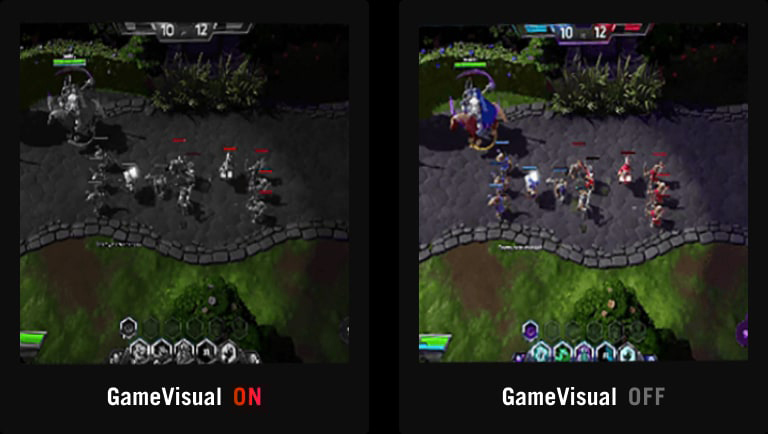
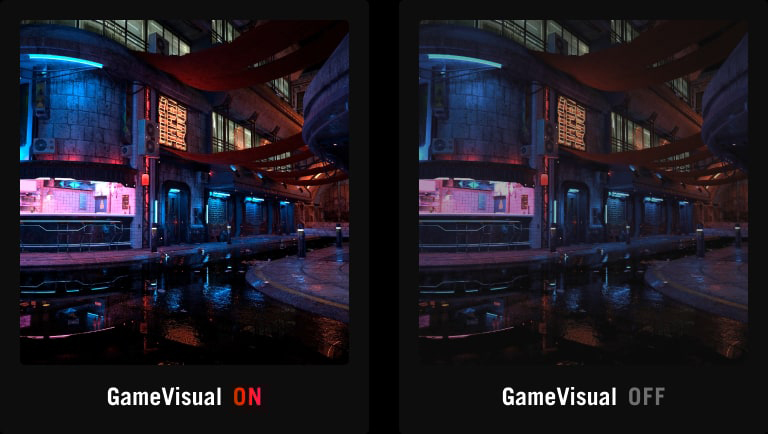
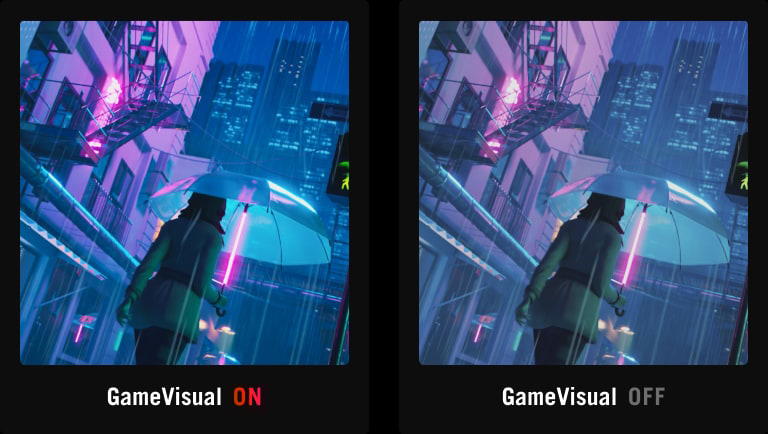
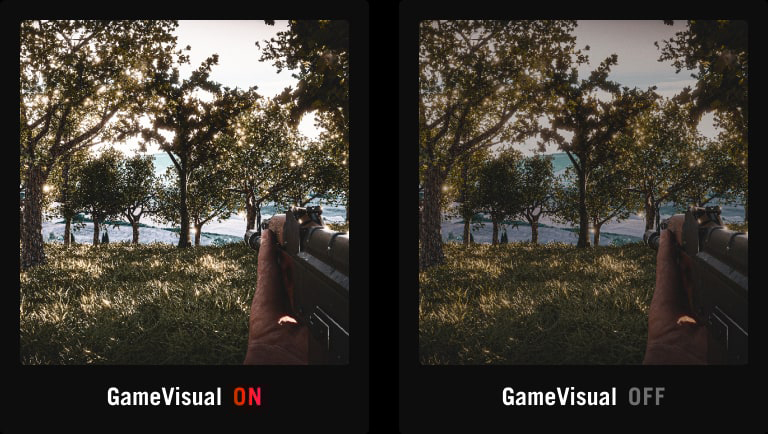
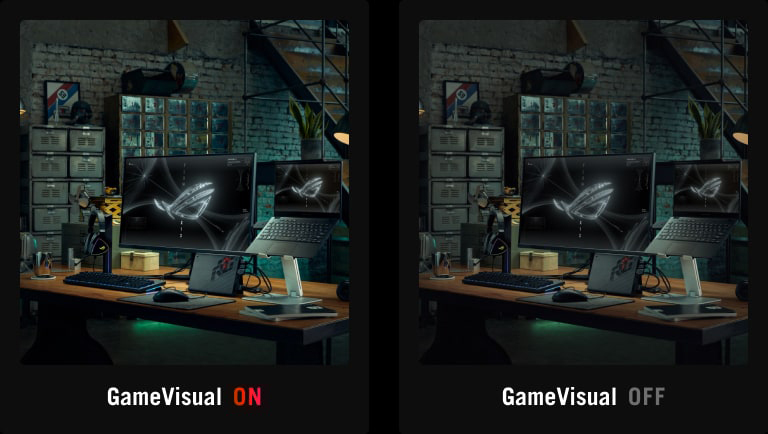
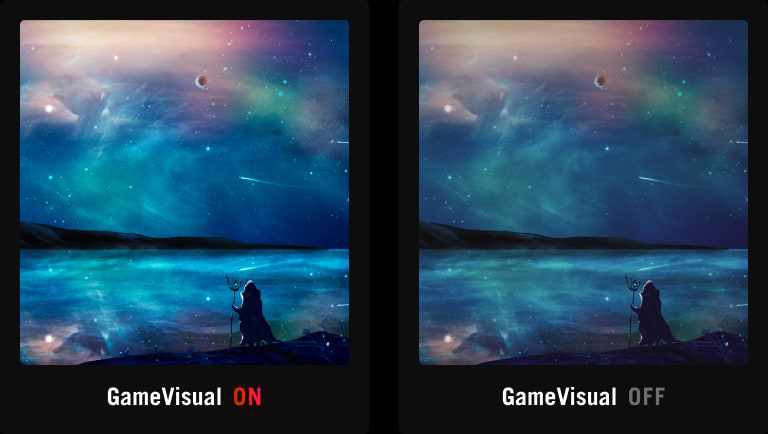
ASUS GameVisual technology has seven pre-set display modes to optimize visuals for different types of content. This unique feature can be easily accessed through a hotkey or the OSD settings menu.

  • Racing

  • MOBA

  • Cinema

  • RTS/RPG

  • FPS mode

  • sRGB

  • Scenery

  • comparison image with Racing mode on and off
  • comparison image with MOBA mode on and off
  • comparison image with Cinema mode on and off
  • comparison image with RTS/RPG mode on and off
  • comparison image with FPS mode on and off
  • comparison image with sRGB mode on and off
  • comparison image with Scenery mode on and off

TÜV Rheinland-certified ASUS Flicker Free technology eliminates flicker, ensuring comfortable viewing experiences. This technology helps minimize eyestrain and other ailments typically associated with extended hours of viewing.

Monitor with ASUS Flicker Free technology.

WITH FLICKER-FREE TECHNOLOGY

Monitor without ASUS Flicker Free technology.

WITHOUT FLICKER-FREE TECHNOLOGY

The new hardware-based ASUS Low Blue Light technology reduces potentially harmful high-energy blue-light emissions while offering color performance that’s better than monitors with software-based filtering solutions.

Monitor with hardware-based ASUS Low Blue Light reduces harmful blue light emissions.

LOW BLUE LIGHT

Monitor without hardware-based ASUS Low Blue Light will have visuals with a yellowish tinge.

CONVENTIONAL BLUE LIGHT FILTER

_Usability

  • RICH CONNECTIVITY

  • ERGONOMIC DESIGN

Extensive connectivity options, including one DisplayPort™ 1.4 (DSC), HDMI® 2.1,USB-C with 90W Power Delivery and a USB hub provide support for a wide array of multimedia devices.

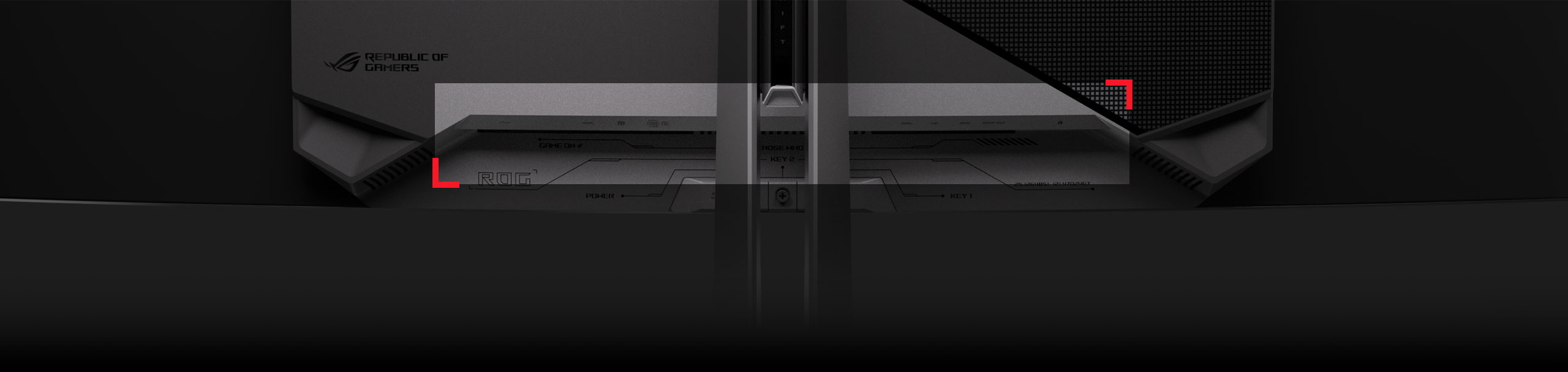
The rear panel of the PG49WCD features DisplayPort 1.4, HDMI 2.1, Type-C and a USB hub.
  • DisplayPort™ 1.4 (DSC)

  • HDMI® 2.1

  • USB-C (90W PD)

The specially designed hollowed-out stand offers tilt, swivel, and height adjustments for the ideal viewing position. The display is also VESA wall-mount-compatible.

  • Height adjustment

    [ 0-110MM ]

    HEIGHT ADJUSTMENT

  • Swivel adjustment

    [ +15°~ -15° ]

    SWIVEL

  • Tilt adjustment

    [ -5°~ +20° ]

    TILT

Find your best OLED monitor

Specs

*Peak brightness may vary due to color pre-calibration

FAQ

  • An OLED (organic light-emitting diode) monitor uses a revolutionary display technology in which each pixel generates its own light. Unlike traditional LCD panels with backlighting, OLED monitors deliver exceptional contrast, with true blacks and vibrant colors. This results in stunningly realistic visuals and a more immersive gaming experience, giving you a competitive edge.

  • The main difference between OLED and LED monitors lies in their underlying technology. OLED monitors use organic light-emitting diodes to directly emit light and produce imagery, enabling individual pixel control for superior contrast and color accuracy. On the other hand, LED monitors use traditional light-emitting diodes for backlighting, relying on liquid crystals to modulate the light. This fundamental distinction results in OLED monitors offering better image quality compared to LED monitors.

  • Yes, OLED monitors are ideal for gaming: lightning-fast response times, exceptional contrast, and vibrant colors provide a competitive advantage by delivering incredibly smooth, clear, and immersive visuals.

  • OLED monitors offer features that make them a preferred choice for discerning gamers:

    • Unrivaled Contrast: Infinite contrast ratios with perfect blacks ensure incredible depth and detail in every scene.
    • Blazing-Fast Response Times: Near-instantaneous response times virtually eliminate ghosting and blurring, offering ultrasmooth gameplay.
    • Vivid Colors: Wider color gamut and exceptional color accuracy brings games to life with stunning realism.
    • Wide Viewing Angles: Consistent image quality from any viewing angle makes OLED monitors perfect for screen sharing or multi-monitor setups.
    • Glossy OLED: Sharper imagery with more saturated color reproduction.
    • Sleek Design: Absence of a backlight allows for incredibly thin and lightweight design.
  • Focus on these key features:

    • Speed (Refresh Rate & Response Time): For smooth gaming, aim for high refresh rates (e.g., 144Hz+) and near-instant response time for zero blur.
    • Sharpness (Resolution): 4K offers amazing detail, while 1440p is a great balance for visuals and gaming performance, especially if your PC isn't top-tier.
    • Picture Quality (Panel Type): Most current QD-OLED and WOLED panels deliver incredible colors, true blacks, and brightness for stunning visuals.
    • Burn-in Protection: While burn-in is rare with normal use, check for features like pixel shifting or screen refresh cycles that help prevent burn-in.
    • Connections (Ports): For the best performance, ensure it has the latest ports, such as DisplayPort 2.1 (for PC) and HDMI 2.1 (for consoles).
    • HDR Quality: For vibrant, lifelike imagery, look for high peak brightness and official HDR certifications (e.g., DisplayHDR True Black).
    • Warranty: A strong warranty―especially one that covers burn-in―will protect your investment.
  • Both QD-OLED and WOLED are cutting-edge OLED technologies that deliver stunning visuals, but a primary difference lies in how they create color. Both are self-emissive OLED technologies that deliver perfect blacks and infinite contrast.

    • QD-OLED (Quantum Dot OLED) uses a blue light source and a layer of Quantum Dots to produce highly saturated, pure red and green light. This generally results in superior color volume and vibrancy at high brightness.
    • WOLED (White OLED) uses a white light source with traditional color filters (RGBW subpixels). This technology is highly refined and often excels, providing peak white brightness and better deep black uniformity in bright, well-lit rooms.
  • The primary difference lies in the arrangement of the sub-pixels and the resulting text clarity and color accuracy.

    • RGB Stripe Pixel OLED (RGB OLED): Each independent pixel contains Red (R), Green (G), and Blue (B) sub-pixels arranged in a vertical stripe pattern. This standard arrangement is highly compatible with operating system text rendering technologies (like Windows ClearType), resulting in sharper, more accurate text display.
    • Non-RGB Stripe Pixel OLED: Sub-pixels are arranged in nonstandard patterns (i.e., diamond shapes or irregular layouts). While excelling in color and brightness, this nonstandard arrangement can sometimes introduce a slight color fringing or fuzziness around sharp or small text, as it doesn't align perfectly with standard RGB rendering algorithms.
  • Both are ROG advanced surface treatments designed to maximize the contrast and black depth of OLED panels, but they are applied to different panel types and offer distinct benefits.

    • TrueBlack Glossy™ employs a zero-haze optical layer combined with an anti-reflective stack. This results in a superior glossy finish that makes the image and colors appear sharper and more saturated, dramatically boosting contrast to achieve deeper blacks. Crucially, this advanced optical layer helps to significantly reduce ambient reflections, allowing users to experience inky blacks and sharp visuals regardless of whether they are in a brightly lit or dark room.
    • BlackShield™ is a new, specialized film engineered specifically for QD-OLED panels. Its primary function is to correct the purple tint/black-level elevation that previous QD-OLED generations displayed in bright ambient lighting environments. By doing so, it provides a 40% improvement in perceived black level, allowing users to experience much higher contrast and deeper blacks, even when light is present. An additional benefit of this film is its enhanced durability, offering 2.5-times the scratch resistance compared to previous-gen QD-OLED panels, which provides greater confidence when cleaning the screen.
  • While OLED technology can be susceptible to burn-in with prolonged static images, ROG OLED monitors incorporate advanced OLED Care Pro technology including Neo Proximity Sensor, Pixel Cleaning, Pixel Shift, Screen Saver, and more to mitigate this risk. (Learn more about ROG OLED Care Pro.) Additionally, each package includes a micro fiber cloth to assist users in safely cleaning their OLED screen. These features and a three-year warranty provide peace of mind when purchasing any ROG OLED gaming monitor.

  • The ROG Neo Proximity Sensor is a key feature within the ROG OLED Care Pro suite, designed to provide active protection against burn-in. It is an intelligent hardware solution used to precisely detect the user's presence in front of the monitor. The feature is fully customizable via the OSD menu, allowing users to easily adjust the detection distance to perfectly suit their personal workspace and preferences.

    Key Features

    • When the user steps away from the monitor, the screen automatically transitions to a pure black image, effectively turning off the OLED pixels. This provides the highest level of burn-in protection.
    • When the user returns and is detected by the sensor, the screen instantly restores the previous content.
  • Yes, ROG OLED monitors are excellent for professional color grading due to their exceptional color accuracy and wide color gamut. ROG OLED monitors are factory calibrated to meet industry standards, making them ideal for content creators, video editors, and graphic designers who demand precise color reproduction.

  • ROG OLED monitors are available in a range of sizes to suit different gaming setups and preferences. Common sizes include 27 inches, 32 inches, or 34 inches (ultrawide). Refer to the ROG website for the latest models and available sizes.

  • Yes, 4K OLED gaming monitors are available and they offer incredible visual fidelity and detail. Refer to the ROG website to see the full range of 4K ROG OLED options.

  • Keeping your OLED monitor clean will ensure optimal image quality and longevity. Here's how to clean it safely:

    • Power down: Turn off your OLED monitor. This prevents electrical shock and potential damage to the screen.
    • Clean the screen using a damp cloth: Dampen a cloth with water and gently wipe the screen in a circular motion.
    • Avoid chemicals: Never use harsh chemicals, abrasive cleaners, solvents, alcohol, ammonia, or window cleaners on your OLED screen. These can damage the delicate OLED panel and its coating.
    • Avoid pressure: Do not apply excessive pressure to the screen while cleaning, as this could damage the OLED panel.

CUSTOMER REVIEWS

Recommended Products

ROG Strix OLED XG34WCDMS

ROG Strix OLED XG34WCDMS gaming monitor―34-inch RGB QD-OLED with BlackShield™ film, 280Hz refresh rate, 0.03ms (GTG), G-SYNC® compatibility, custom heatsink, OLED Care Pro, Neo Proximity Sensor, VESA DisplayHDR™ 500 True Black, HDMI® 2.1, and USB-C®

ROG Strix OLED XG27UCDMG

ROG Strix OLED XG27UCDMG Gaming Monitor — 27-inch (26.5-inch viewable) 4K Tandem QD-OLED panel, 240Hz, 0.03ms(GTG), OLED Anti-Flicker 2.0, custom heatsink, OLED Care Pro, Neo Proximity Sensor, G-SYNC® compatible, VESA DisplayHDR™ 400 True Black, uniform brightness, 99% DCI-P3, true 10-bit color, DisplayWidget Center

ROG Strix OLED XG27ACDNG

ROG Strix OLED XG27ACDNG gaming monitor ― 27-inch (26.5-inch viewable) 1440p QD-OLED panel, 360 Hz, 0.03 ms, custom heatsink, OLED Anti-flicker, ASUS OLED Care+, uniform brightness, G-SYNC® compatible, 99% DCI-P3, and DisplayWidget Center

ROG Swift OLED PG34WCDN

ROG Swift OLED PG34WCDN gaming monitor―34-inch Tandem RGB QD-OLED with BlackShield™ film, 360Hz refresh rate, 0.03ms (GTG), G-SYNC® compatibility, custom heatsink, OLED Care Pro, Neo Proximity Sensor, VESA DisplayHDR™ 500 True Black, DisplayPort™ 2.1a (80Gbps), HDMI® 2.1, and USB-C® (90W PD)

ROG Swift OLED PG32UCDP

ROG Swift OLED PG32UCDP gaming monitor ― 32-inch (31.5 inch viewable) WOLED panel, dual mode (4K 240Hz or FHD 480Hz), 0.03 ms (GTG), G-SYNC® compatibility, custom heatsink, ASUS OLED Care, AI Assistant, VESA DisplayHDR™ 400 True Black, uniform brightness, 99% DCI-P3, true 10-bit color, Type-C® (90 W PD), and DisplayWidget Center

ROG Swift OLED PG32UCDM Gen3 (PG32UCDM3)

ROG Swift OLED PG32UCDM Gen3 (PG32UCDM3) gaming monitor ― 32-inch (31.5 inch viewable) 4K (3840 x 2160) Tandem QD-OLED panel, 240 Hz, BlackShield™ film, G-SYNC® compatible, Neo Proximity Sensor, VESA DisplayHDR™ 500 True Black, OLED Care Pro, 90 W Type-C®, and ASUS DisplayWidget Center, DisplayPort™ 2.1a UHBR20 (80Gbps full bandwidth)

ROG Strix OLED XG27UQDMS

ROG Strix OLED XG27UQDMS gaming monitor - 27-inch (26.5 inch viewable) 4K (3840 x 2160) Tandem QD-OLED panel, 240 Hz, 0.03 ms (GTG), G-SYNC® compatible, custom heatsink, Neo Proximity Sensor, uniform brightness, 99% DCI-P3, OLED Care Pro, ASUS DisplayWidget Center

ROG Strix OLED XG32UQDMS

ROG Strix OLED XG32UQDMS gaming monitor - 32-inch (31.5 inch viewable) 4K (3840 x 2160) QD-OLED panel, 240 Hz, 0.03 ms (GTG), G-SYNC® compatible, custom heatsink, Neo Proximity Sensor, uniform brightness, 99% DCI-P3, OLED Care Pro, ASUS DisplayWidget Center

Related Products

ROG Hone Control Ace L Vitality Edition Mouse Pad
Designed in collaboration with Team Vitality, the ROG Hone Control Ace L Vitality Edition features a control-focused cloth surface for strong stopping power and consistent micro-adjustments, making it a trusted addition to the ROG Ace Esports lineup.

ROG Falchion Ace 75 HE Gaming Keyboard

ROG Falchion Ace 75 HE gaming keyboard with hot-swappable ROG HFX V2 & V2X Magnetic Switches, ROG Hall Sensor, Rapid Trigger toggle, sensitivity adjustment wheel, interactive touch panel, 8000 Hz polling rate, six-layer dampening, three adjustable tilt angles, durable ROG doubleshot PBT keycaps, and protective carry case

ROG Strix Scope II X Gaming Keyboard

ROG Strix Scope II X gaming keyboard with hot-swappable ROG NX mechanical switches V2, sound-dampening foam, PBT doubleshot keycaps or UV-coated ABS keycaps, streaming hotkeys, multi-function controls, three tilt angles, and wrist rest

ROG Falchion Ace HFX Gaming Keyboard

ROG Falchion Ace HFX 65% analog gaming keyboard with pre-lubed ROG HFX Magnetic Switches, Rapid Trigger toggle, Speed Tap Mode, interactive touch panel, 8000 Hz polling rate, five-layer dampening and silicone gasket mount, dual Type-C ports, three tilt angles, and cover case

ROG Strix Morph 96 Wireless Gaming Keyboard

ROG Strix Morph 96 Wireless custom gaming keyboard with hot-swappable ROG NX V2 mechanical switches, south-facing PCB, tri-mode connectivity, ROG SpeedNova wireless technology, gasket mount and dampening layers, three adjustable tilt angles, durable ROG doubleshot ABS keycaps, and MacOS support

ROG Strix Scope II 96 RX Wireless Gaming Keyboard

ROG Strix Scope II 96 RX Wireless optical gaming keyboard with tri-mode connection, streaming hotkeys, multi-function controls, ROG RX Optical Switches, ROG keyboard stabilizers, PBT doubleshot keycaps, silicone dampening foam, additional ROG-themed ABS keycaps, three tilt angles, and wrist rest.

ROG Scabbard II XXL-KJP Mouse Pad

The ROG Scabbard II XXL-KJP is a large gaming mouse pad with a water-, oil-and dust-repellent surface and anti-fray, flat-stitched edges, plus a nonslip rubber base

ROG Keris II Origin-KJP Gaming Mouse

The ROG Keris II Origin-KJP is a 63-gram ergonomic gaming mouse with a shape tested by pro FPS players. The mouse features vibrant 3-zone RGB lighting and is equipped with the 42,000dpi ROG AimPoint Pro optical sensor, ROG Micro Switches II, and ROG SpeedNova wireless technology. The Keris II Origin-KJP is also compatible with the ROG Polling Rate Booster, which supports a wireless 8000Hz polling rate.

Product has High-Definition Multimedia Interface

Disclaimer

  • The actual transfer speed of USB 3.0, 3.1, 3.2, and/or Type-C will vary depending on many factors including the processing speed of the host device, file attributes and other factors related to system configuration and your operating environment.
  • The terms HDMI, HDMI High-Definition Multimedia Interface, HDMI Trade dress and the HDMI Logos are trademarks or registered trademarks of HDMI Licensing Administrator, Inc.
  • Products certified by the Federal Communications Commission and Industry Canada will be distributed in the United States and Canada. Please visit the ASUS USA and ASUS Canada websites for information about locally available products.
  • All specifications are subject to change without notice. Please check with your supplier for exact offers. Products may not be available in all markets.
  • Specifications and features vary by model, and all images are illustrative. Please refer to specification pages for full details.
  • PCB color and bundled software versions are subject to change without notice.
  • Brand and product names mentioned are trademarks of their respective companies.
  • Unless otherwise stated, all performance claims are based on theoretical performance. Actual figures may vary in real-world situations.
  • The actual transfer speed of USB 3.0, 3.1, 3.2, and/or Type-C will vary depending on many factors including the processing speed of the host device, file attributes and other factors related to system configuration and your operating environment.
  • For pricing information, ASUS is only entitled to set a recommendation resale price. All resellers are free to set their own price as they wish.
  • Price may not include extra fee, including tax、shipping、handling、recycling fee.