Accessibility links
  • Skip to content
  • Accessibility Help
  • Skip to Menu
  • ASUS Footer
  • USER

    • My ROG Elite Rewards
    • アカウント
    • 注文確認
    • 欲しいものリスト
    • よくある質問
  1. 公式ストア
ASUS home logo

カートは空です。

カートは空です。

ROG Strix Impact III Wireless

The lowest price from 30 days before the promotion:

The lowest price from 30 days before the promotion:


  • 特長
  • スペック
  • レビュー記事 / 動画
  • ギャラリー
  • サポート
  • 特長
    • 特長
  • スペック
  • レビュー記事 / 動画
  • ギャラリー
  • サポート

ROG Strix Impact III Wireless

ROG Strix Impact III Wirelessは、軽さ57グラムのゲーミングマウスで、ROG SpeedNovaワイヤレステクノロジーとBluetooth®モードを備え、バッテリー寿命も長持ちします。高dpiを提供するROG AimPoint光学センサーと、1つのドングルでキーボードとマウスをまとめて接続できるROG Omni レシーバーを搭載。

  • ROG AimPoint光学センサー:高水準の偏差 <1%で、36,000 dpiの高感度を実現
  • デュアルワイヤレス接続:2.4 GHz RFとBluetooth®(最大3台のデバイスまで)に対応
  • ROG SpeedNovaワイヤレステクノロジー:ワイヤレスでも低遅延で信頼性の高い2.4 GHz RFと驚異的なバッテリー持続時間を提供
  • ROG Omni Receiver:1つのレシーバーで複数の対応デバイスにワイヤレス接続
  • 軽量で左右対称のデザイン:わずか57グラムのコンパクトなサイズ
    *バッテリーとレシーバーを除く
  • Push-Fitスイッチソケット:互換性のあるメカニカルスイッチと交換してクリック感を調整し、マウスの寿命を延ばす
  • ROGマイクロスイッチ:7000万回のクリック耐久性と一貫したクリック感
  • 優れたバッテリー寿命:単3・単4電池で駆動し、ROG SpeedNovaワイヤレステクノロジーで最大450時間持続
  • オンボードコントロール:異なるマウスボタンの組み合わせを押すだけで、dpiやポーリングレートなどの設定を調整可能
  • ブラックとムーンライトホワイトの二色展開

レビュー記事 / 動画

Platinum

unbeatable

Platinum

unbeatable

Best Performance

Easy to use wirelessly via USB 2.4 GHz ROG SpeedNova The signal is stable, no lag at all, almost no different from using a wired mouse. The mouse is comfortable to hold, DPI can be adjusted from the mouse, and additional lighting effects can be customized from the ASUS Amoury Crate app.

4news review

The ROG Strix Impact III Wireless turns out to be an extremely good wireless gaming mouse that can compete on equal terms with its main competitors. In fact, it offers truly impressive sensitivity and control for the price range in which it goes, thanks to high-end components such as the 36000 DPI Asus AimPoint sensor, while the ability to replace the Switches with those of our choice is a plus we would like to see in all mice in a certain category.

BUG Recommends

Excellent sensor Great adaptability, despite the simple design

BUG Recommends

Excellent sensor Great adaptability, despite the simple design

Recommends award

Build quality, design, excellent sensor, long-lasting but changeable microswitches, autonomy, low weight, good mobility.

Recommends award

Build quality, design, excellent sensor, long-lasting but changeable microswitches, autonomy, low weight, good mobility.

Editors Choice

ROG Strix Impact III is different a mouse meant for different people, who want to get durable.

Editors Choice

ROG Strix Impact III is different a mouse meant for different people, who want to get durable.

8.5

Review Mouse ASUS ROG STRIX Impact III Wireless: Mouse Ringan untuk Performa Gaming Profesional

8.5

Review Mouse ASUS ROG STRIX Impact III Wireless: Mouse Ringan untuk Performa Gaming Profesional

レビュー記事

BCN

ASUS メタルなゲーミングキーボード カーボン製ボディのゲーミングマウス、プレミアムな製品多数発表! intel Z890チップセット対応マザボ14製品も一挙に展示

BCN

ASUS メタルなゲーミングキーボード カーボン製ボディのゲーミングマウス、プレミアムな製品多数発表! intel Z890チップセット対応マザボ14製品も一挙に展示

Cowcotland

ASUS has come up with a very well-made little mouse for gamers looking for a compact, high-performance wireless mouse at an affordable price. This is a high-quality model, with great attention to detail, including PBT buttons and on-the-fly replaceable microswitches.

Cowcotland

ASUS has come up with a very well-made little mouse for gamers looking for a compact, high-performance wireless mouse at an affordable price. This is a high-quality model, with great attention to detail, including PBT buttons and on-the-fly replaceable microswitches.

Congngheviet

Review of ASUS ROG Strix Impact 3 Wireless: Genuine, affordable mouse suitable for all users

Congngheviet

Review of ASUS ROG Strix Impact 3 Wireless: Genuine, affordable mouse suitable for all users

Macitynet.it

The ASUS ROG Strix Impact III Wireless excels in the market first for its top-end price/performance ration. In use it gives satisfaction and is excellent in all operational sectors, but in a gaming perspective it manages to express its full potential. Suitable for the office, but also excellent for use outside work or at home.

MoreThanTech

The Asus ROG Strix Impact III is a good product especially for those looking for a mouse with a simple shape that does not sacrifice RGB LED lighting, combined with compact dimensions and excellent lightness.

MoreThanTech

The Asus ROG Strix Impact III is a good product especially for those looking for a mouse with a simple shape that does not sacrifice RGB LED lighting, combined with compact dimensions and excellent lightness.

hi-Tech

The body and shape of the ASUS ROG Strix Impact III Wireless mouse fit large and medium-sized palms. The surface is moderately ascetic and grippy, but pleasant to the touch. It has a new proprietary sensor, which gives you more freedom and possibilities during games.

hi-Tech

The body and shape of the ASUS ROG Strix Impact III Wireless mouse fit large and medium-sized palms. The surface is moderately ascetic and grippy, but pleasant to the touch. It has a new proprietary sensor, which gives you more freedom and possibilities during games.

ROG Strix Impact III Wireless on an orange background

質実剛健

軽さわずか57グラムで、携帯性に最適化された形状を持つROG Strix Impact III Wirelessは、持ち運びやすいマウスです。
ROG AimPoint光学センサーが正確なトラッキングを保証し、ROG SpeedNovaワイヤレステクノロジーとBluetooth®の両方が優れたバッテリー持続時間と瞬時のコントロールを提供し、比類なき精度を実現します。

どこでも、いつでも

ROG Strix Impact III Wirelessは、時間と場所問わずに、あなたのゲームプレイをサポートします。

 The ROG Strix Impact III Wireless on a table before an orange dessert background
The ROG Strix Impact III Wireless on a table before a blue mountainous background
The ROG Strix Impact III Wireless on a table before a pink city skyline background
The ROG Strix Impact III Wireless on a table before a dark blue city night skyline background

軽量

ROG Strix Impact III Wirelessはわずか57グラム*の軽量で、非常に扱いやすいです。
*バッテリーとワイヤレスレシーバーを除く

79G 5 7 8 9 G

The ROG Strix Impact III Wireless gaming mouse in moonlight white, side view

コンパクト
形状

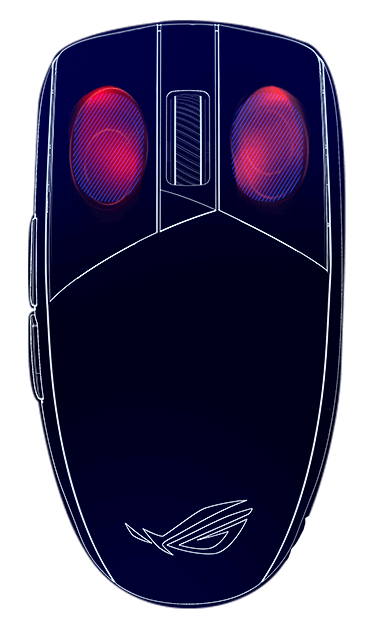
このマウスの形状は、正確なコントロールを可能にするためにしっかりとしたグリップが得られるよう設計されています。

The front top view of the ROG Strix Impact III Wireless with L/R buttons marked to show where the tips of fingers rest

バッテリー持続時間

どのような接続モードでも、ROG Strix Impact III Wirelessの驚異的なバッテリー持続時間により、何日も連続して使用できます。

  • 2.4 GHZ RF

    >>>> 450 時間
  • BLUETOOTH

    >>>> 618 時間
*ポーリングレートは1000 Hzの場合
*単3リチウム電池を使用して測定した結果
The ROG AimPoint optical sensor icon

ROG AimPoint
光学センサー

36,000 dpiのROG AimPoint光学センサーは、業界最高水準の偏差 < 1%を特徴としており、高い精度でトラッキングやフリックが可能です。

The bottom of the ROG Strix Impact III Wireless, all darkened except for the sensor area in the center of the mouse
  • 100-36,000 DPI

    解像度

  • < 1%

    偏差

  • 650 ips

    最大速度

  • 50G

    最大加速度

The ROG SpeedNova Wireless technology icon

ROG SpeedNova

ワイヤレステクノロジー

最大限のスピード、信頼性、電力効率を達成するために最適化され、期待に応えます。

詳細はこちら ►►
The ROG Omni Receiver icon

ROG OMNI レシーバー

マルチデバイス接続

OMNI レシーバーは、1つのマウスと1つのキーボードに同時に接続し、性能を損なうことなく動作します。

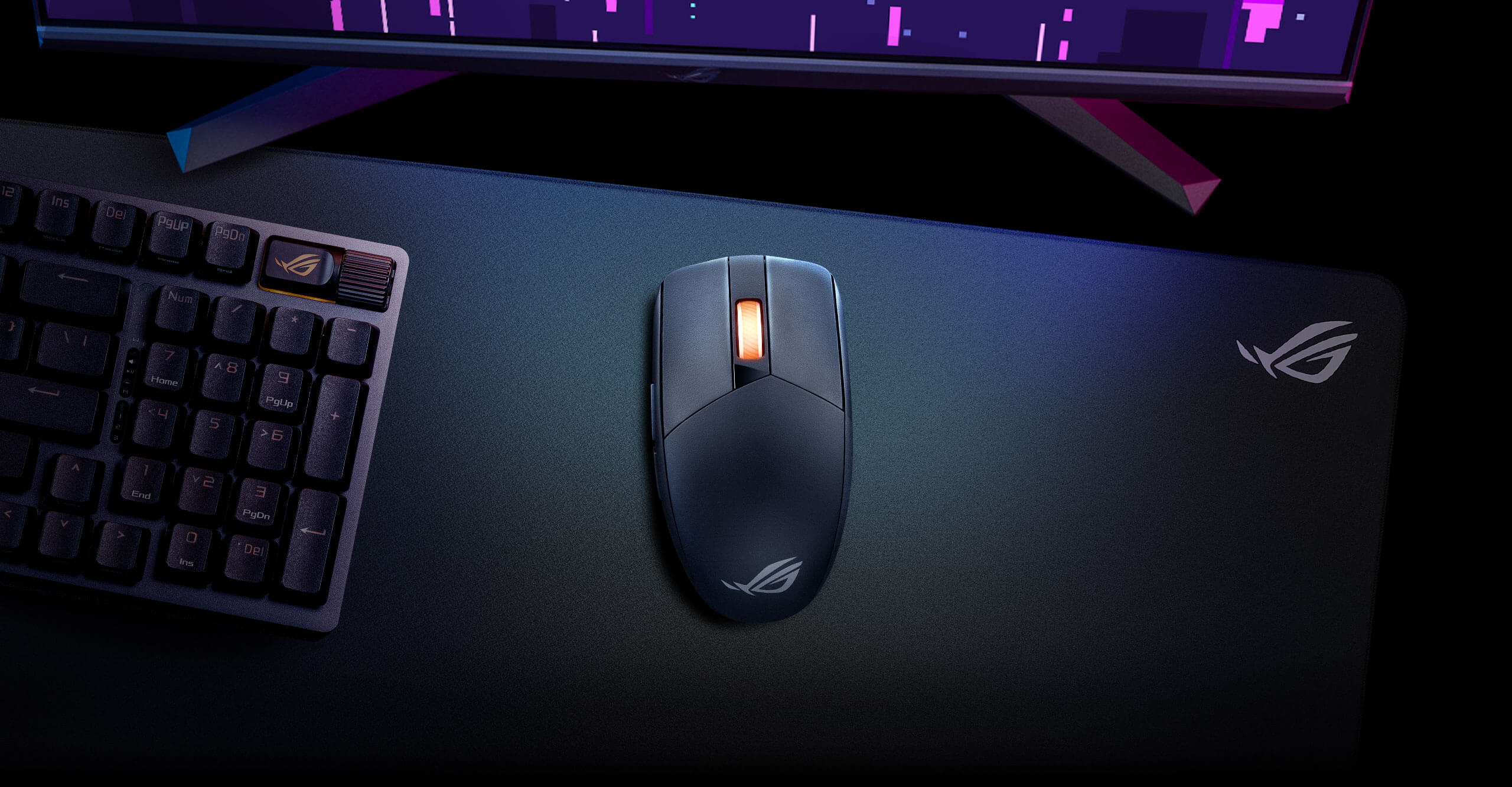
The top view of the ROG Strix Impact III Wireless mouse in moonlight white with the moonlight white ROG Strix Scope II 96 Wireless keyboard to demonstrate the ROG Omni Receiver functionality
A image of the ROG Strix Impact III Wireless mouse next to the ROG Strix Scope II 96 Wireless keyboard

優れたクリック感

黒い背景に置かれたROG Strix Impact III Wireless

左右ともPBT素材のボタン

ボタンは耐久性があり、滑りにくい表面を持ち、摩耗や光沢を防ぎ、一貫した感触を保証します。

The tension button mechanism on the ROG Strix Impact III Wireless / Without the tension button mechanism

即時作動

ROG Strix Impact III Wirelessは、ボタンとマウススイッチ間の隙間がない独自のメカニカルボタンテンションシステムを採用しており、ほぼゼロのクリック遅延を保証します。

The inside of a ROG Strix Impact III Wireless showing both ROG Micro Switches securely lodged in their sockets

ROG マイクロスイッチ

ROG Strix Impact III Wirelessに使用されているスイッチは、7000万回のクリック寿命を持っています。左右のマウスボタン間のスイッチ力の偏差を最小限に抑えるため、グラムフォース偏差が±5 (g)範囲内のスイッチを一緒にソートし、一貫したクリック感を確保しています。

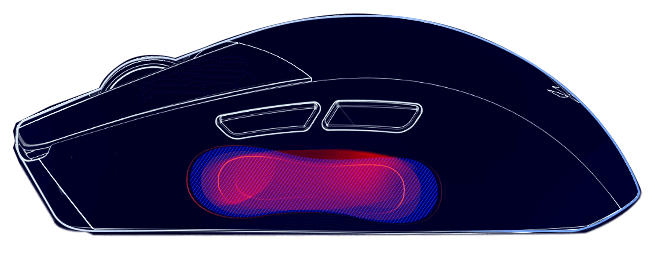
The inside of a ROG Strix Impact III Wireless with one of the ROG Micro Switches taken out for a clearer view of the Push-Fit Switch socket

Push-Fit スイッチソケット

ROG専用のデザインにより、互換性のある3ピンメカニカルスイッチの交換が簡単です。スイッチを差し込むだけで、操作力とフィードバックを好みに合わせたり、摩耗したり壊れたりしたスイッチを交換できます。 詳細はこちら►►

オンボードコントロール

ボタンの組み合わせで設定を行う

オンボードだからどこでもDPI、ポーリングレート、リフトオフ距離を調整したり、リセットしたりできます。この機能により、Strix Impact III Wirelessをどのデバイスに接続してもユーザーが馴染んだ設定で使えます。

  • DPIのスクロール調整
  • リフトオフ距離
  • ポーリングレート
  • DPIのスクロール調整
  • リフトオフ距離
  • ポーリングレート
The top view of the ROG Strix Impact III Wireless mouse in moonlight white The bottom view of the ROG Strix Impact III Wireless mouse in moonlight white

単3また単4電池で動作

蓋を外して電池の装着状態を見せているROG Strix Impact III Wireless A hand removing the back magnetic lid of the Strix Impact III Wireless to show its magnetic lid for easy battery swapping

Strix Impact III Wirelessは、1つ電池のみが必要で、交換も非常に簡単です。

  • Armoury Crate Gear user interface

    Armoury Crate Gear

    Armoury Crate Gearソフトウェアを使用して、RGBライティング、性能、表面キャリブレーション設定を調整したり、ボタンのプログラムやマッピングを行うことができます。このソフトウェアはROG Strix Impact III Wireless専用です。

  • The ROG Strix Impact III Wireless moonlight white edition alongside other moonlight white ROG Peripherals, all bright with RGB

    Armoury Crate & Aura Sync

    他のAura Sync製品とライティングを同期するには、オリジナルのArmoury Crateをインストールし、無限の色彩、プリセットエフェクト、壁紙にアクセスして、セットアップ全体のスタイルを次のレベルに引き上げます。

  1. 電池は保証対象外です。
  2. オンボードメモリは、マクロとWindowsショートカットをサポートしていません。
  3. Bluetoothモードでの電池寿命: ライティングオフで618時間、デフォルトライティングオンで450時間; 2.4 GHz RFモードでの電池寿命:
    ライティングオフで450時間、デフォルトライティングオンで320時間。
  4. 電池寿命は、電池の種類によって異なる場合があります。

カスタマーレビュー

推奨製品

ROG Harpe II Ace Mini Demon1 Edition

すぐに購入
詳細はこちら

ROG Harpe II Ace Mini Gaming Mouse

すぐに購入
詳細はこちら

ROG Gladius IV Ace Gaming Mouse

すぐに購入
詳細はこちら

ROG Spatha X 65K Gaming Mouse

すぐに購入
詳細はこちら

ROG Harpe Ace Aim Lab Edition

すぐに購入
詳細はこちら

ROG Keris Wireless AimPoint

すぐに購入
詳細はこちら

ROG Gladius III Wireless AimPoint

すぐに購入
詳細はこちら

ROG Harpe II Ace Gaming Mouse

すぐに購入
詳細はこちら

Disclaimer

  • 米国およびカナダでは、米連邦通信委員会(Federal Communications Commission)およびカナダ産業省(Industry Canada)の認証を受けた製品が販売されます。現地で購入可能な製品については、ASUS USAおよびASUS CanadaのWebサイトをご覧ください。
  • すべての仕様は、予告なしに変更されることがあります。実際の製品内容につきましては、サプライヤーにお尋ねください。製品はすべての国地域で入手できるわけではありません。
  • 仕様や機能は、モデルによって異なります。すべての画像はイメージです。詳細は仕様をご確認ください。
  • 基板色、同梱ソフトのバージョンは予告なく変更する場合がございます。
  • 前述のすべてのブランド名および製品名は、各社の商標または登録商標です。
  • 特に明記されない限り、すべての性能表示は理論上の性能に基づくものです。実際のパフォーマンスとは異なる場合があります。
  • USB 3.0、3.1、3.2、および/またはType-Cの実際の転送速度は、ホストデバイスの処理速度、ファイル属性、およびシステム構成と動作環境により異なります。
    1. > Gaming マウス|マウスパッド
    2. > ワイヤレス
    3. > ROG Strix Impact III Wireless
メールアドレスを入力
新規登録

Please enter a valid email address.

  • ROGについて
  • NEWSROOM
  • ホーム
  • facebook
  • instagram
  • twitter
  • youtube
  • 特定商取引法に基づく表記
  • 個人情報保護方針
  • ご利用条件

©ASUSTeK Computer Inc. All rights reserved.