Accessibility links
  • Skip to content
  • Accessibility Help
  • Skip to Menu
  • ASUS Footer
  • USER

    • My ROG Elite Rewards
    • My Account
    • Check MyOrder
    • MyWishlist
    • ShoppingFAQs
  1. Store
ASUS home logo

Your Bag is empty.

Your Bag is empty.

Articles

Topics:#monitor-fps

// monitor-fps

How to customize the GPU Tweak III interface

Our guide shows you how to customize the GPU Tweak III interface, performance metrics, and colors for a personalized experience.

// monitor-fps

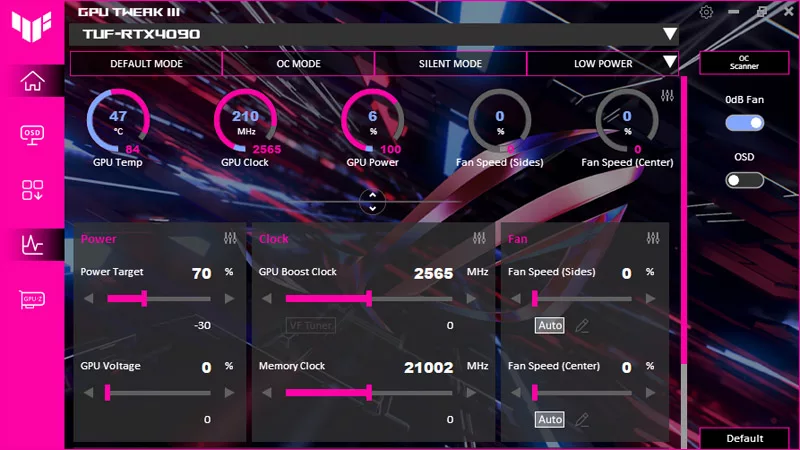
How to monitor performance, temperatures, and more with GPU Tweak III

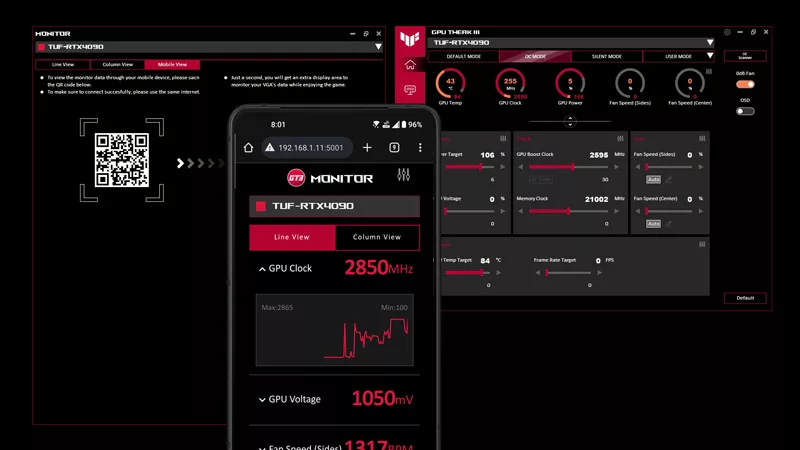
ASUS GPU Tweak III features advanced GPU monitoring functions, a customizable OSD for real-time stats, and a mobile monitor for tracking on a second screen.
    1. > Gaming Monitor FPS
Enter email address
Sign up

Please enter a valid email address.

  • About ROG
  • Product guide
  • Support
  • Home
  • NEWSROOM
  • facebook
  • instagram
  • youtube
  • tiktok
  • whatsapp
  • Privacy Policy
  • Terms of Use Notice

©ASUSTEK COMPUTER MALAYSIA SDN BHD - 200501014456 (691503-T) All rights reserved.