
Accessibility links
  • Skip to content
  • Accessibility Help
  • Skip to Menu
  • ASUS Footer
  • USER

    • My ROG Elite Rewards
    • Settings
  1. Support
ASUS home logo

ROG Strix G16 (2025) G615

The lowest price from 30 days before the promotion:

The lowest price from 30 days before the promotion:


  • Features
  • Tech Specs
  • Awards
  • Gallery
  • Where to buy
  • Support
  • Features
    • Features
  • Tech Specs
  • Awards
  • Gallery
  • Where to buy
  • Support
ROG STRIX G16
performance
upgradability
cooling
display
Design
control
audio
battery
connectivity
software
bundle
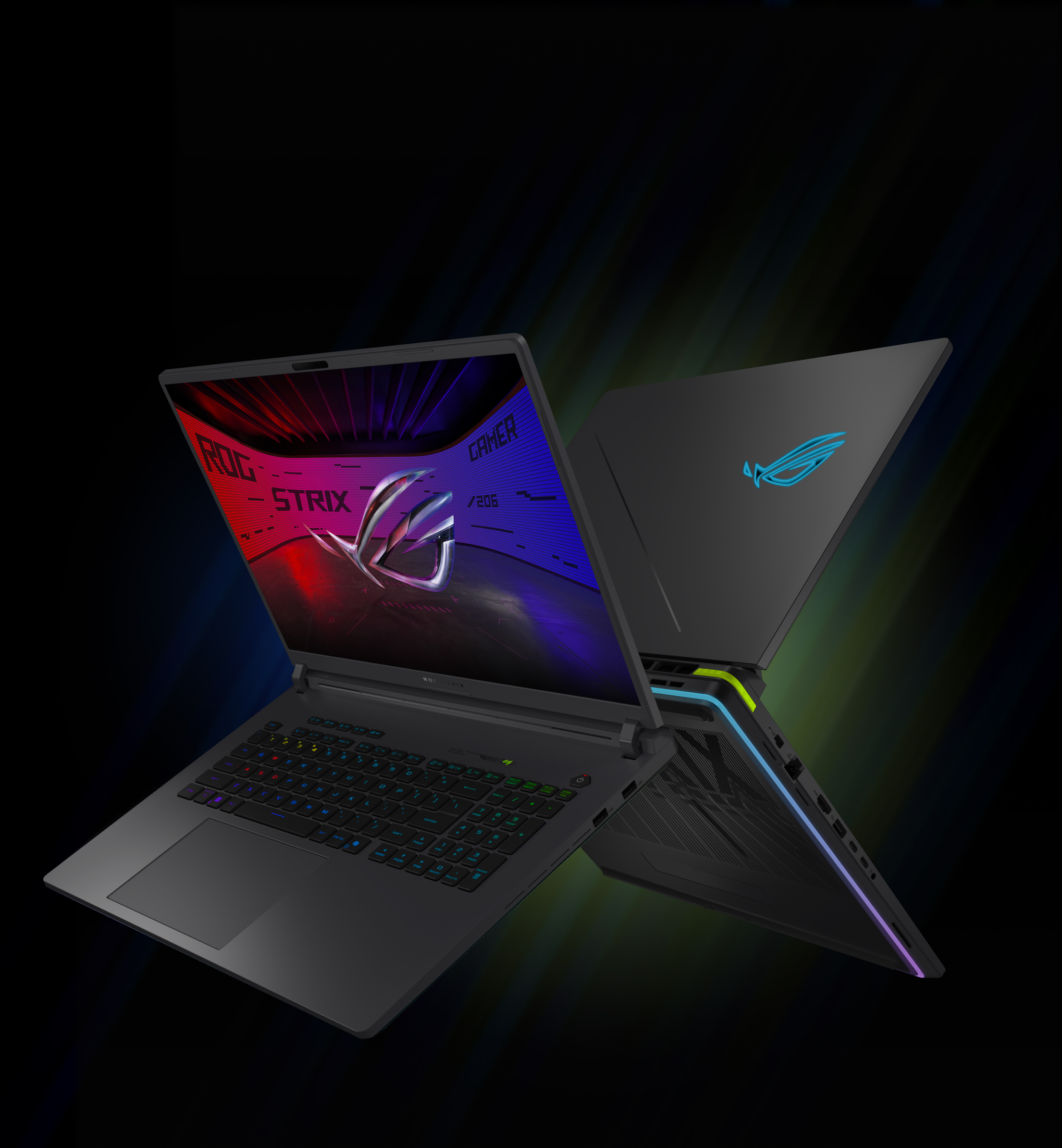
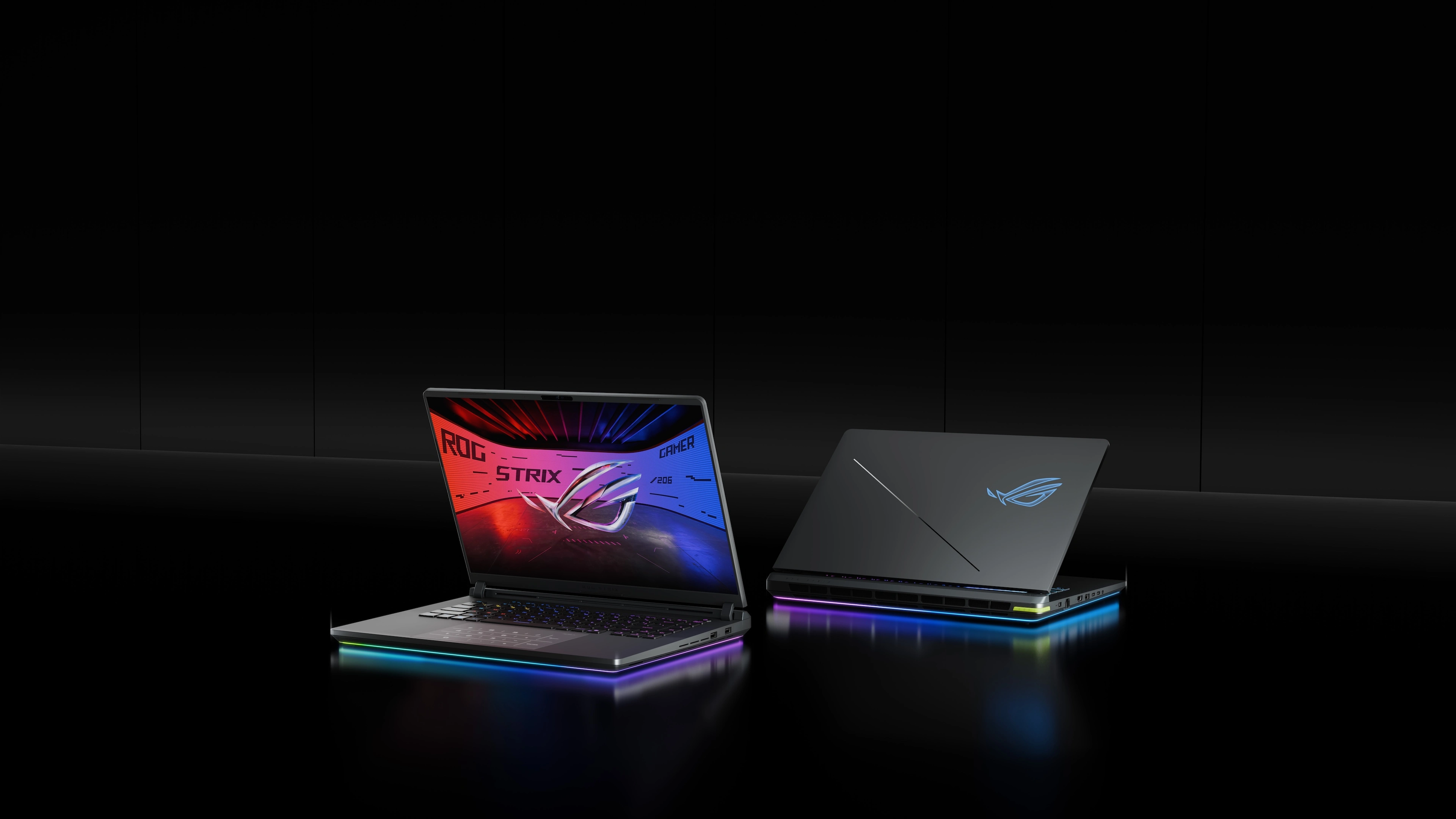
Two ROG Strix laptops on a table with the lids partially opened.Two ROG Strix laptops on a table with the lids partially opened.

ROG STRIX G16

Victory, accelerated.

Dominate Windows 11 Pro gaming with up to Intel® Core™ Ultra 9 processor 275HX and up to NVIDIA® GeForce RTX™ 5080 Laptop GPU with a 175W max TGP.
Icon of Windows logo
Enjoy effortless Windows 11 Pro gaming performance with the Strix G16
read more about performance
CPU icon
Up to Intel® Core™ Ultra 9 processor 275HX with 24 cores and 24 threads at up to 80W TDP
read more about CPU
GPU icon
Up to NVIDIA® GeForce RTX™ 5080 Laptop GPU with 175W max TGP
read more about GPU
ROG Intelligent Cooling icon
An end-to-end vapor chamber paired with a sandwiched heatsink, Tri-Fan Technology, and Conductonaut Extreme liquid metal on CPU and GPU
read more about cooling
ROG Nebula Display icon
16-inch 2.5K 240Hz Nebula Display. Featuring a 16:10 aspect ratio, 100% DCI-P3 coverage, and ACR technology
read more about display
2D wireframe of an M16, with emphasis on the sound waves coming from the speakers.
Up to 32GB DDR5 5600 RAM and 2TB PCIe Gen4 SSD, both easily upgradable thanks to a tool-less access design
read more about upgradability

NVIDIA GeForce RTX logoPC Game Pass logo
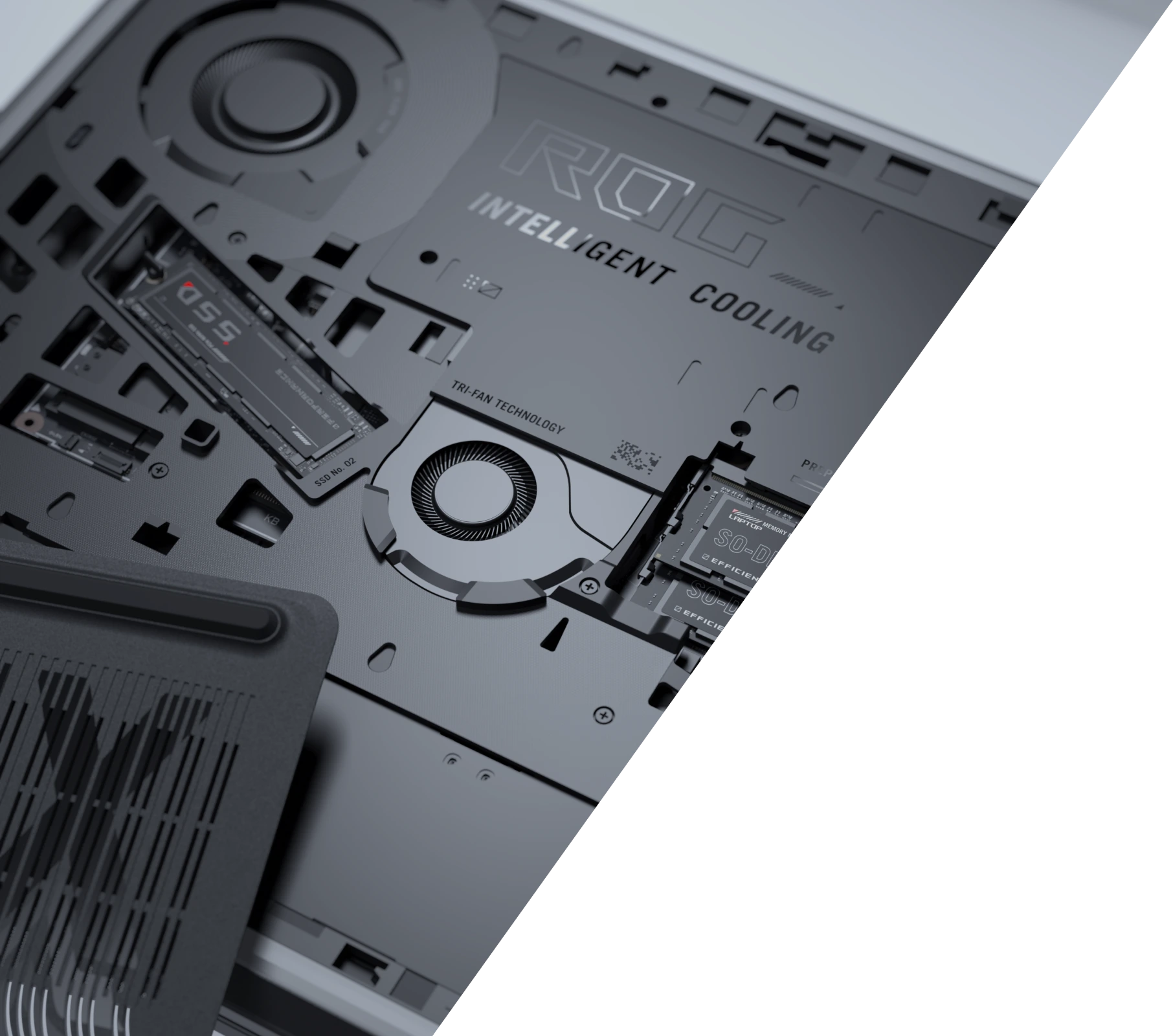
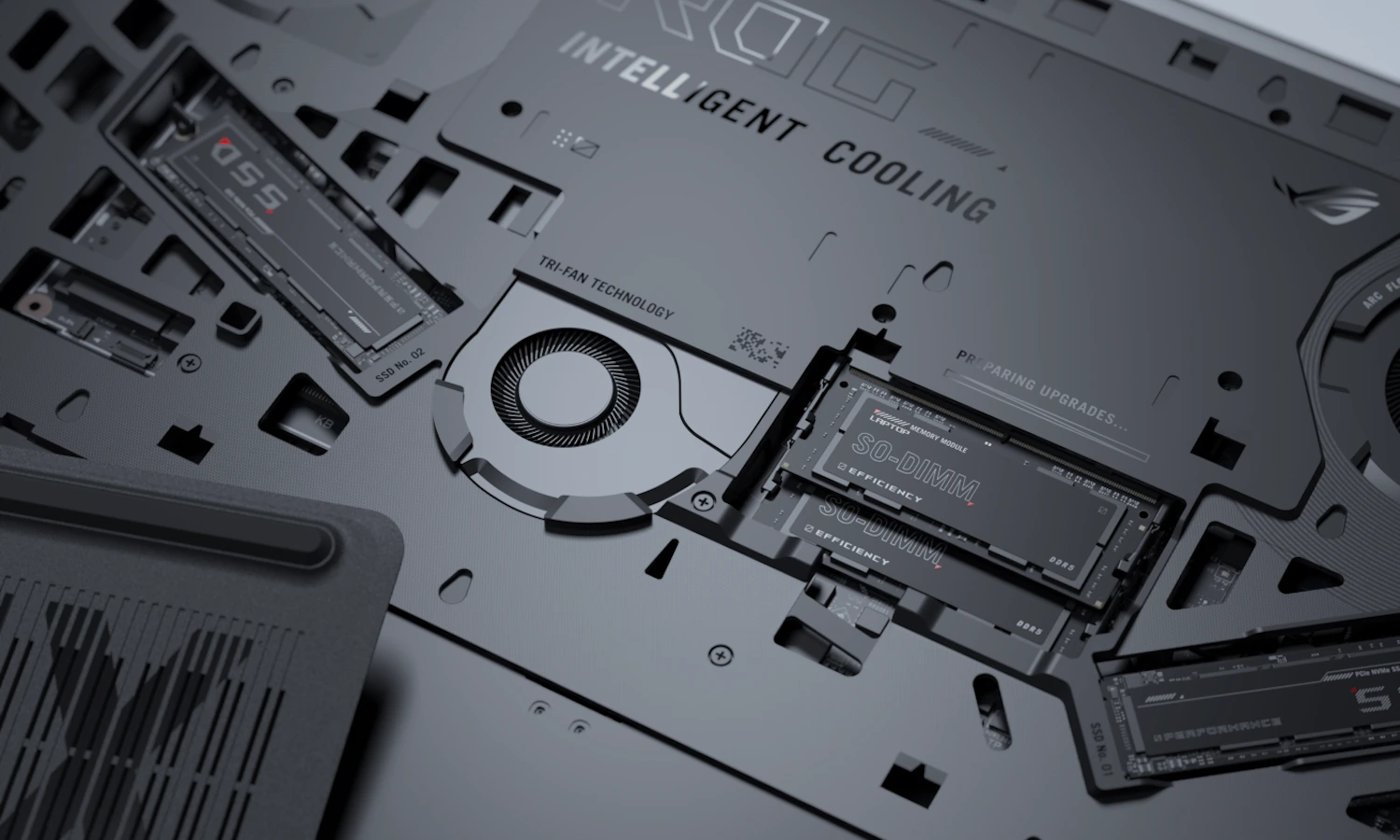
The inside of an ROG Strix laptop with the storage, RAM, and fans visible.The inside of an ROG Strix laptop with the storage, RAM, and fans visible.
01

THE NEED FOR SPEED​

performance
The rear vent of an ROG Strix laptop.The rear vent of an ROG Strix laptop.
02

CALCULATED EXCELLENCE​

cooling
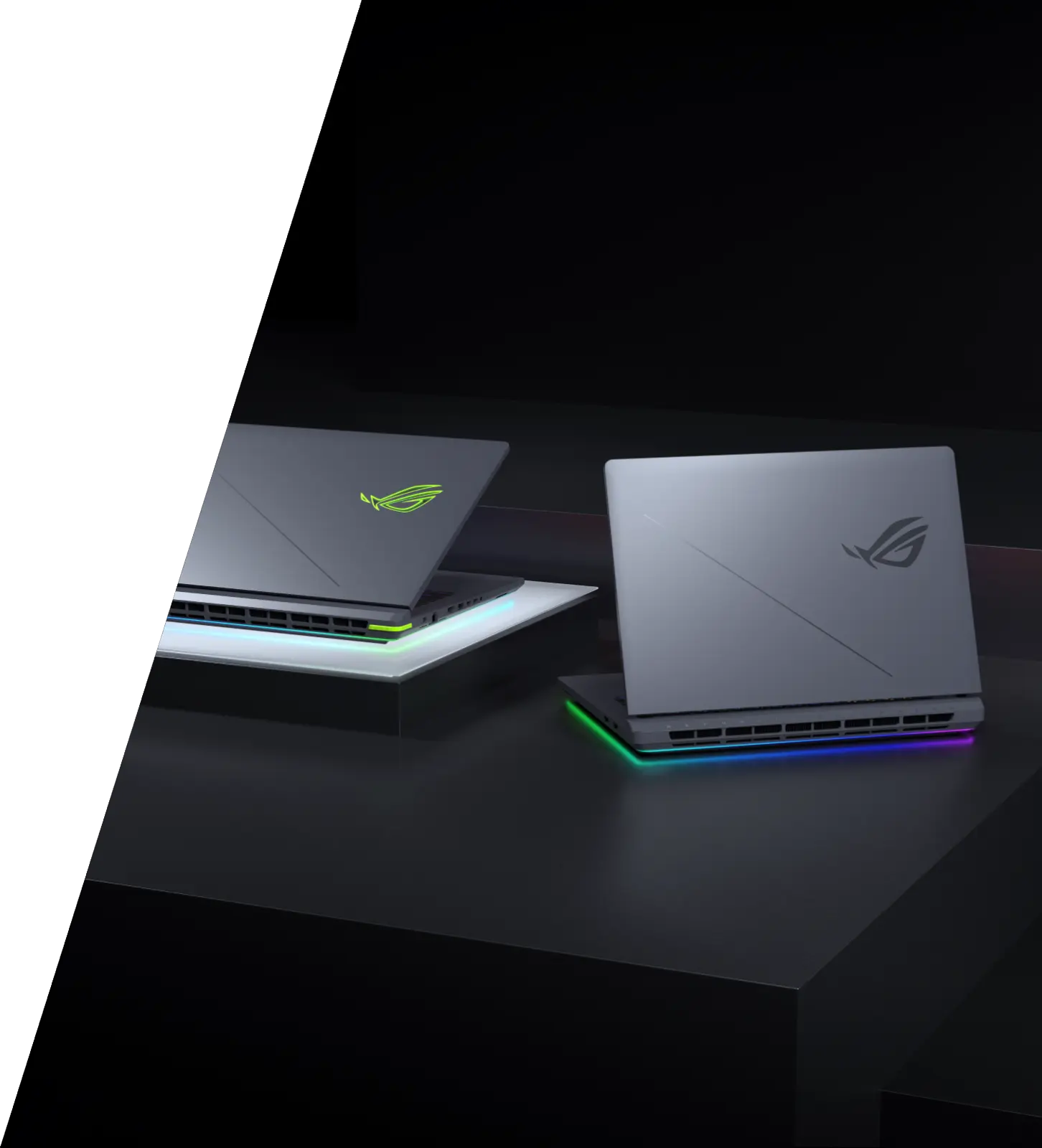
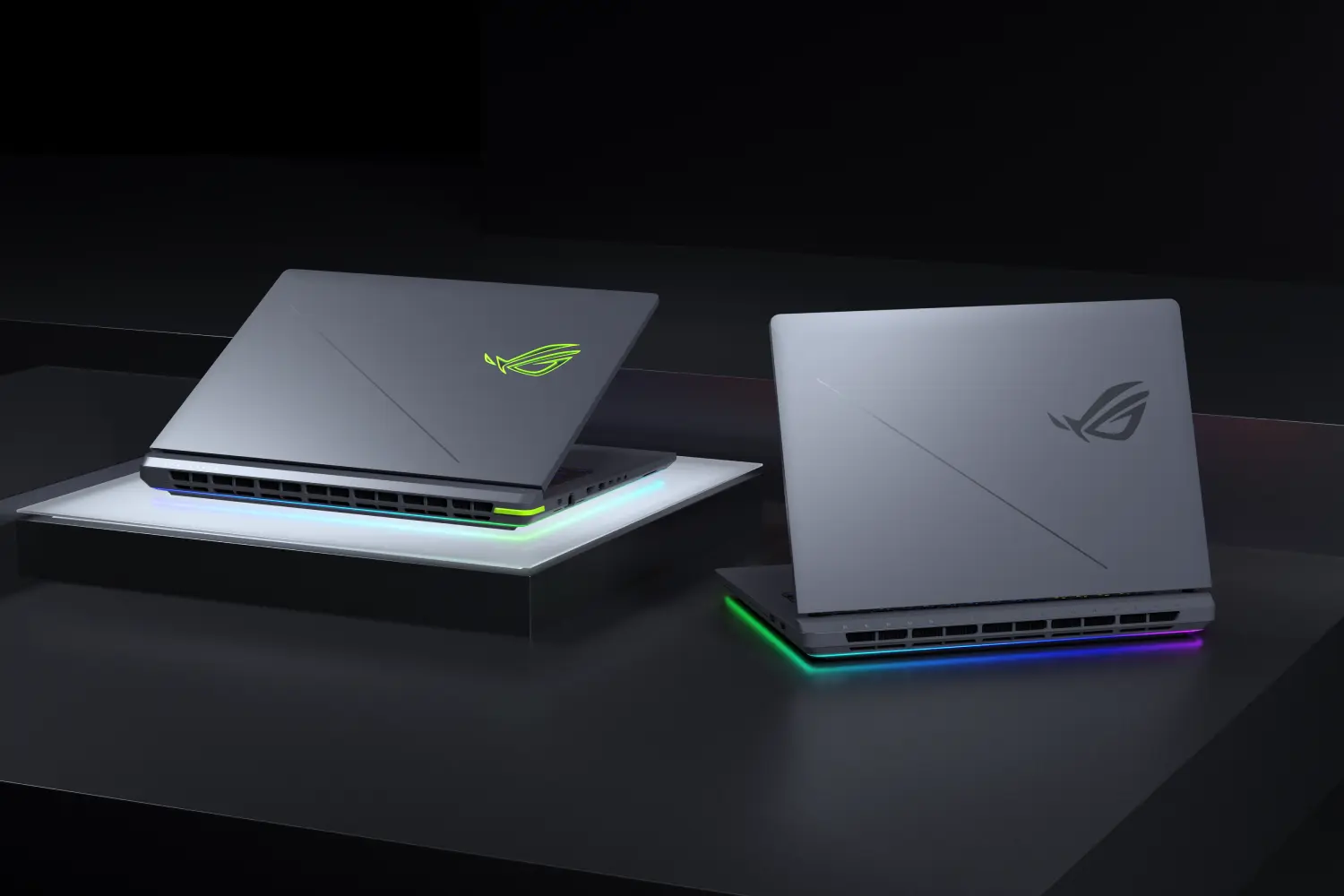
Two ROG Strix laptops on a table with the lids partially opened.Two ROG Strix laptops on a table with the lids partially opened.
03

WIN WITH FLAIR​

design

Power up

Game with confidence thanks to Windows 11 Pro and up to Intel® Core™ Ultra 9 processor 275HX. Backed up by the serious gaming muscle of up to NVIDIA® GeForce RTX™ 5080 Laptop GPU and up to 32GB of DDR5-5600 RAM, the 2025 Strix G16 has the perfect amount of power to keep you gaming at peak performance. With additional features like NVIDIA Max-Q technologies, including Advanced Optimus, NVIDIA DLSS 4 with Multi Frame Generation, and a 2TB PCIe Gen 4 SSD, the Strix G16 is truly a force to be reckoned with.
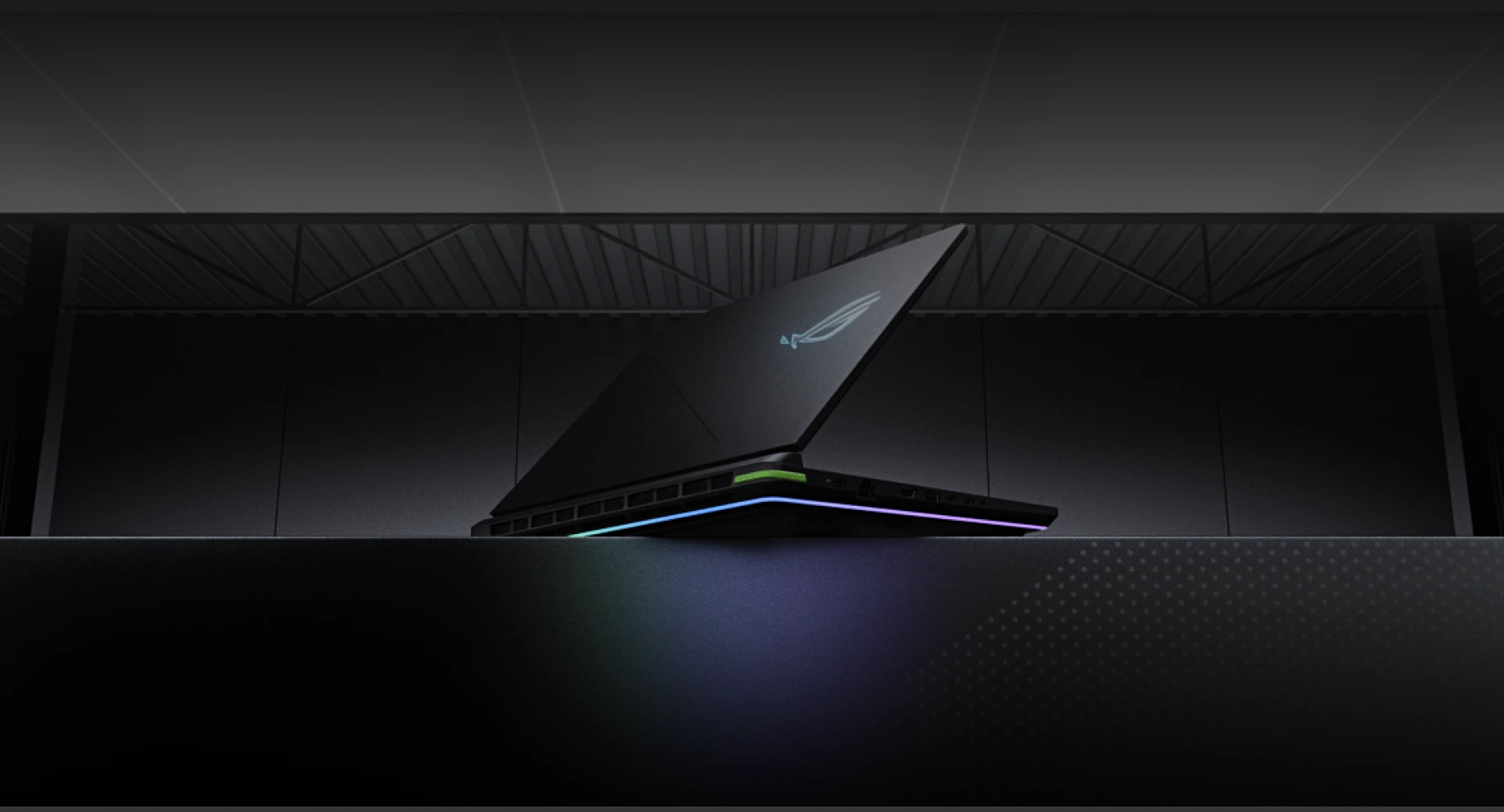
An ROG Strix laptop with the lid partially opened.
video tbd
Windows 11 Pro
OS
Up to Intel® Core™
Ultra 9 processor
275HX
Up to NVIDIA®
GeForce RTX™ 5080
Laptop GPU
Up to
32GB
DDR5 Memory
Up to
2TB PCIe 4.0
SSD Storage
THE NEED FOR SPEED​
THE NEED FOR SPEED​
THE NEED FOR SPEED​
THE NEED FOR SPEED​
THE NEED FOR SPEED​
THE NEED FOR SPEED​

To the limit

As a Strix machine, the G16 was designed from the ground up to push the limits of gaming performance. That means that we’ve engineered a thermal solution that gives the system room to breathe, and overclock, to its maximum potential. In Turbo mode, the G16 can reach a maximum system wattage of 230W, but when fully unlocked in Manual mode, 255W of total system power is yours to command.

*Total system power budget of models with GeForce RTX™ 5080 Laptop GPU.

A graphic showing 80W on the GPU and 175W on the GPU, for a total max wattage of 240W.
Max wattage
CPU
55
w
total
230
w

GPU
175
w
CPU
80
w
total
255
w
GPU
175
w

Turbo mode
Manual mode
An intel CPU appearing from underneath a laptop keyboard.An intel CPU appearing from underneath a laptop keyboard.

Dominant force

High-performance gaming machines need high-performance processors, and up to Intel® Core™ Ultra 9 processor 275HX absolutely delivers. With 24 cores and 24 threads, this gaming and multi-tasking beast can draw up to 80W when needed, ensuring that your games always stay buttery smooth.
24 Cores
16 E-cores + 8 P-cores
 
24
Threads
Up to
80W
TDP
Up to
5.4 GHz
Max Turbo Frequency

An NVIDIA GPU appearing from underneath a laptop keyboard.An NVIDIA GPU appearing from underneath a laptop keyboard.

Next-gen graphics

Stix G16 boasts up to NVIDIA® GeForce RTX™ 5080 Laptop GPU, ensuring that you’ll get incredible framerates and visuals in all the latest games. With NVIDIA Max-Q technologies, including Advanced Optimus and Dynamic Boost, the GPU can intelligently switch between battery-saving and high-performance modes when you need it, making the Strix G16 a true next-gen gaming laptop.
Up to NVIDIA®
GeForce RTX™ 5080
Laptop GPU
MAX TGP
175W
with Dynamic boost
1334
AI TOPS
NVIDIA®
Advanced Optimus
 
NVIDIA®
DLSS 4
Game Changer

GeForce RTX 50 Series Laptops

Powered by NVIDIA Blackwell and Al

Supreme Speed. Superior Visuals.
DLSS 4 massively increases performance and improves image quality for top games using the power of Al.
Game-Winning Responsiveness
NVIDIA Reflex 2 with Frame Warp gives you the ultimate responsiveness, enhancing target acquisition, reaction time, and aim precision.
True-to-Life Graphics
Experience cinematic quality visuals at unprecedented speed with full ray tracing and breakthrough neural rendering technologies.

NVIDIA Geforce RTX Powering Advanced AI

Your Ultimate Pit Stop

We’ve completely redesigned the 2025 Strix G16 to make upgrades easier than ever. This tool-less design allows for simple access to both the RAM, SSD, and fans, and we’ve also brought our latest Q-latch system here for those SSD slots. Like an experienced pit crew, you can remove and replace your SSD and RAM in seconds, having the machine back up and running without missing a lap. A specially designed frame covers the rest of the mainboard to protect the other components, but can easily be removed with a few screws for users who want to tinker further.

For more information on how to upgrade SSDs & RAM, please check out the official 2025 ROG Strix Tutorial Video from ASUS Support
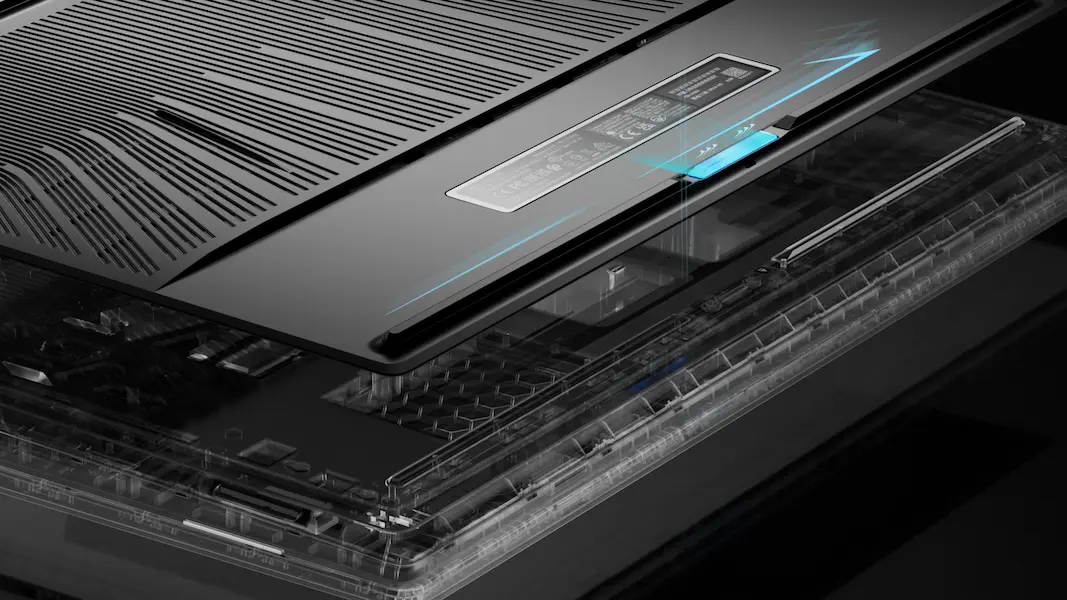
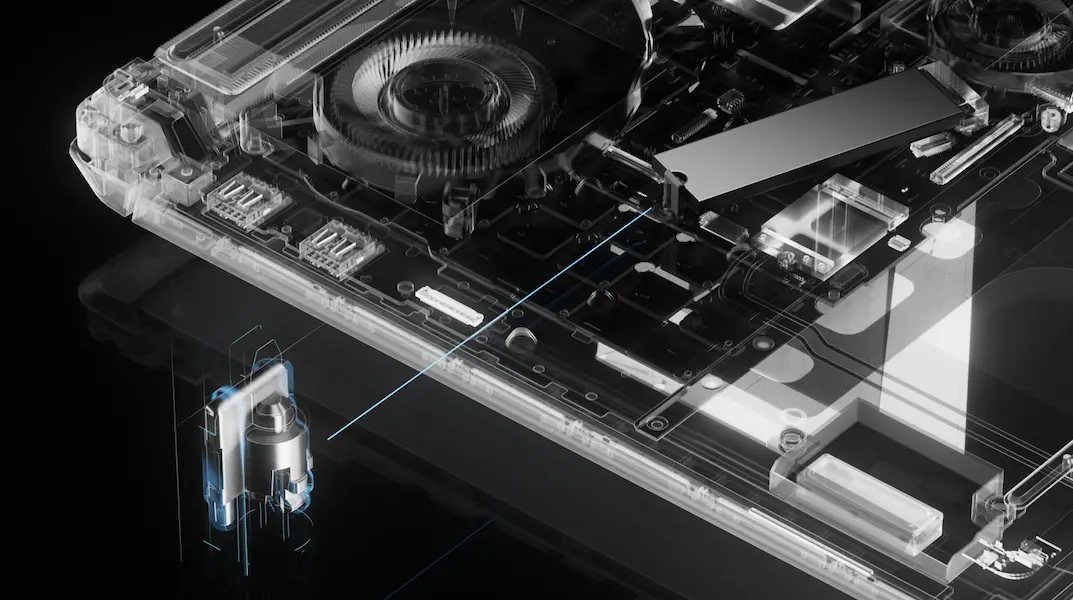
The bottom door of an ROG Strix laptop, hovering above the laptop chassis.

Your Ultimate Pit Stop

We’ve completely redesigned the 2025 Strix G16 to make upgrades easier than ever. This tool-less design allows for simple access to both the RAM, SSD, and fans, and we’ve also brought our latest Q-latch system here for those SSD slots. Like an experienced pit crew, you can remove and replace your SSD and RAM in seconds, having the machine back up and running without missing a lap. A specially designed frame covers the rest of the mainboard to protect the other components, but can easily be removed with a few screws for users who want to tinker further.


An X-Ray view of an ROG Strix laptop, with fans, storage, and other circuitry shown.

Q-Latch System

M.2 SSDs are incredibly small and versatile, but the traditional mounting system involves tiny standoffs and screws that can be difficult to manipulate. ROG solved this problem with Q-Latch, a system that first debuted on our award-winning desktop motherboards. Q-Latch uses a simple, tool-less plastic hinge to securely retain your M.2 SSDs, no screwdriver required.

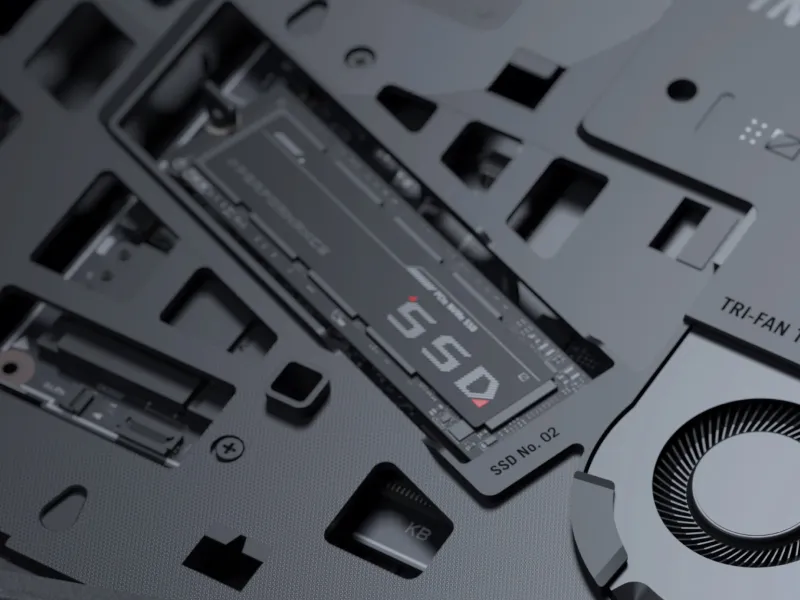
A stick of SSD storage inside an ROG Strix laptop.

Storage Upgrade

Take on even the largest projects with confidence ultra-fast PCIe Gen 4 storage. With raw throughput up to 7000MB/s, massive files and detailed game worlds will load in the blink of an eye. Both SSD slots feature our incredibly simple and tool-less Q-latch system, no standoffs or tiny screws required. For those looking to leverage even faster storage speeds, both SSD slots are PCIe Gen 5 ready.

* The maximum read/write speed of Gen 5 SSDs may vary

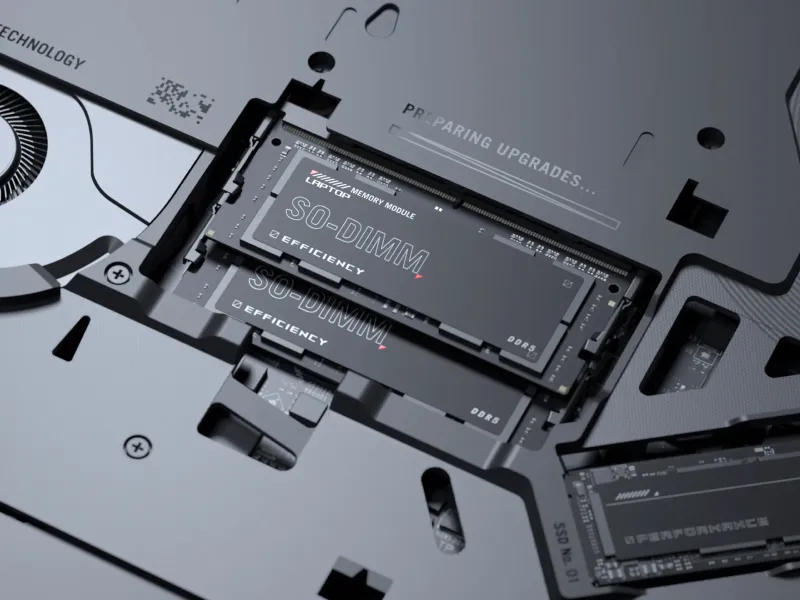
Two sticks of RAM inside an ROG Strix laptop.

RAM Upgradability

The Strix G16 is upgradable to 32GB of DDR5 6400MHz RAM, offering incredible gaming and multitasking performance. Whether you bought a machine straight from the factory or upgraded the RAM yourself, the G16 is a gaming and content creation powerhouse. Go ahead — keep all those tabs open.

Two USB Type-C ports on the side of an ROG Strix laptop.

Limitless Connectivity

We’ve also equipped the Strix G16 with dual Thunderbolt™ 5 ports, which offers the latest in high bandwidth connectivity, up to 3X compared to Thunderbolt™ 4. With a diverse ecosystem of devices and peripherals compatible over USB-C, including support for power delivery, high-resolution display output, and support for the latest docking stations, Thunderbolt™ 5 is the easiest way to turn your G16 into a true battlestation.

01
05
We’ve completely revamped the cooling solution of the 2025 Strix G16 to ensure that you get the best gaming experience with your machine, every time. We’ve relocated all of the exhaust vents to the rear of the hinge, keeping warm air away from your mousing hand. The sides and bottom of the machine act as an air intake, creating a natural, efficient path for airflow. Air also flows through the keyboard deck, keeping your hands cooler during intense gaming sessions. When pairing an end-to-end vapor chamber with a sandwiched heatsink, Tri-Fan Technology, and Conductonaut Extreme liquid metal on both CPU & GPU, the 2025 Strix G16 achieves a lower noise level in Turbo Mode compared to the previous generation, while still offering the same calculated excellence you expect from a Strix machine.

*Conductonaut Extreme liquid metal is applied to the GPU on models with RTX™ 5080 or 5070 Ti GPU only
End-to-end 
Vapor Chamber
Tri-Fan
Technology
Sandwiched
Heatsink design
Up to 
15°C Cooler
CPU Temperatures

CALCULATED EXCELLENCE​

End-to-end Vapor Chamber

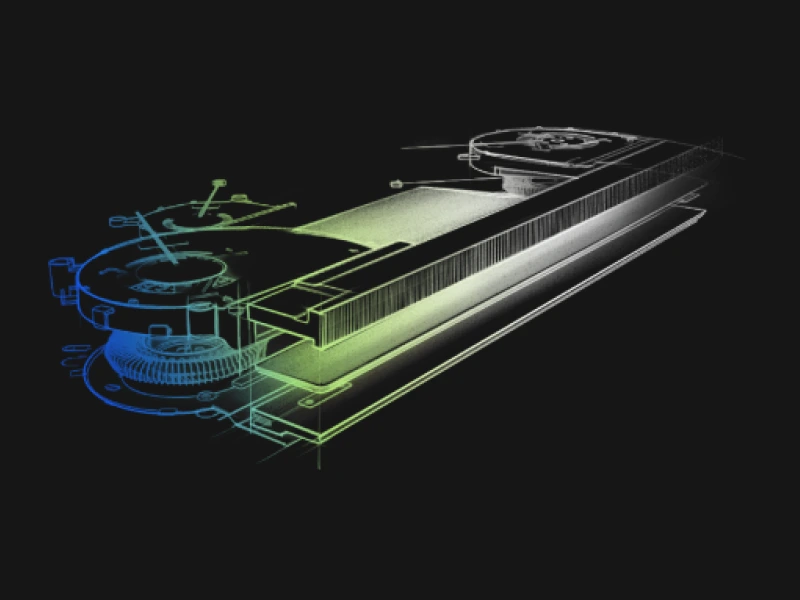
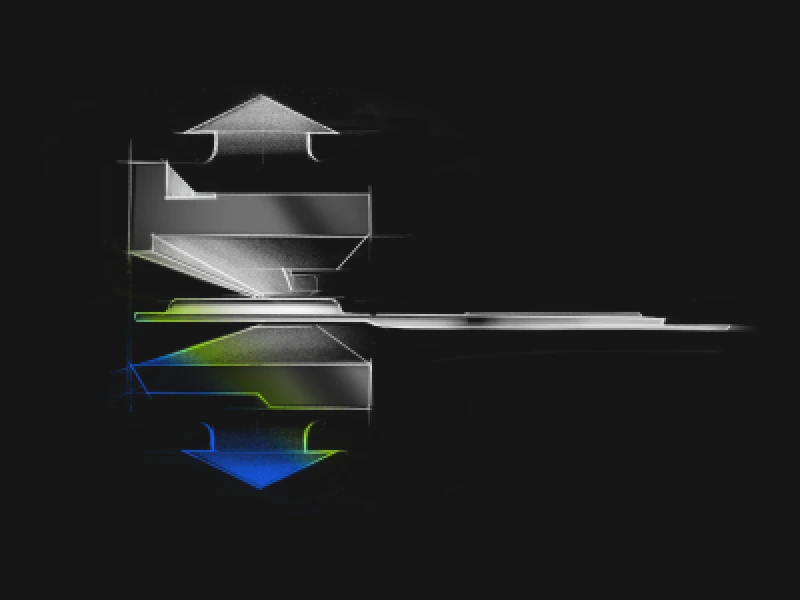
We’ve used vapor chambers in our high-end ROG machines before, but the component inside the heart of the 2025 Strix G16 is truly special. We’ve designed a vapor chamber with different layers to more accurately match the layout of the motherboard, for maximum contact on the CPU and GPU. We also pushed the vapor chamber all the way to the rear of the chassis, sandwiching it between the upper and lower heatsinks to further optimize heat dissipation.

A sketch of G laptop’s vapor chamber and thermal solution

Sandwiched heatsink

The entire rear portion of the Strix G16 is dedicated to its full-width heatsink. The upper and lower sections are built from 0.1mm thick copper fins, for a total surface area of 169388 mm². This sandwiched design uses all available space for the densely packed fins, giving the G16 ultra-efficient thermal performance without increasing bulk.

A sketch of G laptop’s heatsink system

Tri-Fan Technology

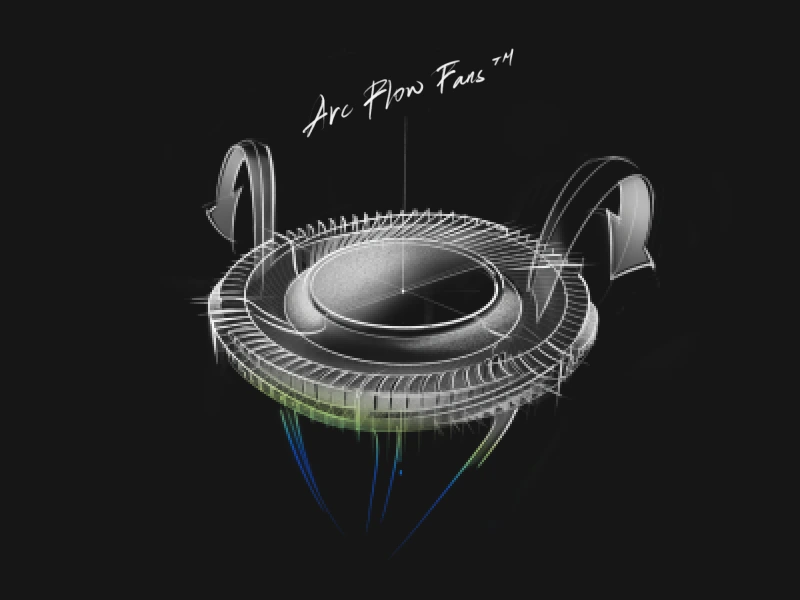
Our cutting-edge Tri-Fan Technology directs air though precisely calculated cutouts in the chassis, sending airflow directly towards internal components to keep them cool in all conditions. A third auxiliary fan sends additional heat from the GPU and VRAM directly to the heatsinks, keeping the machine cool during long video renders or gaming sessions.

A sketch of G laptop’s Arc Flow Fan

Conductonaut Extreme Liquid Metal

The Strix G16 features Thermal Grizzly’s cutting-edge Conductonaut Extreme, which improves upon the already incredible heat transfer found in standard liquid metals. Compared to traditional thermal pastes, this indium- and gallium-based compound offers 17X higher conductivity, in addition to CPU and GPU temperature reductions of up to 15 degrees. Used exclusively by ROG, this material offers the highest thermal transfer available on a laptop.

*Temperature improvements compared to the previous gen thermal compound, as tested internally by ASUS. Thermal conductivity compared to industry standard.

Thermal Grizzly logo

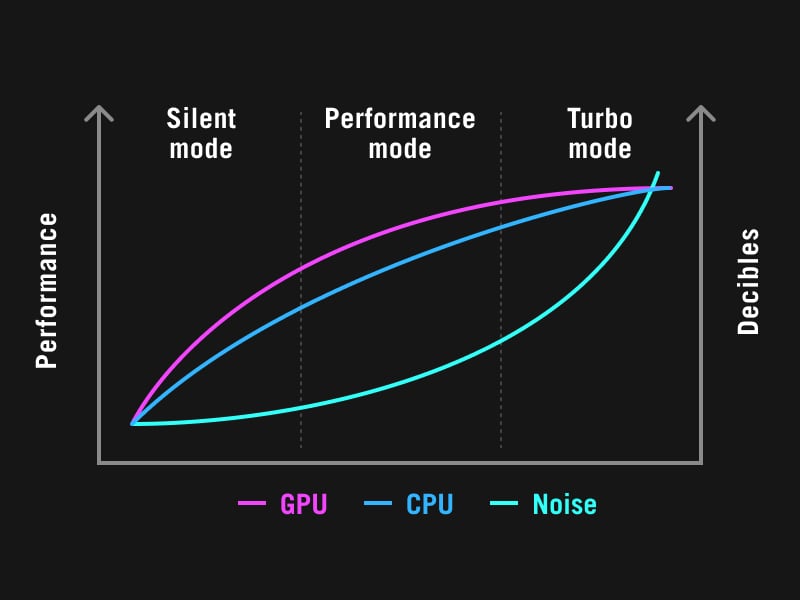
Ambient cooling

The new rear facing exhaust, redesigned vapor chamber, and 2nd Gen Arc Flow Fans allowed us to bring the operating volume in Turbo Mode down from last generation.

A chart showing the noise levels of the various performance modes.

0.1mm ultra-thin fins

The Strix G16’s heatsink features ultra-thin 0.1mm copper fins, providing the perfect balance between airflow and density to keep heat dissipation optimal.

A sketch of a Close-up image of the G laptop’s cooling solution

CoolZone keyboard

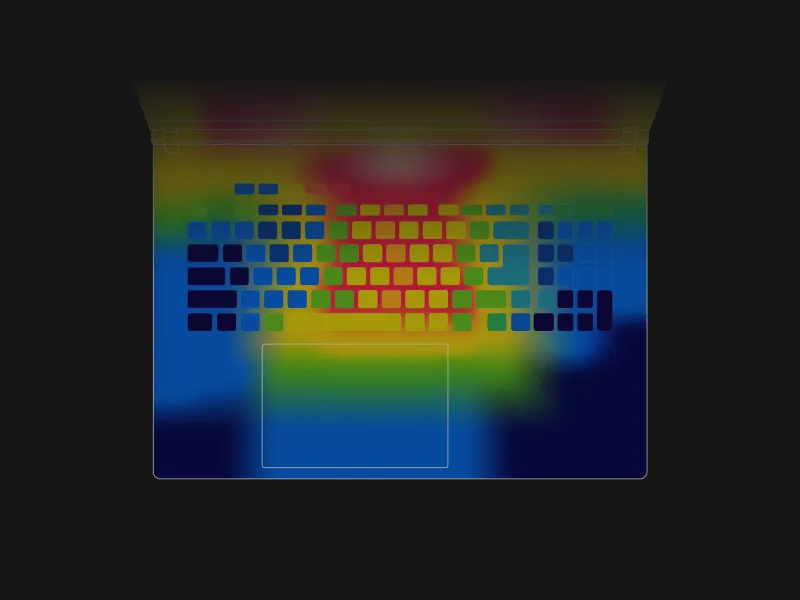
Extended gaming sessions can heat up internal components and make the keyboard warm to the touch. The Strix G16 boasts the largest airflow cutouts we’ve ever added to a laptop, which allows the fans to draw in fresh air from above and through the keyboard deck. This keeps your fingers cool during marathon gaming sessions, while also improving overall system airflow.

A heatmap of G laptop’s keyboard, highlighting the warm vs cool areas.

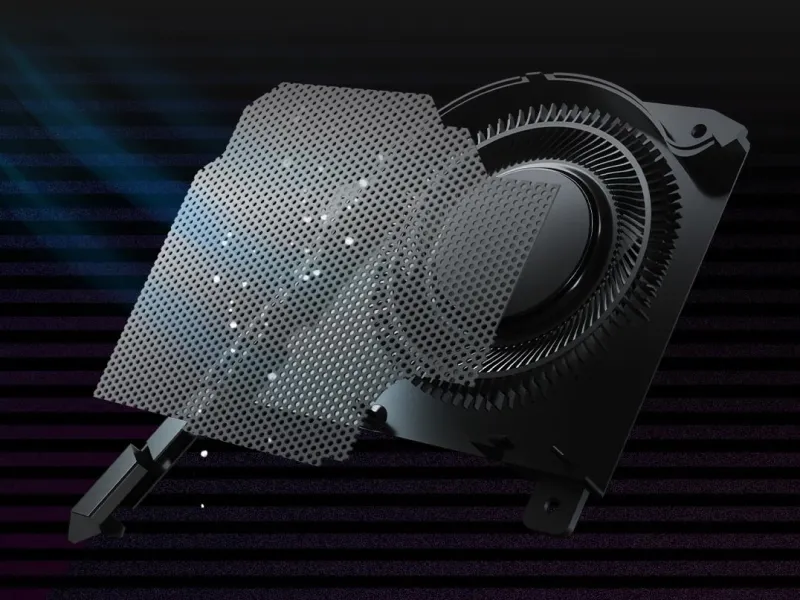
Dust Filter

The ROG Strix G16 features a dust filter on its intake vents. Dust and fibers can collect inside the machine, trapping heat and causing degraded performance over time. A filter helps keep dust out, allowing the CPU and GPU to breathe easier for years of smooth and stable operation.

*Internal testing in a simulated dusty environment.

Close up image of the dust filter.

Scenario Profiles

Our Silent, Performance, and Turbo modes are just the beginning. Scenario Profiles allow your system to automatically switch between these modes based on the application you're running, alongside other vital system settings. Switch between lighting configurations automatically, disable the Windows key and touchpad during games, and automate to your heart's content. Armoury Crate makes adjustments in an instant to best fit the task at hand.

A chart showing the noise levels of the various performance modes.
01
04
An ROG Strix laptop with a pink abstract image on screen.
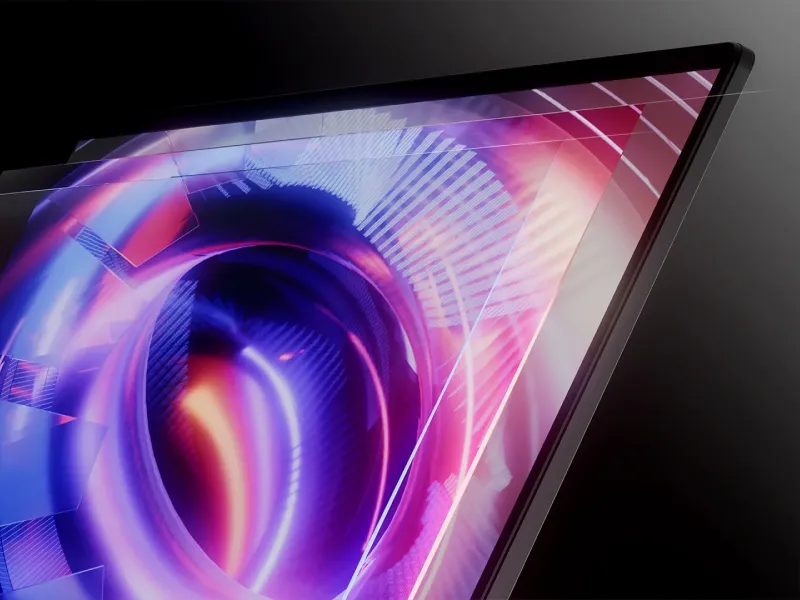
You can’t beat the enemy if you don’t see them coming. The Strix G16 boasts an ultra-fast 2.5K 240Hz Nebula display with a 3ms response time, ensuring you’ll always get the jump on your opponent. A 16:10 panel with 500 nits of brightness and 100% DCI-P3 coverage, the Strix G16 has incredible color accuracy with pixel-perfect precision even in the most frenetic firefights. We’ve also added a brand new ACR (Ambient Contrast Ratio) film, with two layers that cut down on glare to increase contrast for more vibrant visuals, as well as improving off-angle viewing for when you might have a spectator.
240Hz / 3ms
Refresh Rate
100% DCI-P3
Technology
500 nits
Peak Brightness
ACR
Technology

Dolby Vision logoPantone ValidatedNVIDIA G-SYNC logo
The display of an ROG Strix laptop with an abstract image on screen.

ACR Technology

This year, we even added two layers of Ambient Contrast Ratio (ACR) film to the display, which reduces reflections and enhances contrast, ensuring the image stays punchy, vivid, and accurate even when viewed at an angle or in bright rooms. This machine doesn't just perform at a high level – it draws you into the visuals, with colors so realistic it’s as if you were right in the middle of the action.

A chart showing that Dolby Vision Technology improves high dynamic range 4K video.

Dolby Vision Technology

Scene to scene, frame to frame, Dolby Vision makes media look better. The technology improves on standard 4K high dynamic range (HDR) video, dynamically adjusting visuals to make every image in front of you richer, brighter, and livelier. Creators can film and edit their streams, videos, and other content in a format commonly used by industry professionals.

A laptop with rich and colorful content on the screen.

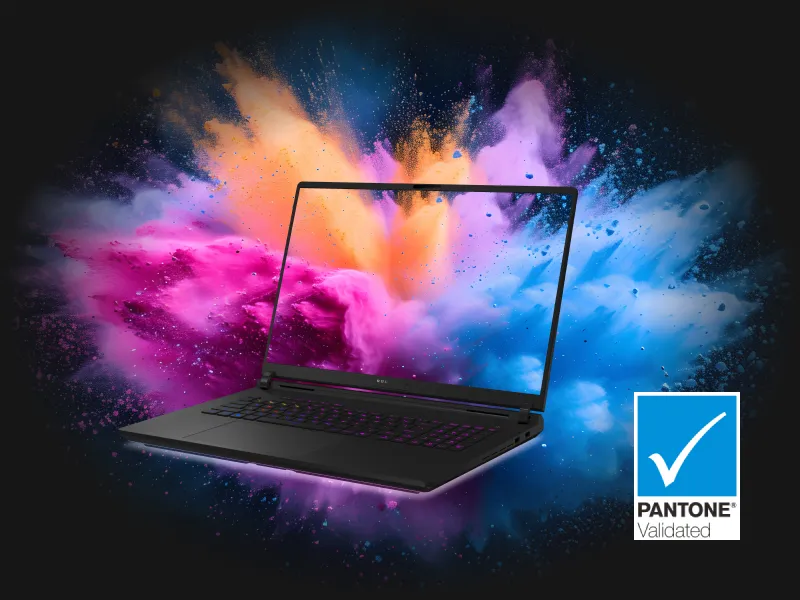
Pantone® Color Validation

Each IPS-level display is factory-calibrated to ensure that colors are accurate to the Pantone® palette. Artists, designers, and content creators can add high-quality content to their portfolios and enjoy richer gaming visuals all on the same machine.

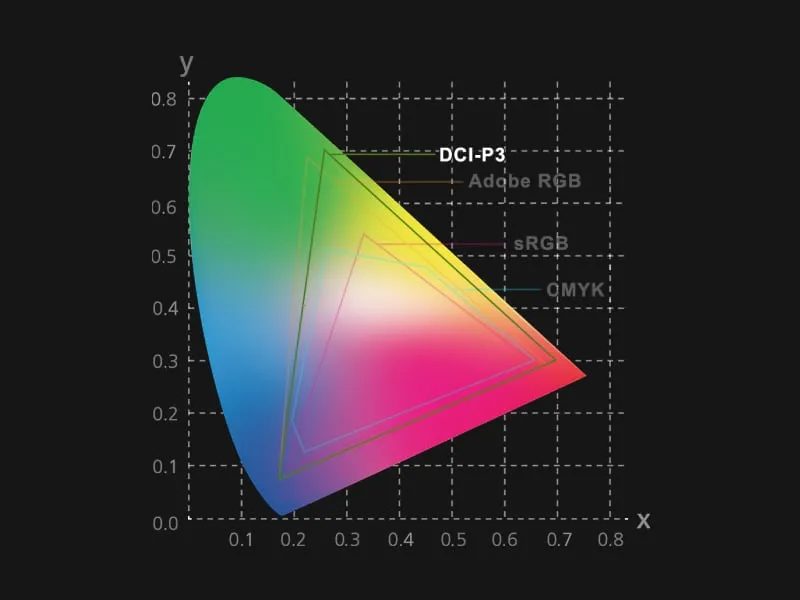
A chart showing that DCI-P3 covers a wider color gamut.

100% DCI-P3 Color Coverage

While the sRGB color space is the standard for most digital visuals, it only represents about 75% of the DCI-P3 spectrum used for professional filmmaking. Displays with complete DCI-P3 coverage offer a wide color gamut for more vibrant images, letting you see films and other media exactly the way they were meant to be experienced.

A comparison image showing the difference that the refresh rate can synchronize with GPU’s frame rate with Adaptive Sync Technology reducing motion tearing.

NVIDIA® G-SYNC®

Nothing breaks in-game immersion like stuttering and tearing. GPUs render frames at variable rates, but displays usually refresh at a constant clip, so they can get out of sync, causing visible hitching and artifacts that pull you out of the action. With Adaptive Sync, the refresh rate of the display synchronizes with the GPU’s frame rate to eliminate visual tearing, minimize stuttering, and reduce input lag. Get ready to experience gameplay that looks and feels more natural than ever.

A 3D-rendering of a slightly pixelated cyberpunk inspired skyline, with the buildings in blue and purple tones with ROG logos, and the TUV Rheinland logo overlaid on the image.

TÜV Rheinland Certification

Displays emit light across a broad spectrum that unfortunately includes some less desirable wavelengths. Our Nebula Display protects your eyes by reducing blue light before it leaves the screen, preventing eyestrain during long gaming or content creation sessions.

01
06
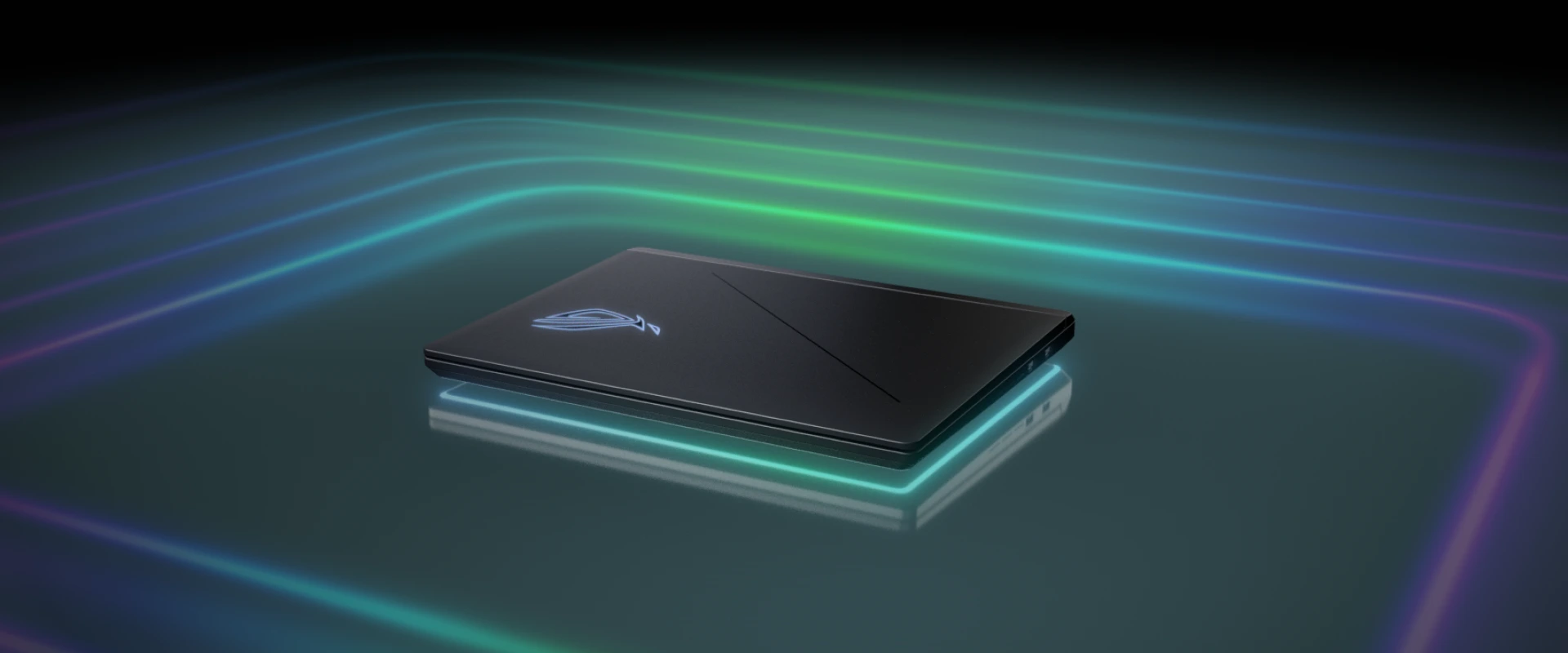
An ROG Strix laptop surrounded by green and blue lights.
WIN WITH FLAIR​
WIN WITH FLAIR​
WIN WITH FLAIR​
WIN WITH FLAIR​
WIN WITH FLAIR​
WIN WITH FLAIR​
Two ROG Strix laptops floating on a black background with the lids partially opened.

Refined design

The 2025 Strix lineup has been redesigned from the ground up, built for powerful performance, maximum speed, and calculated movement, with a shape inspired by race cars that personify these same concepts. With rounded edges, a streamlined shape, and reduced seams, the 2025 ROG Strix G16 is sleeker than ever.
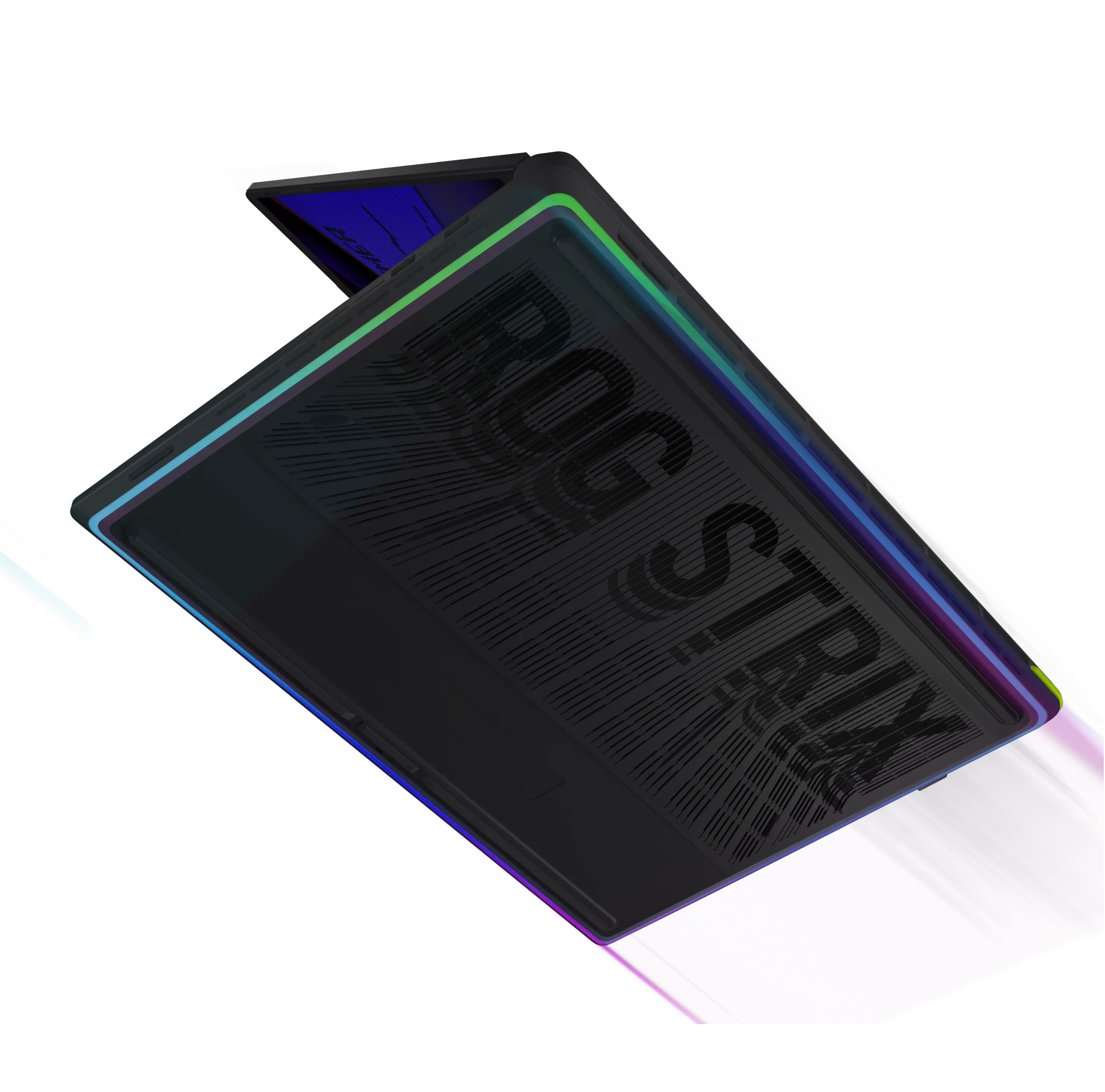
The bottom of an ROG Strix laptop with pink and blue lighting surrounding the chassis.

Full-surround Aura

02
The 2025 ROG Strix G16 features a full-surround RGB lightbar along the bottom of the chassis, giving you a distinct glow on your desk that syncs with your other ROG peripherals.
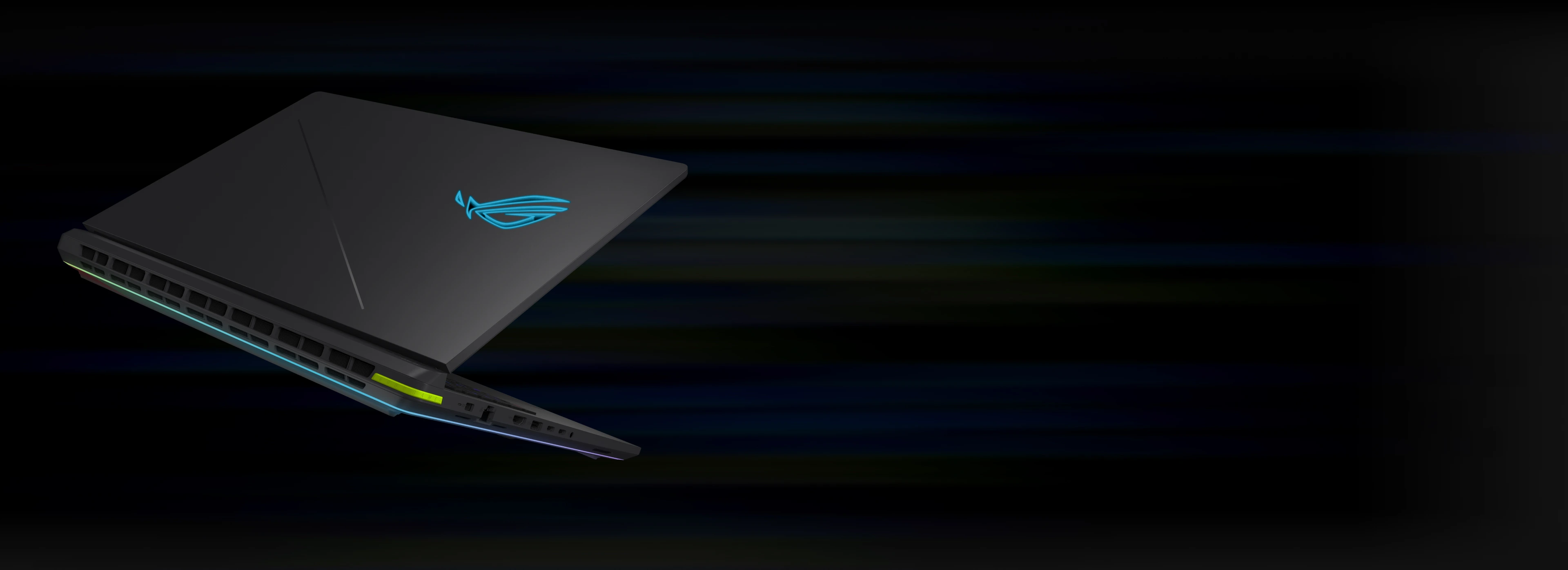
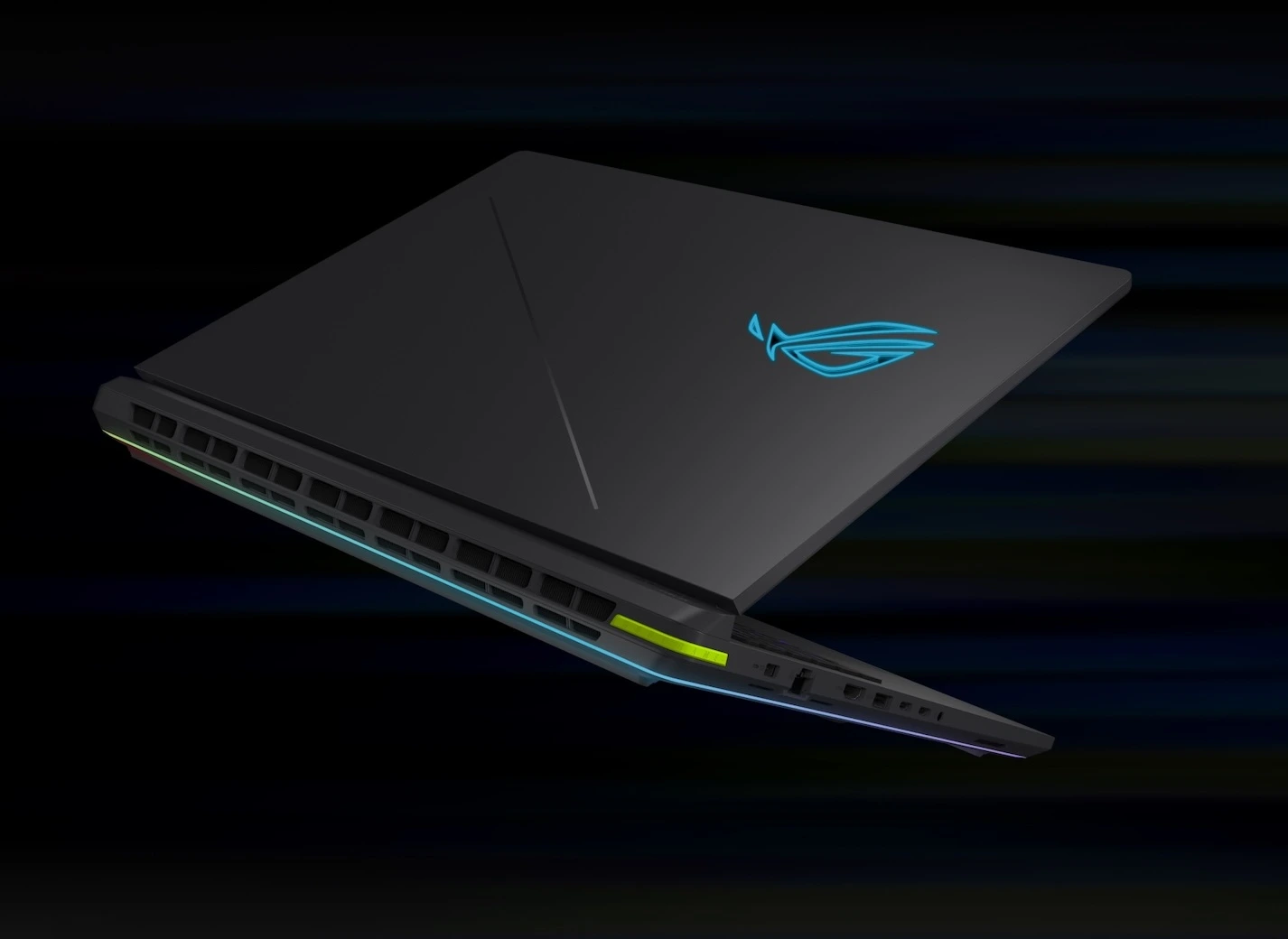
The rear edge of two ROG Strix laptops with the lids closed.

Seamless design 

03
Now featuring a smoother texture for an extra premium feel, the corners of the 2025 ROG Strix G16 have been chamfered to give it a more elegant and contemporary look. With rounded edges, a streamlined shape, and reduced seams, the 2025 ROG Strix G16 is sleeker than ever.

A view of the keyboard, showing Aura lighting effects
Static
Breathing
Strobing
Color cycle
Rainbow
Music
Smart
Starry night

Press the Attack

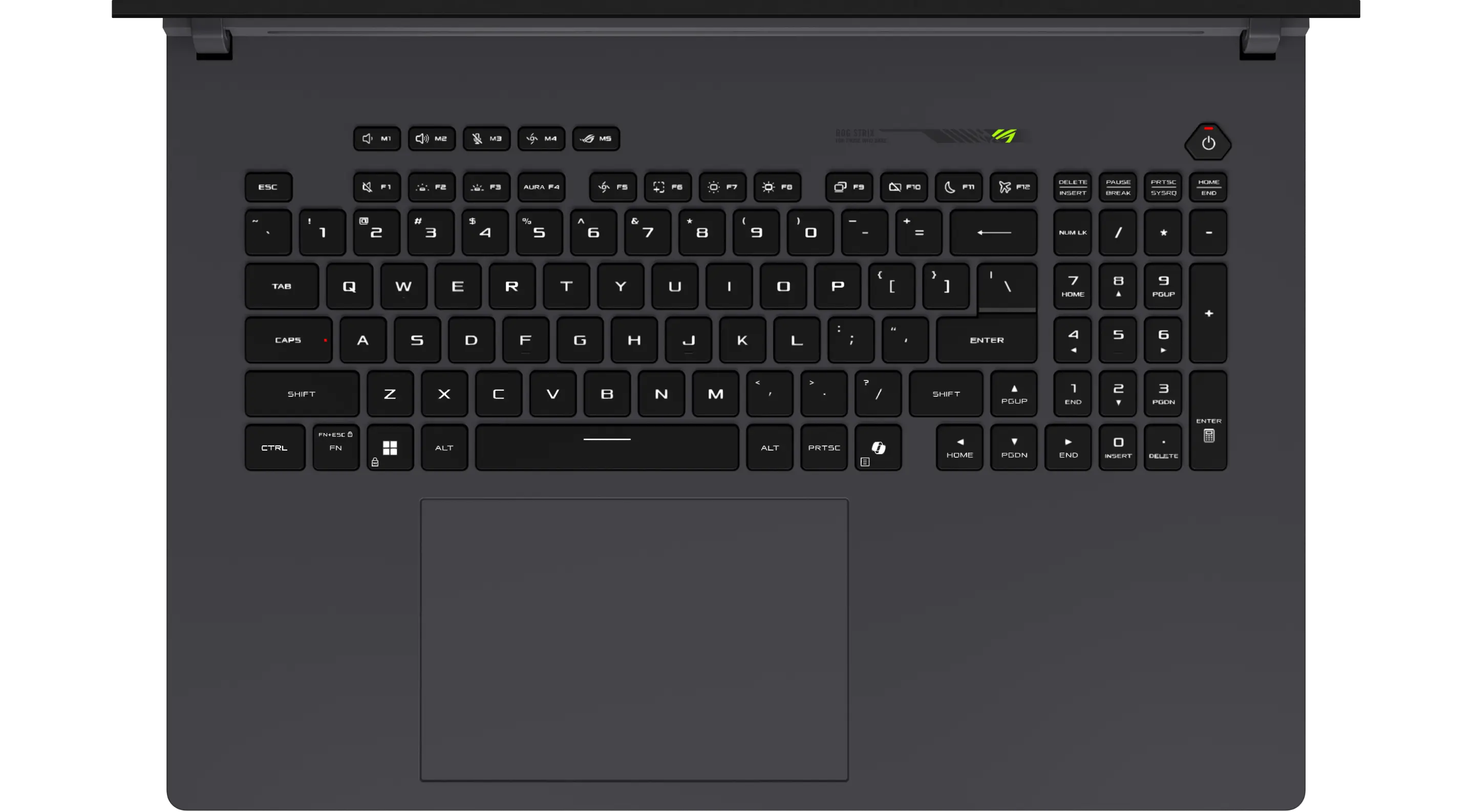
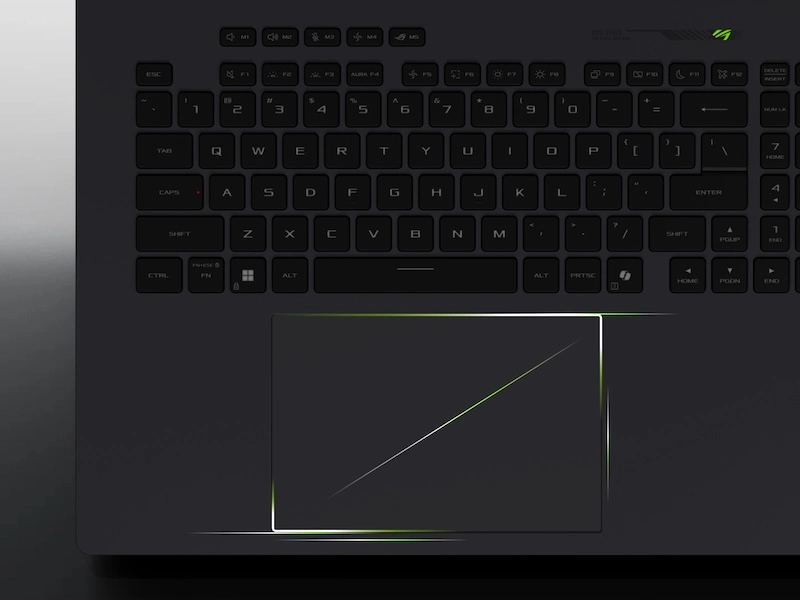
The difference between victory and defeat can be separated by a single keystroke, so the Strix G16 has a full-size keyboard designed to secure the win. Overstroke technology offers sublime work and play, reducing key actuation and improving responsiveness. Built with gamers in mind, the keyboard features spaced function keys for intuitive identification and dedicated hotkeys for quick access to essential commands. Large arrow keys allow for more accurate control in the heat of battle. A larger touchpad means easier tracking across all of your applications, while per-key RGB lighting lets you choose from millions of colors on every key for endless customization. You can also create game specific layouts via Armoury Crate, making every game feel unique.
 
Per-Key
RGB  
Full-Size
Keyboard
Gaming 
Hotkeys

 
The shape of the G laptop’s touchpad is highlighted.

Large touchpad

We know you aren’t always gaming, so we’ve increased the size of the touchpad by 36% from the previous generation for effortless scrolling even when your mouse is tucked away. A larger touchpad also makes multi-touch inputs easier, giving you a smoother experience with the machine even when you’re just browsing the web.

A closeup of the ROG hotkey design on the G laptop’s keyboard.

Dedicated hotkeys

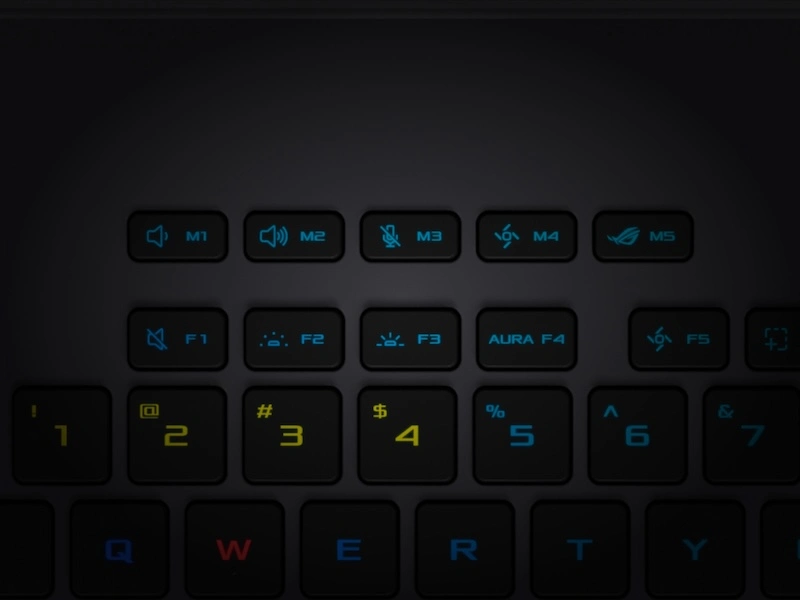
Dedicated gaming hotkeys sit just above the left side of the keyboard for quick access to volume, mic mute, operating modes, and Armoury Crate. They are also fully customizable, and can be programmed to launch apps, set as a function key, or used as a macro. The Strix G16 has all the tools you need for victory.

A series of keyboard keys flying off a laptop keyboard in various colors.

Overstroke technology

Exclusive ROG Overstroke technology registers keypresses earlier in the stroke, enabling a more responsive experience for serious gaming and work. Triggering earlier means faster, effortless inputs with greater accuracy.

01
03

Studio-quality Sound

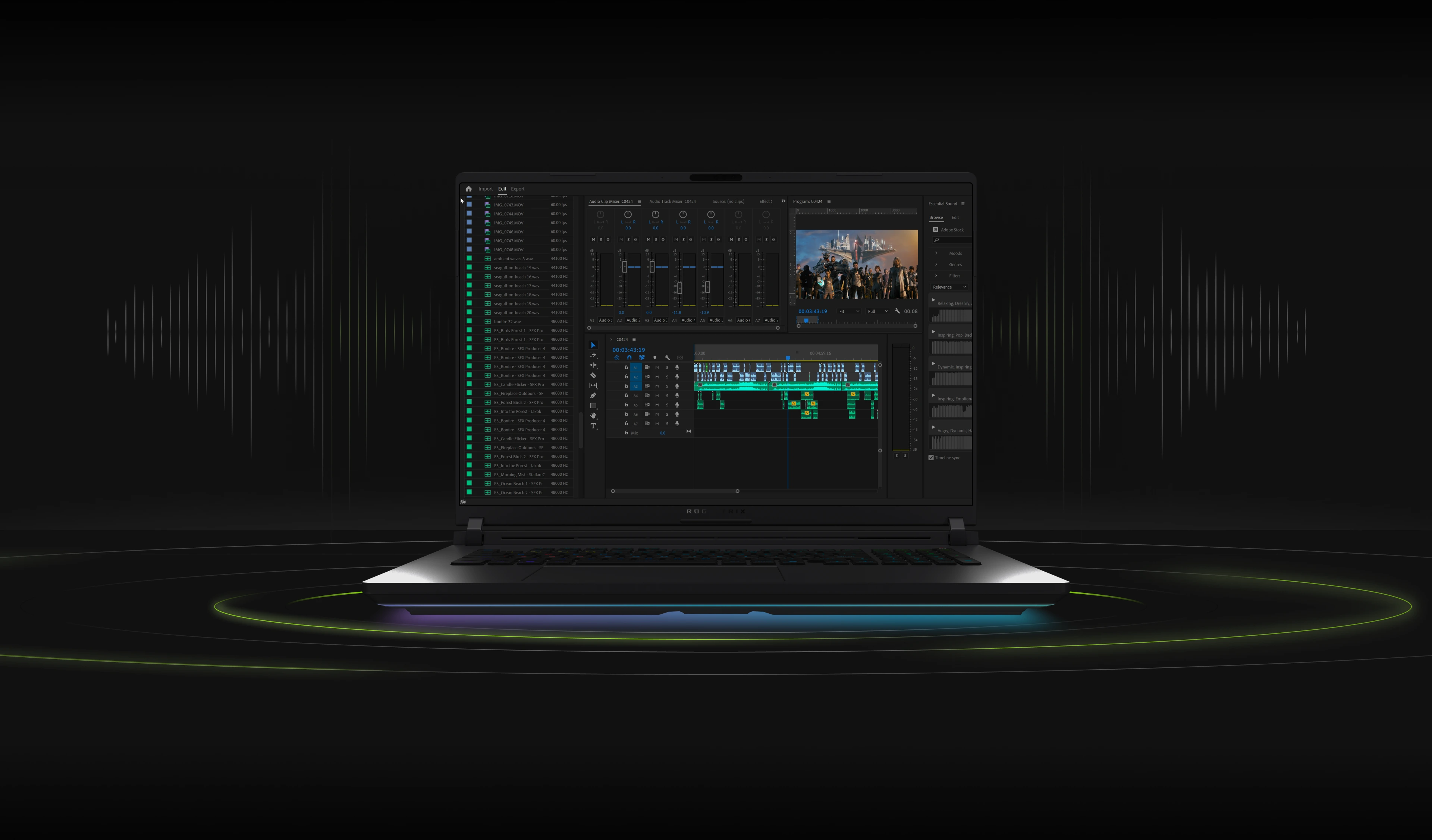
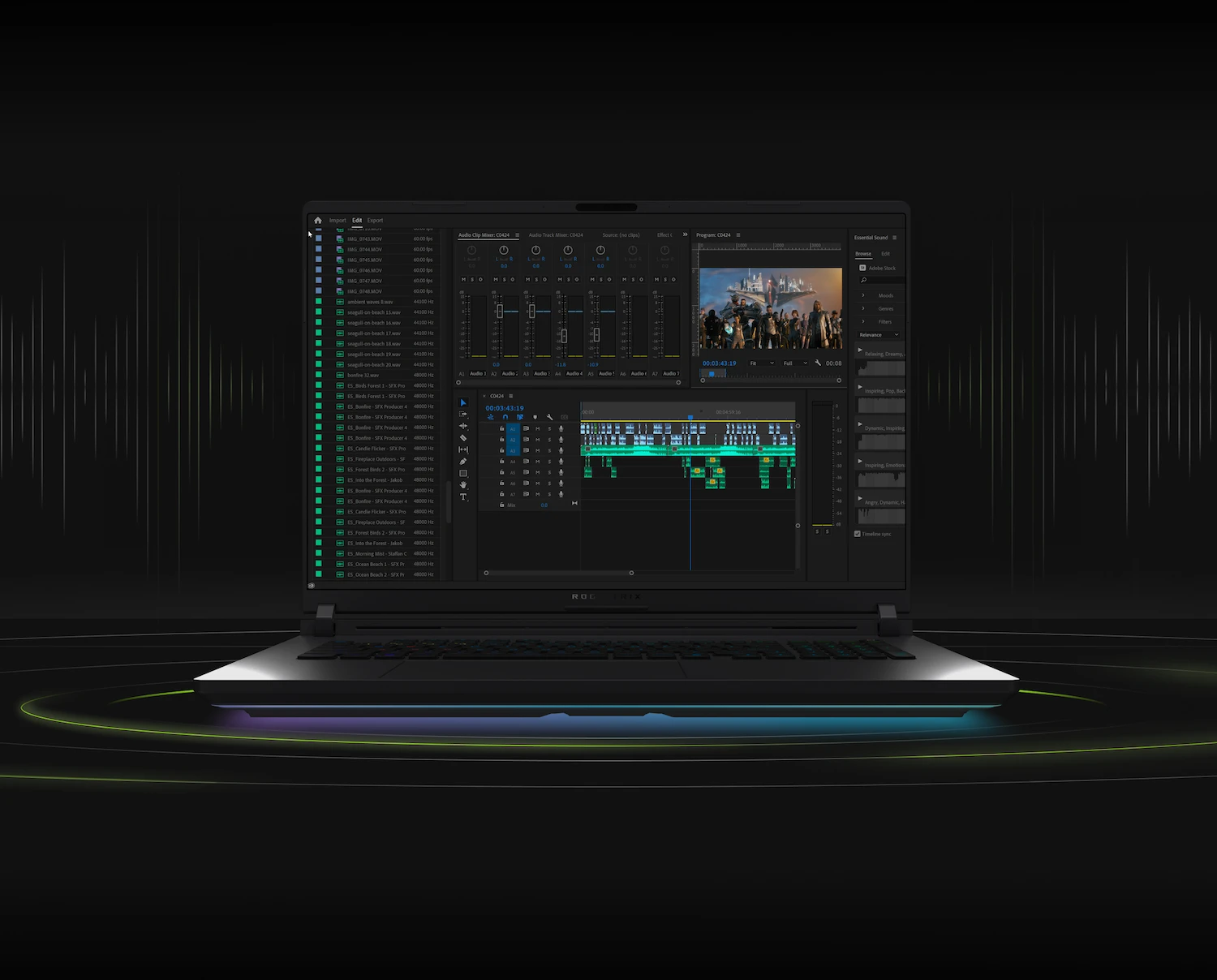
Dual Dolby Atmos-powered speakers create an authentic sound stage for your games. Hi-Res audio ensures you hear your music in the same quality it was recorded. Two-Way AI Noise Cancelation processes both incoming and outgoing audio to filter any errant background noises, making sure that your calls, chats and streams come through without distraction.
Smart Amp
Technology
5.1.2 Channel
Virtual Surround Sound
Two-Way
AI Noise Cancelation

An ROG Strix Laptop with a video editing program showing on-screen.An ROG Strix Laptop with a video editing program showing on-screen.
Sound waves behind a glowing orb.

Two-Way AI Noise Cancelation

Our advanced Two-Way AI Noise Cancelation technology runs on the CPU, which frees up the GPU to hit higher FPS. It works with any input device and also with downstream connections, letting you remove noise from both your own mic input and from incoming feeds. Noise-canceling settings can even be customized per program, filtering specific apps like voice chat without affecting game audio you want to remain untouched.

The Dolby Atmos icon in front of purple sound waves.

Dual Speakers With Dolby Atmos

Two tweeters and two woofers powered by Smart Amp offer richer sound with 2.8x more volume, 3x more powerful bass, and up to 3x the dynamic range of alternatives. This quad-speaker setup delivers immersive surround sound optimized by Dolby Atmos technology to deliver balanced, multidimensional audio across the full spectrum without losing clarity or detail.

01
02
An ROG Strix laptop with the lid partially opened.An ROG Strix laptop with the lid partially opened.

All Day Endurance

We equipped the Strix G16 with a large 90Wh battery, which provides plenty of endurance for video playback and web browsing. If you’re traveling without the included power supply, it also supports USB Type-C power delivery up to 100W, allowing you easily top up a charge while on the go.
 
90Wh
Battery
Rapid
Type-C
Charging

All the bandwidth

Connectivity is everything in a high-performance machine, so we’ve spared no expense with the Strix G16’s feature set. With support for the latest Wi-Fi 7 standard, offering download speeds up to 2.4X times faster than Wi-Fi 6, onboard 2.5G ethernet, and dual Thunderbolt™ 5 ports, this machine puts even many desktop battlestations to shame. We’ve also included a FHD camera with Windows Hello support, allowing you to unlock the machine possible with just a smile.
2.4X Faster
Wi-Fi 7
 
 
2.5G Lan
Faster Internet
3X Faster
TBT 5
 
 
FHD+IR Camera
With Windows Hello

Incredible I/O

Ports allow you to connect your mouse, headset, or even an external monitor, so we gave the Strix G16 an incredibly flexible I/O that can adapt to any situation. On the right side you’ll find two USB-A ports, but the left side offers the bulk of the connections, with an audio jack, dual Thunderbolt™ 5 ports (USB Type-C), a single USB-A, HDMI 2.1, a 2.5G ethernet port, and the power port. If you can imagine your ideal battlestation, the Strix G16 can make it a reality.
USB 3.2 Gen2 Type-A

x3
2.5G ethernet port
power port
HDMI 2.1
Thunderbolt™ 5 (USB Type-C)
x2
audio jack
Two back-to-back ROG Strix laptops with the lids open and an ROG logo visible on screen, with Windows Hello text above the webcam.
USB 3.2 Gen2 Type-A
2.5G ethernet port

power port

HDMI 2.1

Thunderbolt™ 5 (USB Type-C)

audio jack
Windows Hello

Endless Customization

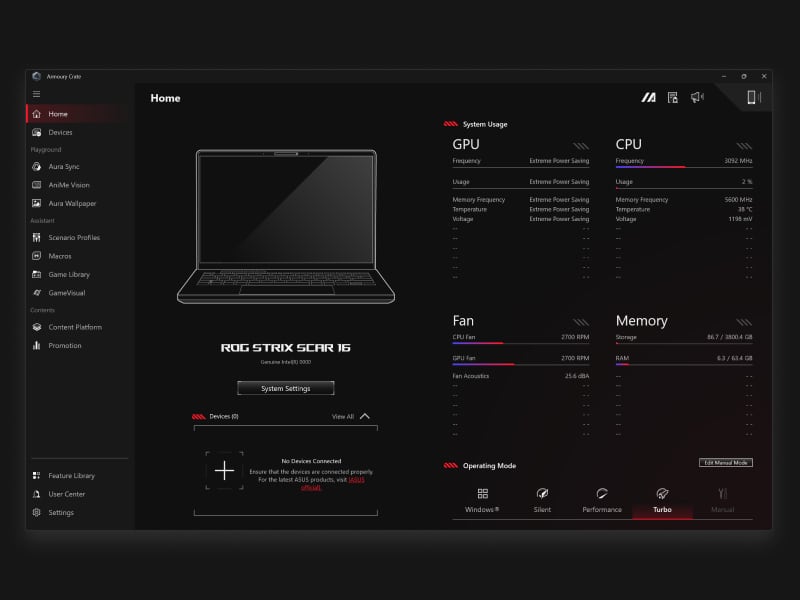
When you want to tweak settings, monitor temperatures, or tinker with your laptop, Armoury Crate is your command center. Real-time monitoring allows you to see what your GPU, CPU and memory are doing. RGB can be adjusted on a game-by-game basis with Aura Sync. Fan and power profiles allow you to change the acoustics, power delivery, and thermal characteristics of the laptop on the fly. And exclusive game deals keep your library topped off at all times.
01
Performance Modes
02
Macro Keys
03
Aura Creator
04
Aura wallpaper
05
Scenario Profiles
More than just simple fan curves, Armoury Crate’s performance modes serve to transform your machine from a silent, power sipping web browser to a full gaming battlestation with maximum horsepower. And for those that require even more granular control, Manual mode removes all limiters and lets you make a custom profile that suits your exact needs. For more information on Performance Modes, check out our full guide here.
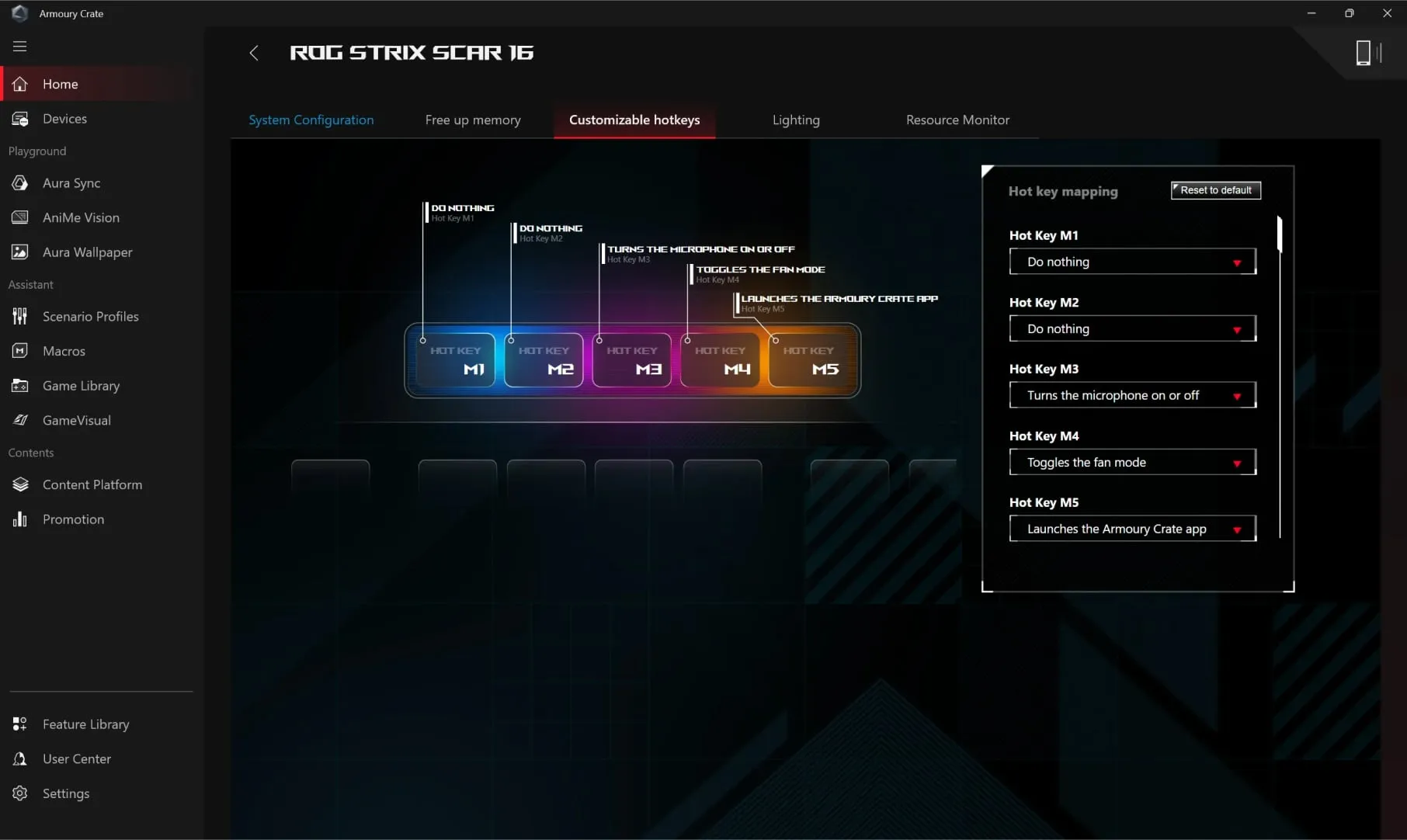
Armoury Crate also supports full customization of the dedicated hotkeys. By default they act as volume control, microphone mute and a quick launch for Armoury Crate, but with a few adjustments you can make them work for you. Create a function key for quick toggle when needed, a macro for complicated button combinations, or even a quick launch button for the application of your choice. Make your machine uniquely yours.
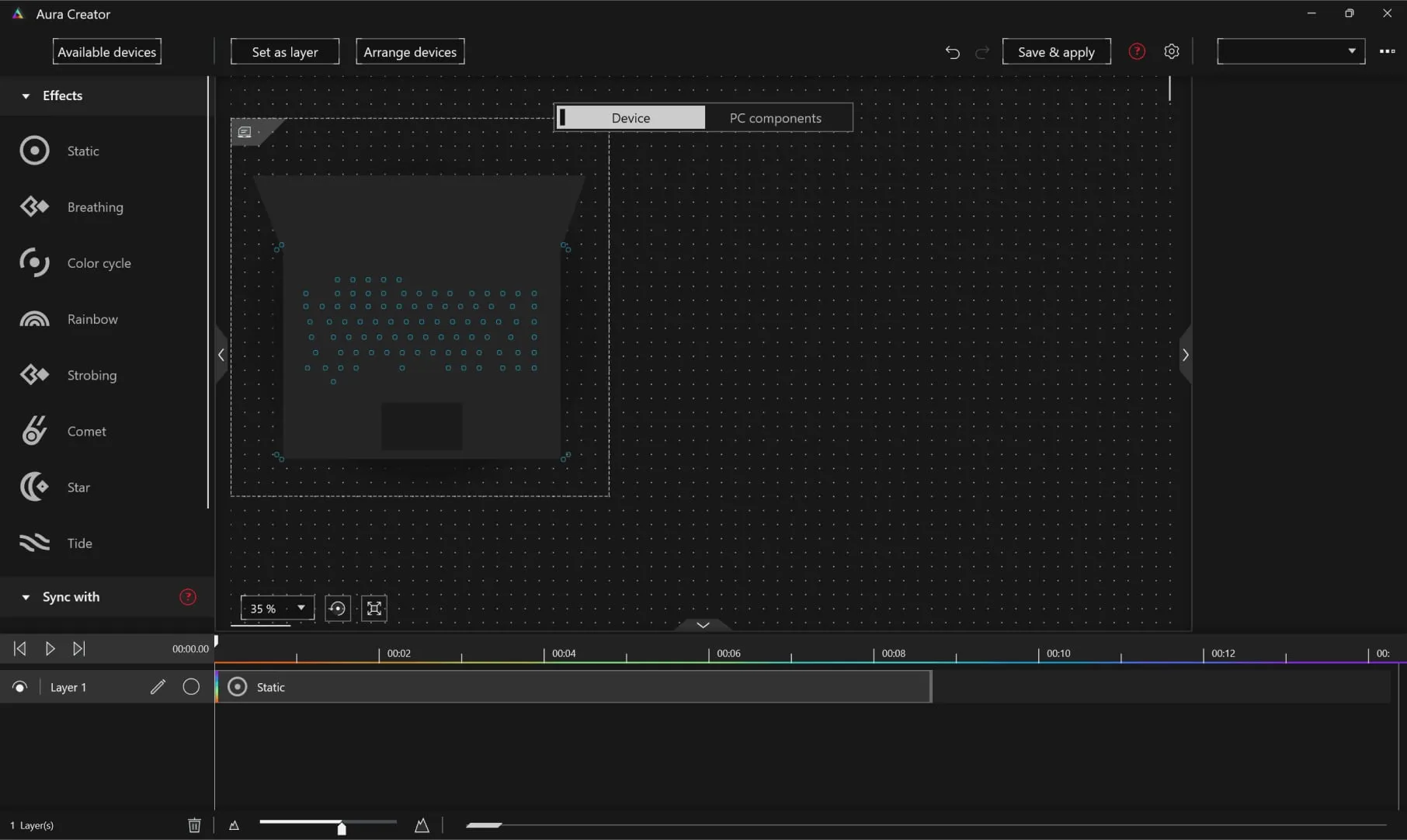
Customize the RGB lighting on Aura-compatible peripherals to suit your gaming style. Aura Creator’s easy-to-use control panel allows you to alter a brilliant spectrum of lighting effects and colors, in addition to swapping preset lighting modes, you can also activate Aura Sync to match colors and effects across multiple devices. Check out our full RGB lighting guide for ROG machines here.
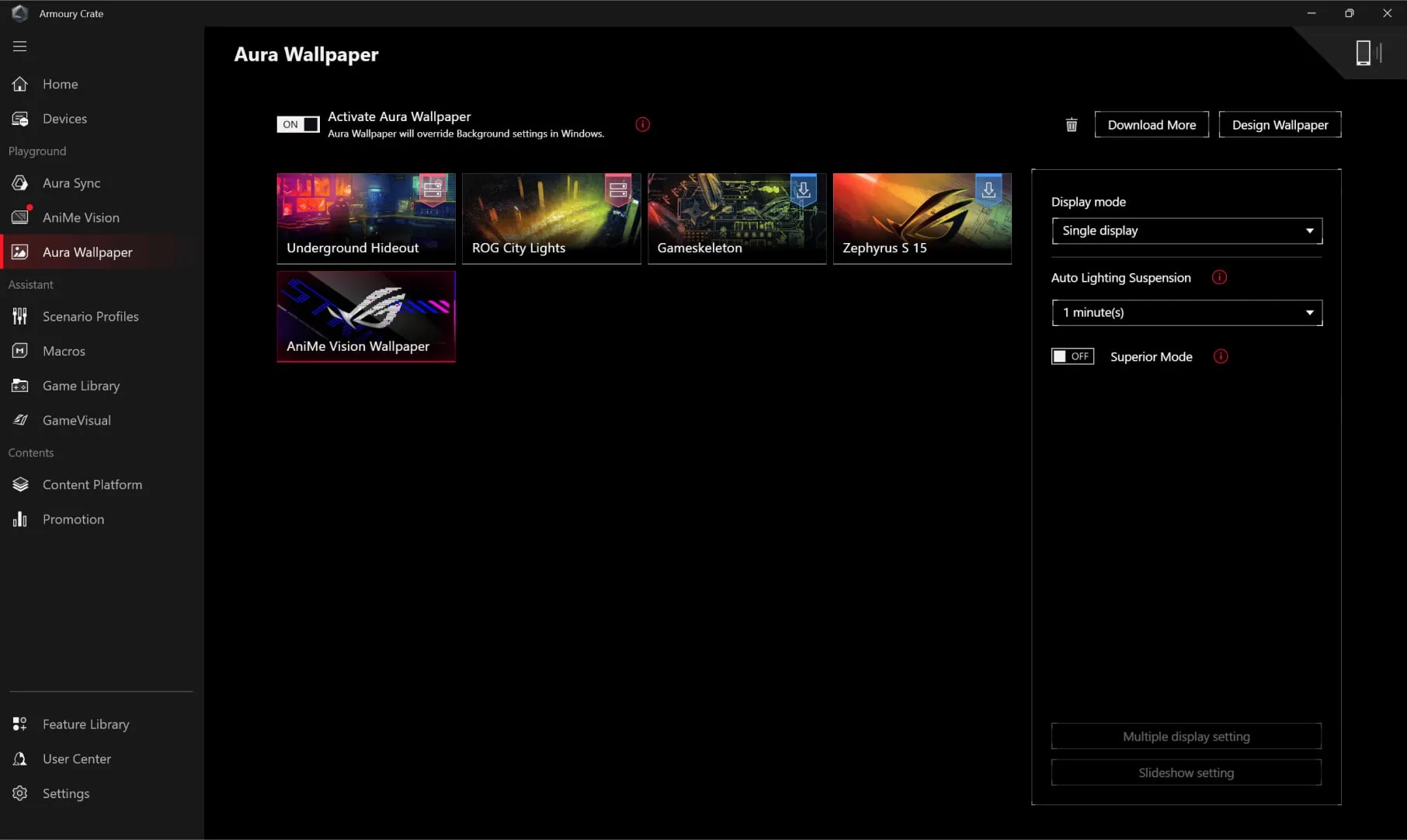
This brand-new feature in Armoury Crate 5.0 allows you to synchronize an animated desktop wallpaper with your laptop's RGB lighting. Choose between multiple ROG-themed wallpapers and RGB effects to give your rig a completely unified look. Additional wallpapers can be downloaded directly from Armoury Crate, and the application can easily be controlled from the Windows system tray.
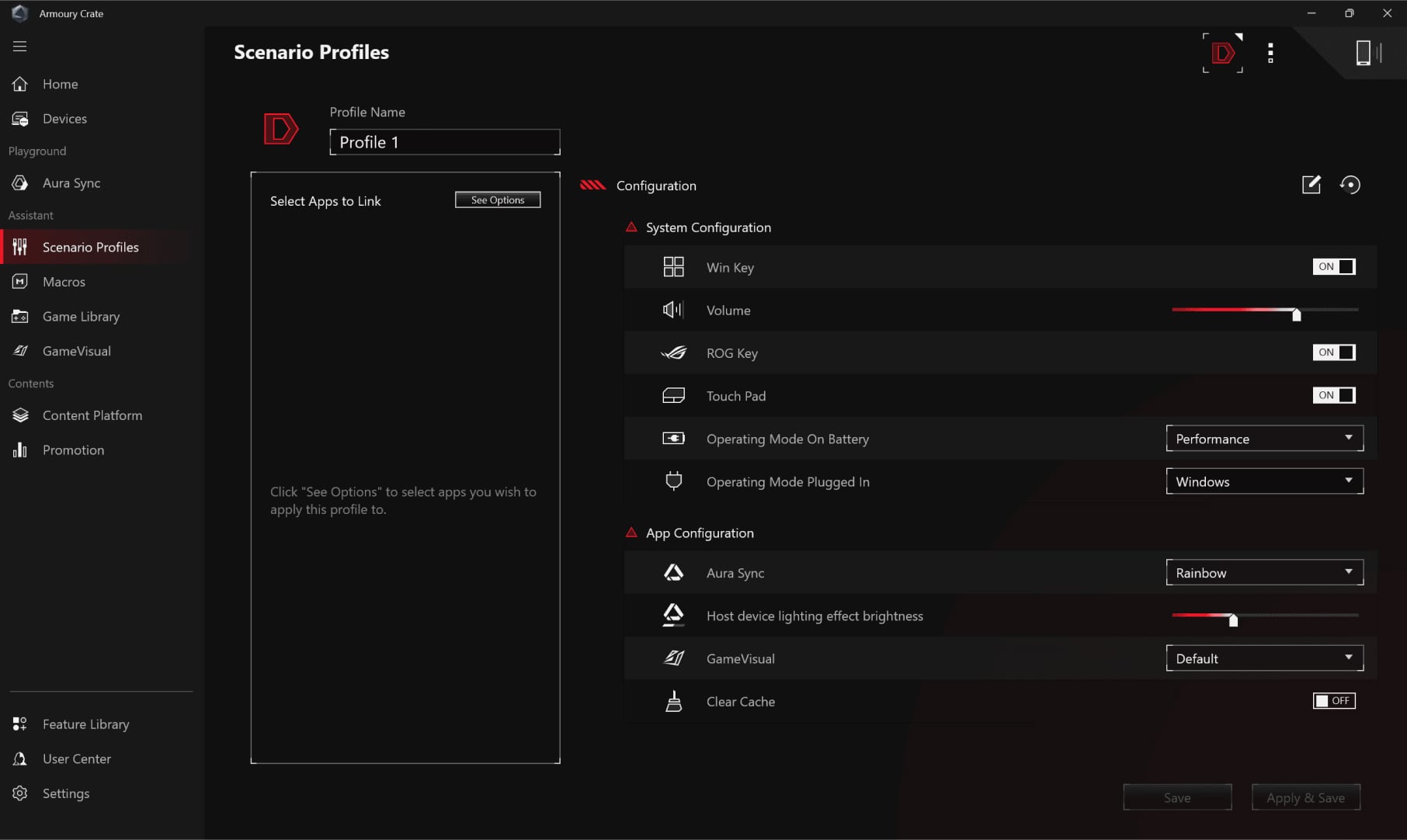
Automatic switching between Silent, Performance, and Turbo modes is just the beginning for Scenario Profiles. You can also define application-specific preferences for other vital system settings, like the lighting configuration and whether the Windows key or touchpad are enabled. Armoury Crate makes adjustments in an instant to best fit the task at hand, and you can configure each profile exactly how you want. Check out the full guide here.
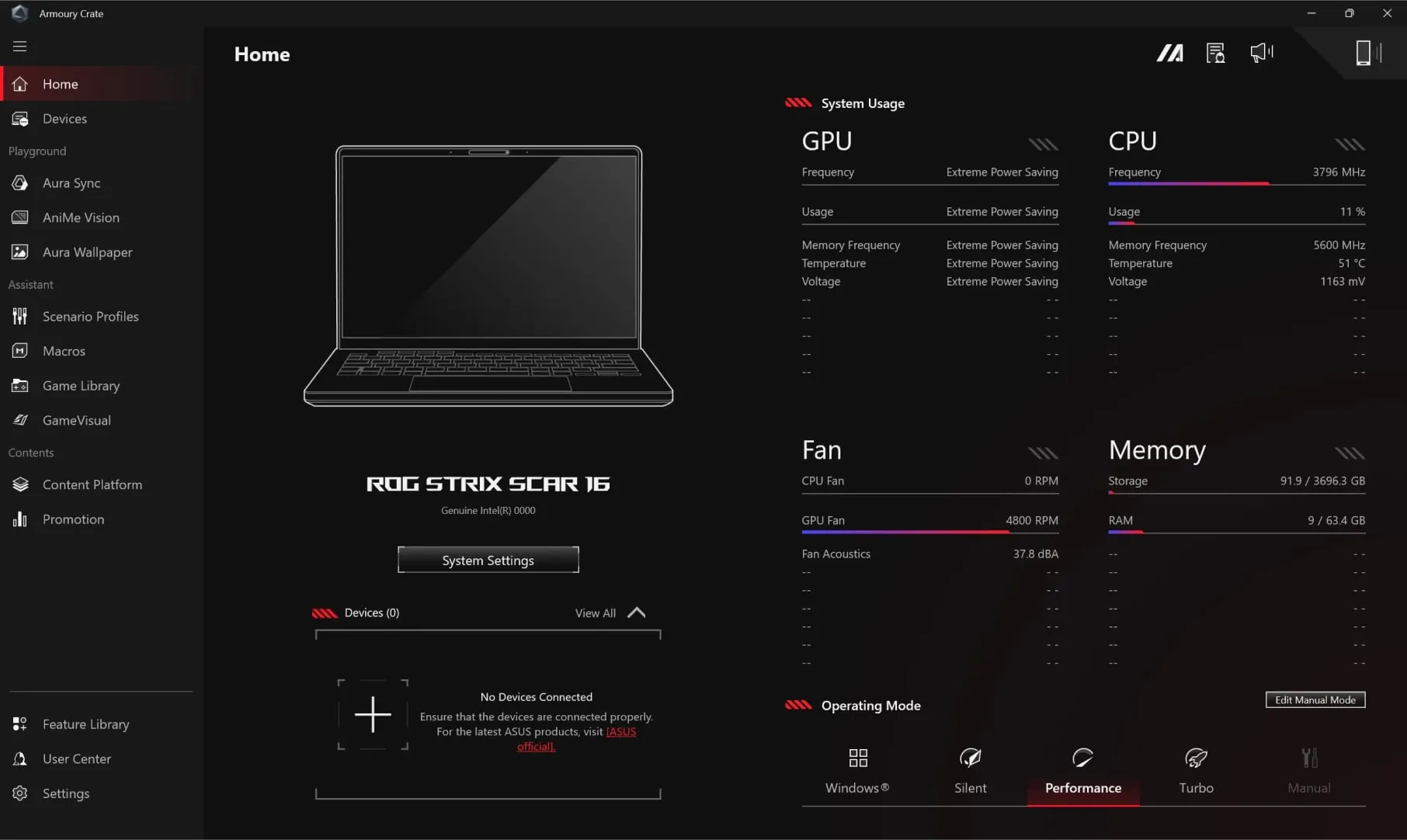
The user interface of Armoury Crate software, showing the system status overview.The user interface showing where users can customize the function of hotkeys.The user interface showing where users can adjust and sync all their ROG Aura Sync devices.The user interface showing where users can download and apply Aura wallpapers.The user interface showing where users can define their own preferences for different scenarios.

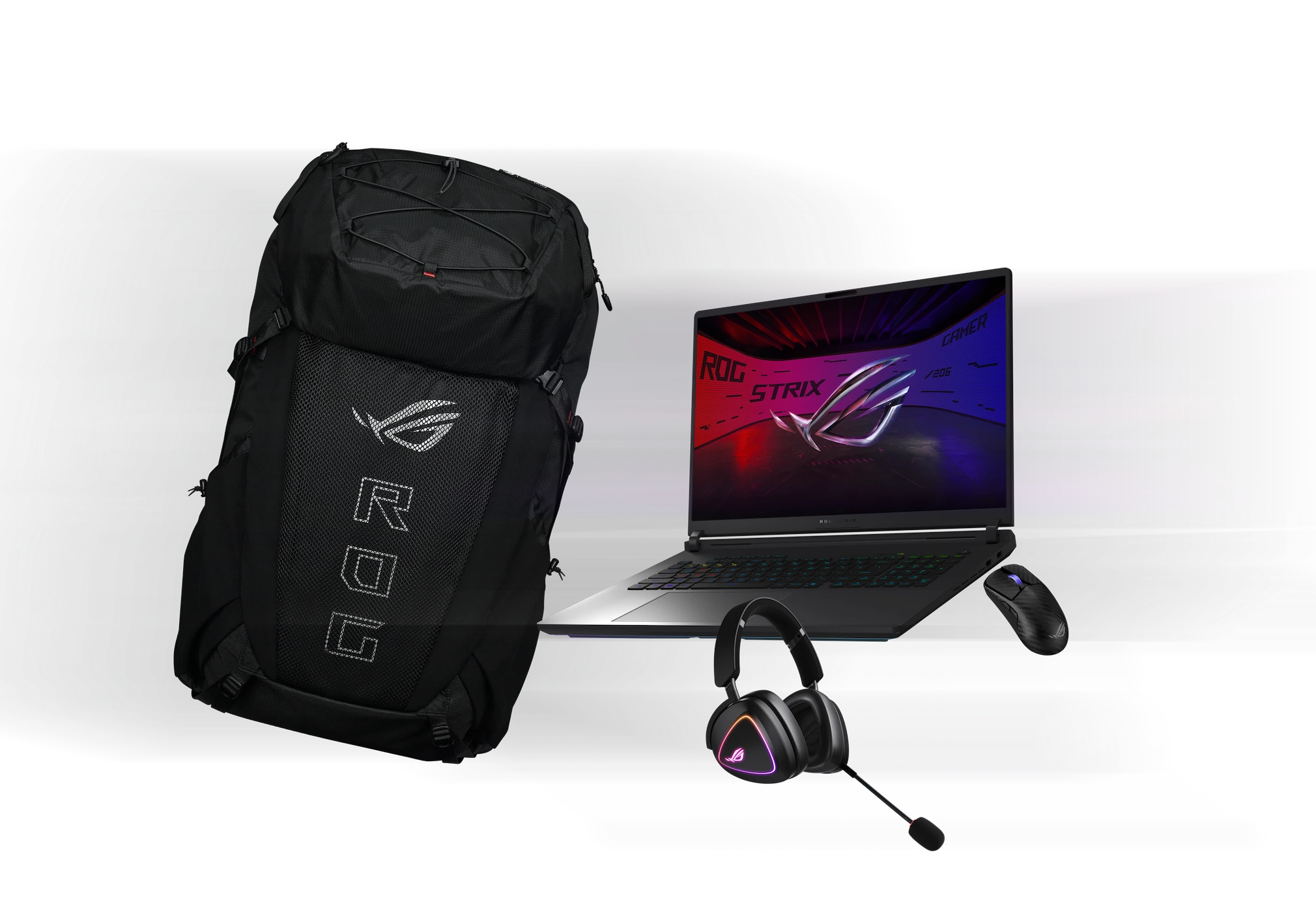
Gear Up

Gear up with a huge array of peripherals from ROG. From wireless gaming mice, to keyboards, headsets, and more, ROG has all the tools you need to assemble the ultimate battlestation.
*Bundled peripherals may vary according to regions. Please check with local vendors for exact offers.
From left to right; an ROG Archer ErgoAir Gaming Backpack, ROG Delta II headset, G18, and ROG Harpe Ace Extreme mouse.From left to right; an ROG Archer ErgoAir Gaming Backpack, ROG Delta II headset, G18, and ROG Harpe Ace Extreme mouse.
PC Game Pass promotional image, with Minecraft Legends, Forza, Microsoft Flight Simulator, Indiana Jones, and Halo represented among others. Text says “PC GAME PASS”.

XBOX Game Pass

Play 200+ games with 2 months of Xbox Game Pass*

*Claim within 30 days of device activation. New and eligible returning members only. Valid payment method required. Subscription continues automatically at regular monthly price unless cancelled. Subject to xbox.com/subscriptionterms. New Call of Duty titles will join the library at least 12 months after launch. Benefits vary by Xbox Game Pass plan. Game library varies over time, by region, device, and Xbox Game Pass plan. xbox.com/gamepass. In-game benefits vary by game, region, and over time. Game must be installed to access in-game benefits. Xbox Cloud Gaming requires an Xbox Game Pass subscription and supported device (both sold separately). Cloud playable games not included with Xbox Game Pass are sold separately, and may be made available with Xbox Game Pass in the future. See library: (xbox.com/play). Stream directly on Xbox consoles, or with the Xbox app or at xbox.com/play on supported devices. Select regions (xbox.com/regions) and devices (xbox.com/cloud-devices). Rewards: Terms apply. Microsoft Account required. Select markets only. Rewards vary by Game Pass Plan and Rewards Level. Point values vary by local market currency, Rewards level, and the number of points redeemed. Point multipliers compared to Game Pass Essential earning potential. Gameplay rewards for 18+. Exclusive quests with Premium and Ultimate plans only, for titles in the Game Pass library. Qualifying purchases at Microsoft Store (online, or on Windows or console) at Rewards with Xbox. Using Game Pass on this PC requires switching out of Windows S mode. See https://aka.ms/s-mode

Get notified when ROG’s GeForce RTX 50 series laptops are available in your market!

Awards

World's Best Brands

Republic of Gamers (ROG) announced that it has been awarded as one of the World’s Best Brands 2024 by TIME in the United States in the Consumer Electronics and Gaming Hardware and Peripherals category.

World's Best Brands

Republic of Gamers (ROG) announced that it has been awarded as one of the World’s Best Brands 2024 by TIME in the United States in the Consumer Electronics and Gaming Hardware and Peripherals category.

2026 Taiwan Excellence

2025 ROG Strix SCAR 16/18/G16/G18 won the 2026 Taiwan Excellence Award, a world-renowned design award.

2026 Taiwan Excellence

2025 ROG Strix SCAR 16/18/G16/G18 won the 2026 Taiwan Excellence Award, a world-renowned design award.

Editor's choice

In a way, this laptop shows how laptops with the RTX 5080 should be powered.

Editor's choice

In a way, this laptop shows how laptops with the RTX 5080 should be powered.

Video Reviews

ALL Laptops Should Be Like This 🚀🔥 Asus ROG Strix G16 (2025)

Media Reviews

News 9 Live

The Strix G16 goes above and beyond a typical gaming laptop in terms of design. This device screams gamer from every square inch of its being

News 9 Live

The Strix G16 goes above and beyond a typical gaming laptop in terms of design. This device screams gamer from every square inch of its being

reimarufiles.com

Though there are no significant changes from its predecessors, the ROG Strix G16 managed to balance performance and style for those who want to have a stylish gaming laptop.

reimarufiles.com

Though there are no significant changes from its predecessors, the ROG Strix G16 managed to balance performance and style for those who want to have a stylish gaming laptop.

CNBC TV18

Weighing just over 2.8kg and measuring 30mm thick, it’s best treated as a desktop replacement.

CNBC TV18

Weighing just over 2.8kg and measuring 30mm thick, it’s best treated as a desktop replacement.

iPhone-Droid

Review ROG Strix G16 (2025) G615JMR

iPhone-Droid

Review ROG Strix G16 (2025) G615JMR

Financialexpress.com

If you are looking for a capable midrange gaming laptop on the latest 2025 specifications, the Asus ROG Strix G16 (2025 edition) is worth giving consideration.

Financialexpress.com

If you are looking for a capable midrange gaming laptop on the latest 2025 specifications, the Asus ROG Strix G16 (2025 edition) is worth giving consideration.

Dailynews

Review ROG Strix G16 (2025) G615JMR

Dailynews

Review ROG Strix G16 (2025) G615JMR

Outlook

It’s a 16-inch 2.5K IPS display (2560x1600, WQXGA) with a 16:10 aspect ratio (something I can appreciate here). It runs at 240Hz, which again is a good thing.

Outlook

It’s a 16-inch 2.5K IPS display (2560x1600, WQXGA) with a 16:10 aspect ratio (something I can appreciate here). It runs at 240Hz, which again is a good thing.

108 Gadget

Review ROG Strix G16 (G615JMR)

108 Gadget

Review ROG Strix G16 (G615JMR)

Athenil

The ROG Strix G16 (2025) packs the deadly combo of Core Ultra 9 200 and RTX 5070, but thermal efficiency is where its true strength lies

Athenil

The ROG Strix G16 (2025) packs the deadly combo of Core Ultra 9 200 and RTX 5070, but thermal efficiency is where its true strength lies

Gadget Bridge

Overall, this machine is a top-notch choice for gaming and productivity. Can buy without a doubt.

Gadget Bridge

Overall, this machine is a top-notch choice for gaming and productivity. Can buy without a doubt.

Gizmochina

If you’re in the market for a no-compromise gaming laptop that can also serve as a serious workhorse, the ROG Strix G16 deserves your attention

Gizmochina

If you’re in the market for a no-compromise gaming laptop that can also serve as a serious workhorse, the ROG Strix G16 deserves your attention

Smartprix

Overall, the Strix G16’s display strikes a thoughtful balance: fast enough for esports, accurate enough for content creation, and versatile enough to handle HDR Netflix binges without looking washed out.

Smartprix

Overall, the Strix G16’s display strikes a thoughtful balance: fast enough for esports, accurate enough for content creation, and versatile enough to handle HDR Netflix binges without looking washed out.

CUSTOMER REVIEWS

Recommended Products

ROG Strix SCAR 18 (2025) G835

Buy Now
LEARN MORE

Related Products

ROG Strix 1000W Platinum (ROG Equalizer)

Buy Now
LEARN MORE

ROG Strix 1000W Platinum White Edition (ROG Equalizer)

Buy Now
LEARN MORE

ROG Strix 850W Platinum (ROG Equalizer)

Buy Now
LEARN MORE

ROG Strix 1000W Platinum White Edition

Buy Now
LEARN MORE
Product has High-Definition Multimedia Interface

Disclaimer

  • The terms HDMI, HDMI High-Definition Multimedia Interface, HDMI Trade dress and the HDMI Logos are trademarks or registered trademarks of HDMI Licensing Administrator, Inc.
  • The actual version of HDMI 2.1 should be checked in the specifications page.
  • HDMI 2.0 was revised to HDMI 2.1 TMDS, and HDMI 2.1 was revised to HDMI 2.1 FRL effective from May 3, 2022.
  • Products certified by the Federal Communications Commission and Industry Canada will be distributed in the United States and Canada. Please visit the ASUS USA and ASUS Canada websites for information about locally available products.
  • All specifications are subject to change without notice. Please check with your supplier for exact offers. Products may not be available in all markets.
  • Specifications and features vary by model, and all images are illustrative. Please refer to specification pages for full details.
  • PCB color and bundled software versions are subject to change without notice.
  • Brand and product names mentioned are trademarks of their respective companies.
  • Unless otherwise stated, all performance claims are based on theoretical performance. Actual figures may vary in real-world situations.
  • The actual transfer speed of USB 3.0, 3.1, 3.2, and/or Type-C will vary depending on many factors including the processing speed of the host device, file attributes and other factors related to system configuration and your operating environment.
  • Price may not include extra fee, including tax、shipping、handling、recycling fee.
    1. > Gaming Laptops
    2. > Laptops Filter
    3. > ROG Strix G16 (2025)
Enter email address
Sign up

Please enter a valid email address.

  • About ROG
  • Home
  • NEWSROOM
  • facebook
  • twitter
  • Privacy Policy
  • Terms of Use Notice

©ASUSTeK Computer Inc. All rights reserved.