ROG Pro Launches MemTweakIt In Open Beta
ROG Pro
Our site is expanding again! The aim for ROG has always been and continues to be giving you more than just the hardware you buy. Currently we provide it through informational ROG articles, its growing community (of which are win³) and, now, socially competitive areas in ROG Pro.
You'll notice the new ROG Pro menu item above (and pictured below too). Go and click it! There are two new pages: MemTweakIt and ROG Exchange. In this article we're detailing MemTweakIt, while ROG Exchange is currently in closed beta.

MemTweakIt
MemTweakIt has been available as stand-alone software to download since the Maximus IV's were available, but the ROG team has been developing the competitive side on the website for a little while. Today it launches under ROG Pro in open beta.
As the name suggests, MemTweakIt is a software that can read and also tweak the system DDR3 DRAM (memory) timings, as shown below.

Which motherboards can be used?
All ASUS P67, Z68, X79 and Z77 motherboards can use the MemTweakIt software to read the latency settings, generate an efficiency score and submit results to the ROG Pro database. All boards can use AI Suite II to increase the memory voltage and tweak the frequency of the base clock (which affects the memory clock) as well.
In addition to this, only ROG Maximus IV, Rampage IV and Maximus V motherboards can tweak the memory timings within Windows, due a BIOS-level enhancement by ROG engineers.
Submitting a score
The latest version 1.01.7 (available for download at the bottom of the MemTweakIt page) includes a validate button. Click it, then login with your ROG forum account registered email address. This will submit your DRAM efficiency score to the online database.

As most extreme overclockers will prefer to work offline, the file can be saved and submitted via another PC using this webpage (or click the validation web page link in the software). The file is encrypted so scores cannot be tampered with.

ROG Pro Leaderboard
During June we will be adding a filtering system, so you can compare your score against those who have the same motherboard, or the full list.

Comments can be left by clicking the link on the right, while a screenshot of each submission can be seen by clicking the score itself.

Future Developments
This very first version of MemTweakIt has the Beta stamp. We welcome feedback while we tweak and tune the software and website design to our fan's needs. We also envisage to continually adding features and tweaking the design as the year progresses. Please drop into the MemTweakIt forum with your thoughts!
Author
Popular Posts
How to adjust your laptop's P-Cores and E-Cores for better performance and battery life
Introducing the ROG Astral GeForce RTX 5090 and 5080: a new frontier of gaming graphics
How to Cleanly Uninstall and Reinstall Armoury Crate
How to configure your PC's RGB lighting with Aura Sync
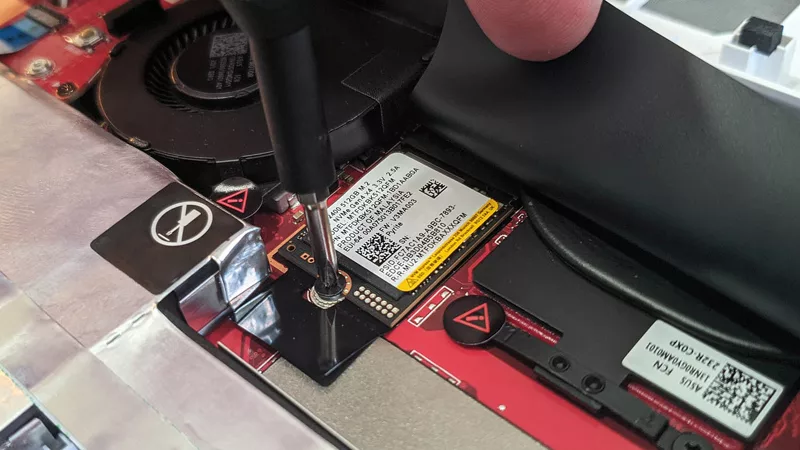
How to upgrade the SSD and reinstall Windows on your ROG Ally or Ally X
LATEST ARTICLES
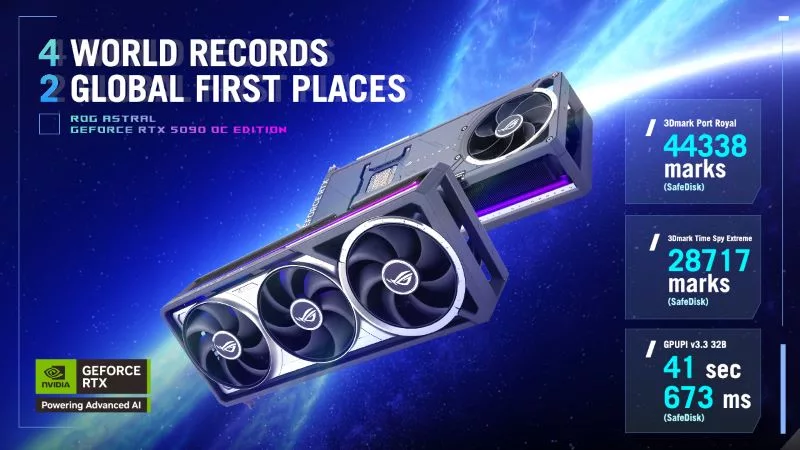
The ROG Astral GeForce RTX 5090 OC smashes 6 new overclocking records
The ROG Astral GeForce RTX 5090 OC takes what you love about ROG graphics cards and ups the ante to provide you more power than ever before. But don’t take our word for it — look at the records it’s smashing.
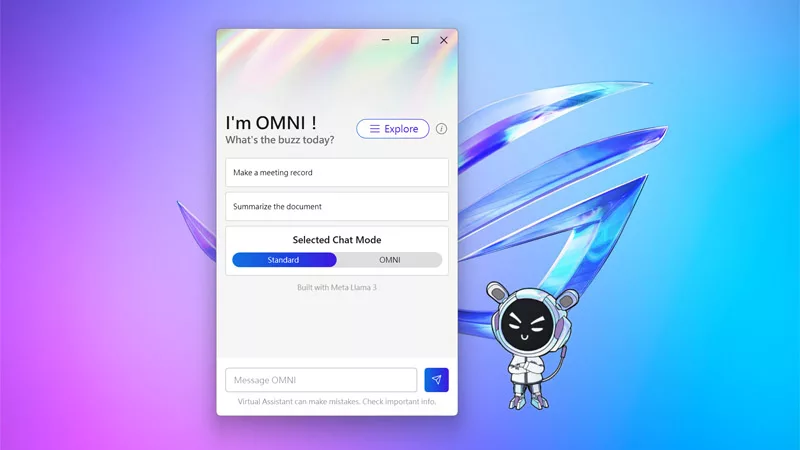
The ROG Virtual Assistant gets an AI upgrade with new features
OMNI is getting a big upgrade. Our ROG Virtual Assistant now packs AI-powered features designed to boost your productivity and user experience.
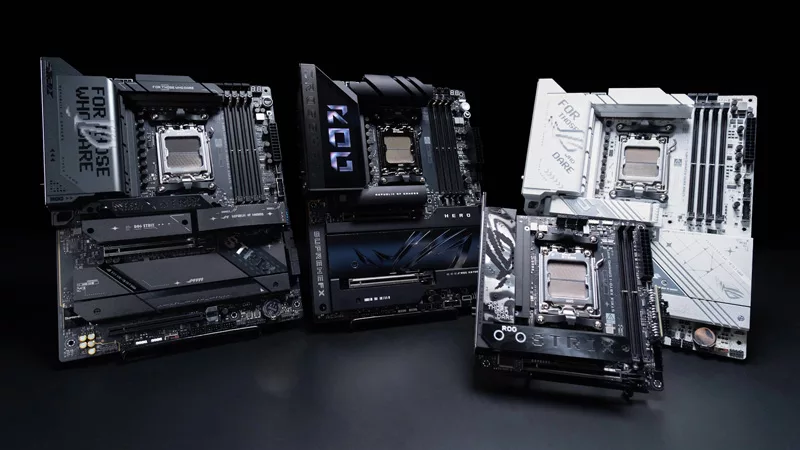
Get ahead of the game with the latest ROG gaming tech from Gamescom 2024
From new X870 motherboards to OLED displays and plenty of mice and keyboards, here’s everything ROG announced at Gamescom 2024.

Buy a GPU and get a free Steam code for Like a Dragon: Infinite Wealth
Purchase select GPUs from ASUS, ROG, or TUF Gaming and dive into an epic adventure with a free Steam code for Like a Dragon: Infinite Wealth!
All the AI tasks your PC is capable of with an NVIDIA GeForce RTX GPU
Your PC is already capable of so many advanced AI tasks, from image and video upscaling, DLSS frame generation, and creative tools from NVIDIA.
ASUS GPU Tweak III: The ultimate tool for advanced GPU tuning
Maximize your GPU's power with GPU Tweak III, ASUS's premier overclocking software — now with more exclusive features.