

































Accessibility links
  • Skip to content
  • Accessibility Help
  • Skip to Menu
  • ASUS Footer
  • USER

    • My ROG Elite Rewards
    • Settings
  1. Support
ASUS home logo

ROG Raikiri Pro PC Controller

The lowest price from 30 days before the promotion:

The lowest price from 30 days before the promotion:


  • Features
  • Tech Specs
  • Awards
  • Gallery
  • Support
  • Features
    • Features
  • Tech Specs
  • Awards
  • Gallery
  • Support
  • OVERVIEW
  • OLED DISPLAY
  • TRI-MODE CONNECTIVITY
  • REAR CONTROLS
  • TRIGGERS
  • ARMOURY CRATE
  • PREMIUM AUDIO
  • DESIGN
  • COMPARISON TABLE
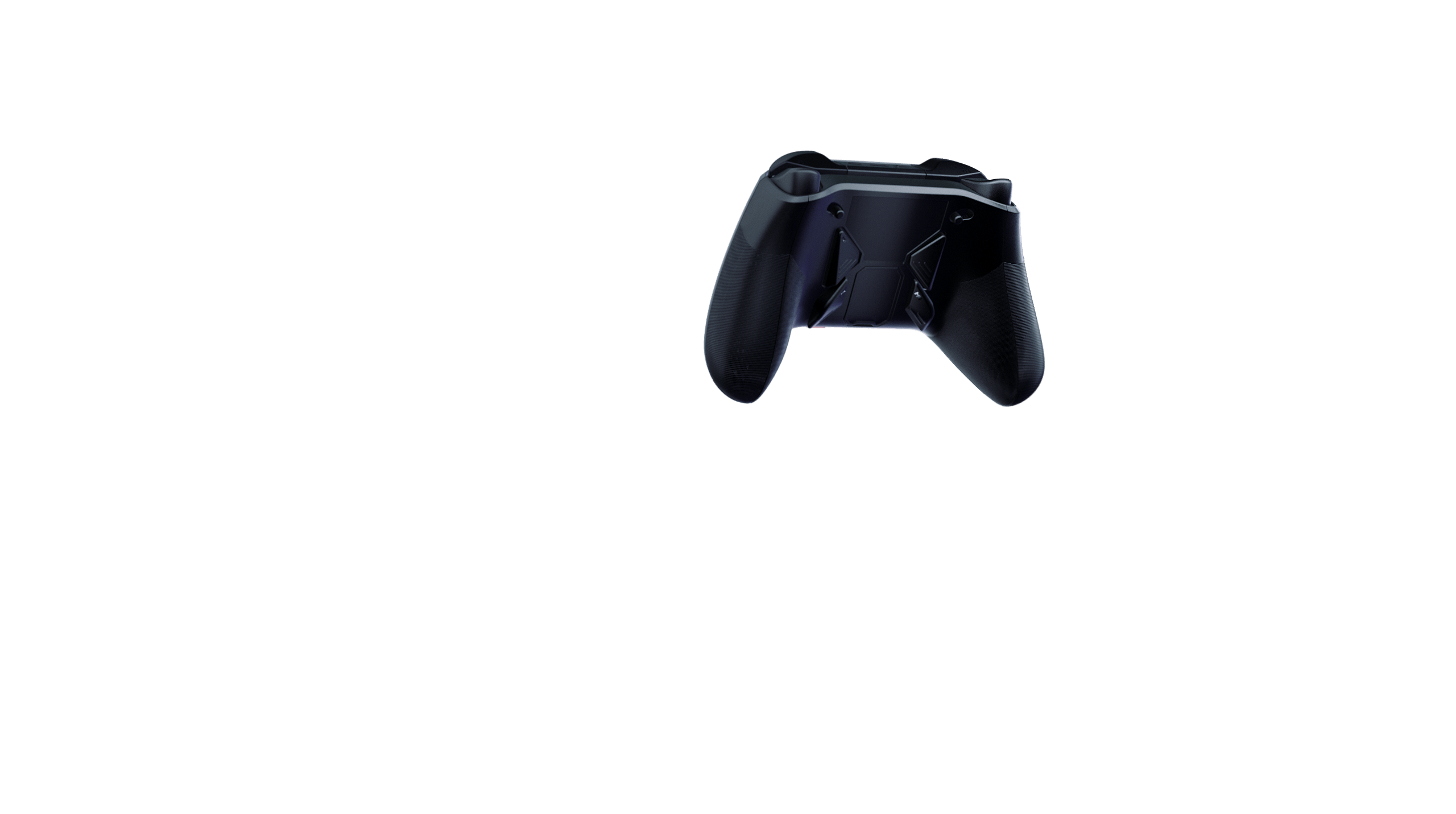
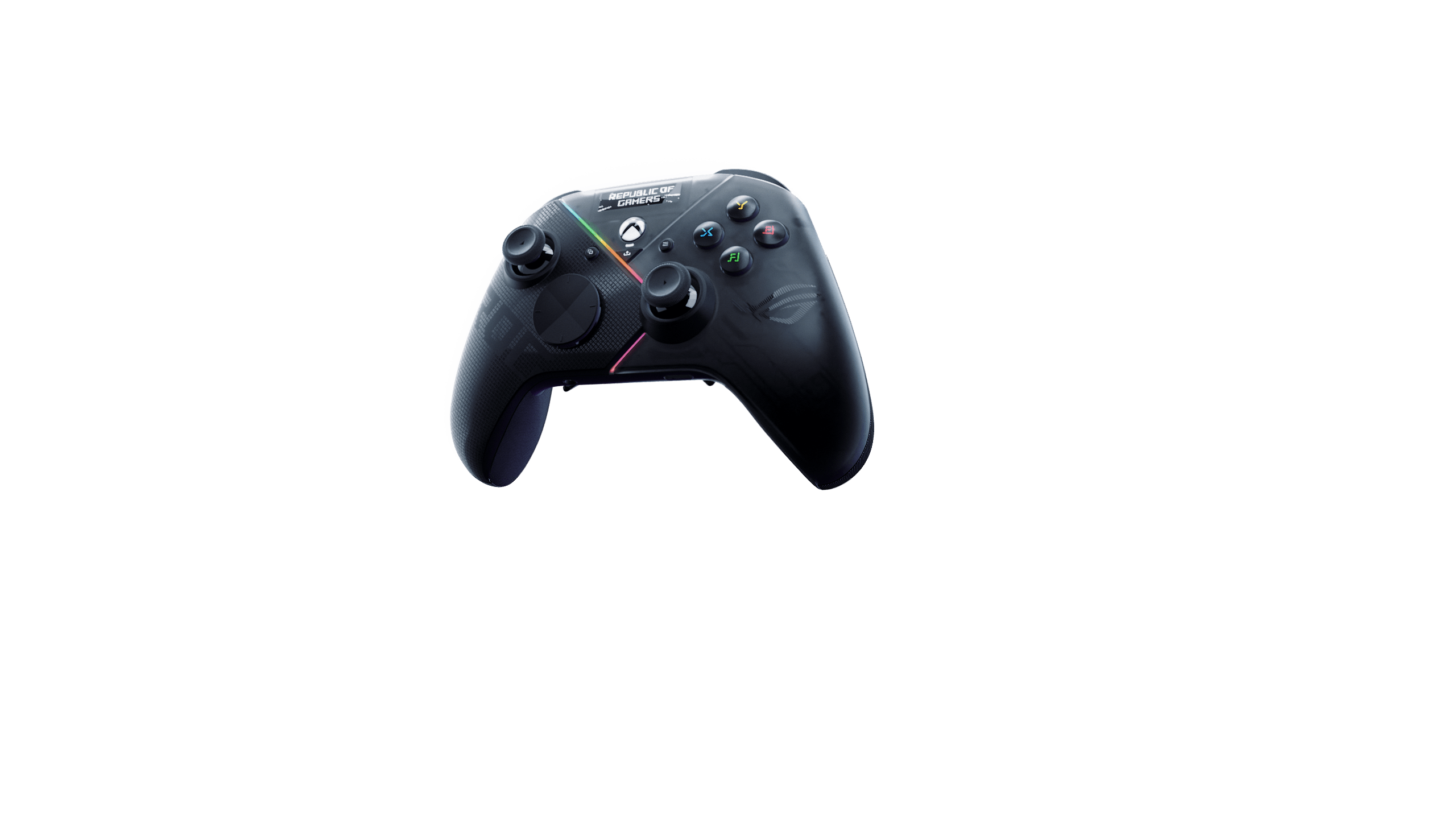
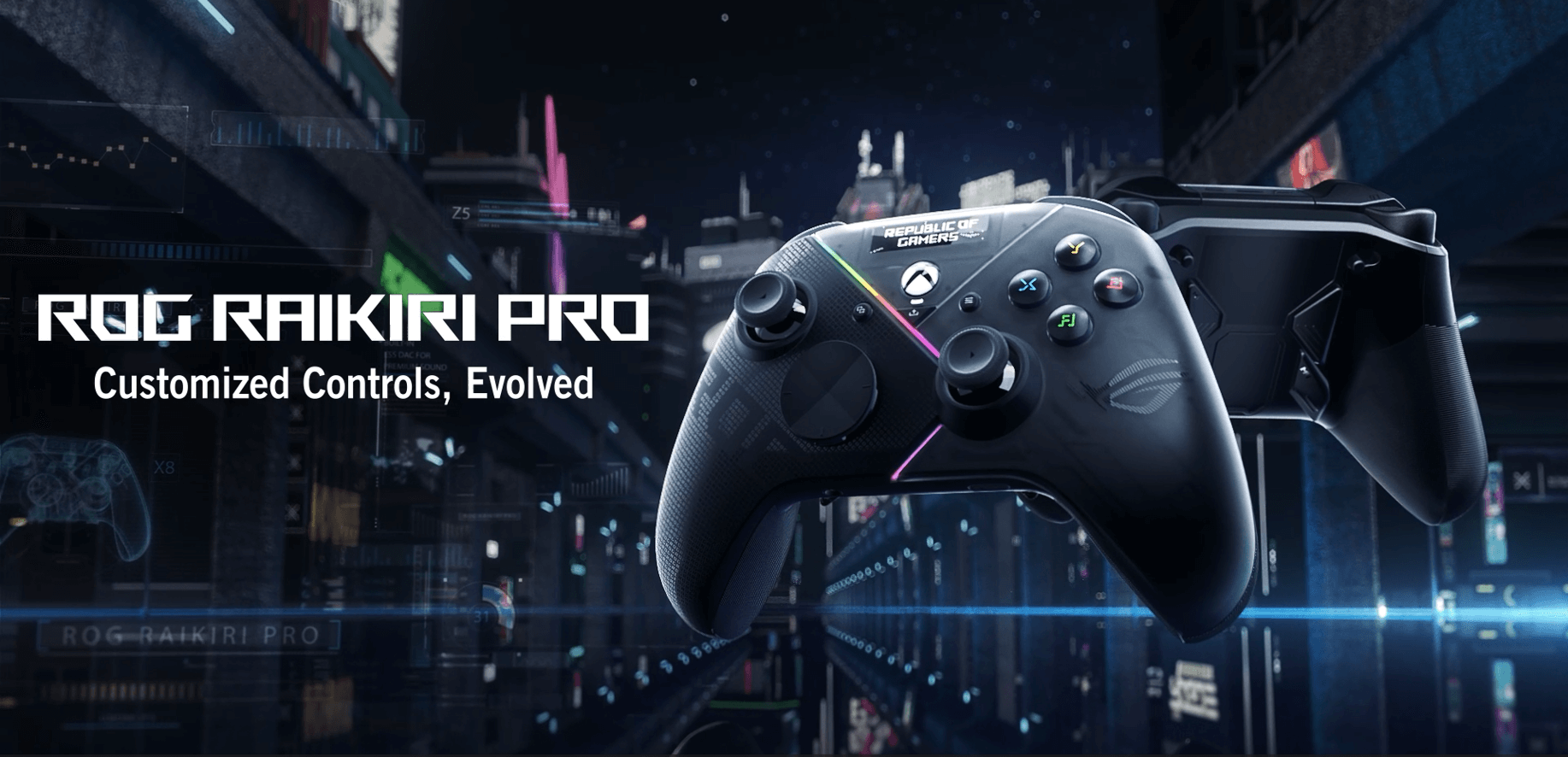
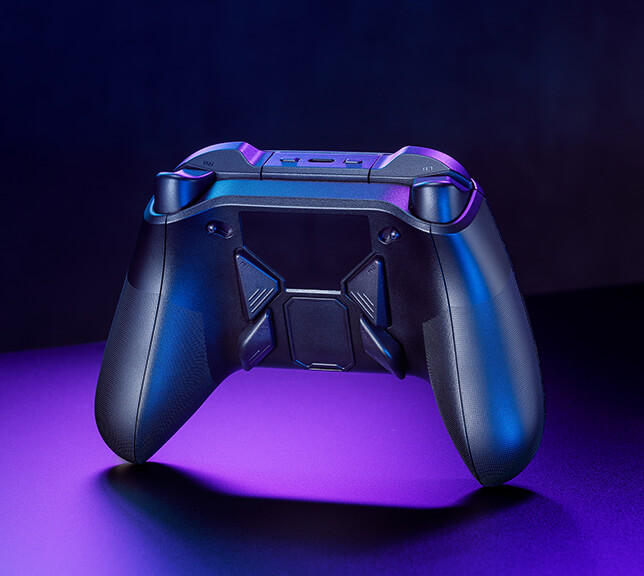
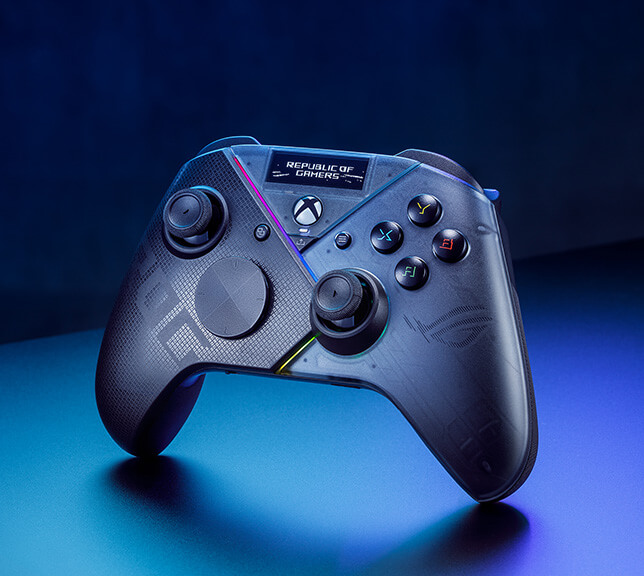
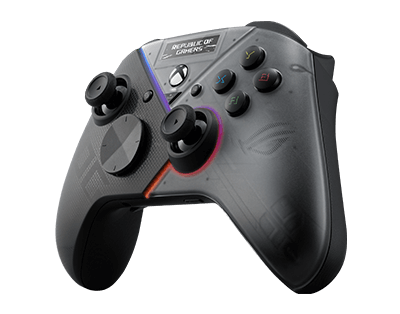
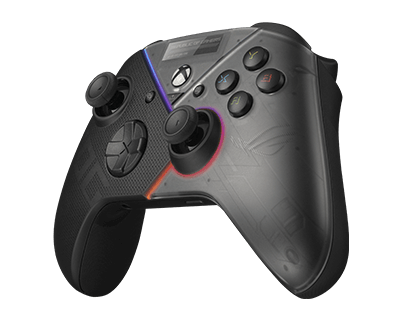
The race track in the background of cyber punk city The rear view of Raikiri Pro angled from right The front view of Raikiri Pro angled from left

Customized Controls, Evolved

The ROG Raikiri Pro PC Controller puts all the commands and customization options you need right into your hands. Personalize your Raikiri Pro with customizable animations, view status indicators, and switch profiles on its built-in OLED display. The four rear L/R buttons can be programmed as hotkeys for in-game commands or joystick sensitivity toggles. Designed for PC gamers, the Raikiri Pro’s versatile tri-mode connectivity gives you the choice to use a Bluetooth®, 2.4 GHz RF, or wired USB-C® connection - making it perfect for playing on PCs and laptops. Plus, you can even play on Xbox, all you need is a single USB-C cable.

Product Video

ROG Raikiri Pro - Customized Controls, Evolved

Tutorial Video

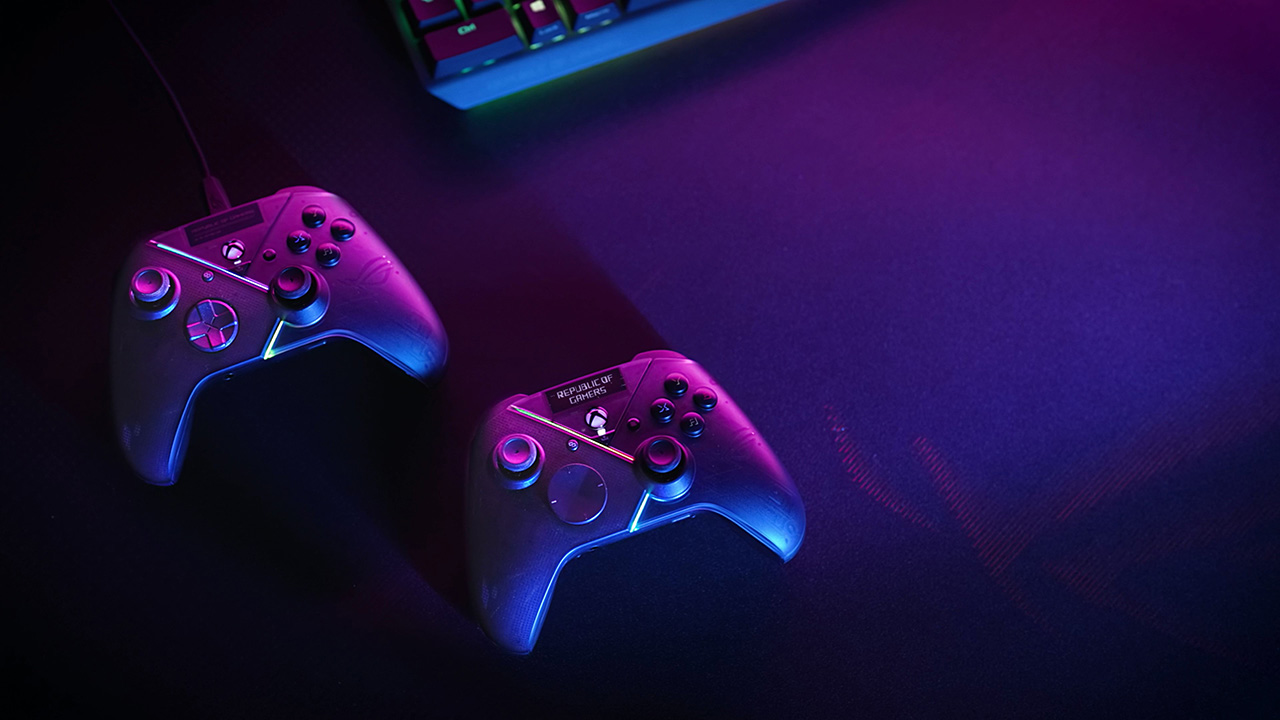
ROG Raikiri series PC gaming controller on the mousepad
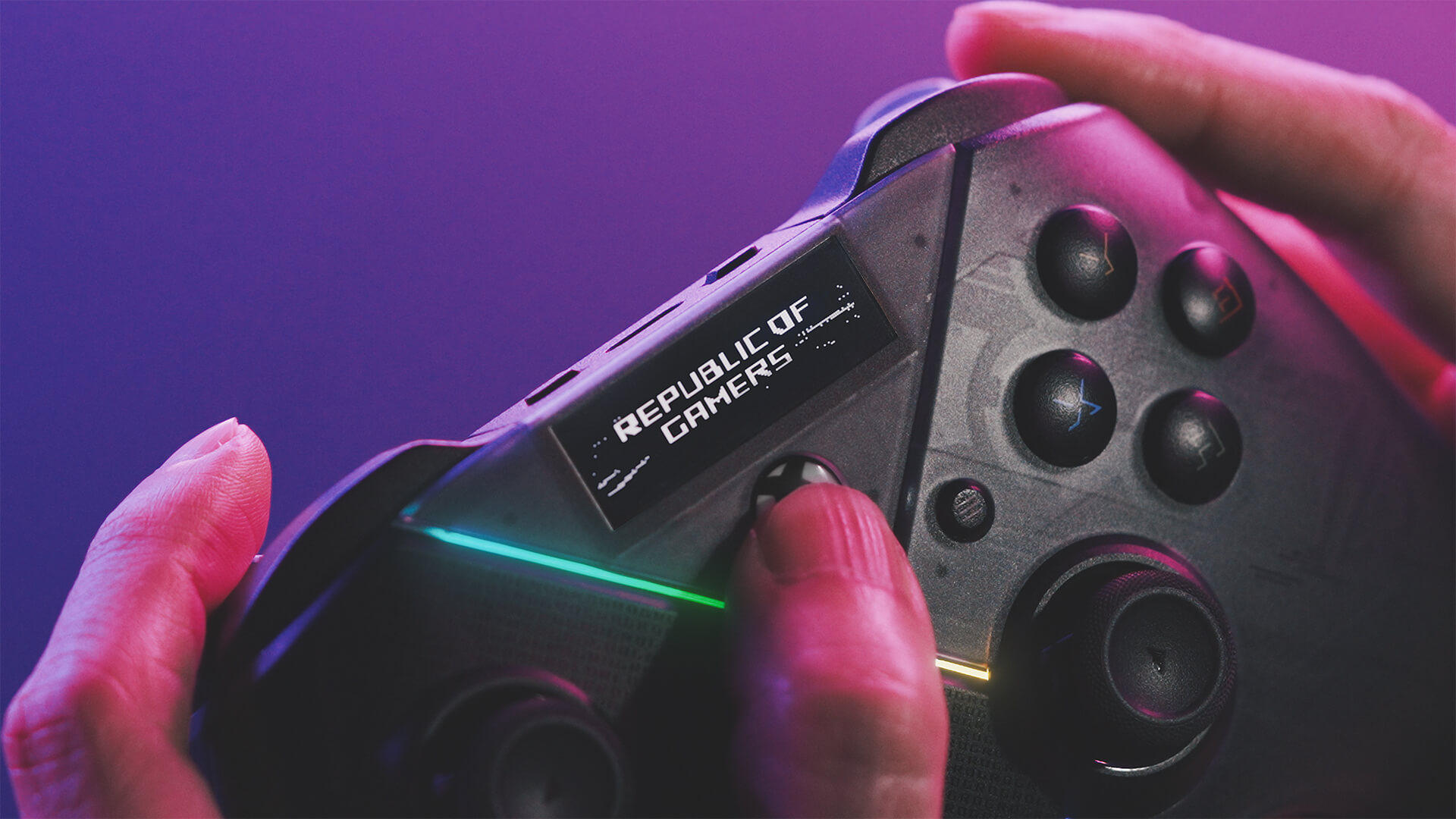
the front view of Raikiri Pro with customizable animation on its OLED display
ROG RAIKIRI PRO

Built-in OLED Display

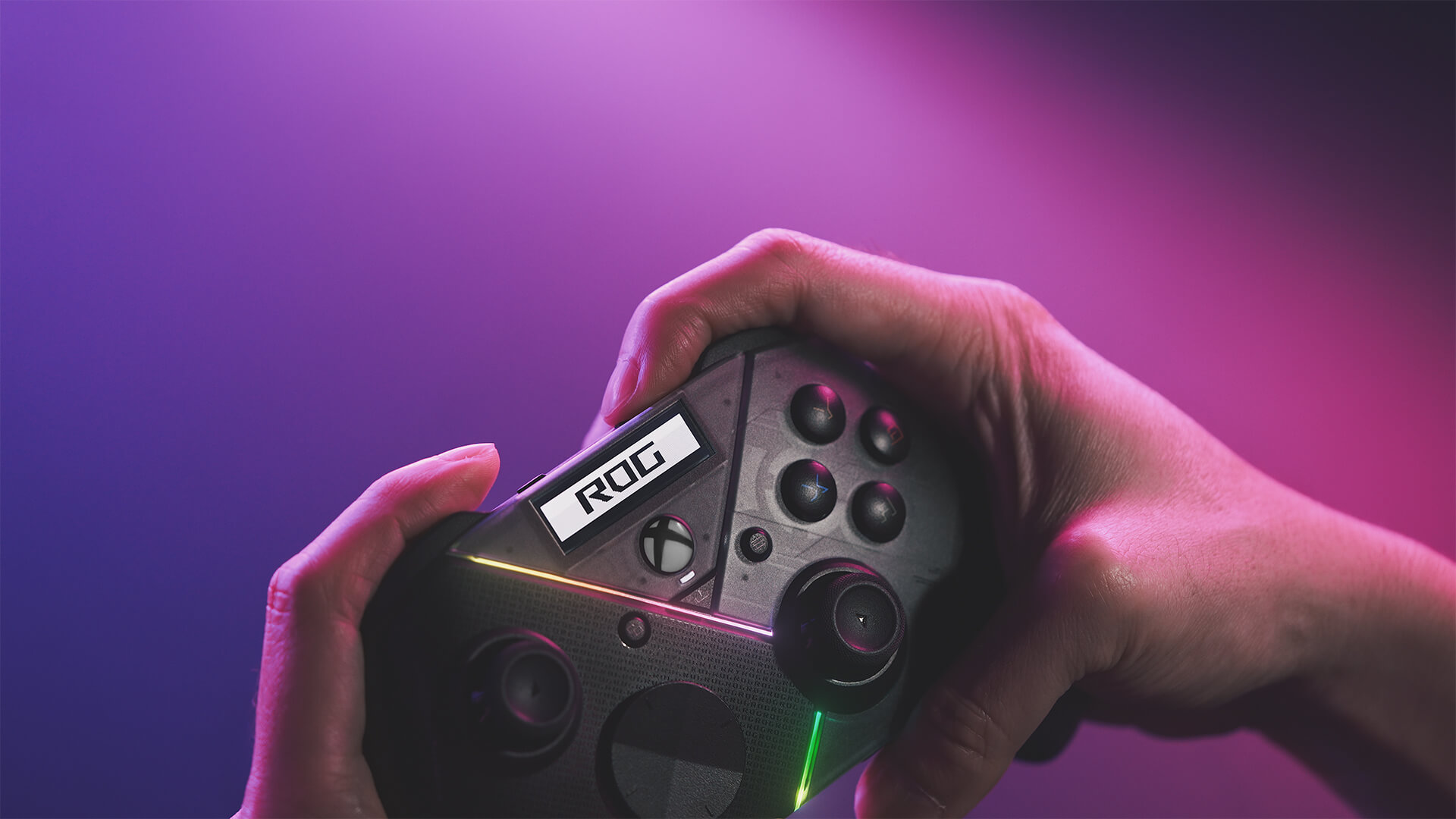
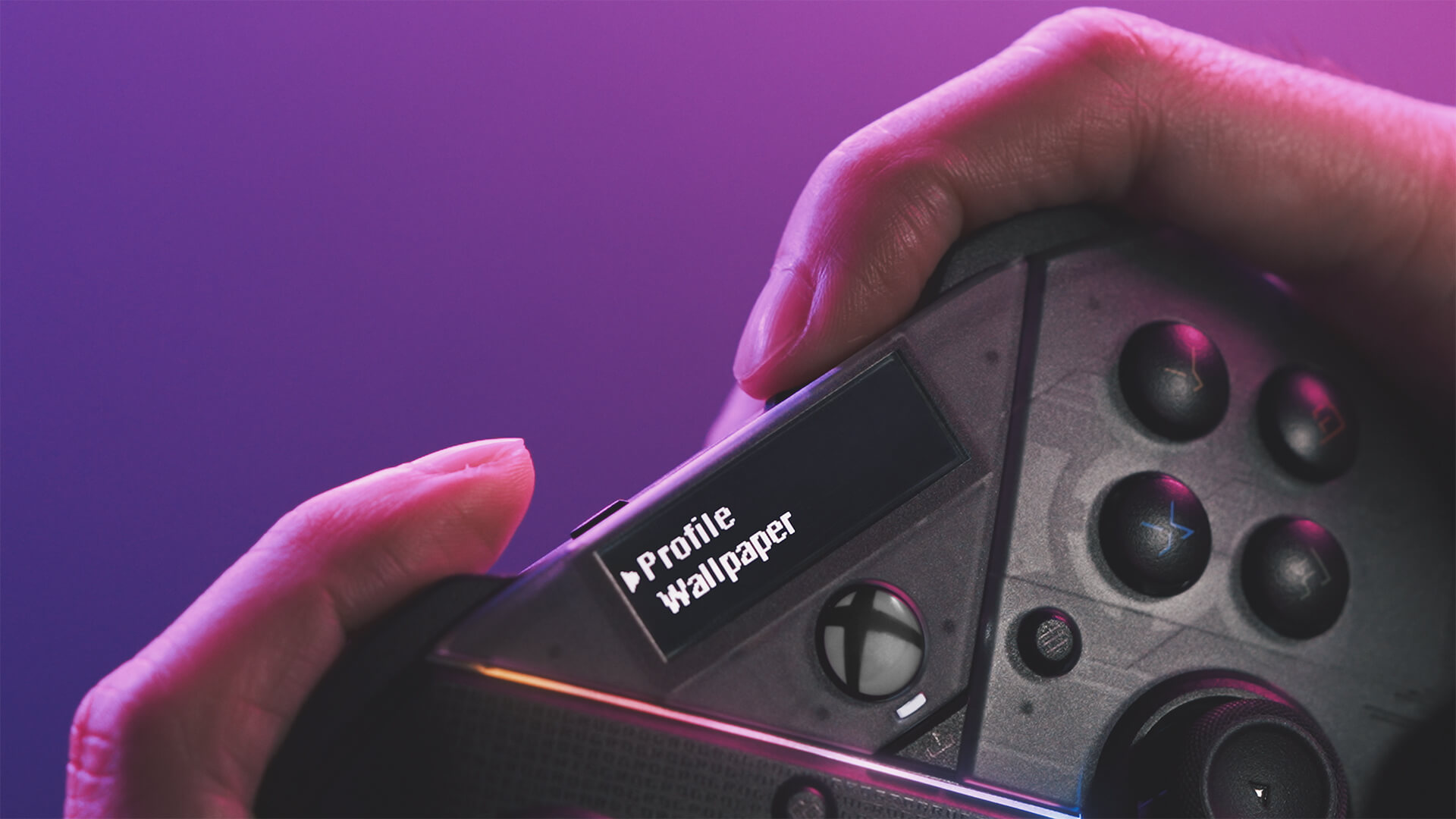
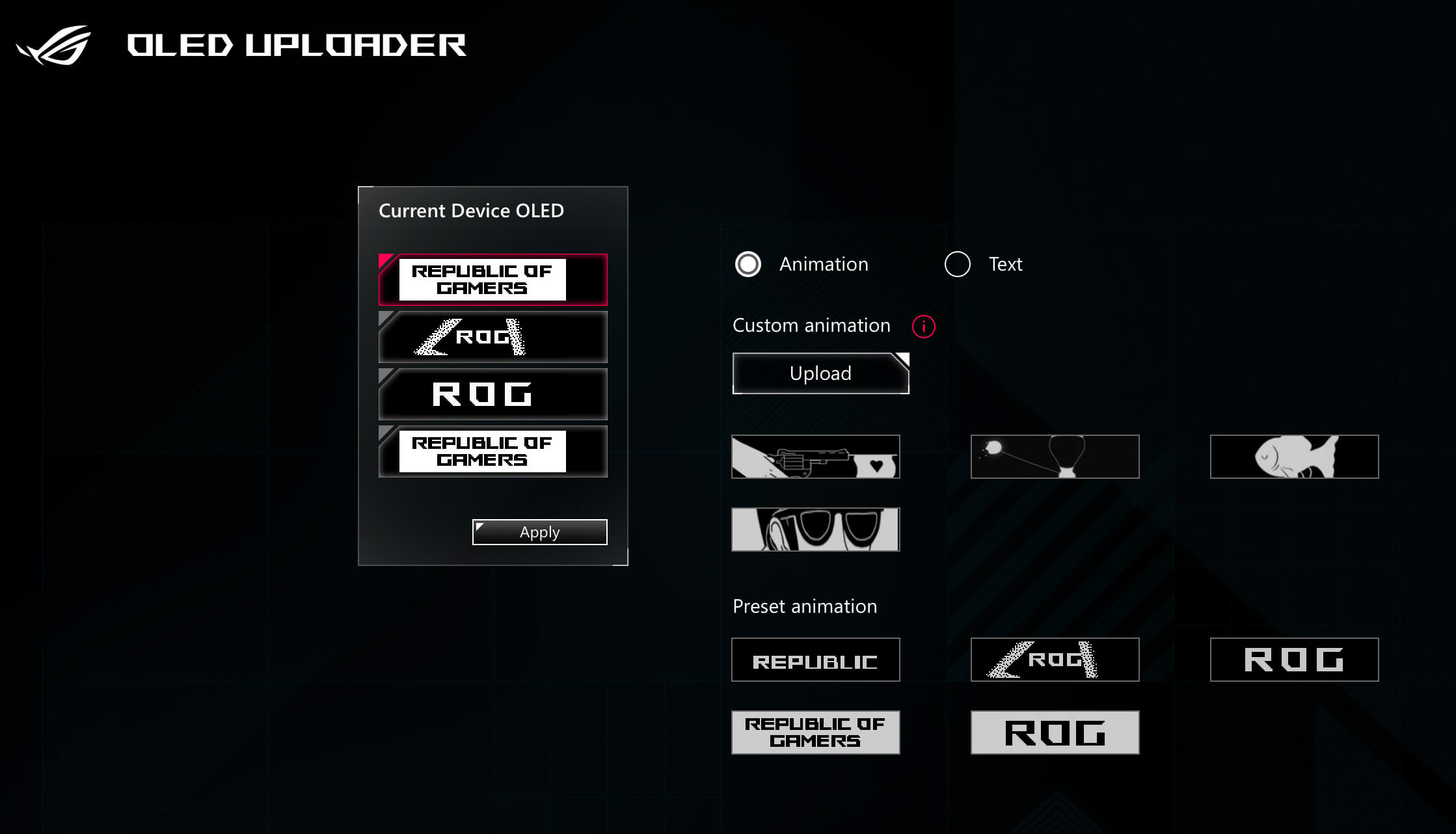
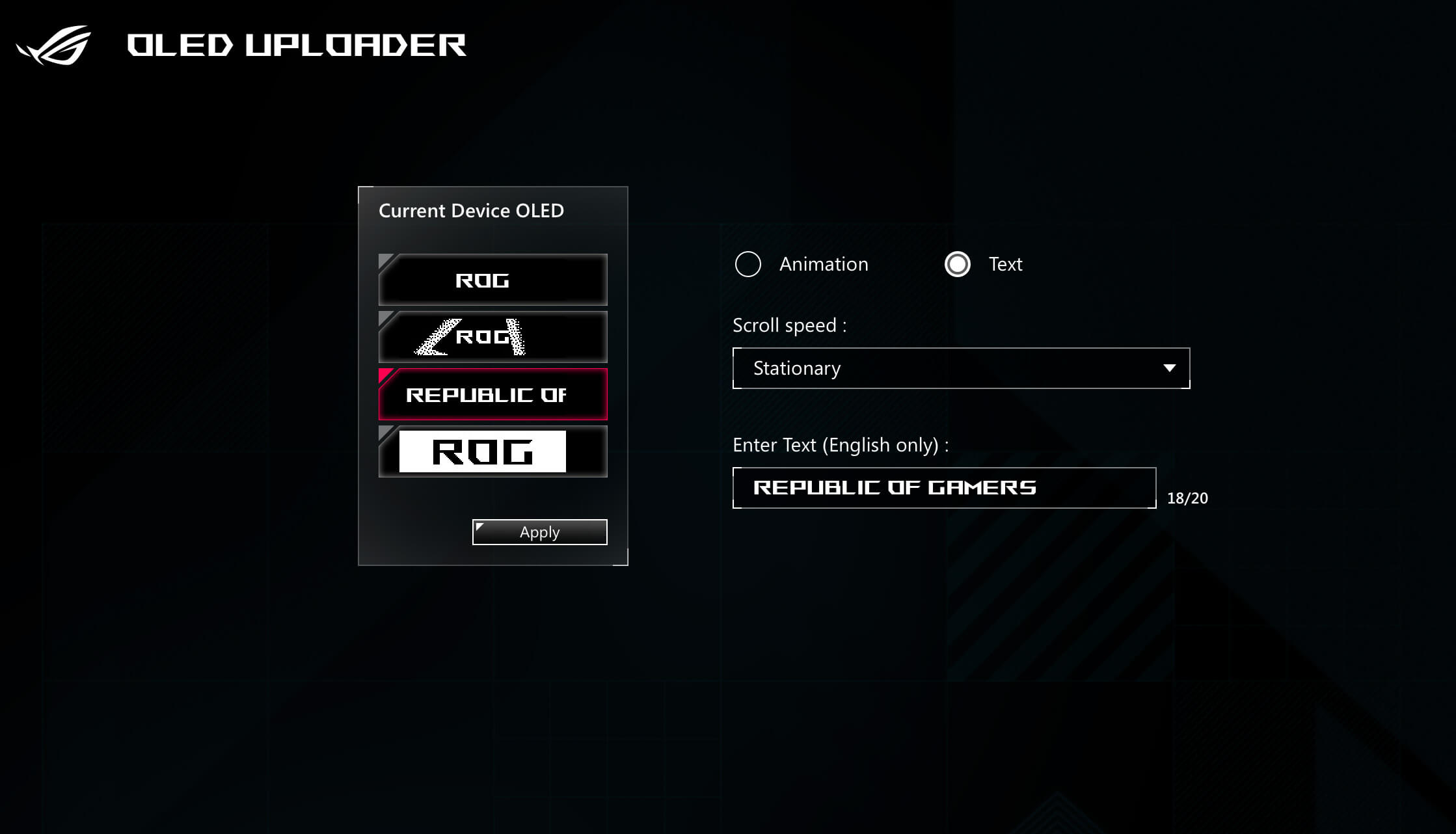
Get creative and show off your style by using Armoury Crate to flaunt a custom image, animation, or text on the ROG Raikiri Pro’s built-in OLED display. Use the OLED to switch connection modes, view controller profiles and change them on the fly, as well as monitor charging, power, or mic status. Use the two buttons above the OLED to select controller profiles or change what’s being displayed onscreen, even when you’re in the middle of a game.

1 Hold Xbox button: Power on

A finger presses on the Xbox button on the front view of ROG Raikiri Pro

2 Hold right button: Enter main menu

An index finger presses on the right of button above OLED panel on the front view of ROG Raikiri Pro

3 Press right button: Move down
Hold right button: Select
Press left button: Return

Tri-Mode Connectivity

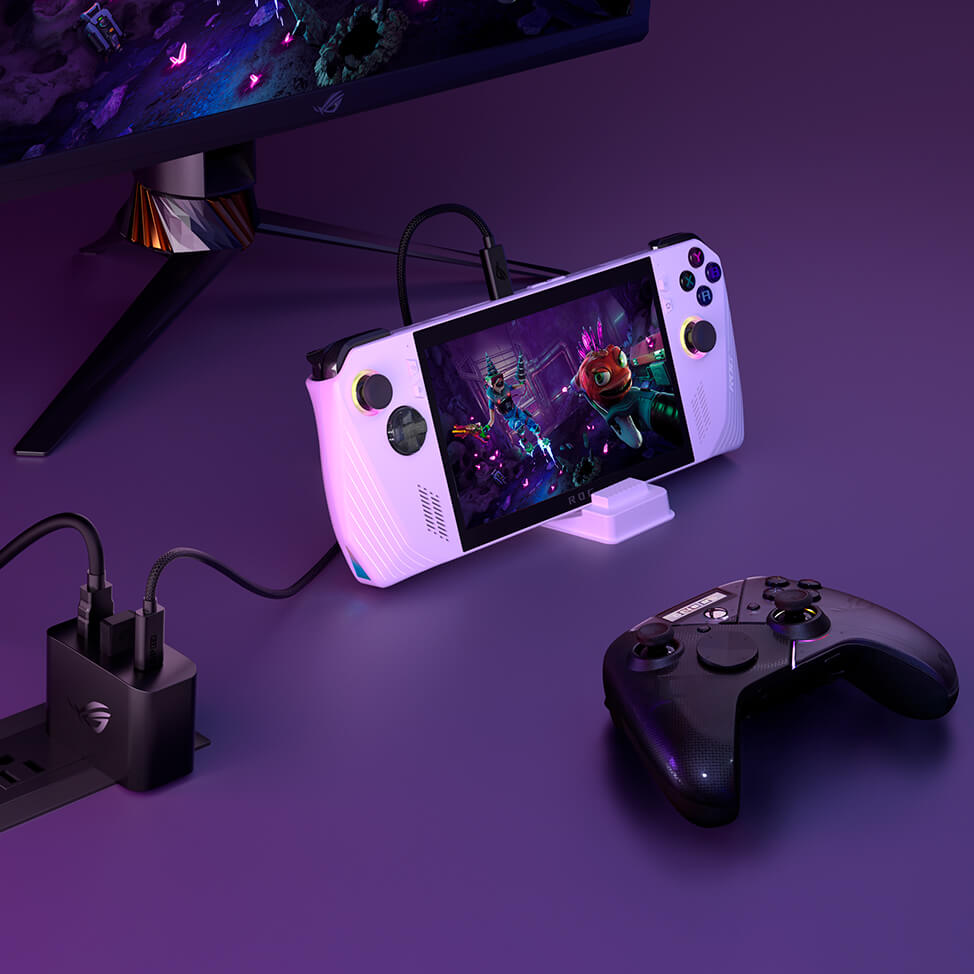
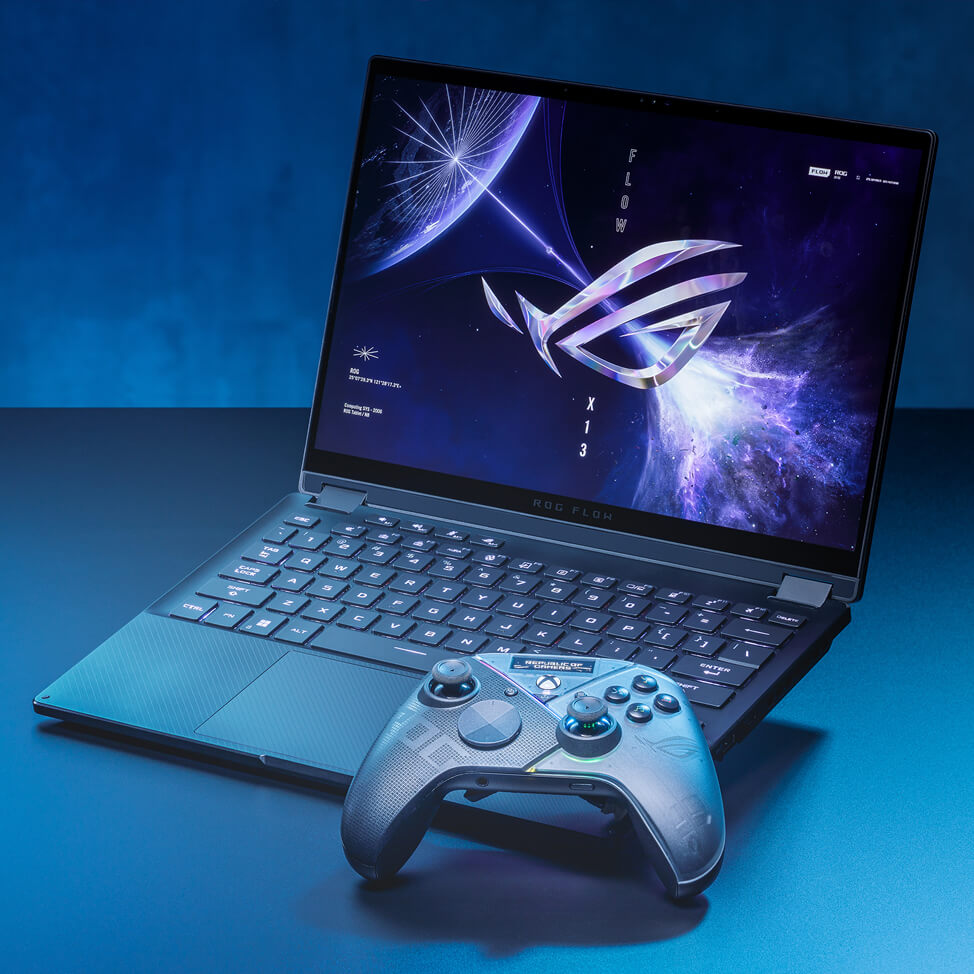
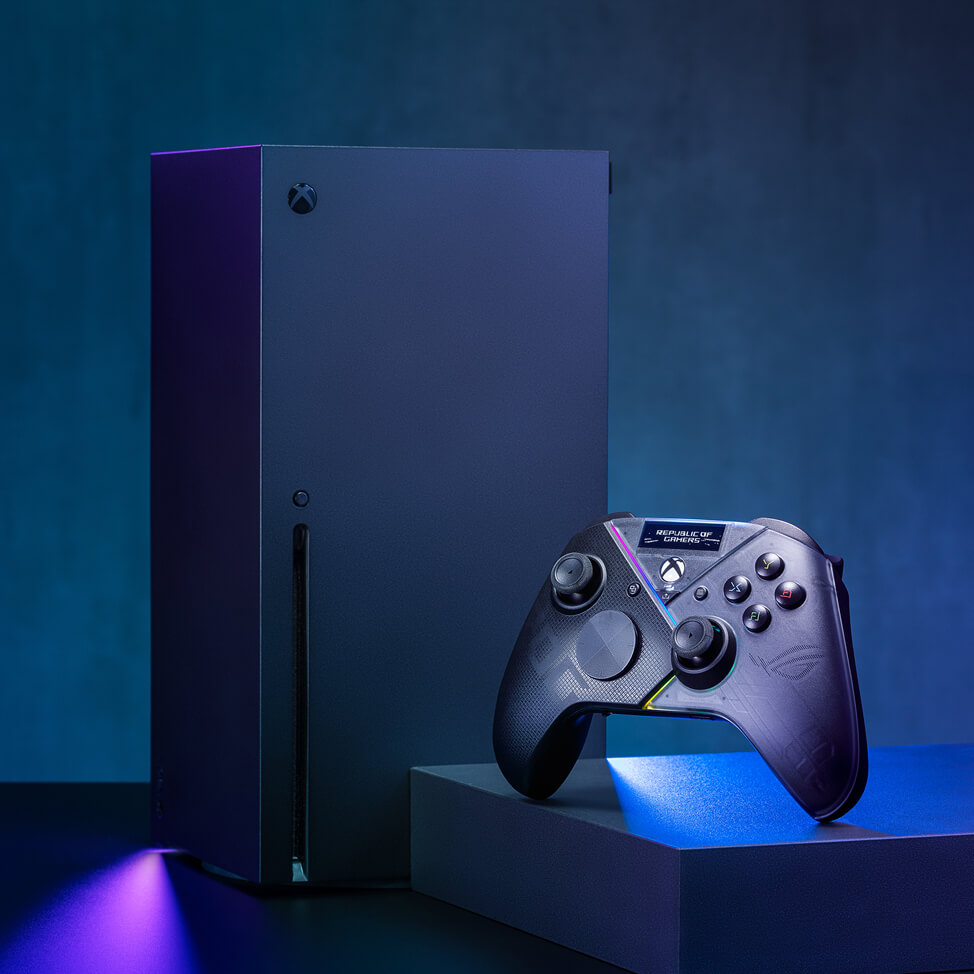
The ROG Raikiri Pro is a versatile controller that gives you the flexibility to use Bluetooth, 2.4 GHz RF, or wired USB-C connection when playing on a laptop, PC or ROG Ally. Plus, it’s certified with Xbox consoles, all you need is a single USB-C cable. It uses adaptive frequency hopping technology (AFH) to minimize interference with other devices to give you low-latency Bluetooth performance, making it perfect for competitive gaming.

  • Bluetooth 5.0

  • Wired USB-C®

  • 2.4 GHz

Download driver for Bluetooth connection
ROG Raikiri Pro is set up with ROG Ally
ROG Raikiri Pro is beside to ROG Flow X13
ROG Raikiri Pro is certified for Xbox consoles
PC Xbox
Features USB-C Bluetooth 2.4 GHz USB-C
Xbox Game Pass
Impulse Trigger1
Haptic Feedback
Audio
RGB Lighting
Aura Sync RGB Lighting
Armoury Crate2
1 Haptic feedback on Impulse Triggers is defined as an official Xbox controller 2 PC & Xbox profile settings must be set up on the PC via wired mode then saved in the onboard memory

Bluetooth mode

  1. 1 Turn on OLED, and go to System > PC > Bluetooth

    An index finger presses on the right of button above OLED panel on the front view of ROG Raikiri Pro with the main menu on the OLED screen
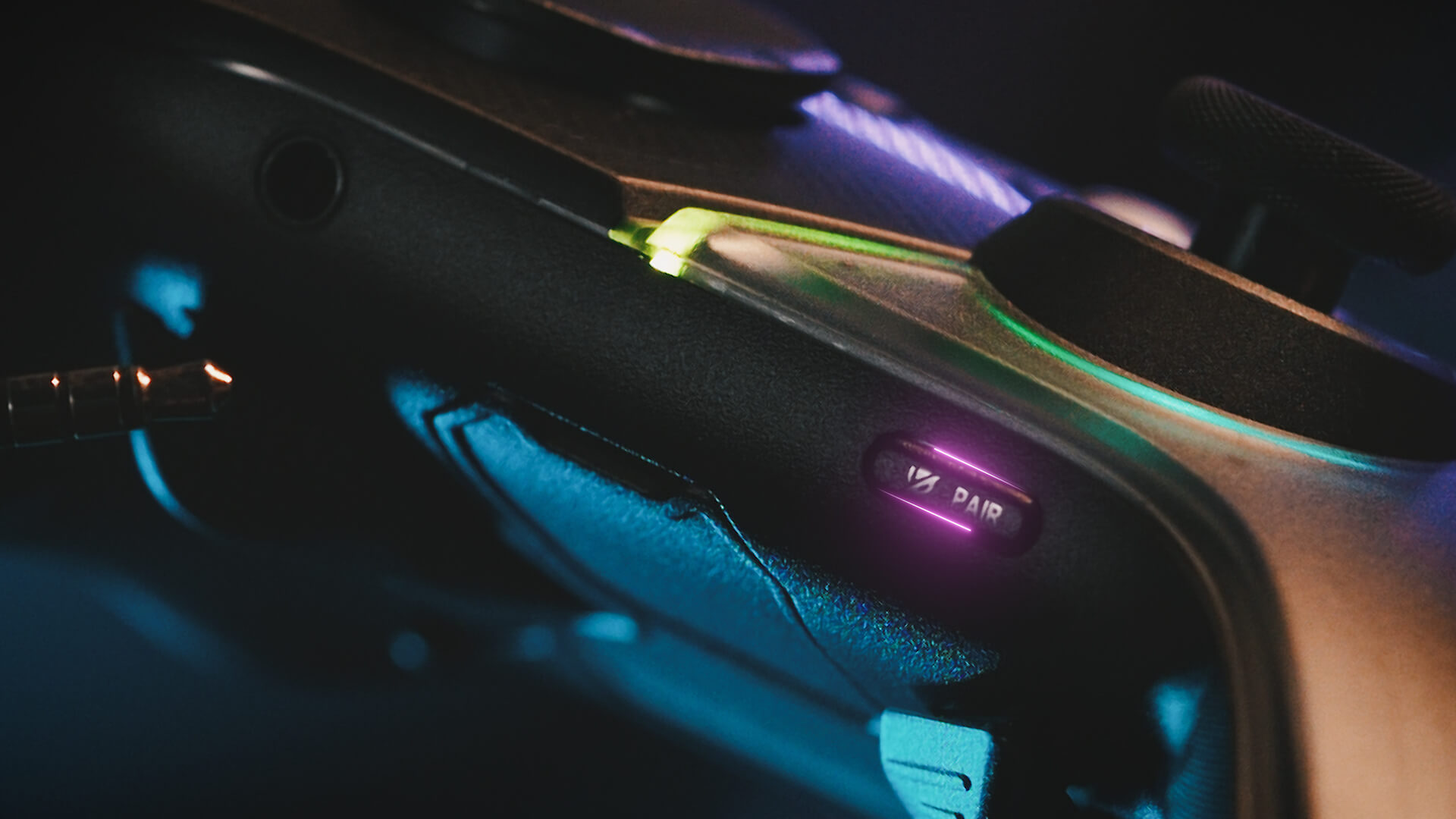
  2. 2 Hold pairing button for over 3 seconds until indicator LED flashes rapidly white

    ROG Raikiri Pro bottom view with the pairing button lightened

2.4 GHz mode

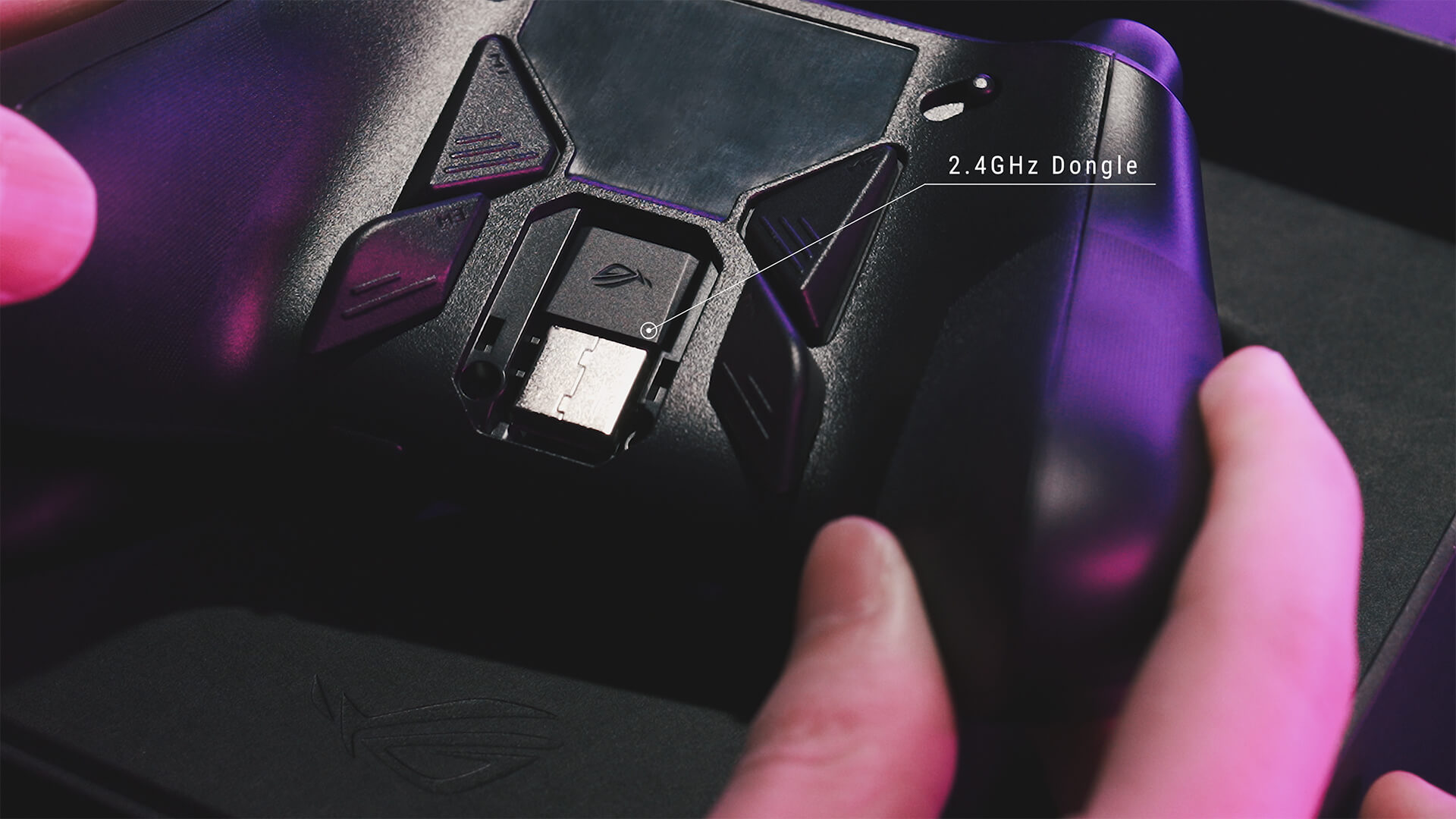
  1. 1 Open dongle cover on the back, and pick up USB dongle

    The back view of ROG Raikiri Pro without the dongle cover, and see bundled USB dongle
  2. 2 Turn on OLED, and go to System > PC > RF 2.4GHz

    An index finger presses on the right of button above OLED panel on the front view of ROG Raikiri Pro with the main menu on the OLED screen

Wired mode

  • Turn on OLED, and go to System > PC > USB

    An index finger presses on the right of button above OLED panel on the front view of ROG Raikiri Pro with the main menu on the OLED screen
  • Or go to System > Xbox to connect with Xbox

    An index finger presses on the right of button above OLED panel on the front view of ROG Raikiri Pro with the main menu on the OLED screen

Intuitive Rear Controls

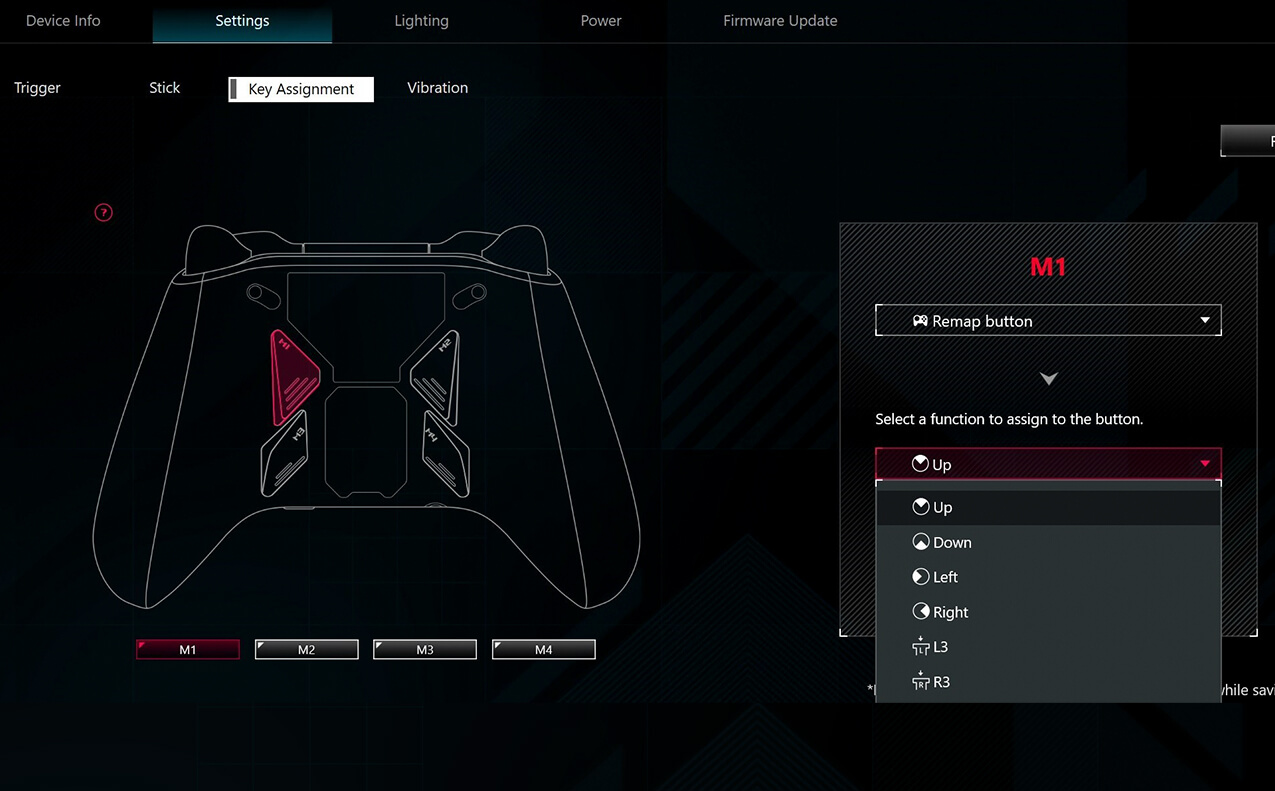
The ergonomic shape of the Raikiri Pro provides a perfect grip, whatever your hand size, so the rear buttons are always a comfortably within reach. The four left and right rear buttons feature cross stripes to create a textured, non-slip finish, and they provide satisfyingly tactile feedback with every press. Program the buttons as hotkeys for complex in-game commands, or use them to tweak joystick sensitivity on the fly for greater levels of control.

Selectable Step Triggers

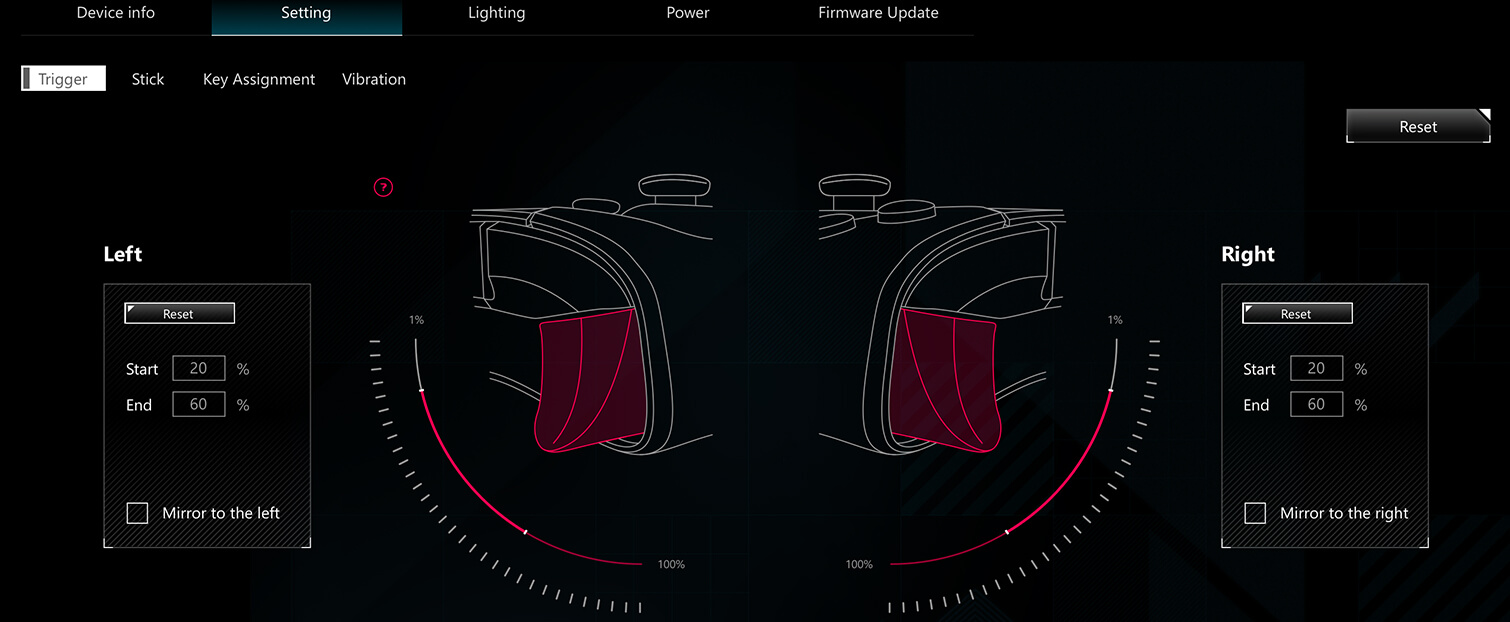
The left and right triggers offer a full range of motion and include a short trigger lock mode. Trigger dead zones can be customized via Armoury Crate to suit user preference.

Full Trigger Mode

Selectable Step Triggers

The left and right triggers offer a full range of motion and include a short trigger lock mode. Trigger dead zones can be customized via Armoury Crate to suit user preference.

Short Trigger Mode

Extremely Customizable

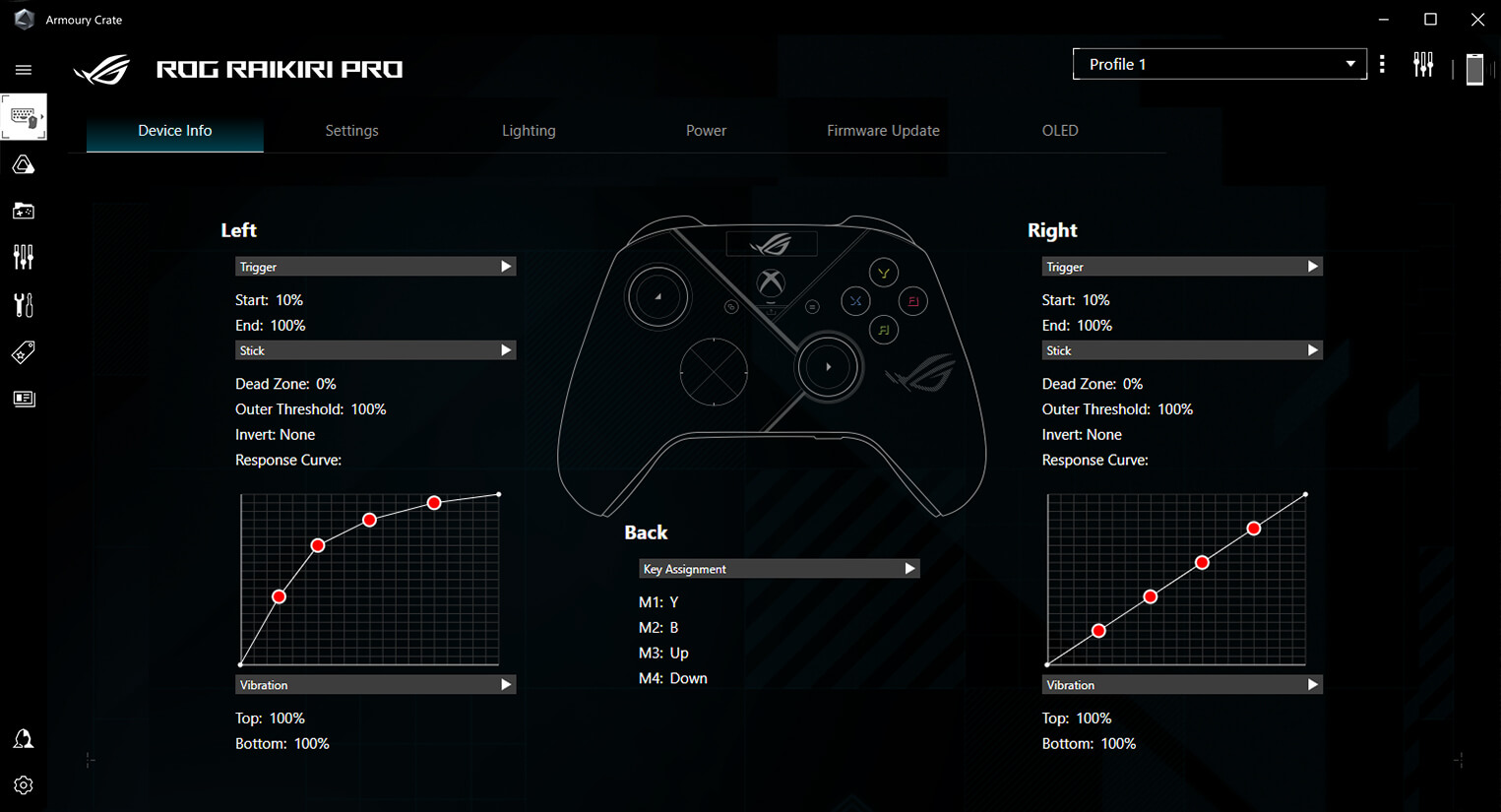
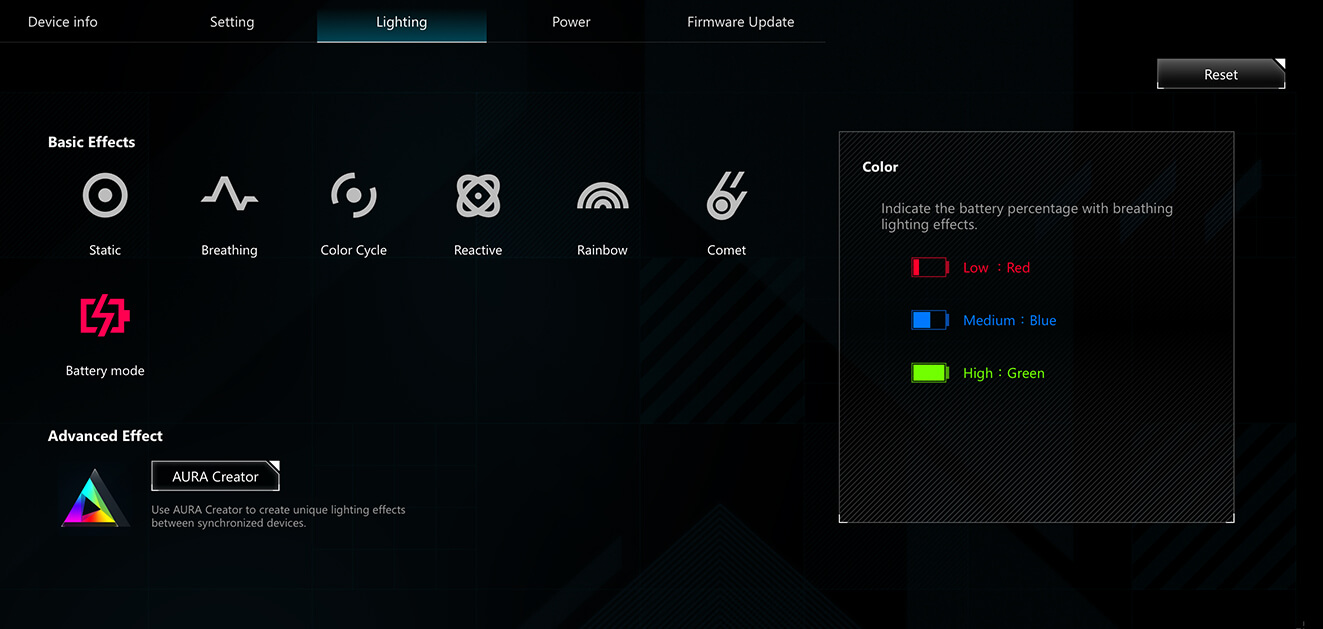
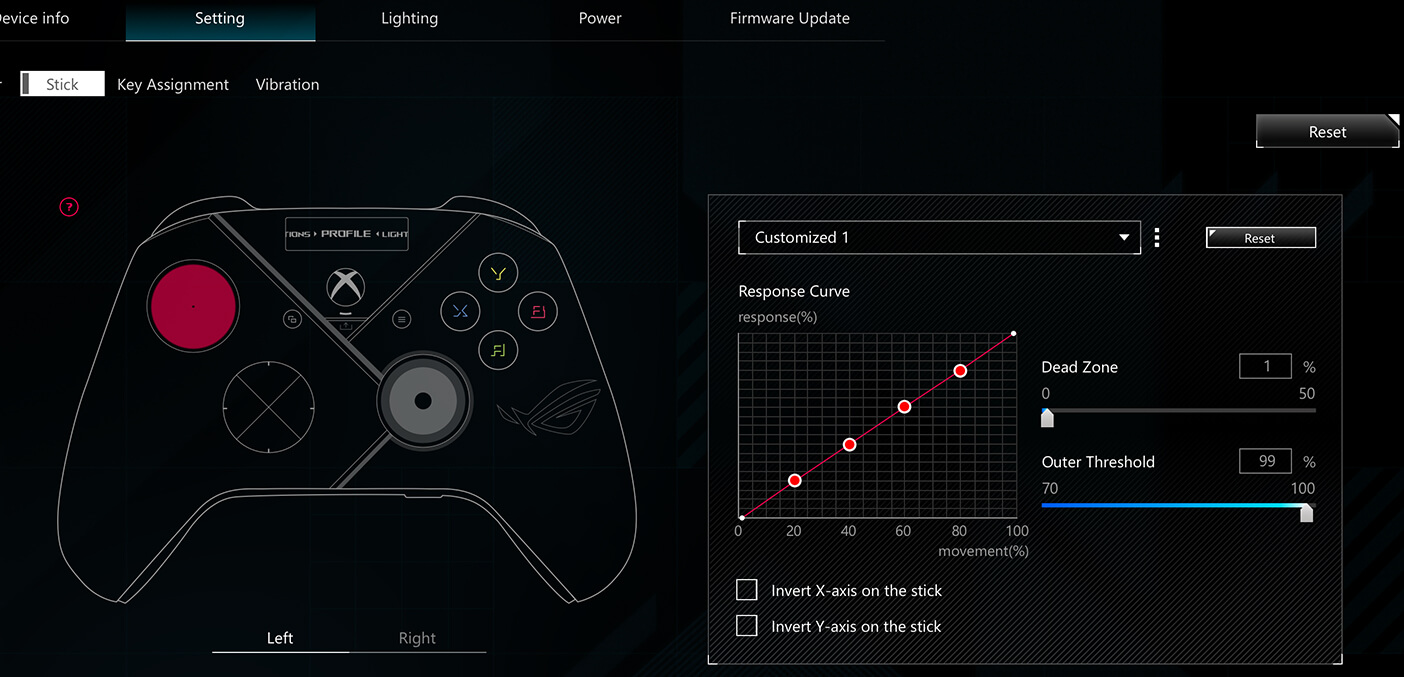
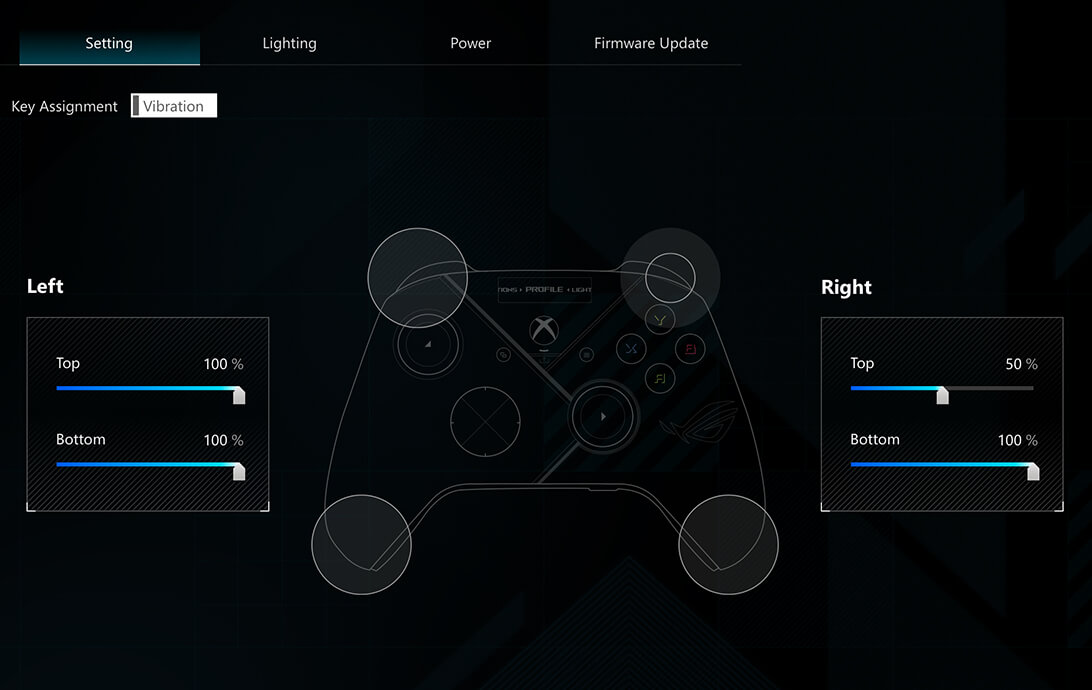
Use the Armoury Crate app to tailor controls to suit your play style or any game. A myriad of customization options are possible, allowing you to remap buttons, adjust OLED display settings, select controller profile, and set up low-battery alerts for wireless mode. You can also tweak vibration strength and trigger dead zones, and adjust joystick response curves.

*Armoury Crate can only be accessed in wired mode.
the deco information of Armoury Crate settings interface

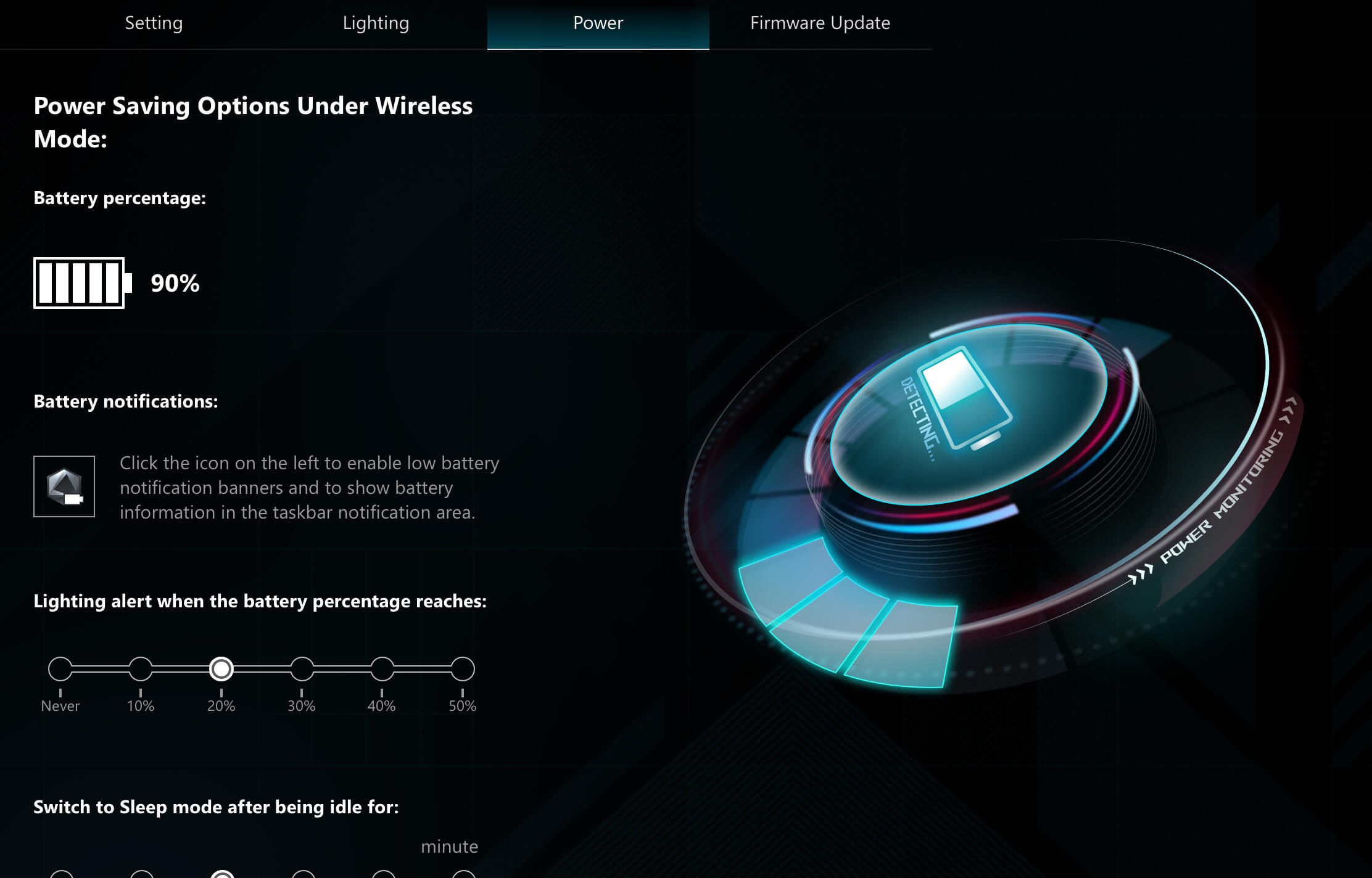
Power Settings

The power settings Armoury Crate software interface for ROG Raikiri

Trigger Settings

The trigger settings Armoury Crate software interface for ROG Raikiri

OLED Settings

The OLED settings Armoury Crate software interface for ROG Raikiri

Lighting Settings

The lighting settings Armoury Crate software interface for ROG Raikiri

Joysticks Settings

The joysticks settings Armoury Crate software interface for ROG Raikiri

Vibration Settings

The vibration settings Armoury Crate software interface for ROG Raikiri

Key Assignments

The key assignments Armoury Crate software interface for ROG Raikiri

Premium Audio

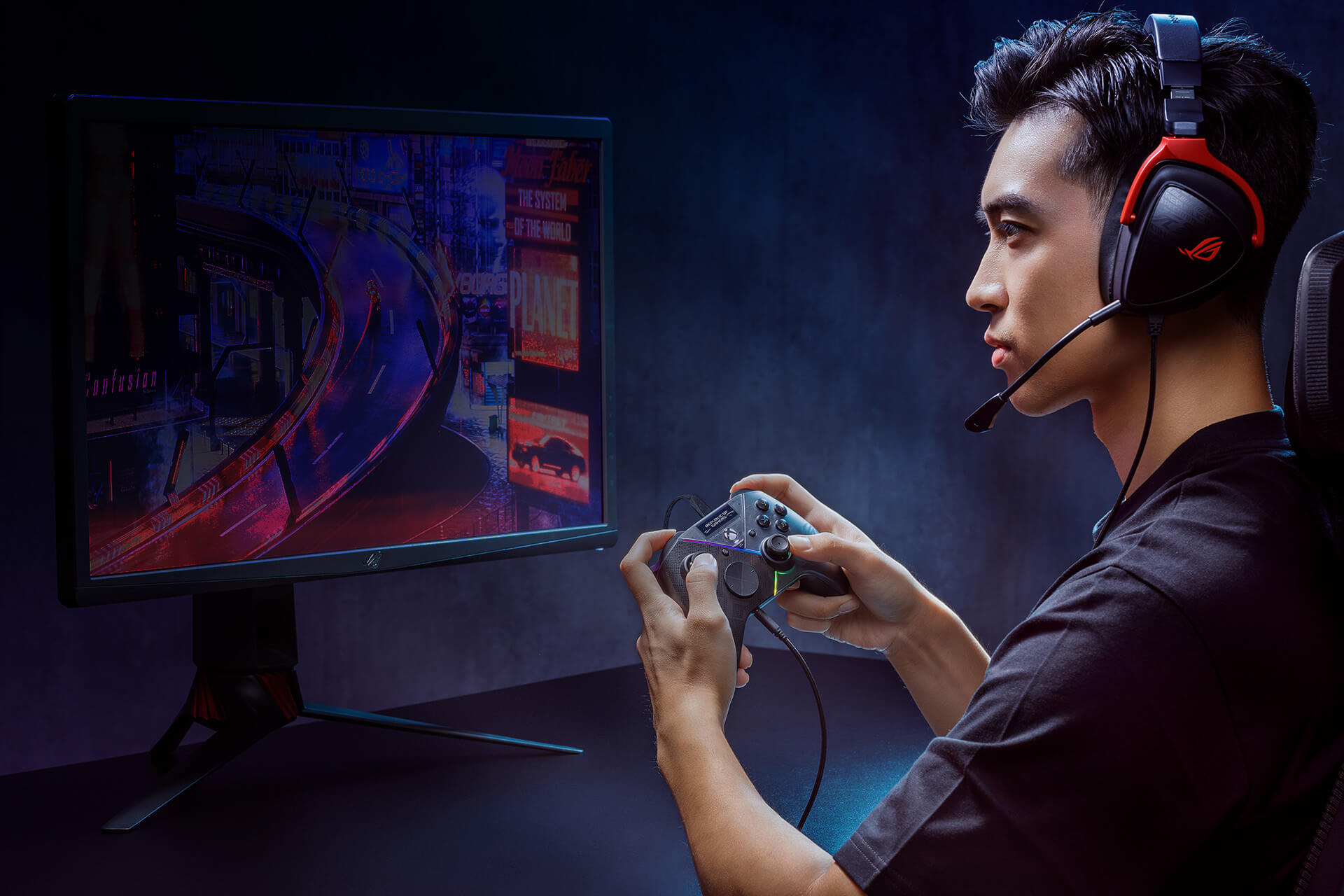
Plug a headset into the 3.5 mm jack for premium, true-to-life audio, powered by the built-in ESS DAC. Plus, it also supports mute button for voice chat on and off.

*Headset connection is only available in wired mode.
The scenario photo with model hold Raikiri Pro in hands and wear ROG Delta S Core gaming headset to show the built-in ESS DAC

ROG Spirit

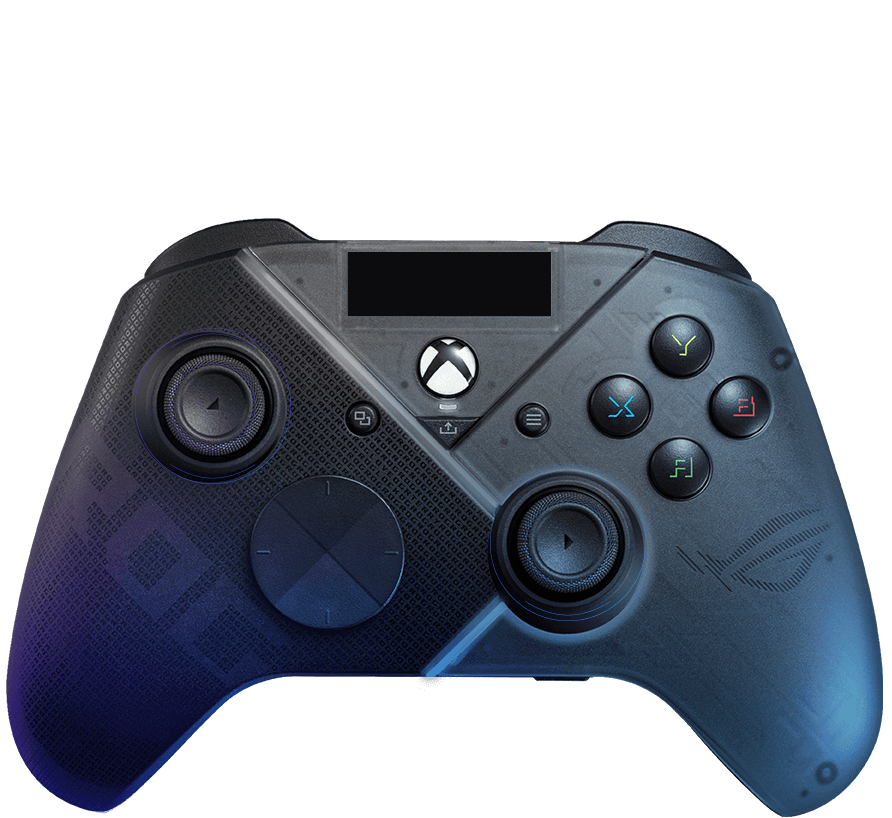
A translucent design and a floating logo give the Raikiri Pro a look that reflects the sci-fi-inspired cyberpunk ROG spirit.

The rear view of Raikiri Pro
The front view of Raikiri Pro
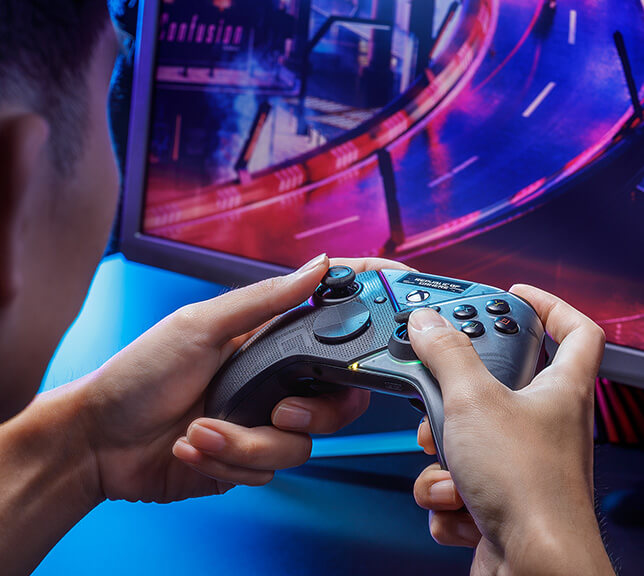
Model hold Raikiri Pro in hands to play racing games
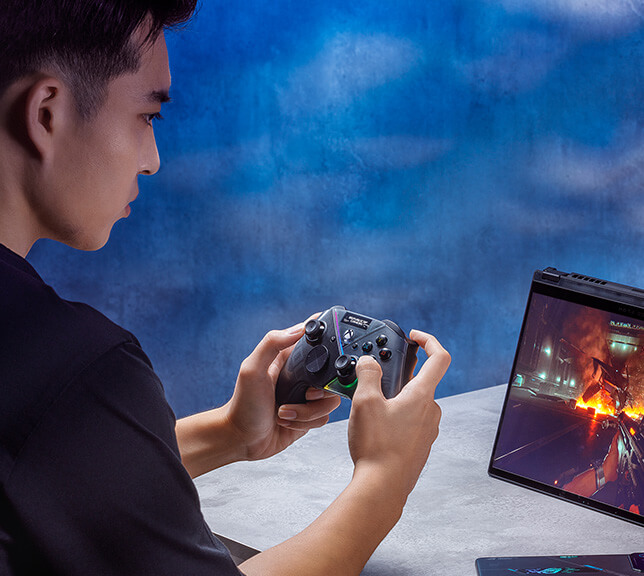
Model hold Raikiri Pro in hands to play FPS games with ROG Flow X13

ROG Raikiri Pro

ROG Raikiri

Connectivity

Connect to Xbox consoles with wired

Connect to PC with wired, RF 2.4Ghz or Bluetooth

Connect to Xbox consoles with wired

Connect to PC with wired

Additional button

Rear buttons x 4, OLED control button x 2
(programmable in Armoury Crate)

Rear buttons x 2
(programmable in Armoury Crate)

OLED

1.3” with 128 * 40 resolution

None

8-way D-pad circular D-pad standard D-pad

Awards

Bronze

Everything else is the same as with the Raikiri base model and those parts are perfectly fine, except that this Pro shows me the only advantage in a slightly larger mass, because of the battery of course, and because of that it feels a little better in the hand.

Bronze

Everything else is the same as with the Raikiri base model and those parts are perfectly fine, except that this Pro shows me the only advantage in a slightly larger mass, because of the battery of course, and because of that it feels a little better in the hand.

Bronze award

Everything else is the same as with the Raikiri base model and those parts are quite ok, except that this Pro shows me the only advantage in a slightly larger mass, because of the battery of course, and because of that it feels a little better in the hand.

Bronze award

Everything else is the same as with the Raikiri base model and those parts are quite ok, except that this Pro shows me the only advantage in a slightly larger mass, because of the battery of course, and because of that it feels a little better in the hand.

Editor's Choice

Simply a controller that has no competition.

Editor's Choice

Simply a controller that has no competition.

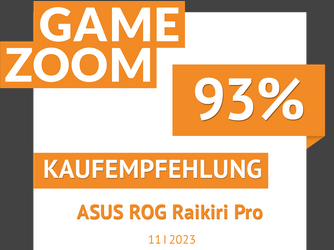
Gamezoom purchase recommendation

The controller is very comfortable to hold and the programmable special buttons invite you to experiment. The hybrid control pad, buttons, bumpers and triggers impress with their pleasant pressure points and low volume.

Gamezoom purchase recommendation

The controller is very comfortable to hold and the programmable special buttons invite you to experiment. The hybrid control pad, buttons, bumpers and triggers impress with their pleasant pressure points and low volume.

Approved

What we have here is a very high-end controller with RGB backlighting, a more 'Gaming' design, an OLED screen for monitoring operation, the ability to connect to multiple devices via Bluetooth, USB or 2.4 GHz, and a software tool for configuring it.

Approved

What we have here is a very high-end controller with RGB backlighting, a more 'Gaming' design, an OLED screen for monitoring operation, the ability to connect to multiple devices via Bluetooth, USB or 2.4 GHz, and a software tool for configuring it.

8 out of 10

The Raikiri Pro [...] has an outstanding finish and the precision of its controls is just about flawless. The triple connectivity working well, and it's always a good idea to have included a small space for the 2.4 GHz RF dongle. [...] one of the best controllers on the market: few pads are as comfortable, even over (very) long sessions. The grip is impeccable and the controls fall perfectly under your fingers.

8 out of 10

The Raikiri Pro [...] has an outstanding finish and the precision of its controls is just about flawless. The triple connectivity working well, and it's always a good idea to have included a small space for the 2.4 GHz RF dongle. [...] one of the best controllers on the market: few pads are as comfortable, even over (very) long sessions. The grip is impeccable and the controls fall perfectly under your fingers.

4 stars out of 5

The ROG Raikiri Pro is a good controller, aimed primarily at fans of gamer design. Its multiple lighting effects and small screen will blend in perfectly with the ROG Ally (for example) or with a PC set up for gaming, all the more so if the latter also features various and sundry acronyms, transparent walls and other RGB functionalities. We also appreciate the configuration options offered by Armoury Crate...

4 stars out of 5

The ROG Raikiri Pro is a good controller, aimed primarily at fans of gamer design. Its multiple lighting effects and small screen will blend in perfectly with the ROG Ally (for example) or with a PC set up for gaming, all the more so if the latter also features various and sundry acronyms, transparent walls and other RGB functionalities. We also appreciate the configuration options offered by Armoury Crate...

5 stars out of 5

The ROG Raikiri Pro is a controller for gamers who really want to enjoy themselves. If you're a competitive gamer, whether on Xbox Series or even PC, the Raikiri Pro gives you a rugged, futuristic-style controller with great additions for the competitive gamer.

5 stars out of 5

The ROG Raikiri Pro is a controller for gamers who really want to enjoy themselves. If you're a competitive gamer, whether on Xbox Series or even PC, the Raikiri Pro gives you a rugged, futuristic-style controller with great additions for the competitive gamer.

9 out of 10

With these two ROG Raikiri controllers, ASUS is offering two exceptional controllers. The classic version will be more than enough for the average gamer looking for something a little more sophisticated than the basic Xbox Series controllers, while the PRO version will appeal to the more demanding gamers, thanks in particular to its four programmable buttons and on-the-fly profile management.

9 out of 10

With these two ROG Raikiri controllers, ASUS is offering two exceptional controllers. The classic version will be more than enough for the average gamer looking for something a little more sophisticated than the basic Xbox Series controllers, while the PRO version will appeal to the more demanding gamers, thanks in particular to its four programmable buttons and on-the-fly profile management.

Recommended

The ASUS ROG Raikiri Pro is a nice controller, it is a controller that you get used to quickly...

Recommended

The ASUS ROG Raikiri Pro is a nice controller, it is a controller that you get used to quickly...

Bronze Pokdeward

Starting off our ROG Raikiri Pro review with the unboxing, the packaging has your standard ROG peripheral design, clad in the gaming giant’s signature color theme but the some green at the bottom since it’s designed for Xbox. You can see its features listed around the box, along with some awards that it garnered listed on the front. Inside, we found the following items:

Bronze Pokdeward

Starting off our ROG Raikiri Pro review with the unboxing, the packaging has your standard ROG peripheral design, clad in the gaming giant’s signature color theme but the some green at the bottom since it’s designed for Xbox. You can see its features listed around the box, along with some awards that it garnered listed on the front. Inside, we found the following items:

3.5/5

The ROG Raikiri Pro is a pretty product backed with decent quality and usable features. However, it comes at a price that may cause most to twist necks. The gimmicks are not implemented too well and are not unique enough to justify the price tag.

3.5/5

The ROG Raikiri Pro is a pretty product backed with decent quality and usable features. However, it comes at a price that may cause most to twist necks. The gimmicks are not implemented too well and are not unique enough to justify the price tag.

7.9/10

The ROG Raikiri Pro sets new standards. From its comfortable design to immersive features, it gives a balance of form and function. While there are a few features that I wanted to have on the Raikiri Pro like hall sensors, better macro button functionality and more user-friendly Armoury Crate, I still believe that its price is justifiable… especially if you’re a huge ROG fan.

7.9/10

The ROG Raikiri Pro sets new standards. From its comfortable design to immersive features, it gives a balance of form and function. While there are a few features that I wanted to have on the Raikiri Pro like hall sensors, better macro button functionality and more user-friendly Armoury Crate, I still believe that its price is justifiable… especially if you’re a huge ROG fan.

2024 Taiwan Excellence Award

ROG Raikiri Pro won the 2024 Taiwan Excellence Award, a world-renowed design award.

2024 Taiwan Excellence Award

ROG Raikiri Pro won the 2024 Taiwan Excellence Award, a world-renowed design award.

Best Performance

The added wireless convenience of the ROG Raikiri is that it is very flexible to play without any wires to interfere and is very lightweight. The build quality is also good. And the highlight of this joypad is that it can adjust the distance of the top button, which is usually the accelerator button in racing games.

Best Performance

The added wireless convenience of the ROG Raikiri is that it is very flexible to play without any wires to interfere and is very lightweight. The build quality is also good. And the highlight of this joypad is that it can adjust the distance of the top button, which is usually the accelerator button in racing games.

ROG Raikiri Pro review

The ROG Raikiri Pro is a fascia controller. The OLED display makes it easy to select profiles and manage functionality, while the rear buttons allow for maximum customisation of the control mapping. The controller is responsive, precise and comfortable, as well as very nice to look at. Too bad about the wired connection requirement on Xbox consoles and the impossibility of accessing customisations except through a PC.

ROG Raikiri Pro review

The ROG Raikiri Pro is a fascia controller. The OLED display makes it easy to select profiles and manage functionality, while the rear buttons allow for maximum customisation of the control mapping. The controller is responsive, precise and comfortable, as well as very nice to look at. Too bad about the wired connection requirement on Xbox consoles and the impossibility of accessing customisations except through a PC.

Editor's Choice

ASUS has truly made the best gamepad made by third-party developers that can be purchased for the computer.

Editor's Choice

ASUS has truly made the best gamepad made by third-party developers that can be purchased for the computer.

Video Reviews

A good wireless controller for a select clientele.

Great controller for the money

ROG Raikiri Pro Controller ASMR Unboxing

I needed a controller with a bit more focus and a good ecosystem, because well, I often use the paddles on the back…

This EXCLUSIVE CONTROLLER IS INCREDIBLE! 😲 The ROG RAIKIRI PRO

Triggers are so great

ROG RAIKIRI PRO - Controller with RGB Led, OLED screen, 48H Battery (Xbox & PC)

WUKONG MILK TWIN

BLACK MYTH: WUKONG - Fight 100 Rounds with the "Hardest" Boss in the Game??? | Game Nerd

I Train My Endurance With Tun Wukong.

Can the 100 MILLION ASUS ROG Gaming PC play MAX SETTING Black Myth Wukong??? | CellphoneS

The gear I'm using

ROG Raikiri Pro, an awesome controller that takes things to the next level from the Xbox controller.

The Raikiri Pro is a state-of-the-art gaming controller designed to deliver high performance its oled screen is fully customisable and adapts to any gaming style thanks to with trimode connectivity you can connect wirelessly to any device, whether it be a PC or a cable-only Xbox, offering maximum versatility for the discerning gamer.

Unboxing of the product

The ASUS ROG Raikiri Pro is definitely a controller full of personality, which gives the eye its famous and ever-popular side. All in all we are talking about a valid controller, with an extraordinary build quality, but one that is very limited on consoles (where it only works wired) and that, while abounding in customisation possibilities on the software side, lacks some features that can be found, even on the official Xbox controllers, in the same price range.

ASUS has truly made the best gamepad made by third-party developers that can be purchased for the computer.

This is a cool gamepad - it's really comfortable, it has a cool vibe and it's fun to play with. The question is that all the advantages it guarantees work only in wired mode, which significantly limits the possibilities.

The gamepad is cool and will be perfect for connoisseurs of something bright and unusual. And the presence of high-quality built-in sound will save personal money on the purchase of a sound card.

Without exaggeration, these are the best steaks I've ever seen. Well, a separate plus is a battery that lasts more than 40 hours with the backlight on.

Asus ROG Raikiri Review | Will these cyberpunk drivers beat the competition?

CUSTOMER REVIEWS

Recommended Products

ROG Raikiri II Xbox Wireless Controller

The ROG Raikiri II Xbox Wireless controller features TMR joysticks, 1KHz polling rate in PC mode, four rear buttons, dual-mode triggers, micro-switch buttons, and tri-mode connectivity.

ROG Tessen Mobile Controller

Transform Your Game

Related Products

ROG Courser Core Gaming Chair

ROG Cosmic Mat II

ROG Destrier Ergo Gaming Chair

ROG Destrier Ergo Gaming Chair with futuristic cyborg aesthetic, versatile seat adjustments for the perfect posture, mobile gaming arm support mode, and acoustic panel for less distraction and more immersive gaming experience.

ROG Cetra II

ROG Cetra II noise-canceling in-ear gaming headphones with noise suppression microphone, Active Noise Cancelation (ANC), specially tuned ASUS Essence drivers, Aura Sync RGB lighting, and USB-C connector for ROG Phone 5, PC, mobile and Nintendo Switch

Disclaimer

  • Products certified by the Federal Communications Commission and Industry Canada will be distributed in the United States and Canada. Please visit the ASUS USA and ASUS Canada websites for information about locally available products.
  • All specifications are subject to change without notice. Please check with your supplier for exact offers. Products may not be available in all markets.
  • Specifications and features vary by model, and all images are illustrative. Please refer to specification pages for full details.
  • PCB color and bundled software versions are subject to change without notice.
  • Brand and product names mentioned are trademarks of their respective companies.
  • Unless otherwise stated, all performance claims are based on theoretical performance. Actual figures may vary in real-world situations.
  • The actual transfer speed of USB 3.0, 3.1, 3.2, and/or Type-C will vary depending on many factors including the processing speed of the host device, file attributes and other factors related to system configuration and your operating environment.
  • Price may not include extra fee, including tax、shipping、handling、recycling fee.
    • Gaming Controllers

    • ROG Raikiri Pro PC Controller

Enter email address
Sign up

Please enter a valid email address.

  • About ROG
  • Home
  • NEWSROOM
  • facebook
  • twitter
  • Privacy Policy
  • Terms of Use Notice

©ASUSTeK Computer Inc. All rights reserved.