Republic of Gamers Announces the Strix GD30 gaming desktop
Expect 2017 to be an exciting year for ROG Strix products! We've already given you a taste of what's to come with the new ROG Strix laptops, motherboards, graphics cards, and wireless headset released last year. This year, we've upped the ante with the ROG Strix GTX 1080 Ti and the first ROG Strix monitor, microphone, and mouse. Now, we're adding to the portfolio with the first ROG Strix desktop. The ROG Strix GD30 both literally and figuratively changes the face of gaming desktops.
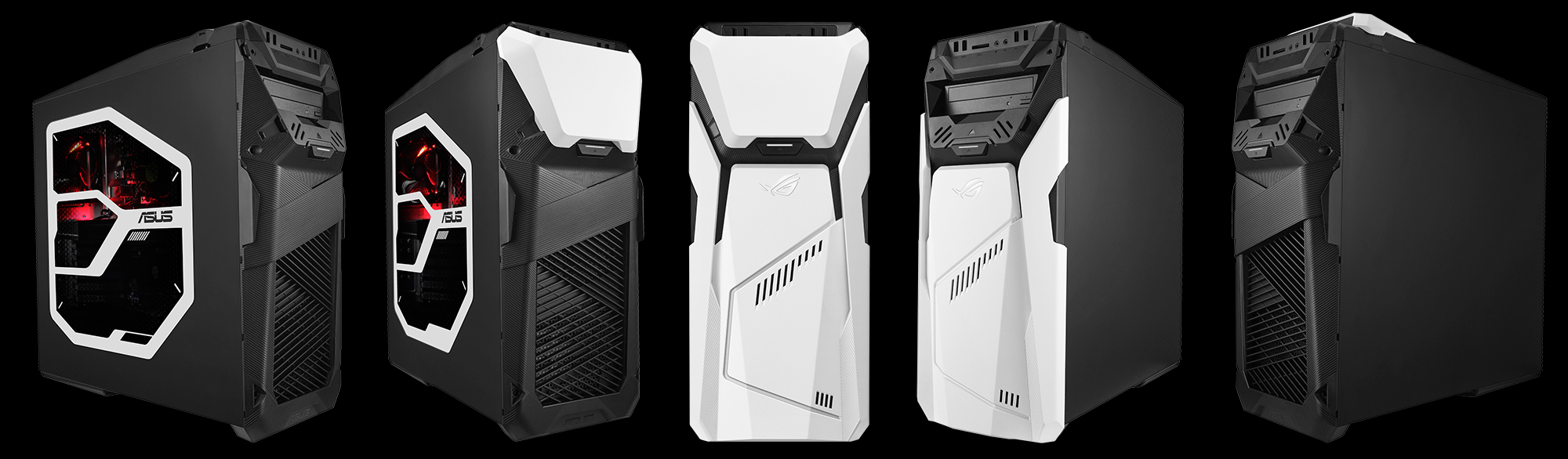
Customize your gaming rig easily
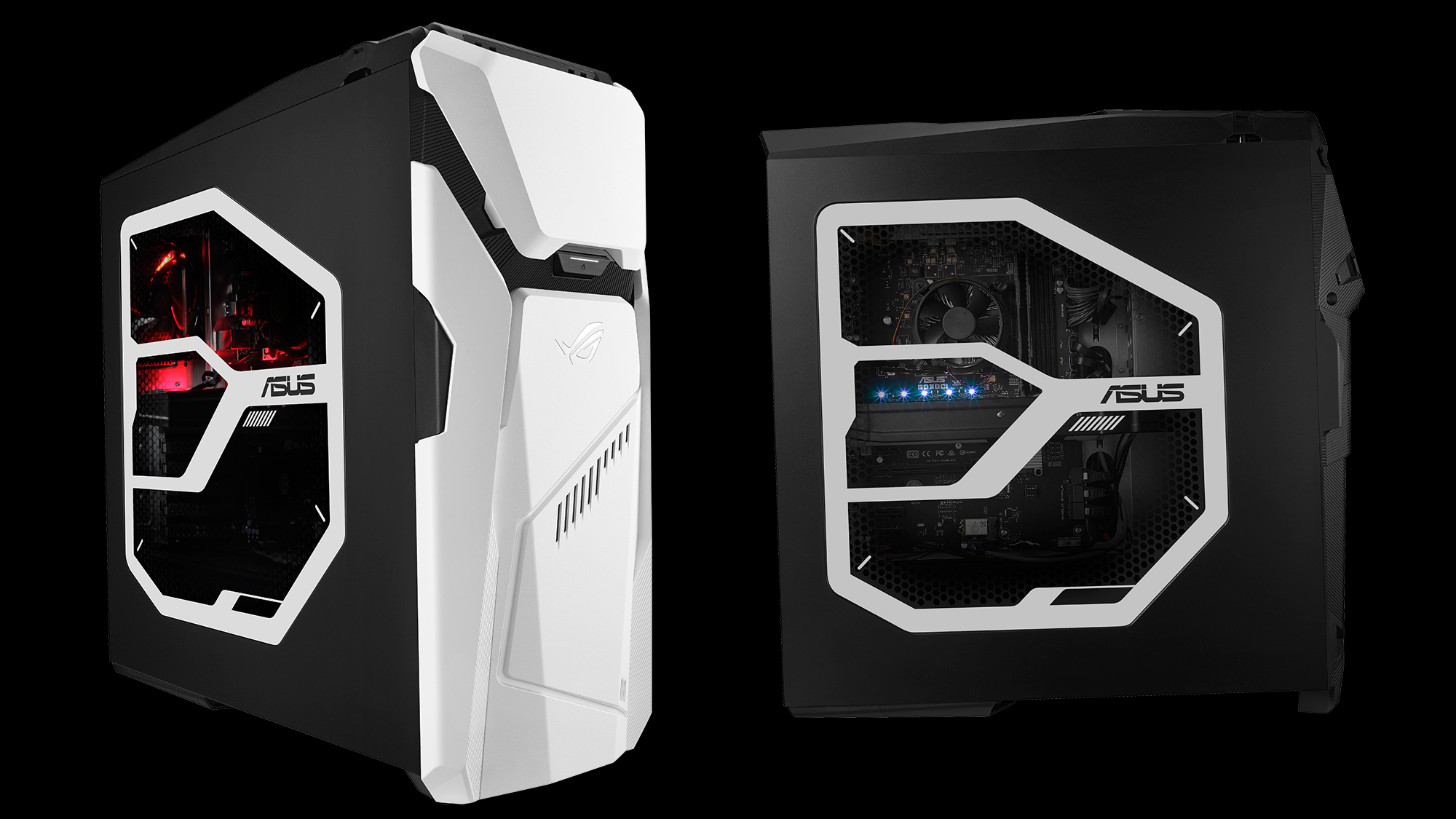
The Sci-Fi- and cyberpunk-inspired design finished with a combination of black and white speaks to perhaps Star Wars fans the loudest. Who would've thought you could do so much with two basic colors? (Whether either of these two can be classified as 'colors' is up for debate another time.) One thing's for sure: this should be one of the best picks for die-hard fans looking to complete a Star Wars-themed gaming room. The two front panels can be detached and rearranged to create a total of six different styles. Five combinations are shown above; we'll see who can figure out the sixth. A matching white LED strip between the two panels indicates whether the system is on.
Transparent side panels that show off the tech inside are now ubiquitous, but the GD30 adds an iron screen with a honeycomb design. While the result looks great aesthetically, it also serves a functional purpose by reducing EMI (electromagnetic interference). The results from the ASUS EMI testing lab show that the system's Radiated Spurious Emissions are lower than not only international safety standards, but also internal ASUS regulations, which are among the strictest in the industry. Now your furry friend can sleep easy at night next your PC.
If you want to add personal flavor, a 2D layout of the front panel can be downloaded for planning decals. We also offer the 3D source file for a miniature GD30, so you can customize a smaller sidekick to complement your big rig.

Customization goes beyond just the exterior. Aura RGB lighting lets you play with over eight million colors and multiple effects displayed in the center of the motherboard. There's also plenty of space inside to customize the spec. The GD30 has enough room for a full-size optical drive, up to six 3.5" hard drives or SSDs (solid-state drives), and two 2.5" SSDs. It even caters to liquid cooling with mounts for a dual-fan radiator.
Power for any games you throw at it
No matter how you much you customize your system, if you can't play the games you want, you might as well save your money and buy a case with lots of lights to gawk at. The ROG Strix GD30 comes in multiple configurations, with the top spec featuring a 7th Generation Intel Core i7-7700 CPU, 32GB of DDR4 memory, and an NVIDIA GeForce GTX 1080 graphics card with 8GB of video memory. Specs like these mean you can play any game in your library or wishlist.
Connect all the peripherals you want with four USB 2.0 ports and seven USB 3.1 Gen 1 ports. One of the USB 3.1 ports has a reversible Type-C connector that provides up to 15W of power for fast-charging devices. For easy access, there are two USB 2.0 ports, two USB 3.1 ports, a memory card reader, and both microphone and headphone jacks located at the top of the front panel alongside the power and reset buttons.
Just chill and focus on winning
We understand that not all gamers are (nor need to be) tech-savvy, so the GD30 is ready to go right out of the box. It's designed and built by experienced experts to ensure you can game without worry. Cool air flows into the system through large front and bottom intakes, while warm air is channeled out the back by a 120-mm fan with red LED lighting. For more airflow, you can install additional 120-mm fans in the bottom and front panels. The PSU (power supply unit) and some of the drive bays reside in their own covered chamber that separates the chassis into two thermal zones for improved cooling.
You won't need to get your hands dirty to know what's going on inside the chassis thanks to our Aegis III software. This can be your one-stop shop for monitoring system temperatures and performance, as well as controlling fans and lighting. From Aegis III, you have direct access to XSplit Gamecaster for recording gameplay and Sonic Studio III tweaking your audio setup.
Hit the PR button below for more info.